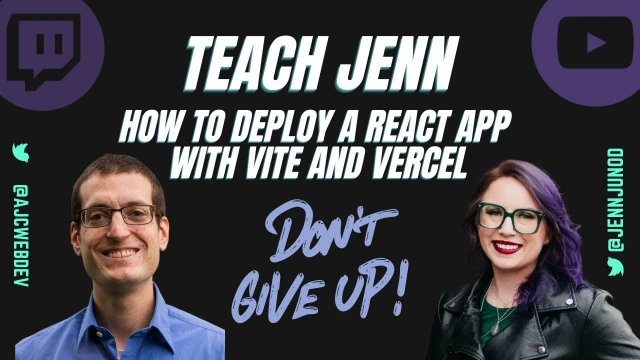
Deploy a React App with Vite and Vercel
Jenn learns to deploy her first React app using Vite and Vercel with guidance from Anthony, covering key concepts in modern web development
Episode Description
Anthony Campolo teaches Jenn Junod how to create, build, and deploy a React app using Vite and Vercel on the Teach Jenn Tech livestream.
Episode Summary
In this episode of Teach Jenn Tech, developer advocate Anthony Campolo walks host Jenn Junod through the complete process of creating and deploying a React application from scratch. The conversation begins with Anthony sharing his background in developer relations and encouraging Jenn's journey into tech, including practical advice about building a presence on Twitter and connecting with the devrel community. Anthony then introduces the core tools they'll use — Vite as a fast build tool and Vercel as a deployment platform — while explaining foundational concepts like why React exists, what JSX is, and how components work. The hands-on portion covers generating a project with Yarn, navigating the terminal and VS Code, editing the app's code, pushing it to GitHub, and finally deploying it to Vercel with just a few clicks. Along the way, Anthony clarifies the differences between websites and web apps, explains what localhost means, and touches on topics like Node modules, CSS, and the component hierarchy. The episode captures the genuine learning experience of a beginner asking fundamental questions, with Anthony consistently encouraging Jenn to focus on goals rather than getting lost in rabbit holes, and assigning homework to make changes and redeploy before the next session.
Speakers
- Jenn Junod
- Anthony Campolo
Chapters
00:00:00 - Introductions and the Value of Beginner Content
Anthony Campolo introduces himself as a developer advocate at QuickNode and a member of the RedwoodJS core team. He explains that today's goal is to teach Jenn how to deploy a React application using Vite and Vercel, and he draws parallels between his own journey into tech — starting a podcast before landing his first tech job — and Jenn's current path with Teach Jenn Tech.
The conversation highlights the unique value of having a beginner ask experts the so-called "dumb questions," which helps other learners sit in on those explanations and finally grasp concepts that more advanced discussions tend to gloss over. Anthony praises Jenn's stream setup and encourages the approach of documenting the learning process publicly as a way to create genuinely useful content for the community.
00:03:57 - Building a Twitter Presence and the DevRel Community
Jenn shares that she's brand new to Twitter and still learning how the platform works, from understanding threads to figuring out that she should DM people directly instead of replying on feeds. Anthony offers honest advice about navigating Twitter, acknowledging that while it can be intimidating and people can be aggressive, it's also the most powerful professional network for developers — especially within the relatively small devrel community.
They discuss how posting content, even things that seem unrelated like health and wellness tips, can have an unexpected impact on others in the community. Jenn mentions discovering Coding Therapist and the importance of staying active while working at a desk all day. Anthony emphasizes that the devrel world in any given niche is surprisingly small, with perhaps only one to two thousand active people, making genuine connections highly achievable.
00:08:22 - Understanding Vite, React, and Build Tools
Anthony explains the tools they'll be using, starting with Vite — a French word meaning "fast" — created by the same developer behind the Vue framework. He breaks down what a build tool does: since React uses JSX, which browsers can't read directly, a program needs to transform it back into standard JavaScript. Vite performs this transformation much faster than older tools like webpack, providing near-instant feedback when making code changes.
Jenn summarizes her understanding — JavaScript is what the browser reads, React is a format that needs compiling back to JavaScript — and Anthony confirms she's got it right, with one correction about the term "backend." He then explains why someone would choose React over vanilla JavaScript: it provides conventions for common tasks like handling events, requires less code, and introduces the concept of reusable components that can be imported across different files.
00:14:01 - Setting Up the Project with Terminal and VS Code
The hands-on portion begins as Anthony walks Jenn through using the terminal to generate a new Vite project with the Yarn CLI. He explains what CLI stands for (command line interface), discusses naming conventions for git repositories, and helps her navigate opening the project in VS Code. After running yarn to install dependencies, Anthony explains that JavaScript projects rely on code written by others — called dependencies — that must be downloaded from the Internet.
Anthony takes a moment to demystify the terminal itself, describing it as the original way programmers interacted with computers before graphical interfaces existed. He encourages Jenn to embrace the terminal rather than avoid it, noting that workarounds to skip command-line usage tend to create more problems than they solve. Jenn shares that her previous experience at Media Temple gave her some comfort with terminal work, even if she didn't fully understand it at the time.
00:25:48 - Running Locally and Editing React Code
With the project set up, Anthony has Jenn run yarn dev to start the local development server, and they confirm the React app is running on localhost. Jenn correctly explains that localhost means the app is only on her computer and not published anywhere. They then examine the code in VS Code, looking at the App.jsx file where Anthony explains that JSX combines JavaScript and HTML — a function that returns markup.
They edit the app together, removing the counter logic and updating the text to say "hello from Teach Jenn Tech," with each save instantly reflected in the browser. Anthony introduces concepts like imports, exports, and the component hierarchy, explaining that components are self-contained pieces of code that can be exported from one file and imported into others. He notes that understanding these React-specific patterns will take time but will become clearer with practice.
00:35:08 - Pushing to GitHub and Deploying on Vercel
Anthony guides Jenn through the process of getting her local project onto the Internet, starting with creating a new GitHub repository and using Git commands — init, add, commit, branch, remote, and push — to upload the code. They hit a brief authentication snag that gets resolved by pushing through VS Code's built-in GitHub integration, which Anthony notes works smoothly because Microsoft owns both GitHub and VS Code.
Once the code is on GitHub, they move to Vercel, where the deployment process proves remarkably simple. Vercel automatically detects that the project uses Vite, and with a single click, the app is built and deployed to a live URL. Anthony explains what happens during the build step — the JSX gets transformed and bundled into a dist folder — but emphasizes that beginners don't need to understand these internals right away, since platforms like Vercel handle everything automatically.
00:46:27 - Homework, Web Apps vs Websites, and Wrapping Up
With the deployment complete, the conversation shifts to next steps and broader concepts. Jenn asks about the difference between a web app and a website, and Anthony draws a clear line: websites serve static content you read, while web apps are interactive and let you do things like click buttons or place orders. He notes that while most of what people use daily are web apps, the majority of the Internet consists of simple websites.
They briefly touch on RSS feeds, XML, and CSS before Anthony assigns homework: make a change to the app, push it to the Git repo, and watch Vercel automatically redeploy. He encourages Jenn to stay goal-oriented rather than falling down rabbit holes, and reminds her that learning to code is a process that builds gradually over time. The episode closes with both expressing enthusiasm for future sessions and thanking the chat participants who followed along.
Transcript
00:00:02 - Jenn Junod
Hello Anthony, thank you for joining. I almost said my podcast.
00:00:09 - Anthony Campolo
Yeah. Is this a swear friendly stream?
00:00:12 - Jenn Junod
I'm gonna say yes because my podcast is called Shit You Don't Want to Talk About. So it's going to be very hard to transition to Teach Jenn Tech without swear words. Yes, yes. Teach me the shit that you don't want to talk about. That's what my two shows combined are. Thank you for joining Teach Jenn Tech. There we go. Got to get used to saying that. Please introduce yourself and what you're going to teach me.
00:00:39 - Anthony Campolo
Yeah. Hello, my name is Anthony Campolo. I am a developer advocate at QuickNode and I am also a member of the RedwoodJS core team, which is a JavaScript framework. Won't be talking about that at all because it's a little more high level. But today I wanted to teach Jenn here how to deploy a React application, and we'll be using a couple of tools to do that. We'll be using a specific build tool called Vite and a specific deployment platform called Vercel, and we can break down both of those and kind of explain what they are a bit from here. But yeah, I want to make a call out. One of my friends is already confused about this. My partner Jenn is not this Jenn. This is a different Jenn I met on the internet very recently, and you had reached out asking about how to get a devrel job. And I love helping people get into the industry and especially helping people launch streams. I helped one of my friends, Ben Myers, launch a stream about a year and a half ago. And so yeah, I was super excited that you reached out, that you wanted to do this, and it's gonna be really fun.
00:01:44 - Anthony Campolo
I think this content is so valuable to beginners and to other devrel people who want to do stuff like this. So yeah, and you already got title cards, you got graphics, you got a little logo right up there. Yeah, all sorts of stuff. So it's very, very cool.
00:02:01 - Jenn Junod
Thank you. And the only thing I don't have figured out, just because I think it is a great call out, is the fact that my ring light hits my glasses, but people can't see me without it and I can't see shit if I don't wear them. So they do show up in these. And I love the fact that your partner's name is Jenn. She must be amazing because she's pretty cool. Yeah, my name is Jenn.
00:02:24 - Anthony Campolo
She would never do a tech stream though. Definitely not. I did set her up with a Hashnode blog though, because she's a writer.
00:02:30 - Jenn Junod
I'm going to pretend like I know what that is so far.
00:02:33 - Anthony Campolo
Yeah, so that'll be next stream. I'm going to show you how to create a Hashnode blog. Hashnode is a very, very cool blogging platform. If you go to ajcwebdev.com, which is my homepage, you'll see a blog. And that's a Hashnode blog, whether you realize it or not.
00:02:48 - Jenn Junod
Very cool. Very cool. Well, at least I know that you'll be returning. And I will say I think a lot of people are excited to just see the growth and like for the opportunity for me to ask them questions in like six months where they're like, you've learned so much. You're not as much of a noob.
00:03:04 - Anthony Campolo
Totally. Yeah. I mean, I'm someone who created a podcast before I had my first tech job, so I really saw a lot of parallels between my story and your story and what you're doing here. And for me, I was interviewing people who are so far beyond where I was and trying to ask the questions that I thought would help contextualize things for me. And then that ended up having a knock-on effect of creating really good content for others who were like, I want to learn this stuff, but I don't know how to get into it. And when people talk about it, they're using all these terms, they're just talking past me, and I can't really wrap my mind around it. So having a beginner ask the experts the quote unquote dumb questions — and there are no dumb questions here — is so valuable. And it allows people who are also having those same questions the ability to kind of sit in on those conversations. "Okay, that's what I wanted to ask," and "that's the explanation I needed for it to click for me."
00:03:57 - Jenn Junod
Yeah, and thank you for mentioning that because since I'm also brand new to Twitter — like, I've had a Twitter account, I think I deleted it and then restarted this one in 2020. I think I've sent a total of maybe 10 tweets ever since 2011-ish. I didn't understand the concept of Twitter and how to use it and how to make sense of it. And looking into the developer relations roles and then seeing Adam's post and thread, I was like, oh, this is actually starting to make sense. But even two weeks ago I was asking people on the feed, on the thread, how to get in touch with them instead of just DMing them. So yeah, brand new to Twitter too. And I see what people post and the people I'm starting to follow, I'm like, I got like half of that.
00:04:53 - Anthony Campolo
It could be scary. It could be scary because in one sense it can be conversations that are really complicated, you don't quite understand. It can also be scary because people will be very aggressive. You'll meet some incredibly rude people on Twitter and don't ever feel bad about blocking or muting someone on Twitter because many of them deserve it. But it's a good call if you find the people who are open to having genuine conversations and who are looking to help you out. Twitter is the most incredible professional network you will ever find. I think far better than LinkedIn personally. But some people swear by LinkedIn, it's fine. But I've met so many people on Twitter and connected with so many people on Twitter, and once you kind of put yourself out there as someone being part of the conversation and putting out your own content, people will start to see that. And then when you do reach out to someone as a quote unquote cold message, they'll know you even if you've never talked to them.
00:05:43 - Anthony Campolo
Because there's a decent amount of people doing this, but there's not really thousands of devrel people. I would say in a specific niche, we're just looking at the JavaScript front-end world, at most there's maybe 1,000, 2,000 devrel people who are active, working at a company doing it. And then if you look at things like DevOps and data science and Web3, then you'll add in thousands for each of those niches. But you'll find very quickly that there's only so many people you need to meet to meet all the devrel people. It's a fairly small, tight-knit group.
00:06:20 - Jenn Junod
Sweet. I got added to a, what are they called? A list, a Twitter list. And I was so excited. I was like, I made the big times. I made it. I'm on a list.
00:06:31 - Anthony Campolo
Yeah. And a good list. I'm on a list I want to be on.
00:06:35 - Jenn Junod
Yeah. And I was just like, I didn't even know these existed. That's cool. I'm still learning that. And thank you so much because I think also with how you're mentioning Twitter, putting out content and those type of things. In my journey on Twitter the last two weeks, I started following Coding Therapist, and Africa is absolutely phenomenal in the fact she posts a lot about stretching and yoga, which seems so not relative. Yet at the same time, I realized even now, I'm sitting at my desk all the time, and I think you're absolutely right, because when you're posting that stuff, you don't even realize how much of an impact that may be making on others.
00:07:21 - Anthony Campolo
Yeah. The health aspect and staying healthy while you do this is a really important and under-discussed topic for sure. I just followed her. That's super cool. Yeah, you got to stay active and you got to make sure you're not on screen all the time. Once you get into this, you start really enjoying this kind of work. You just sit down, crank out hours and hours of work, and it's really invigorating and cool stuff. And then all of a sudden you're like, why does my neck hurt so much?
00:07:47 - Jenn Junod
I've noticed that with editing. I interned as a video editor and for my podcast, I'm like, oh, I've been seriously sitting here for like four hours. I need to get up. I need to move around. But thank you again for volunteering yourself too. You were the last conversation that I was like, hey, I'm committing. I'm doing this. And we booked a date, and then somebody else booked a date, and I'm like, this is real. So now you can't stop it. Yeah.
00:08:19 - Anthony Campolo
Now people are starting to reach out to you and ask to be on, whether you want them to or not.
00:08:22 - Jenn Junod
It's going to be cool. It's going to be cool. Okay, so it's React app with Vite. Vite.
00:08:30 - Anthony Campolo
Vite, yes. Because it's French. Yes, Vite. The reason why it's Vite, and this is just fun minutiae, it's not really important, is that it was from the creator of a framework called Vue, which you can think of as a competitor or alternative to React. Vue is also a French word, even though they don't use the French pronunciation, because things are never simple when it comes to naming. Vite is a French word that means "fast" because it's what's called a build tool, which basically means that when you build a JavaScript project — like the JavaScript project you did on the CodeSandbox, that one was kind of like vanilla JavaScript, I don't think you were really using a framework at all. And with something like React, it's almost like a different language from JavaScript. It's not entirely, but it's using something called JSX, which basically requires a compiler to transform it back into JavaScript. So you need a program to take your program and rewrite the program into something the browser actually understands. What's great though is you don't have to know how to do that. That's what the tools do for you.
00:09:39 - Anthony Campolo
Usually you would use something like webpack, and webpack would be the thing you would use to turn your JSX into JavaScript. But the problem is webpack is super slow and kind of obnoxious, and Vite is basically a faster, sweeter tool. So if you use older React frameworks that use webpack, you'll find that as you're doing it, you may make a change and you'll save it, and then you look at your browser and you wait, you'll be like one one-thousand, two one-thousand, three one-thousand, and then it'll change and then you'll see it, because it'll have to do that transformation. It takes time. Whereas with Vite, you'll save and then it changes and it's instant. And so that's why it's more like a CodeSandbox in that respect, where as you're making changes, it's just automatically updating. And so that's what makes Vite super duper sweet. There's a ton of other stuff about the internals and how it relates to the evolution of JavaScript as a language. I don't want to confuse you, but the important thing is that Vite is the tool you're going to use to develop with.
00:10:38 - Jenn Junod
Okay, let's see if I can summarize this and see if I got it. So, seeing if this all makes sense. JavaScript is front end, so it's like what the browser actually reads. React is a format of JavaScript, but it's more on the back end. And then you need something like Vite or the webpack one that you mentioned to compile it and move it from the React format back to JavaScript so it can be read by the browser.
00:11:11 - Anthony Campolo
That was all perfect. Just remove that word "backend" from there. There's no backend involved here. This is all still stuff happening entirely on the front end.
00:11:18 - Jenn Junod
Okay.
00:11:19 - Anthony Campolo
Yeah. So the back end stuff is like when I teach you RedwoodJS, we can talk about the back end because that's where you have a server and a database and all that.
00:11:27 - Jenn Junod
Okay.
00:11:28 - Anthony Campolo
None of that is going to be involved here.
00:11:30 - Jenn Junod
Why would someone use React instead of vanilla? That part I'm not quite following.
00:11:37 - Anthony Campolo
Yeah, you could do a whole episode on that question itself. So I would say because it's going to give you certain conventions for doing things that you're going to do all the time in JavaScript and makes it a little bit easier. When you're using JavaScript, you have things called events. So an event could be a click. You can have an event that says, when you click this button, I want something to happen. And then you will write code to make sure that the thing you want to happen when you click the button actually happens. Now, what React does is it gives you the ability to do that with less code and with less understanding of how JavaScript and the browser actually works. That's part of it — it allows you to do lots of frequently common tasks within JavaScript, and then it also gives you the ability to create components. Basically, that just means if you want that button to be a self-contained piece of code that you can easily insert into, say, different pages or different parts of your application, you can contain it within something called a component. And then that component is literally just a single tag with a single word in it.
00:12:47 - Anthony Campolo
And then you just got to import that wherever you want it, and then you can put it wherever you need it. Those are the main reasons why things like React exist. This is the same thing with Vue. This is the same thing with a lot of other frameworks. They are all based around this idea of components and containing your logic and functionality within these components.
00:13:10 - Jenn Junod
Okay.
00:13:13 - Anthony Campolo
And this will make so much more sense once you actually like look. Yeah.
00:13:15 - Jenn Junod
Yes, yes, yes. I was just about to say, I think it's like when I get mixed up with classes. And also it makes me think of how Google lets you color code tabs now and put them in groups. But cool.
00:13:32 - Anthony Campolo
Here's also a nice thing about React. You can write it with classes or without. So you can completely ignore classes for the rest of your life if you start writing React. I bet that sounds nice.
00:13:44 - Jenn Junod
That sounds pretty exciting. At least thus far, that's where I started on this journey of teaching myself all of this. I got really stuck. So I know we talked about this, but we need to have — you said terminal and VS Code, right?
00:14:01 - Anthony Campolo
Yes. Let's start with — we're going to generate our project now. This is going to be using something called Yarn, which I already made sure you had installed. Yarn and npm are both just command line tools to help you do common JavaScript kind of things. And they're all using Node under the hood, and we don't need to get into Node, but that's kind of another important piece of the whole JavaScript ecosystem. And understanding where Node sits within things is something you're going to have to understand at some point. But don't worry about it now because Node is a huge beast unto itself.
00:14:41 - Jenn Junod
Okay, so listeners, everyone out there, if you want to come on the show and explain Node at some point, you're welcome. DM me. Let's do this.
00:14:51 - Anthony Campolo
Let's make the font bigger in your terminal. First off, you just do Command plus.
00:15:00 - Jenn Junod
I told you, I haven't touched this in so long. I just barely knew what terminal was.
00:15:08 - Anthony Campolo
Let's talk about the terminal real quick. The terminal is something that scares new developers for good reason, because it's a blank prompt and it's like, tell me to do something. And you're like, what do you want me to tell you to do? You need to know that ahead of time. But what's cool about the terminal is once you figure out the commands and the things you need to do, you can just tell your computer to do things and it will do it. There used to be a time before we had GUIs, graphical user interfaces, like this nice desktop we have, where the terminal was the computer. There was no other way to interact with a computer except the terminal. The terminal is the more long-standing way of how programmers used to work with computers. So I would say embrace the terminal. Once you kind of wrap your mind around it, it's actually really powerful to use, and you're going to find that if you try to always avoid the terminal, you end up doing all these weird kind of workarounds just to avoid the terminal.
00:16:04 - Anthony Campolo
But if you kind of embrace the terminal, it's going to be like very, very useful for you in the long run.
00:16:09 - Jenn Junod
I would say that my time at Media Temple is definitely why I'm not as scared of the terminal, because when we had to fix customer servers and things like that — and yes, you're probably right, my tech leads probably did totally just go search for the answer because I didn't know how to do that back then. We would have to go through the terminal to their server and that was really hard to conceptualize and do at the same time. Shout out to Ahmed. I actually texted him out of the blue after like three years of not working there. And I was like, dude, I'm not scared of the terminal and we're doing stuff on this thing I'm doing. And I actually somewhat know what you used to tell me now. I was really excited. Yay, terminal.
00:16:56 - Anthony Campolo
Super cool. What we're going to do — I'm just going to tell you exactly what to type here. First, write the word "yarn" and then do a space and then write the word "create." Then do a space and then write "vite," V-I-T-E, space. Now we're going to give our project a name. What would you like to call our project today?
00:17:23 - Jenn Junod
Tuesday.
00:17:24 - Anthony Campolo
Tuesday. Not a very descriptive name, but we'll go with that. Let's make it all lowercase too.
00:17:32 - Jenn Junod
Okay. Does it need to be all lowercase or does it need to be camel case?
00:17:39 - Anthony Campolo
This is going to eventually be a git repo. When I'm naming git repos, I will do all lowercase and dashes in between the words. Okay, so you do Tuesday, July 5th — do 05, not just a 5.
00:17:55 - Jenn Junod
Why?
00:17:56 - Anthony Campolo
Huh?
00:17:58 - Jenn Junod
Just because. Just because it's cool or why?
00:18:00 - Anthony Campolo
Well, because what if you wanted to sort it by the date? If you do that, it's gonna go 1, 10, 2, 22. It'll do it like that. So that's why you want the zero in front. Groovy. Yeah, that's great. And then do space. And then you're going to do two dashes and then the word "template." Great. Space. And then the word "react." What's happening with that is we're saying we want to create a Vite project and we're doing that with the Yarn CLI. And we want to create that project and we want to name it Tuesday, July 05. And then, because Vite doesn't need to necessarily be used with React, you could use Vite with Vue, because I said it's from the creator of Vue. You could use it with Svelte, which we haven't even talked about at all. We don't need to. You can do it with just straight up vanilla JavaScript, which would also be a good thing for you to do at some point. But we want to tell it specifically when we generate this project, we want it to be a React project. So that should be all we need to do.
00:19:08 - Anthony Campolo
If you hit Return, then that should generate our project.
00:19:14 - Jenn Junod
And really quick, you mentioned CLI, and for a very long time I did not know what CLI was. I don't know why I knew that it meant typing something like this, but I never knew that it was command line interface.
00:19:29 - Anthony Campolo
Yep, yep. And a command line interface is what you do on the terminal. The command line is the terminal. Those are essentially synonymous terms with each other.
00:19:39 - Jenn Junod
Yeah. Again, something I was just like, oh, that's so cool.
00:19:44 - Anthony Campolo
Awesome. You should be able to find that project now in your VS Code. Actually, before we do that, real quick, I want to just try something in your terminal. Write the word "code," then do a space, and then write the name of your project that you just created. Then see what happens when you do that. We would need to configure that first. This is a nice thing that lets you just immediately open your project from VS Code. But for now, you should be able to just go find it within your VS Code.
00:20:24 - Jenn Junod
I barely know how to use VS Code, so this will be fun.
00:20:28 - Anthony Campolo
Let's see. First, actually, just close that out entirely because you're already in a project. Just close that out. Hit the red, then go to file.
00:20:42 - Jenn Junod
I didn't know that actually closed it. That's fancy.
00:20:46 - Anthony Campolo
Look at that.
00:20:46 - Jenn Junod
That's how you close them out. All right.
00:20:49 - Anthony Campolo
Yeah. So you want to go to file and then open workspace from file, I think. Let's see.
00:20:57 - Jenn Junod
I can do open.
00:20:59 - Anthony Campolo
I never do this. I had to figure out how to do this real quick. Open folder is what you want to do. There you go. Yeah, so. So cancel out that and then hit the. Hit the red again. So go back to file and then open folder.
00:21:18 - Jenn Junod
Got it. Thank you.
00:21:22 - Anthony Campolo
Then that would have been generated in your Jenn Junod folder.
00:21:30 - Jenn Junod
There we go.
00:21:31 - Anthony Campolo
And then hit open. Don't do anything else. Yep, just that. Bam. Cool. Great. Now let's go back to your terminal. Now what we're going to do is cd, which is change directory, and we're going to enter that project. Give it your name again.
00:21:56 - Jenn Junod
Click back. You got to move back.
00:22:01 - Anthony Campolo
Just like that. Great. Then do just the word "yarn" and then execute that. What that's going to do is install your dependencies. Anytime you're doing a JavaScript project on your computer, the JavaScript project is usually made up of a bunch of code other people wrote. You didn't write the code for Vite, you didn't write the code for React. But to create a project that's using those — "dependencies" is the term — we have to first download those from the internet onto your computer. That's what's happening with this step.
00:22:37 - Jenn Junod
Just to make sure I'm following along. Because we opened it in Visual Studio, that's the reason why we were able to change directories to it, because we were able to show that it existed by opening it.
00:22:53 - Anthony Campolo
The Visual Studio Code part is completely decoupled from what we're doing right now. Your terminal always has a state that it's in. If you see right now on your command line, you see how it says "Tuesday, July 05"? It didn't say that before. That's because you're inside that directory. The code you're looking at on Visual Studio Code is just because you have that code on your computer and you opened up an arbitrary folder over there. You can open a terminal inside VS Code. I like to keep them separate because I use a specific terminal called Warp that gives you a lot of really nice stuff. I tend to keep them separate. You could have opened your project in Visual Studio Code, generated it, and done that all through the terminal in Visual Studio Code. But right now the two are separate. But they're both doing things on your computer, if that makes sense.
00:23:48 - Jenn Junod
Yes. I just wanted to get a bit more detail on it because I was like, I'm following along, but I don't know if anybody else would. That hasn't been here yet.
00:23:58 - Anthony Campolo
This is the type of stuff — just getting into the workflow of how do you open a project and work with it. This is why I really do highly recommend people start with things like CodeSandbox, because you didn't need to know any of this to do CodeSandbox. You just opened up a browser and started writing code and it had your whole development environment set up for you. So that's great, but at a certain point you gotta learn how to do it locally. There's a lot of reasons why, but it's just something you gotta eventually learn to do, and then you'll be glad you did.
00:24:30 - Jenn Junod
That's a big reason I'm also excited about Yeri going through and doing a code review because I'm like, I'm pretty sure I wrote it in HTML.
00:24:39 - Anthony Campolo
Your font sizes are still a little too small.
00:24:46 - Jenn Junod
Did that work, or do you want it bigger?
00:24:48 - Anthony Campolo
Do one more on the terminal and then go back to — and then close that up a little bit. Yeah. Cool. And then open up your VS Code a little bit more and then bump that font up like three times. Yeah, that's pretty good. Cool. And then you can also X out of that "Get Started" thing. Yeah. You also see how now you have that folder called node_modules. That is what was downloaded when you ran Yarn. So open it and then close it and never look at it again.
00:25:22 - Jenn Junod
Cool. I like that.
00:25:24 - Anthony Campolo
It'll just scare you. Don't ever look at your node_modules. It'll stress you out because there's hundreds of packages in there. You have no idea what they're doing. If you're trying to look at the code, you have no idea what it's doing.
00:25:35 - Jenn Junod
One day, that's exciting.
00:25:37 - Anthony Campolo
You will have to go into your node_modules and actually change something, and that will be the day you will know you're a senior developer. Don't worry about that.
00:25:46 - Jenn Junod
I'll get there.
00:25:48 - Anthony Campolo
That's good advice. Yeah, Ramon knows what I'm talking about. Awesome. Now here comes the magic. We've generated our project, we have some code. Now we need to actually run it locally on our machine. The way we're going to do that is we're going to type yarn dev in our terminal, then hit that, and then it's going to tell you that this is now running on localhost 3000. I'm assuming you probably don't know what localhost is.
00:26:21 - Jenn Junod
Localhost means it's only updating to your computer. It's not actually pushing it out to anything because it's not connected to HTTPS or anything.
00:26:32 - Anthony Campolo
That was a great answer. That's exactly what it is.
00:26:34 - Jenn Junod
Yes. I'm still really stuck on understanding browsers. I'm guessing you want me to open this in Chrome or not?
00:26:45 - Anthony Campolo
Yeah. I'm assuming you don't have Brave.
00:26:47 - Jenn Junod
I don't even know what you just said to me.
00:26:50 - Anthony Campolo
Brave is a more crypto native browser that has, like, crypto wallets and stuff built into it.
00:26:56 - Jenn Junod
We already talked about this. I'm not allowed to look at that stuff until I understand this.
00:27:00 - Anthony Campolo
Exactly. That's a good thing. Now, here you are. This is your React app. You have created a React app. You are now a React developer. Now, just to make sure that that count does something. You got to click the count button. That's part of the ritual.
00:27:17 - Jenn Junod
That was exciting.
00:27:18 - Anthony Campolo
I know.
00:27:20 - Jenn Junod
I have no idea how well. Okay. I understood a lot of it.
00:27:28 - Anthony Campolo
Now let's look at the code, actually, because we haven't looked at any of the code yet, so that'll help us out here. What you should do now is rearrange your windows so we can have all three of these on screen at the same time. Yeah. I would say you could move your React app so it's kind of just below your terminal. You only need a little bit of screen real estate right now. Yeah, that's pretty good. Perfect. Yeah. Don't touch your terminal at all. Set and forget that for now. Then you could even probably move that up even a little bit more and just have it on top of there. Yeah, that's great. Cool. Now you want to go to the src folder in Visual Studio and then go to App.jsx. You notice how it's not a .js file, it's a .jsx file. That's what I was talking about, how this is JavaScript but not exactly — something called JavaScript extension language. The reason why is because right now what you're going to be looking at is a combination of JavaScript and HTML at the same time.
00:28:36 - Anthony Campolo
You have a JavaScript function, and that JavaScript function is returning a bunch of HTML.
00:28:48 - Jenn Junod
I comprehend the words you're saying.
00:28:52 - Anthony Campolo
Here's where you do — so go into that file and everything under "Hello Vite + React," delete that from there and then go down a little bit. Down a little bit more. And then keep going, keep going, keep going. I can't see entirely to the bottom. And then the div — don't delete the header — and delete all that. Great. Then save. Now, you saw the change on the left, and also part of your screen is being blocked right now by the header of your streaming setup.
00:29:39 - Jenn Junod
Oh, yeah, I can turn that off. Give me a second. Hey, now we know that I need to make it smaller or in a different spot. There you go.
00:29:49 - Anthony Campolo
Or just account for it with how you position the windows on your screen, however you want. So now what we want to do is where it says the p tag, change that to just say "Hello from Teach Jenn Tech." Great. And then save. And then you'll see that change in your window. That's what I mean. That's HTML. That's a p tag. You've written a tiny bit of HTML before. Tiny bit, yes, that should make sense. You all see there's an image tag there and there's a div. Yes, that is the HTML part. But then above that you have the function app. That's a function. That's not HTML. You can't write functions in HTML, you write functions in JavaScript. That's why I say this is a JavaScript function that literally returns HTML.
00:30:50 - Jenn Junod
I think this is going to be something that everything, again, you're saying is making sense. I think it's like when I go through last week's training in more detail because we wrote some things in JavaScript and some things in HTML and now I'm like stuck on.
00:31:09 - Anthony Campolo
I get what you're saying, what's what. Yeah, yeah.
00:31:11 - Jenn Junod
And I'm like, then —
00:31:12 - Anthony Campolo
React is not going to make that easier for you, if anything a little more complicated for a while because it's going to be mashing it up all together.
00:31:18 - Jenn Junod
Okay. But yeah, I'm going to have more questions later on. Got it. I'm learning. I'm following for the moment.
00:31:27 - Anthony Campolo
Then we're going to delete one more thing where it says const [count, setCount] = useState. Delete that. That was for our counter. We're not going to worry about that too much. That's going to be your React 102. We'll be learning useState, but for now we're good to go. Then just for my sanity, delete line 6 and then line 11.
00:31:52 - Jenn Junod
Would you delete line 15 or.
00:31:54 - Anthony Campolo
Because you want to have a space in between your imports and your function and in between your function and your export. Not because it's going to break anything, just because that's the standard. It's going to look weird if you don't do that because there's always going to be three pieces here. You're going to have your imports, which is the stuff you need to make this component work. And then there's going to be the component itself, which is going to have a name. And then you need to export the component so you can bring the component into another file. So let's also delete the import useState at line one, because we're no longer using that. Again, you don't need to worry about useState at all at this point, and then save that. And now, just to kind of explain what I mean about this being exported, go to main.jsx. Here you see on line three, we're importing the app from the app file, and then we're having the app displayed in our ReactDOM.createRoot. This is another React-ism that you don't need to worry about really understanding right now.
00:33:01 - Anthony Campolo
But the point is that all of your components basically get smushed together into this one uber component and that component is then your entire app. So anytime you're trying to trace back an issue, you can always be like, okay, where is this component and how does it sit in what's called the component hierarchy? This is more React terms that is going to take a little while to sink in. But the point is that every file has a component. It exports a component. That component can be imported into other files
00:33:35 - Jenn Junod
If you're exporting it into other files, if you update the original one, will it update everywhere else without having to go back and track it?
00:33:47 - Anthony Campolo
That's why when you were updating it in App.jsx, you were changing things and you were saving it and you're instantly seeing the change. You didn't have to go into your main.jsx to do anything else.
00:33:57 - Jenn Junod
Cool. Is there anything outside of going into the individual files that are going to tell us the hierarchy?
00:34:09 - Anthony Campolo
There's what are called the React dev tools, which will give you more visibility into the component hierarchy. That's the thing that you'll probably want to get into at some point if you plan on becoming a React dev. This is the thing though, you don't necessarily need to ever write React. I think it's an important thing for developers to learn because it's becoming the standard in a lot of ways as what a lot of front-end devs are expected to know. But if you want, you could write Svelte, and Svelte doesn't have the same kind of hierarchy idea. It's a little bit different. There's similar things but it's not exactly the same. So for the most part, you're going to get deeper into some frameworks and you're going to install tooling that's going to give you better visibility into them, and you'll build mental models around them that are kind of unique to them. So for now we're kind of just doing a high-level overview. And the point of this whole stream was not really necessarily to teach you React, but to show you how to get a React app online.
00:35:08 - Anthony Campolo
That's really going to be the cool part here because right now you don't have a website. You have a thing sitting on your computer running on localhost, and that doesn't help anybody. For me, the thing that I think is really cool is that now we're at a point where you can get this onto a git repo and then log into something like Vercel or Netlify and you can click a button and it's going to deploy it for you. First, let's make sure that we can get this onto a git repo at all. I should have asked this before, actually. Do you have a GitHub account?
00:35:38 - Jenn Junod
Yes.
00:35:39 - Anthony Campolo
Great. That's very important. Let's go to GitHub. Actually, before — let me show you a cool trick. Actually, first go back into your terminal and hit Control+C.
00:35:59 - Jenn Junod
That's Command+C, right?
00:36:00 - Anthony Campolo
Control+C, not Command.
00:36:02 - Jenn Junod
Yeah, Control+C. There we go.
00:36:05 - Anthony Campolo
That killed our development server, so now it's no longer running. So if you go refresh localhost:3000, your React app will no longer be there. Yep, there you go. And that's good because right now our app is done. You've written the entire app. We're finished with it.
00:36:21 - Jenn Junod
So exciting. I feel like I can mess things up very well there. I'm excited.
00:36:26 - Anthony Campolo
Now go back into your browser and just go to repo.new. Remember that one? That's cool. Yep. And give your repository name the same name as your project.
00:36:52 - Jenn Junod
Okay, cool.
00:36:53 - Anthony Campolo
Then we want it to be public and keep all that exactly where it is. Don't change anything. And then hit Create Repository. And what's cool is they're going to give you a set of instructions to actually get this on there. So if you see the instructions, don't do the echo because — you technically don't have a README, but skip that instruction anyway. Start with git init, then do that. This is fine. That's not an error. That's good. It's letting you know — this is something that we should do later, is configure things so it uses main instead of master. Because people don't use the term master anymore. They use the term main. But there's a step within this flow that will change it to main for you. Next, do git add. So "git" with the I. Oh, yeah.
00:37:53 - Jenn Junod
I got it, you know, just hearing it and typing it.
00:37:58 - Anthony Campolo
Right? Yeah.
00:37:58 - Jenn Junod
Get used to that one.
00:38:00 - Anthony Campolo
Yeah. So git add and then do space and a period. What that's going to do is put all of your changes into the staging area. This is also Git speak. Don't worry about that too much. And then now copy the git commit -m command from the browser. Yep. Perfect. So that committed everything. Now do the git branch one and that's going to change your branch from master to main. Cool. And then do the next one. This is going to set the remote. This is what's going to actually connect your current project to this online GitHub repository. And then the last one is actually going to push your project up into this repo. Okay, so you're going to have to log in. It should hide it for you. I don't know if it necessarily will. You might want to pull off screen just in case. I would say go off screen just in case. It should hide it for you, though.
00:39:14 - Jenn Junod
I don't even know what I — yeah.
00:39:17 - Anthony Campolo
Also, get a password manager if you don't already have one. 1Password is actually a piece of software I pay for because it is extremely nice and it's going to save you hundreds of hours of your life just to pay for it. So I would recommend getting a 1Password account. It'll change your life.
00:39:42 - Jenn Junod
Please use a personal access token.
00:39:46 - Anthony Campolo
Hold on. Oh no, that's not good. Okay, so that's weird. There's another kind of stupid hacky way I think we might be able to do this. Let's see. Actually, let's try logging in to — this is funny. Freaking git, man. Every time. Yeah, try from the VS Code terminal instead.
00:40:25 - Jenn Junod
Is it sign in to sync settings? That one?
00:40:29 - Anthony Campolo
No, no. Do Command+J. Great. And then run that last command again, the git push origin main. I think you're going to have to log into GitHub through VS Code for this to work. Let's first see what this does. It could probably give you the same thing. I'm teaching Ramon all sorts of stuff over here. Yes, that's perfect. This is what's nice about the fact that all these companies are now owned by the same company. GitHub is owned by the company that makes VS Code. You just gotta remember your password. Did you not know your password?
00:41:20 - Jenn Junod
No, I just set up all these accounts and I made them all different passwords.
00:41:24 - Anthony Campolo
So yeah, this is. And you don't have a. So where are you saving your passwords? Are you just trying to remember them all?
00:41:31 - Jenn Junod
You know what? I would have prepared. I didn't even think I'd have to log in.
00:41:36 - Anthony Campolo
Yeah, no, this is totally fine. You're gonna want a password manager, definitely. For sure. I would say if you need to, you can go reset your password right now and that will take you a bit or two.
00:41:48 - Jenn Junod
Oh, hey.
00:41:49 - Anthony Campolo
Oh, is that it?
00:41:50 - Jenn Junod
I think Chrome might have saved it. Sweet. But I can't really. I'll reset it after this.
00:41:57 - Anthony Campolo
Cool.
00:41:59 - Jenn Junod
Yes. Yay.
00:42:02 - Anthony Campolo
Great. Then close that other window. Go back to the — close that one out too. Close that one out too. And then hit refresh on this one. Yeah. There's your project.
00:42:23 - Jenn Junod
Yay.
00:42:24 - Anthony Campolo
Excellent. Great. Next step should be very simple. Just go to vercel.com,
00:42:37 - Jenn Junod
Right?
00:42:38 - Anthony Campolo
Yep.
00:42:38 - Jenn Junod
Yeah. There we go.
00:42:40 - Anthony Campolo
Cool. And then let's open this up to just be the whole thing, because this should be all you need right now. And then also bump your font up a couple times. Yep, that's perfect. And then hit New Project. Yep. So add GitHub account. Yep.
00:43:03 - Jenn Junod
Thank you for staying logged in. I appreciate you. GitHub.
00:43:07 - Anthony Campolo
Click out of that and then import. Then notice there's something very cool happening here. You see how it says Vite already?
00:43:17 - Jenn Junod
Yes.
00:43:19 - Anthony Campolo
Vercel can literally look at your project and tell what it needs to build. This is incredible. If you click the little dropdown under Framework Preset, you see RedwoodJS is in there. That's the team I'm on. There's all of these. I know the creators of probably about half of these frameworks. If you're ever looking for more guests, I could personally introduce you to a lot of these people. But this is what's really, really cool about Vercel — you don't have to configure your project to tell Vercel how to build it and how to put it on the internet. It literally looks at your project and lets you just click a button and it's going to put it on the internet for you.
00:44:01 - Jenn Junod
Okay.
00:44:02 - Anthony Campolo
Yeah. So just click out of that because you're already all set up, and then hit Deploy.
00:44:08 - Jenn Junod
Now, I'm just curious what these are, though.
00:44:11 - Anthony Campolo
I can explain this. When I was talking about how you need to build it — that's transforming it from the JSX to the JS. It's going to run npm run build, which is running the Vite build command. You could do that on your own computer too and see what that does. I skipped that step just for time's sake. But what it does is it takes your entire project and then bundles it together and puts it in a folder called dist. That's the output directory. Then the output directory is now where your project lives. When you're coding on localhost, that's the thing that I was saying takes webpack a long time. It needs to take your code, turn it into this other thing that's in a different folder with completely different code. And then it needs to take that code and actually run it in your browser. There's all those steps involved that Vite is doing for you. When you're deploying it, your code isn't changing. Hopefully your code just stays the same. Once it's done and you want to deploy it, it just does the build step once and then your project is built in this dist folder.
00:45:17 - Anthony Campolo
And then that is the thing that actually gets shipped to the server that runs your website.
00:45:23 - Jenn Junod
I'll ask you about that again after I learn more.
00:45:27 - Anthony Campolo
This is what's awesome about these platforms — you don't need to know any of this stuff. This is stuff that's important to know because at a certain point stuff's going to break and you're not going to know why, or you need to know how to debug. At this point, all of this is going to be done for you. You don't need to really understand any of that. I deployed like two dozen websites to Vercel before I understood that a project was being built and put into a dist folder, because it just does it for you. All right, click the building little arrow and then you can — too late, it's already done.
00:45:59 - Jenn Junod
Yay.
00:46:00 - Anthony Campolo
Go to your dashboard and then go to domains and then click that and then drop that baby in the chat so everyone else can see your wonderful new website you just created.
00:46:14 - Jenn Junod
Yay.
00:46:18 - Anthony Campolo
Cool. You did it. You deployed a React app to Vercel with Vite. Cool, right?
00:46:27 - Jenn Junod
It is. I'm also thinking about how I'm going to make one of these.
00:46:35 - Anthony Campolo
Totally. And dude, this is what I do for my job. I create little example apps and then I deploy them to a deployment provider and then I have an example app and then I can show it to people. This is literally what I just showed you. This is my actual workflow for actual projects. That's because I'm a dev advocate. Obviously, if you're building a whole production app, you're not usually spinning up lots and lots of new projects and deploying lots and lots of projects. Usually you're working on a single project that was built 10 years ago and is only deployed in one area. But for what you want to do — you want to be in devrel, you want to be a dev advocate — you're going to do this 100 times in the next year, minimum.
00:47:16 - Jenn Junod
I'm letting it soak in. Okay, so for homework, a few questions. I will, just to keep the same theme on every single one of them, write my three or four favorite podcasts just on this instead. So if I want to change the logo, would I just upload another SVG file? Do I just Google it and see if I can figure my way out of it?
00:47:48 - Anthony Campolo
You could do that. You could literally just take what's written in the logo SVG and rewrite that. Because then you wouldn't have to worry about importing a different thing back into your App.jsx. Or you can create a new file with the new SVG, and then you're gonna have to figure out how to import that, which is another step. So yeah, there's so many different ways you could do stuff in React and so many different avenues of how you can start building this out into your own custom app. Yeah, it'll probably be for the next episode, though.
00:48:17 - Jenn Junod
Okay, well, I have my homework set up for me. That's.
00:48:26 - Anthony Campolo
Yeah. And Ramon is saying there may be some CSS wiring you'll have to do. Right now it's set up where you have an index.css and App.css. Those should already be set up. But CSS and how CSS comes into the picture is its own separate, complicated question because everyone has opinions on how you should do CSS. Some people want to write regular CSS, some people want to use something like Tailwind, and you have to actually bring out CSS experts to talk about CSS because I don't write CSS at all. Not because I think CSS is beneath me, because I think CSS is too complicated for me.
00:49:02 - Jenn Junod
Okay. That's going to be a lot of fun.
00:49:05 - Anthony Campolo
Yeah.
00:49:06 - Jenn Junod
Yeah. Okay. Well. And okay, this might be a very, very silly question, but I'm going to ask it anyway. So what makes this an app compared to just a regular website like a dot com?
00:49:23 - Anthony Campolo
That's a great question. So most people would say the difference between a website and a web app is that a website is static content. So a website would be, say, a blog post that you can read, whereas a web app has a button that has a counter on it that you can click to make it change. So if you think about it, imagine a restaurant's menu. You have a restaurant, you have a menu, you can read the menu. That would be a website. If you could also buy the food on that site and actually order it and pay, then it would be an app. Does that make sense?
00:50:06 - Jenn Junod
It does. I'm working on converting it in my head. Something that will stick.
00:50:11 - Anthony Campolo
Yeah. So basically, is it interactive or not? Can you actually interact with it and do stuff with it, or is it just a thing you're reading? It's just content. That's kind of the distinction that most people make between a website and a web app. But there's also lots of people who will argue about the semantics of those two things and where the boundaries are. But for me, that's a nice clean boundary that I think is pretty comprehensible. Most people will agree with it.
00:50:34 - Jenn Junod
Okay. So does that mean most web apps by non-techs are called websites even though they're web apps?
00:50:44 - Anthony Campolo
Yeah, I mean, Twitter is not a website, Facebook is not a website. Any social network is not a website. Because by definition, if you interact with it, it's not a static site, it's an app. So the vast majority of things we do on the internet these days are apps, but the vast majority of things on the internet are websites. Because if you think about it, there's these large companies with a very small number of apps that we interact with on a regular basis. But that's actually a tiny, tiny, tiny fraction of the entire internet. The vast majority of the internet is small little mom-and-pop shops and people's personal websites and things like that. So most of those are just websites with some content that people want to put out that people can read. But the things that people actually do on a day-to-day basis when they're using the internet are almost entirely web apps, because you go to the internet to do stuff.
00:51:35 - Jenn Junod
An RSS feed.
00:51:41 - Anthony Campolo
An RSS feed is a way to get content. So a podcast has an RSS feed and then every time someone puts a new podcast episode out, then it's added to the feed and people who are subscribed to that feed get that new episode pushed to them. So you could do that with a blog, you can do it with a podcast.
00:52:03 - Jenn Junod
So is that a web app then?
00:52:06 - Anthony Campolo
RSS is neither a website nor a web app. It is probably what you would call a protocol, I would guess.
00:52:15 - Jenn Junod
Oh yeah, that would make sense. Like HTTPS or IMAP.
00:52:19 - Anthony Campolo
Yeah, Wikipedia calls it a web feed.
00:52:24 - Jenn Junod
Oh.
00:52:24 - Anthony Campolo
I'd say you could use RSS within a website or a web app. Most of the time, an RSS feed is kind of something that people will put on a website so that web apps can consume it.
00:52:39 - Jenn Junod
Okay. Okay.
00:52:44 - Anthony Campolo
Yeah, that's true. You get HTML from an RSS feed. So RSS feeds — or is it actually XML technically? I think it might be.
00:52:56 - Jenn Junod
I'm like, stuck in processing mode.
00:52:59 - Anthony Campolo
Yeah, no, we're starting to talk over each other.
00:53:03 - Jenn Junod
No, I think it's good. I think it's good because it's giving me examples. And this is something that I love about having Teach Jenn Tech — I'm able to ask for things that go around it because I may be stuck on what normally makes sense as the next step, but I'm still stuck on how this works with it. So I'm not understanding the next step.
00:53:26 - Anthony Campolo
Yeah, and you're still building mental models around all of these terms. And the technology is just really, really hard. And this is why for me, listening to podcasts was really useful because I got to hear people constantly speak in these terms and speak with each other about it. The feed itself is XML, but a blog post inside would be HTML. Yeah, exactly. The RSS feed itself is XML that embeds HTML in it, the way that React embeds HTML in JavaScript. So that's one way you can think about it — XML is a very old language that is kind of baked into things like RSS. But you will almost certainly never write XML, or hopefully you won't have to write XML anytime soon.
00:54:14 - Jenn Junod
Well, Ramon, you know what I'll be working on before our Teach Jenn Tech next week, so that'll be exciting. And then I have Rizel the next day to teach me about GitHub. I feel like by then I'll have a more solid understanding.
00:54:35 - Anthony Campolo
With Rizel and GitHub, so much of the stuff you're going to do is going to be based around GitHub. The more you can learn about GitHub upfront, the better. As you saw, that was the connection point between our project and the deployment provider. And this is what's really cool — if you wanted to change your project, what you need to do is change something and then push it up to your Git repo, and then Vercel will automatically deploy that new change for you. That can be your homework: make a change and then push that change to your Git repo and then see it update on your Vercel site.
00:55:13 - Jenn Junod
I was going to say another thing that I think is very confusing to have answered at some point would be — Stoplight is my main point of reference when it comes to GitHub. We would be able to create new projects just like we did today and it would sync to GitHub. I think the part that is most confusing though is going from VS Code to GitHub to update. I don't know. I'm going to ask it after Rizel's.
00:55:53 - Anthony Campolo
This is why I say getting comfortable with the command line, because the command line is where you can do the commands to do stuff with Git. Visual Studio Code itself has Git functionality built into it. There's also the GitHub Desktop app. So you're going to find that you're going to be able to figure out like three or four different ways to get a GitHub project up on the internet. Everyone has their preferences on which ones they prefer. Some people stick with the terminal, some people like having a more visual kind of desktop app way to do it. Some people like having it just in their code editor already. I used the GitHub Desktop app for a little bit and then eventually kind of just stuck with using the terminal and VS Code by itself. But you should play around with all these things because then you can kind of form your own opinions about how you like to do stuff.
00:56:42 - Jenn Junod
Okay.
00:56:43 - Anthony Campolo
And just remember, it's all part of the process. You don't need to learn this all at once. You'll take in a new tool at a time and it'll start to accrue, and before you know it, you're gonna have like 20 of these things. You're gonna be a pro at all of them. It's all part of the process. I've been doing this now — I first started learning to code in 2018 and then I did a boot camp in 2020, and I've been working professionally in tech for a year and a half. So that may seem like a long time, it may seem a short amount of time. Kind of depends on your perspective.
00:57:15 - Jenn Junod
So yeah, thank you. And thank you for your time. You definitely taught me quite a bit. And I'm still stuck on the processing side of it because I'm like, okay, cool. I think I should have questions, but I need to process it. It's a lot to take in.
00:57:33 - Anthony Campolo
The most important thing is you should have a question when something breaks. When something breaks, it's like, well, how do I get to the next step? Because you had a goal. The goal was to create a project and get that project onto the internet. As long as you have that goal, then along the way you can worry about where the questions come in, because you'll be stuck at a certain point and then you'll have a question. So I would say that's the main thing — start with a goal and then work through that goal. And then as you're going, questions will naturally arise.
00:58:03 - Jenn Junod
Yes, yes. And I will be getting this done before next week's Teach Jenn Tech. Yes. I could see the rabbit holes because so many.
00:58:15 - Anthony Campolo
Yeah, yeah. That's why there's a lot of times where I would start explaining something and I'll be like, don't worry about that, because yeah, stick to the goal you're trying to do and you could fall down a week or a month-long rabbit hole with so many things along the way. And this is why I really like just creating content and blogging. Because then I can pick a rabbit hole and I can go down it, and then when I come out of that rabbit hole, I have a blog post to share with the world.
00:58:40 - Jenn Junod
Yeah, that totally makes sense. That totally makes sense. And thank you for answering so many questions.
00:58:46 - Anthony Campolo
This was super fun.
00:58:48 - Jenn Junod
Yeah, homework is going to be where —
00:58:50 - Anthony Campolo
it's at. Any time.
00:58:51 - Jenn Junod
Don't worry, I'll be hitting you up on Discord, get you back on the show and be like, wait, there's so many questions. Just so many questions.
00:58:58 - Anthony Campolo
Yeah. Yeah. This is super, super fun. Thank you for having me.
00:59:02 - Jenn Junod
Yes, thank you. And Ramon or Yeri, do you have any other questions?
00:59:09 - Anthony Campolo
Thanks for hanging in the chat, Ramon.
00:59:11 - Jenn Junod
Yes.
00:59:11 - Anthony Campolo
We'll see you here.
00:59:13 - Jenn Junod
Yes. Agreed.
00:59:16 - Anthony Campolo
Yeah. Me and him have been following each other on Twitter for a while. Haven't interacted with each other a ton though.
00:59:23 - Jenn Junod
Yay. Ramon is so cool. We ended up having like a two-hour conversation like two weeks ago. Yeah.
00:59:32 - Anthony Campolo
He's in the community doing cool stuff for sure. Yeah.
00:59:34 - Jenn Junod
He was the first one that taught me what peer programming was. So he was going to teach me something and then I talked to you and a few other people and then I'm like, I'm just going to do my own show. It's just what's gonna happen. We see you. Awesome. Well, thank you so much, Anthony. Looking forward to having you on the show again.
00:59:59 - Anthony Campolo
Yeah, for sure.
Discover Related Content
- A First Look at React 18 with Vite and Netlify - Deep dive into the same React + Vite stack with deployment to Netlify instead of Vercel, covering React 18 features and the full workflow from scaffold to deploy
- A First Look at Vite - Foundational guide to Vite as a build tool covering HMR, native ES modules, and how it compares to webpack
- A First Look at Cloudflare Pages - Alternate deployment platform walkthrough showing the same GitHub-connected frontend hosting pattern with Cloudflare Pages
- A Crash Course in web3 for web2 Developers - Extends the React + Vite foundation from this stream into building a decentralized app with smart contracts, showing the path from Web2 to Web3 development
- A First Look at Smart Contracts on Avalanche - Uses the same Vite + React + Netlify deployment workflow but adds a Solidity smart contract layer, a natural next step after mastering the basics