Analyzing the Sentiment of Your Blog Comments
StepZen workshop demos using GraphQL custom directives to analyze blog comment sentiment with Dev.to and Google Natural Language APIs
Episode Description
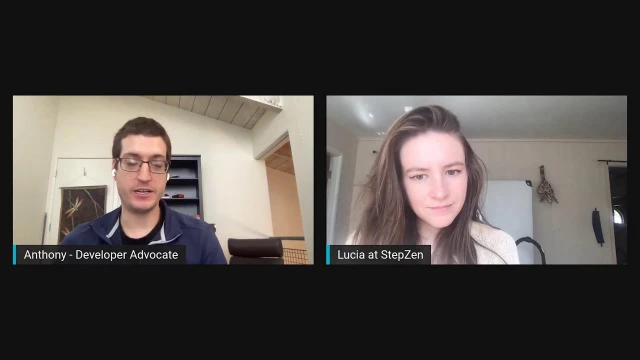
Anthony and Lucia demonstrate StepZen Studio by connecting the Dev.to and Google Cloud Natural Language APIs to perform sentiment analysis on blog comments.
Episode Summary
In this early 2022 StepZen workshop, Anthony and Lucia walk through how to use StepZen Studio to connect multiple APIs into a single GraphQL endpoint. After briefly recapping Lucia's previous workshop on building a dynamic portfolio site, Anthony introduces the session's focus: combining the Dev.to API with Google Cloud's Natural Language API to perform sentiment analysis, entity recognition, and text classification on blog content. They begin by exploring the Natural Language API directly in the studio, testing sentiment scores with phrases like "I feel happy" and "I feel sad" to demonstrate the polarity scale from negative one to positive one. They then connect the Dev.to API to pull in user articles and comments before demonstrating StepZen's @sequence directive, which chains queries together so the output of one feeds into the input of another. This allows them to pull blog comments from Dev.to and automatically run sentiment analysis on them, revealing whether comment sections skew positive or negative. Along the way, they discuss how StepZen's @rest directive eliminates the need to manually write GraphQL resolvers, compare the approach to tools like Apollo, and highlight how the studio handles key management and schema combination. The session closes with ideas for extending the project, including combining sentiment analysis with dynamic content for a full blogging platform.
Speakers
- Anthony Campolo
- Lucia
Chapters
00:00:00 - Introduction and Previous Workshop Recap
Anthony and Lucia open the workshop by welcoming viewers and wishing everyone a happy 2022. They set the stage by recapping Lucia's previous workshop, where she built a custom portfolio website generator using StepZen Studio. That earlier project combined data from Dev.to, Twitter, and GitHub into a single GraphQL schema and used it to create dynamic portfolio sites inspired by Cassidy Williams's link tree generator concept.
The recap serves as a natural bridge into today's session, illustrating how StepZen Studio can marshal multiple backends into one queryable graph. Anthony previews the plan for the current workshop: connecting the Dev.to API with Google Cloud's Natural Language API to perform sentiment analysis on blog content, introducing viewers to natural language processing concepts like polarity scores.
00:04:17 - Exploring the StepZen Studio and Google Natural Language API
Anthony shares his screen and walks through the StepZen Studio interface, pointing out the roughly 40 pre-built API schemas available, including popular services like Yelp, Spotify, Twitter, and various combinations. He demonstrates the Google Natural Language sentiment analysis query by testing phrases such as "I feel happy," "I feel sad," and "I feel neutral," showing how each returns a score on a scale from negative one to positive one along with a magnitude value.
Lucia and Anthony discuss the practical implications of these scores and briefly explore how Google's machine learning models are trained on massive text corpora with labeled data. They also demonstrate the entity analysis and text classification queries, showing how the API can identify key entities within a passage and categorize blog content into topics like computers and technology even when those exact words aren't present in the source text.
00:15:01 - Connecting the Dev.to API and Combining Schemas
The conversation shifts to GitHub Copilot and OpenAI before Anthony moves on to adding the Dev.to API to the studio. He pulls in Lucia's recent Dev.to articles and his own user profile, demonstrating how the pre-built queries return post metadata like descriptions, tags, and cover images. They then run both the Dev.to and Google Natural Language queries simultaneously, showcasing how StepZen automatically merges separate schemas into one unified graph.
Anthony explains the @rest directive that powers each query, showing how a single line of configuration replaces the manual resolver functions typically required in tools like Apollo. Lucia underscores how much less code and learning is involved compared to traditional GraphQL server setups. They also discuss how StepZen caches API keys in the browser's local storage rather than storing them server-side, and how the studio handles authentication prefixes automatically.
00:26:50 - Using the Sequence Directive to Chain Queries
Anthony introduces StepZen's @sequence directive, which allows chaining the output of one query into the input of another. He demonstrates exporting the studio project into a local development environment and setting up a sequences.graphql file that defines a new getCommentSentiment query. This query first fetches blog comments by article ID from Dev.to and then passes the body HTML into the Google Natural Language sentiment analysis endpoint.
Running the sequence query on comments from one of Anthony's technical posts returns a positive 0.7 score, while a more opinionated article's comments come back with a negative score, playfully described as a "spicy" blog post. Anthony also demonstrates a similar chained query for entity analysis on article descriptions. The segment highlights how the sequence directive's flexibility makes it straightforward to swap in any text-producing API—tweets, Yelp reviews, GitHub discussions—as the data source for NLP analysis.
00:37:01 - Wrap-Up and Future Possibilities
Anthony and Lucia brainstorm ways to extend the project, noting that combining their two workshop demos could yield a full blogging platform with both dynamic content and built-in sentiment analysis. They discuss how StepZen's GraphQL backend integrates easily with any front-end framework—React, Vue, Svelte, or vanilla JavaScript—and how automation via GitHub Actions could enable scheduled analysis workflows.
Both hosts reflect on how approachable GraphQL has been for them as relatively junior developers coming from other careers, emphasizing that the mental model feels intuitive and the tooling reduces the learning curve significantly. They close by directing viewers to the StepZen Twitter account, the studio at graphql.stepzen.com, and the companion blog post, encouraging the audience to reach out with questions and stay tuned for future workshops in the series.
Transcript
00:00:00 - Anthony Campolo
Hello, everyone. Welcome to the StepZen Workshop, not Stream. We are Anthony and Lucia here to show you some StepZen Studio stuff. Thank you all for being here. How are you doing today, Lucia?
00:00:38 - Lucia
Oh, I'm doing good. I'm happy to be entering the new year and to be showing off the studio in it. I'm excited to see what we've got cooked up today.
00:00:47 - Anthony Campolo
So yeah, happy 2022, everybody. Be reminding ourselves to say that year correctly throughout the rest of the month, and it'll be smooth sailing from there, right?
00:00:58 - Lucia
Yeah, yeah. Hopefully everybody remembered to update the copyrights at the bottom of your website.
00:01:05 - Anthony Campolo
Cool. Cool. So we have done a couple of these workshops already. You did one previously. You want to talk a little bit about what you did in our last workshop?
00:01:13 - Lucia
Yeah. So I showed how you can build a custom portfolio website generator. The first part of the workshop we looked at using the GraphQL studio to kind of marshal three different backends. We used Dev.to, Twitter, and GitHub. Then once we had those collected into one schema, we were able to make a dynamic portfolio site. I then borrowed some ideas about architecture from Cassidy Williams over at Netlify. She shows you how you can make a link tree generator, but it was static. I used StepZen to insert a dynamic quality to it so that whenever you updated, say, your top tweet on Twitter, it would automatically show up in and update your portfolio site. And with the generator you could just click a button, enter a few pieces of information, and have a dynamic portfolio site generated for you. It was a lot of fun.
00:02:18 - Anthony Campolo
Yeah, that's very cool. It's a good example of what you can do with the studio because it's a really powerful tool. It gives you a lot of built-in capabilities and also the ability to extend those capabilities. So we're going to be showing today how you can use it to first start connecting different APIs together into like one kind of graph that you can then query. And then we're going to pop it out into a project and start editing, and we can add additional steps and directives to start linking queries together and doing things like that. We're going to be using two APIs — the Dev.to API and the Google Cloud Natural Language API. This is an API that allows you to do what's called natural language processing, NLP. If you've ever heard the term "sentiment analysis," it's stuff like that. Sentiment analysis is where you take text — like words, sentences, phrases, or even whole paragraphs — and you feed them into this algorithm and it gives you a polarity score, which means how positive or negative is this text?
00:03:37 - Anthony Campolo
So if you imagine you want to look at reviews, you can see positive reviews get a high score and negative reviews get a low score. So that's the idea here. We'll be looking at things like how do you pull in your blog comments and then feed them in to get that sort of sentiment analysis on them.
00:03:57 - Lucia
I appreciate that description of the polarity score. Sometimes when I send requests to sentiment analysis APIs and I get the response back, I see a number, I'm like, okay, so what does that mean? I have to go digging through all the docs, and it's good to know that we've got a negative and a positive meaning attached to the number here.
00:04:17 - Anthony Campolo
Yep, exactly. And it's especially nice because you can just test it out and type phrases or words that you would expect to be highly positive or highly negative and kind of see what comes back. So that'll be some of the first things we'll be doing. So I'm going to share my screen. Let me just get everything situated here. All right, cool. So the first thing I want to show is that there is a blog post that will have a lot of what we'll be showing here — "Analyze Sentiment of Your Blog Comments" — and it will show you how to get set up with the studio and a lot of the queries that we're going to be going over in this example. To get to the studio you should go to graphql.stepzen.com, and this will take you to the studio. The studio has a lot of already built-in schemas for us to use — there are about 40 of them, with lots of really popular, well-known APIs like Yelp, Spotify, Twitter, and example ones like SpaceX, the Pokémon API, and JSON Placeholder.
00:05:48 - Anthony Campolo
And then you also get weather and location and all sorts of stuff here. We also have some combinations, and you've worked on some of these combinations, I believe, Lucia.
00:06:00 - Lucia
Yes. Yeah, including the developer publishing pack, which I used in the project I was discussing earlier. That was kind of a fun thing to do. It's also fun to just scroll through the APIs they just showed and dream up combinations — like, ooh, we've got Yelp reviews and Socrata. Could we do, like, what's the permit status of this restaurant? Kind of a request given all these different combinations.
00:06:34 - Anthony Campolo
Yeah. And so we will not be using the combinations — we'll be building up our own combination here. The first thing you do is just pick the one you want to use, hit add, and it will ask you to configure it. I think it might already have my keys in from before. If you are coming at this for the first time, it'll ask you for your keys and you can input your keys, and then it will cache those and keep them there. They're just storing it in your browser's local storage — we're not holding onto the keys for you. So if you're security-minded, just know that StepZen has your back there. We're not just taking these keys and dumping them in a database in plain text somewhere.
00:07:15 - Lucia
Another thing I like to let folks know when I'm walking them through the studio at this point is that you don't need to use the "Basic" or "API key" keywords in front of your key when you're copy and pasting it in — StepZen has that taken care of for you.
00:07:29 - Anthony Campolo
And then there are a couple things here. You can write queries here, you can check out the schema as well, and you can look at documentation over here. As we were kind of talking about with the sentiment, that's what we're going to be doing here. This query is Google Natural Language — and then "analyzeSentiment." All these are kind of prefixed with what the thing is, because if you're going to be bringing in different APIs there may be name collisions. Like if you have a getUsers query, you'd be getting users from half of these things. So that's why they're all prefixed like that. And then if you run this, we will see that we're getting a very high positive score — saying "I feel happy" is a very positive phrase, right?
00:08:13 - Lucia
Where one is the highest, right?
00:08:15 - Anthony Campolo
Yeah. And then we can see — if we do "sad" — we get the same number but negative. So it's a negative-one-to-positive-one range. And then I think you can also get the magnitude, which is like how much in that direction it is. So "I feel sad" is both negative, but it's strongly negative, versus "I feel happy" would be both positive and strongly positive.
00:08:44 - Lucia
You know what an interesting use case for this would be? If you were taking in patients and you had a pain score, it would be interesting to analyze the sentiments and see how negative their response was.
00:08:56 - Anthony Campolo
Yeah, yeah, yeah. And then if you try — and I always find this interesting — try to trick it, like "I feel neutral." So that's closer to the middle, still a little bit positive.
00:09:08 - Lucia
You kind of want zero, right?
00:09:10 - Anthony Campolo
Exactly in the middle and we get 0.5. So that's like exactly in the middle, but still kind of positive.
00:09:20 - Lucia
But "I feel zero."
00:09:21 - Anthony Campolo
"I feel zero." Feeling like a zero would probably be a bad thing. So I think that makes sense.
00:09:27 - Lucia
Yes.
00:09:28 - Anthony Campolo
Yeah. Let's see — "This demo is super awesome" — if it recognizes exclamation points. No, "This demo is super awful." We can see it seems to be going with what we would naturally expect to get back for human-readable text. It passes the smell test. This is because we're using Google's APIs, and Google has probably the most sophisticated language APIs around — the most sophisticated machine learning APIs around — because they've been big proponents of things like TensorFlow and these open-source libraries that they've been building up, and they have more data than almost anyone. The way these algorithms are created is you have a huge corpus of text with labeled words, phrases, and sentences — positive or negative. The machine runs through that text and learns from it, based on the labels, what humans have told it is positive or negative. With enough of that text it eventually learns the patterns of what is positive or negative. That's pretty cool.
I think I had a couple other queries over here that I wanted to show. There's also "analyzeEntities." With this one we can look at basically what the content is about. So if we do that, we're going to get the entities, name, and salience. Here, what I'm doing is I'm taking a snippet of text from one of my blogs: "This example contains two separate repositories, one for the Redwood API, another for the Next frontend." And then over here it's recognizing the entities and giving us a salience score. We see things like "example" gets 0.5, but then words that aren't really that important, like "1," have 0.1, and "1" and "2" have 0.
00:11:54 - Lucia
Okay, just to back it up a little bit — so an entity is like a word?
00:11:59 - Anthony Campolo
So an entity is kind of — yeah, so it's NLP speak. It's not just a word, it's more like an idea. Here we have "Redwood API" considered a single entity, and that's correct — because you wouldn't separate Redwood and API as their own entities, since we're talking about the Redwood API. It goes together. So an entity is kind of just a thing, you know?
00:12:26 - Lucia
Right, right. So it would be any object you have, and then any attributes of that object belong in the same entity.
00:12:34 - Anthony Campolo
Yeah, something like that.
00:12:35 - Lucia
But then we have "1." So that's still an entity. Okay, I think I get it. And how about salience?
00:12:43 - Anthony Campolo
Salience is, I think, how important the entity is to understanding the text itself. So when you do analysis — the most naive kind of way to do text analysis is to just take all of the words, separate them, count them, and see what words show up the most. And if you do that, most words that show up the most are just words like "and" and "the" — words that don't really mean anything. So you want to find the words that are most important to the text, but those won't always be the words that show up the most from a pure word-count perspective.
00:13:23 - Lucia
So "example" is the subject of the sentence, and it looks like it has the highest entity score on the screen that I can see. Yeah.
00:13:29 - Anthony Campolo
Yeah. And they're able to, I think, take into account things like sentence structure and stuff like that. So I would imagine that's partly why it would show up really highly. And then you can also do "classifyText." For this one, it's going to take the entire text and give us words that classify it. Taking the whole description — a longer description of the one I was just doing — this is a blog post I wrote about integrating Redwood and Next.js, which are two JavaScript React frameworks. Then let's see, because I slightly changed this one. There we go. Now we're seeing that it can tell that this is a blog post about computers. This is pretty cool because if you look at these terms, they're not anywhere in this example — we're not using the word "computer," "science," or "technology."
00:14:38 - Lucia
Yeah, you got the word "punted." So you could see a really bad AI thinking this was about sports.
00:14:43 - Anthony Campolo
Yeah, totally.
00:14:44 - Lucia
But this is good, this is cool.
00:14:46 - Anthony Campolo
Yeah. And then you also get a confidence score as well. It's saying that we feel fairly confident, based on the text we've gotten, that these are the categories that this fits in.
00:15:01 - Lucia
I wonder if GitHub could have an AI that was similar to this but analyzed computer languages and projects and told you how object-oriented or functional a certain project was.
00:15:13 - Anthony Campolo
So Copilot is GitHub's kind of natural language thing, and it's using OpenAI, which is kind of like the closest competitor to the technology that Google has. They're doing the same thing — huge, massive deep learning experiments with billions, if not trillions, of data points of text. What they've done is they've basically taken all of the code on GitHub, which includes both code and comments, and run that through the algorithm. And that's how they're able to do the Copilot autocomplete. You can do things like write a comment and then it'll suggest the code to go along with that comment. So any possible thing you can think about in terms of text analysis on code — that's what you'd be able to do with Copilot, because it's going to continuously learn as more people use it and it's going to get better and better. You'll do more and more complicated things with it. That is the Google Natural Language API. Now we're going to connect the Dev.to API. Pretty sure I already have my keys in there for this. It starts you off with a couple of premade queries already, which includes you, Lucia.
00:16:38 - Anthony Campolo
You are the user with the articles, I believe. Let's see — if we check here, we can see some of the recent posts that Lucia has written. We see things like StepZen posts and "Stubs versus Mocks: The Line Between Willingness to Learn and Shiny Object Syndrome." That sounds like a good one.
00:17:08 - Lucia
That was fun.
00:17:10 - Anthony Campolo
Then all the way at the bottom we can actually get our user info. If we want to get my stuff, we can just input — instead of search by, we're going to do AJC web dev. And so here is my information: summary, GitHub username, location Internet, and then my website for my podcast.
00:17:39 - Lucia
It's funny that you put "location: Internet." Yeah, I've always kind of imagined where you live.
00:17:42 - Anthony Campolo
I don't know — but yeah, it's true. I definitely live on the Internet. I kind of came from a time when I think people were more hesitant to put their location online, or maybe people are more hesitant now. I don't really know.
00:17:58 - Lucia
Yeah, I think one of the first demos I did, I had my IP address up there, and it was a non-permanent demo. So as soon as I realized that, I took it down.
00:18:10 - Anthony Campolo
Well, your IP address actually is one of the easiest things for people to find though.
00:18:13 - Lucia
Oh right. Yeah. But it also — we use the IP address to get the address.
00:18:18 - Anthony Campolo
Gotcha. Yeah, yeah, it's always fun — kind of like when you're doing example stuff, how much can you extrapolate from the information you put in? Sometimes it's more than you think. So over here now we are getting our Dev.to articles, and we get things like the description, the cover image, the tags, slug — and this is a lot of the stuff that Lucia was showing with her example. But what if we wanted to take our queries from Dev.to and our queries from Google and sort of combine them? Because if we were to take the queries we were doing before and put them in here, then we can run both of them at the same time. It is possible to do that. And so let's see — let's put this in here. We do this, we are able to run both of them at the same time because StepZen automatically takes your different schemas and combines them all into one mega schema that you can then query at the same time. But you want to think about how we actually combine these things in a way where they can interact with each other.
00:19:42 - Anthony Campolo
That's where some of StepZen's custom directives come in. We're using some custom directives right now. If we go down to our queries, we can see how these are actually set up — with the @rest directive. If we look at our getArticles query, we have @rest, which has the endpoint. The endpoint goes to dev.to/api/articles. This is just the Dev.to API right here. And if we go to this, we'll see we're just going to get a bunch of JSON out with articles. Cassidy Williams, who we were just talking about earlier — the way that we're able to query this with GraphQL is through this custom @rest directive, this one single line of code right here. It's so concise and it's doing so much for you. I know, Lucia — you and I have been on this very long experiment of how would we implement something StepZen-like in other GraphQL tools. And so how would you do this with, say, Apollo?
00:20:50 - Lucia
You'd have to write resolvers and do that for every query instead of the single line of code. There's a lot more that goes into it too, as far as maintaining in the long run — and not just two lines of code. What you'd have to learn besides GraphQL in order to implement this is definitely a lot more.
00:21:17 - Anthony Campolo
When you say "write resolvers," basically what that means is you have to take this output and write JavaScript code to turn that query into something that the API understands. The way you do that is basically by writing tons of functions — you get this object and you destructure it out, you do this, you map over it here, you take the result of the map, put it over here — and it's just this huge, long, complicated thing. That is what StepZen has already figured out how to do — that mapping. It keeps the resolvers hidden away from you, so you don't need to think about it. You just figure out the types, you look at the schema, you're like, okay, I have a type — that's a string, I have ID, int, title, string. And then you can have tag list as an array and stuff like that. And then you write the query name you want to call it and just feed it the endpoint.
00:22:25 - Anthony Campolo
And you can do more complicated things as well. You can rename fields so that your queries can be slightly different from what you're actually going to get. If you have a couple different schemas with similar naming schemes and you want to make them a little more comprehensible for your frontend team, you can make the queries a little nicer. So it lets you really think about the query first — what you want the query to look like — and work backwards from there. This is really what the whole promise of GraphQL was in the beginning. It was meant to be a very nice mental model for frontend developers because it allows them to specify exactly what data they need without the backend team having to create all these bespoke endpoints. It just exposes the entire graph and says, here's what we got. You tell us what data you need in a really concise, simple syntax and then we'll give you that data back. And then you just get a big data object.
00:23:26 - Anthony Campolo
And if you're on a frontend project, you would basically do a fetch call, send this whole query over, and the response back would be this data object. And then you would do data, googleNaturalLanguage, analyzeSentiment, documentSentiment, score — and there it is. And then you take that and you can just put it in your UI, do whatever you want with it.
00:23:48 - Lucia
Right. It's very introspectable, which is the advantage from the backend dev's perspective, or at least one of them.
00:23:55 - Anthony Campolo
Yeah, it's really great just being able
00:23:56 - Lucia
to see the complete representation of the data.
00:23:59 - Anthony Campolo
Yeah. Being able to see the whole schema, see the documentation, and just go in and say, okay, what is this type that I'm getting? You can see how you have nested types within types. It's very easy to see the whole thing and what's happening with it. Now there are a couple other things happening here with the studio. We also get this endpoint right here. This is a graphical editor that is connected to a live endpoint that we can use to query as well. We take the same query and pop it in over here. Then you also put the secret in to do that. Because the one thing that makes streaming this kind of stuff a little challenging is that you're usually working with some sort of API key. Because there are two levels of authentication going on here — the authentication through the API itself, the keys for Google Natural Language, and then the keys for Dev.to.
00:25:26 - Anthony Campolo
But then you're also going to have keys for your StepZen endpoint, because when you get an endpoint deployed you get API keys as well. What I did is — if we look at the query variables — we just have a little object with "googleNaturalLanguage" and then my key, and that key gets fed in as a query variable through here, and this is now our response. But what if we wanted to modify this? If we wanted to add extra things like the @sequence directive — this is what you can do with StepZen — you have the @sequence directive, which lets you feed the output from one response into the query of another. So what's going to happen here is we're going to write a new query, and this query is going to be getCommentSentiment. For this one we're going to have the get comments by article ID query and then the Google Natural Language analyzeSentiment. We have both of these queries, and you kind of define the steps. How many queries you have is how many steps you have, and then the arguments.
00:26:50 - Anthony Campolo
What it does is it takes the first field of get comments by article ID — which is going to be body HTML — and feeds it into the content for get Natural Language analyzeSentiment. Because if we look at this schema, we need to input the content, and if we look at this one, we need to get the body HTML. The way you can do that is you're able to quickly take the schemas you have and export them into a new project. I'm going to download this and I'm going to hop off again so I can get my keys set up.
00:27:41 - Lucia
Meanwhile, Kelshakes says, "Can you send the links to these docs on derivatives?" I believe they mean directives.
00:27:49 - Anthony Campolo
Here's the blog post. I think I already posted that one, but I can drop the sequence directive as well. We've got a couple of docs on how to use this. And then I have another example that uses the Sunrise API. What this one does is it takes pieces from different APIs to find your location, feed your location in, get your weather, figure out your time, and then do all that to say, "The sun is going to rise at this time in wherever you live." There are a couple of links there. Okay, cool. Let me just close some of these tabs. Okay, so now we've got this project over here. We've got our Dev.to schema and then our Cloud Natural Language schema over here. It also gives you the docs and the explanation of these queries, and those sample queries that we were looking at before. Then if we were to start this up with stepzen start, this is our CLI dashboard type thing. This is going to show you a similar graphical editor to what you were looking at before. If we want to grab those same queries that we were doing before, we can do that now.
00:29:50 - Anthony Campolo
We're getting that back. Then if we wanted to pull these queries — I was using another project where I took the prefix off, I keep renaming these — we're seeing that we're still getting back the same thing that we were getting before. But there's actually one thing that is slightly different, which is nice: we no longer have the secret part in these Google Natural Language queries because the key management is being done for you through your config YAML. So your queries here are a little more concise.
00:30:27 - Lucia
That's why generally I like to — once I'm ready to begin a project, I'm glad that I've got the account because it makes key management a lot easier.
00:30:41 - Anthony Campolo
Then let's go ahead and take a look at this sequence query. If you want to add things into your project, you do one of two things. You can take this query and just drop it in one of these schemas you already have. But what I did is I created another file called sequences.graphql, and then you go to your index.graphql file — this is where it's taking all those different schemas and combining them together into one unified graph. So this is one thing you'll have to know about if you're transitioning from Studio to a project: as you add in more files and schemas, you need to make sure you always include it in your index.graphql. Here we have two directories — Dev.to and Google Natural Language — and contained within those directories are the schema GraphQL files. I dropped sequences.graphql in the root of the project, so there is no directory prefixing it. We're going to take this whole thing right here and save. When you save, your endpoint will be automatically updated and redeployed.
00:31:59 - Anthony Campolo
And we have this localhost:5001. But the endpoint itself is not running on localhost. This is something that confuses people a lot when they start out — the endpoint itself is running on this down here, the output on your terminal. "pleasanton" is my account name. Yours will be slightly different. And then it'll have stepzen.net and then the name of whatever you gave it when you configured your project. So you can either create this stepzen-config.json, or when you first run stepzen — if this doesn't exist — it'll say, "Hey, what do you want your endpoint to be called?" and you'll just input that. Okay, so let me actually show which comments those are. I'm inputting an ID for comments from one of my blog posts. Someone said, "Thanks for sharing, Anthony." Someone said, "Hey Anthony, what a great piece of tutorial you were writing. Would you like to write for me?" This is more like advertising in my comments, which I thought was pretty funny. And now what we're going to do is this getCommentSentiment query, which will take the body HTML that is being output here and input it as the content for the Google Natural Language API.
00:33:20 - Anthony Campolo
If we take that, now we're getting a 0.7 positive score because the comments were positive, and that makes sense. And then I had one in my example that was one of my more like opinion pieces, less of a technical article. And so for that one, check this out — it got negative 0.4. So I was saying how you can find out how spicy your blog post was. This one was a little too spicy.
00:33:55 - Lucia
That's my hand.
00:33:59 - Anthony Campolo
All right, so this is pretty cool. It shows you how with @sequence it's really easy to just take the output of one thing and feed it into another. And with the Google Natural Language API especially, this is really, really powerful because all of the queries that we were doing — they all have just this content thing that is the argument input for Google. And so all you really have to do is take a query and figure out what the output is that you need to feed into it. And that's the only thing you really need to change in the sequence. So now we're taking another one where we're going to get the description of the article and then feed it in to analyze the entities.
00:34:44 - Anthony Campolo
So this is similar to what I was showing before in the beginning, but now we're going to be actually linking the two together. We have analyzeEntities. And this is another one of my posts — this was the Redwood API one again — and that's get article entities. So that is feeding in the description of the blog post into the get article entities and then outputting the name and the salience. So yeah, this is basically showing how easy it is to really connect these APIs together and feed one into the other. And if you just think about it — any API is going to output text and words at some point. Either that or numbers that you can analyze. So I really like the generality of this setup, because if you wanted to take out Dev.to and just put in tweets instead, that'd be really easy. Actually, we have a combination pack for that already. But you could also do Yelp reviews, GitHub issues, or GitHub Discussions.
00:36:16 - Anthony Campolo
Now GitHub Discussions is becoming a really big thing. GitHub has its own huge, massive GraphQL APIs — they're one of the first public GraphQL APIs ever, actually. There's so much data out there in the world, but it's not always obvious how you can leverage it to gain insight. Unless you're a machine learning expert or a data scientist — someone who's been using R and Python and all that stuff. Whereas if you're a frontend developer and you've used GraphQL before, you'll get GraphQL and it'll be pretty easy. Now we're giving you this tool that says, hey, you can leverage this GraphQL knowledge to start doing really complex data science and analysis on your data.
00:37:01 - Lucia
Throw it in a GitHub Action, maybe even.
00:37:05 - Anthony Campolo
Yeah, totally. You could have automation — you can have these queries run on a schedule and all sorts of workflows. And that is kind of the main stuff that I wanted to show. Do you have any comments or questions? And anyone in the chat, feel free to drop some comments. Thank you to everyone who's hanging out. Appreciate you being here.
00:37:34 - Lucia
Yeah, you can almost combine our two projects, right? They both have Dev.to, and then you could build out a blogging platform that had sentiment analysis and dynamic data pulled in from different sources. That could be fun.
00:37:49 - Anthony Campolo
Yeah, yeah. It wouldn't be very hard.
00:37:51 - Lucia
Like two ways, kind of, that we've seen in these workshops so far to use APIs. One is — I mean, they both return data, but one kind of returns content and then the other can return information to you about your content. So leveraging both of those can make a really powerful website.
00:38:09 - Anthony Campolo
Yeah, there's definitely that. Because it's GraphQL also, it's very easy to hook it into a frontend. So you can use React, Vue, Svelte, or just vanilla JavaScript and create a frontend that takes those exact same GraphQL queries and runs them through a fetch call or something like that. And then you can also create input forms and buttons so you could input that data as well, the same way we were through the editor, if you wanted to take this backend and build out to a full site. As long as you've worked with GraphQL before, it's really easy. If you haven't worked with GraphQL before, you'll be able to pick it up pretty quickly — both me and Lucia are still fairly new junior devs coming up from previous careers, and we both really took to GraphQL, I think because of the simplicity of the mental model and the ease of use and the developer tooling around it.
00:39:00 - Lucia
So it was more like unlearning than having to learn a bunch of new things.
00:39:05 - Anthony Campolo
No, yeah, it's totally true because it's like — it can't be this easy. Like we're cheating, right? It can't be this easy! Awesome. Well, thank you everyone for being here. I'm not sure if we have any current workshops scheduled for the immediate future, but this is a regular series, so keep an eye on the StepZen Twitter and things like that. If you enjoy this and want to see more, I'll go ahead and get some links in there for you. Our Twitter is @stepzen_dev, and we're at www.stepzen.com — the usual. And yeah, feel free to reach out to either me or Lucia. We're happy to answer questions. We're both very active on social media and we love talking about this stuff. So always happy to chat with anyone, help you get spun up.
00:39:57 - Lucia
And then that studio that we showed is at www.graphql.stepzen.com — just putting that in the chat too.
00:40:03 - Anthony Campolo
No www.
00:40:05 - Lucia
Oh, just GraphQL.
00:40:10 - Anthony Campolo
Yeah.
00:40:11 - Lucia
Cool.
00:40:12 - Anthony Campolo
Well, thank you for being here, Kelshakes. Please let us know once you check it out what you think. We appreciate it. All right, have a good day, everyone.
00:40:21 - Lucia
Bye.