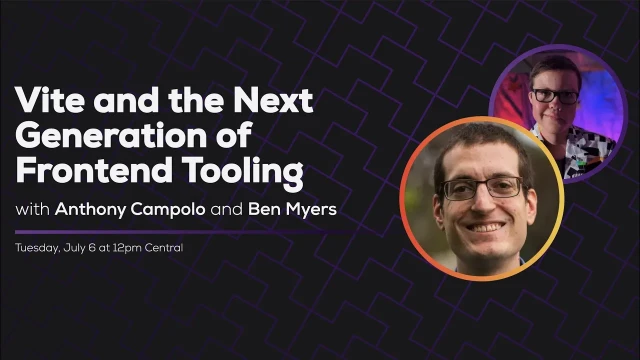
Vite and Next Gen Frontend Tooling - Some Antics
Anthony Campolo introduces Ben Myers to Vite, a fast and lightweight build tool for modern web development
Episode Description
Ben Myers and Anthony Campolo explore Vite, a next-gen JavaScript build tool, by building a project from scratch and deploying a React template to Netlify.
Episode Summary
In this live stream, developer advocate Anthony Campolo walks host Ben Myers through Vite, a modern build tool created by Vue creator Evan Yu that aims to replace webpack by leveraging native ES modules for dramatically faster development experiences. They begin by building a project entirely from scratch—creating an index HTML, wiring up JavaScript and CSS imports, and observing Vite's helpful error messages and instant dev server. The conversation explores why Vite is faster than webpack, centering on its use of native ESM rather than CommonJS bundling, and what trade-offs that entails, particularly the decision to drop Internet Explorer support. They then scaffold a React project using Vite's built-in templates, noting the minimal configuration compared to webpack and Create React App, and deploy it to Netlify in under a minute with a build time of less than one second. Along the way, they discuss how meta-frameworks like SvelteKit and Nuxt are adopting Vite as a webpack replacement, the broader ecosystem of similar tools like Snowpack and WMR, and Anthony's blog series comparing all three. The episode closes with encouragement for developers to experiment with these next-generation tools to stay aware of where front-end development is heading.
Speakers
- Ben Myers
- Anthony Campolo
Chapters
00:00:00 - Introduction and What Is Vite
Ben welcomes Anthony Campolo back to the Some Antics stream for his third appearance and asks him to introduce the topic. Anthony explains that he's a developer advocate for StepZen and that today's focus is Vite, a modern build tool he finds compelling in the front-end ecosystem.
Anthony frames Vite as a next-generation replacement for webpack that achieves faster performance through a fundamentally different internal architecture, particularly its reliance on native ES modules. He explains that while webpack has accumulated significant legacy and complexity over the years, Vite and similar tools like Snowpack rethink the developer experience by centering the app around index HTML as the entry point and simplifying configuration, while still supporting TypeScript, JSX, and modern framework patterns.
00:04:36 - Building a Vite Project from Scratch
Rather than jumping straight to templates, Anthony guides Ben through creating a Vite project entirely from scratch, following the same approach Vite creator Evan Yu uses in demonstrations. They create a bare directory, add Vite as a dev dependency, set up a dev script, and spin up the dev server to render a simple H1 tag.
From there, they progressively add a main.js file and a styles.css file, importing both directly into the index HTML using native ESM syntax. Along the way, they observe Vite's clear and helpful error messages when files are missing, and the dev server's instant hot reloading when changes are saved. The exercise demonstrates how little setup is needed to get a working development environment with Vite compared to traditional bundler configurations.
00:16:10 - ES Modules, Browser Support, and the IE Debate
The conversation shifts to the technical implications of Vite's ESM-first approach. Anthony explains that native ES module support in browsers is what enables Vite's speed, but it also means leaving behind Internet Explorer, which creates a real trade-off for organizations with legacy browser requirements.
Ben shares perspective from his work at a bank serving veterans and military bases, where IE usage skews higher than average and dropping support isn't a simple decision. They draw a parallel to the Python 2 versus Python 3 migration, discussing how "technical chicken"—where library authors and developers each wait for the other to move first—can drag out transitions for a decade. The discussion highlights that while ESM is broadly seen as the future of JavaScript, the decision to adopt it depends heavily on audience and organizational context.
00:24:17 - Scaffolding a React Template and Exploring the Config
Anthony introduces Vite's officially supported templates, which cover React, Vue, Svelte, vanilla JS, and more. They scaffold a new project using the React template and examine the generated code, noting its similarity to Create React App but with a dramatically simpler configuration file containing just a single plugin for React Refresh.
Ben and Anthony marvel at the minimal vite.config.js compared to a typical webpack setup, discussing how Vite's approachability makes it easier for developers to understand and customize their build configuration. They also explore Vite's built-in support for CSS modules, preprocessors, JSON imports, and static assets—features that would each require separate loaders in webpack—and run through the dev, build, and preview commands.
00:36:36 - Deploying to Netlify and Build Performance
They move to deploying the React template app to Netlify by creating a netlify.toml with the build command and publish directory, then pushing the code to a GitHub repo. After connecting the repo through Netlify's dashboard, the site deploys successfully with the Vite build completing in under one second.
Ben highlights the practical cost implications: since many developers pay for build minutes on hosting platforms, Vite's speed directly translates to savings. The rapid build also means faster feedback loops for teams running CI/CD pipelines on every commit. They confirm the deployed site is live and functional, demonstrating the complete workflow from zero to production deployment in just a few minutes.
00:44:32 - Ecosystem, Community, and Closing Thoughts
Anthony reflects on how Vite evolved from a Vue-specific tool into a framework-agnostic community project, noting that it works equally well for React, Svelte, and other frameworks. They briefly discuss related tools like Snowpack and WMR from the Preact team, and Anthony plugs his blog series comparing all three build tools side by side.
The conversation closes with Anthony encouraging developers to experiment with Vite through small projects rather than rewriting production apps, using the pioneers-settlers-town planners mental model to explain different adoption styles. Ben promotes the deployed site and upcoming streams, while both hosts thank the chat participants who contributed tips and insights throughout the session, reinforcing the collaborative spirit of the open-source community around these tools.
Transcript
00:00:01 - Ben Myers
Howdy, howdy, y'all. Welcome back to Some Antics. I'm trying out a new scene here. It's got our faces in big. It's excellent. When in doubt, I like to use Anthony as my guinea pig for trying any new things with the stream, including the stream itself. Yes, the stream itself. You were back in late January. You were the first stream guest and you've now been on—this is going to be your third time, which is really exciting. It's great to have you back, Anthony. Always enjoy having you on. Would you like to introduce yourself and maybe talk a bit about what it is we're going to be doing today?
00:00:40 - Anthony Campolo
Sure. Very happy to be here again. I really enjoyed both the streams we've been on, and we hang out in the React Podcast Discord all the time and do the events.lunch.dev, and you've helped me get into Eleventy a lot recently as well, which has been very cool. What I do is I am a developer advocate for StepZen, and some people may know me from the work I've done advocating for RedwoodJS. Today we're not going to be talking about any of that stuff. We'll be talking about something that I think is just a really interesting project in modern front-end web dev that touches a lot of different things, and it's called Vite. You can get into exactly what that is, but I'd be curious what your take on it is, what you know about it now and what your view of it is.
00:01:25 - Ben Myers
Okay, so Vite—I understand it, putting it in the frame of mind compared to the work that I do on a day-to-day basis—it seems like Vite is a replacement, if you will, for webpack. But it's a replacement that's able to move faster because it makes some core assumptions about the way that you're going to be doing web development or app development in general. Such as, I believe it's using ES modules by default, which is a big one, I think. Yes, that's really what I know about it. Is that cool?
00:02:09 - Anthony Campolo
Yeah, that's a pretty good high-level view of it. It's what some people have been calling a modern build tool or a next-gen build tool. The reason why this is kind of hard to disambiguate is that the build tools we use now, like webpack, they're not really just build tools. It's actually kind of a couple different things it does, because it's building stuff, it's transpiling stuff, it's moving files around, it's renaming things. Webpack can do a ton of stuff because it's been extended so much over all this time, so it has a lot of legacy in it, and it's really slow. And so things like Vite, and also things like Snowpack, they're saying: what if we built a similar tool but with a different internal architecture so it would be faster? And then we could also, at the same time, rethink the opinions and the way you actually build your apps. Like you were saying, it assumes certain things about your project structure, and that kind of thing we'll get into. But so did webpack. Any build tool has to have some opinion because you have to have a file, you have to have code living somewhere. But it's trying to not rewrite anything in the sense that it's still having us just use JavaScript and HTML, and it's actually centering it more around the index HTML as the entry point of your app instead of an index.js.
00:03:33 - Anthony Campolo
It's one of those things where it's very deep into the tech of what we build and it can be hard to understand how it relates to other things. So the webpack comparison is a good comparison, and it's also somewhat comparable to Rollup. The difference, though, is that we now have ES modules, which changes the game of what needs to be transpiled and what format you're writing in. And you also have modern frameworks—people are writing in JSX, which is its own language, or TypeScript, which is also its own language. We want a tool that's going to let us do all of this stuff in a way that's easier to configure. And it also comes with really, really good templates, which is some of the things we'll be looking at. But what I like about it is that it's a really easy tool to get your hands on and start using. If you're a developer and you're comfortable with a CLI, you can just use it like you would any other tool—just running a development server, and then you have that whole deal going on.
00:04:36 - Ben Myers
All right, I'm super excited to give this a shot. Shall we hop into it, or is there anything else you'd like to explain about Vite and this ecosystem before we hop into it?
00:04:53 - Anthony Campolo
There's definitely a lot more we could go into in terms of the history. The thing that was interesting for me was watching this tool slowly become integrated with frameworks that I've been following for a while. So some people may know of SvelteKit. It's a framework built on top of Svelte, and it was originally using Snowpack. When I wrote my first blog post about SvelteKit, it had a Snowpack config file in it. Now, if you go read that blog post—because I try and keep myself up to date—it's now a Vite config, because the team ended up actually switching out Snowpack for Vite at a certain point. So you were able to see the kind of discussion play out in real time within the framework of SvelteKit, which was really, really useful. Because now you're seeing things like Nuxt is going to start using Vite a lot more. It's still in the experimental phases, but Peter has hacked Redwood to work with Vite also. So you have a lot of these meta-frameworks that are using webpack starting to say, okay, this thing is actually mature enough now that it can be brought in as a replacement for webpack.
00:06:02 - Ben Myers
Gotcha. Yeah, I think frameworks like that—especially the meta-frameworks, the frameworks that kind of live or die based on the set of opinions that they have—it's really interesting to use them as a barometer for tooling like this, because they're not going to use it if it's not stable or useful. Right? Like, if your opinion is that you want to use this tool because it's the new hotness, well, the second that breaks and you have to move to something else or you have to do something hacky, it's really hard to pivot away from that. Yeah, you really have to be confident that the tooling that you're adopting is going to serve your needs for a long while.
00:06:56 - Anthony Campolo
What's so great about these frameworks picking up these tools is it creates a game of technical chicken where both of them have to get it to work. So you end up with a lot of good debugging going on between the frameworks, integrating these tools and being like, okay, where does this actually break? And then you bring that back to the tools and they upgrade it, and all of a sudden you have a working thing again. This is why open source is so cool—these new projects can come in, people can start integrating them, and it's just like a kind of free-for-all. But because it's all open, it's like a giant massive research project that everyone's working on.
00:07:30 - Ben Myers
Gotcha. I really like that framing. I think that's excellent. Yeah, let's go ahead and dive into this. So I'm going to go into this view now. Howdy, howdy. Now we're off in the corner. We are smaller but we are still here. So yeah, first of all, Anthony's great. Knows lots of things, explores lots of things. Go follow Anthony on Twitter and you'll get a constant insight into some of the newer things that are coming out. He's absolutely one of my favorite follows. So go give him a follow. Yeah, so the other thing while we're sharing links is that you prepped for me kind of an outline of the stuff that you wanted to go through and talk through, and I wanted to make sure that I put a link to that outline in the chat as well. So do feel free to take a look at that if you want to follow along. Yeah, so I'd like to go ahead and get started. How should we get started, Anthony?
00:08:34 - Anthony Campolo
First, what I want to do is not use any of the built-in templates, even though that's what you'll most likely end up doing—using the templates. But first I want to build a project totally from scratch. This is actually what Evan You does when he explains it to people. He's the creator of it. So if you could just pop open a terminal and mkdir, make a project, and cd into it, and we'll create an index HTML and all that.
00:08:59 - Ben Myers
Sounds good. My computer is thinking about it.
00:09:04 - Anthony Campolo
There we go.
00:09:08 - Ben Myers
All right, so going to make a new directory. I'm just going to call this Intro to Vite. I'm going to hop into Intro to
00:09:19 - Anthony Campolo
Vite
00:09:21 - Ben Myers
and pull up some VS Code.
00:09:24 - Anthony Campolo
Then we'll just create an index HTML to start off and put just a single H1 tag with some text in it. Don't even give it a title or anything.
00:09:36 - Ben Myers
All right, let's do that. Okay.
00:09:43 - Anthony Campolo
Maintaining Vue ecosystem projects.
00:09:46 - Ben Myers
Hello. Sorry, I need to change the syntax highlighting because my default—I do so much Eleventy that my default for processing HTML files is HTML Liquid. Okay, so what should we put in here? I guess I'll just put the stream title: Some Antics: next-gen front-end tooling. Exciting! I feel like I should be putting so much more into this. Should I put the whole HTML template?
00:10:23 - Anthony Campolo
We're gonna add to it. So first I just want to show, because we'll see how it'll look just getting like this. So now you're going to go back to your terminal and we're going to add the Vite dependency.
00:10:34 - Ben Myers
Okay.
00:10:34 - Anthony Campolo
So do yarn or npm, doesn't really matter. So yarn add and then dash capital
00:10:41 - Ben Myers
D. I need to initialize this first, right? You might not have to. Let's. I guess let's just initialize it.
00:10:52 - Anthony Campolo
Yes, there we go.
00:10:53 - Ben Myers
Okay, so we're adding as a dev
00:10:56 - Anthony Campolo
dependency and then just vite.
00:11:00 - Ben Myers
Okay.
00:11:09 - Anthony Campolo
And then this will be all you need to do. And then you can run yarn dev and it'll kick off your server and you'll get going.
00:11:20 - Ben Myers
Command dev not found.
00:11:22 - Anthony Campolo
Actually, sorry, yarn first. Gotta install the dependencies, because we
00:11:28 - Ben Myers
Yes.
00:11:28 - Anthony Campolo
do just yarn by itself.
00:11:30 - Ben Myers
Yarn. Okay.
00:11:33 - Anthony Campolo
Oh, wait, sorry, I skipped a step. We need to add the actual script. I went even lower level. You write your own script. So script and then just do dev and then vite.
00:11:44 - Ben Myers
Yeah. Okay. All good?
00:11:47 - Anthony Campolo
Yeah.
00:11:48 - Ben Myers
Now. All right. And so it tells me I've got a dev server running at localhost 3000. Let me pull this up. Looks like, you know, it's showing an H1. There you go.
00:12:08 - Anthony Campolo
So go ahead and add a title now to it.
00:12:11 - Ben Myers
Okay. I guess I'll just add the whole structure then.
00:12:16 - Anthony Campolo
Yeah, you can do a whole HTML boilerplate.
00:12:21 - Ben Myers
Right? I'll paste this in here, and then I just paste this in here. Cool. If I save this and come back, it looks like it's already updated. So the dev server is doing live reloading, which is excellent.
00:12:41 - Anthony Campolo
Now let's get a script tag going in our index HTML. So this gets into the ESM stuff, which is that we're just going to import JavaScript right into the HTML. So you'll have script and type equals module inside the script tag.
00:12:59 - Ben Myers
Type equals module.
00:13:03 - Anthony Campolo
And then we're going to import a file we haven't created yet, because I want to show the error message we get, which is really, really nice. Import main.js. Do ./main.js.
00:13:17 - Ben Myers
Okay, there we go.
00:13:22 - Anthony Campolo
Now if we go back, we'll see we should have an error.
00:13:26 - Ben Myers
I save this, it tells me "failed to resolve import main.js." Does the file
00:13:33 - Anthony Campolo
See, first off, nice error message, right?
00:13:35 - Ben Myers
Oh, yeah, yeah. It's even like, hey, are you sure this exists? Like, it gives me the first thing to check, and that's super helpful.
00:13:47 - Anthony Campolo
All right, so let's create that main.js now.
00:13:52 - Ben Myers
Got it. All right. Should I put anything in here first?
00:14:01 - Anthony Campolo
Let's just console log, just some message, like hello world kind of thing. This will make sure that we're importing our JavaScript correctly.
00:14:10 - Ben Myers
Okay. I guess if it's an error, should I refresh this?
00:14:16 - Anthony Campolo
Possibly it needs to restart the development server because we also created a new file. You just need to refresh. Yeah. And then open up your dev tools.
00:14:25 - Ben Myers
Yeah, and that's—oh, that is the keyboard shortcut for that. Cool. And I would expect in the console—yep, there's our hello world.
00:14:36 - Anthony Campolo
So that's all you need to get your whole kind of thing wired up in the way that you would want to do. Like, now you think about—you could do a single-page app, that would be your JavaScript that'd be feeding into your index HTML. So you're already kind of set up for doing that very, very easily. And the next thing we would do is bring in some CSS. So create a styles.css and then do basic styling for the H1. Styles.css and
00:15:07 - Ben Myers
Yeah. Okay. Any particular styles you're in the mood for? Maybe I'll.
00:15:12 - Anthony Campolo
I mean, I've heard you like purple,
00:15:14 - Ben Myers
so, you know, I do like purple. Let's do some purple. There we go. So I've got my styles.css. Now, should I import this in my main.js or do you want me to import it in my index HTML?
00:15:33 - Anthony Campolo
Yes, good question. So we're going to import it just like we did the JavaScript. We're going to import it in our index HTML and it's just going to be styles.css exactly like that.
00:15:44 - Ben Myers
Cool. And immediately our H1 has changed. Travis is asking, "Where's the Comic Sans font family?" That's actually cursive. You can use cursive and Windows devices, I believe, will treat that as Comic Sans. So I think we got Marcelo in the chat as well. Hello, hello. Glad you all could make it.
00:16:10 - Anthony Campolo
I know people in the chat who've used Vite, so I'll be curious what their thoughts are on it—if you enjoy it so far, if you've hit weird issues. Yeah, Matt's definitely gone down the rabbit hole.
00:16:23 - Ben Myers
Yep. All right, so we're using this import syntax here. Is this native to the browser or is this Vite doing some magic here?
00:16:35 - Anthony Campolo
As far as I know, this is just ESM, and having it be just ESM is the whole idea. Because then if you want to, you wouldn't necessarily even need to bundle it. This is also a thing Snowpack says all the time: bundle because you want to, not because you need to. So it starts you off doing native ESM, and that's why it's also really fast. And the thing that makes it different is you don't have all this CommonJS and the require syntax and stuff like that. So this is where the biggest pain points come with these tools. You need to be wary of, if you're going to go down this new cutting-edge tech kind of thing, getting all this Node stuff to work in ESM world is where all this stuff gets complicated. So there are plugins upon plugins to get esbuild plugged back into Babel and back into these things. There are workarounds for all of it. But we're getting closer to the point now where people are saying we should just build for ESM, because it's supported in all the browsers up to—I think—IE 11.
00:17:43 - Anthony Campolo
So people feel more comfortable building around it and making it kind of the main thing that you're using. And if you look at the Vite readme, the first thing it says, the way it describes itself, is a dev server that serves your source files over native ES modules. Yes.
00:18:03 - Ben Myers
Travis is asking, just curious what it would be like to use this for bundling npm packages.
00:18:11 - Anthony Campolo
Yeah, there's Vite has a lot of good stuff in their docs about different ways of bundling and whatnot that may be useful. That is not a thing I have ever done. Like I've messed around with beyond like installing 9000 npm packages a day. I've never actually like published one, so I would not be the best person to ask. But they definitely have a lot of information.
00:18:37 - Ben Myers
Gotcha.
00:18:40 - Anthony Campolo
There we go.
00:18:40 - Ben Myers
Yeah. Okay, so Vite's dev server serves all code as native ESM. Therefore Vite must convert dependencies that are shipped as CommonJS or UMD into ESM first. And it looks like the strong opinion that it's taking there is: Internet Explorer is dead. Long live Internet Explorer. Right? Just straight up not going to support IE. And so I guess it's a trade-off you have to make. Like, if IE support is still crucial for you, then Vite's not quite where it's at for you right now.
00:19:13 - Anthony Campolo
But
00:19:16 - Ben Myers
if you are comfortable leaving IE behind, then this will help you ship slimmer stuff, because you can ship just the code that you needed to write and not all of the converted cruft that you've built into a build step.
00:19:33 - Anthony Campolo
I think it's an interesting pivot point because you've had all these different features that have always been created on the web on different timescales, available in different browsers. And you've always been able to make the argument that you need to support older browsers because the newer features are nice to have. But with a module system, this is something that almost everyone agrees needs to be a core part of JavaScript. And so it seems like it's a place for people to draw the line, where it's like: this is a big enough change to leave behind this somewhat still large chunk of the internet, depending on how you define large. And it's just like you have to do it at a certain point. That's what's going to make everyone stop using Internet Explorer—when it just stops working, then they'll stop using it.
00:20:19 - Ben Myers
Yeah, it's like—I love the way you phrased it, which was "technical chicken," right? This almost reminds me of the Python 2 vs. Python 3 ecosystem shenanigans, where all the Python library authors were waiting for developers to start moving to Python 3 so that they could justify the cost of retooling everything to support Python 3. But then all the Python developers were waiting for all their favorite libraries to hit Python 3 so that they knew they could do everything they wanted to do. In this case, it's like—
00:20:59 - Anthony Campolo
—the OSes wouldn't want to install Python 3 by default, so you get Python 2 by default. So yeah, and it took 10 years to migrate instead of everyone biting the bullet and doing it in two years.
00:21:10 - Ben Myers
Yeah, and that just—the other side effect of that is it leaves a whole bunch of uncertainty, right? Because even when the vast majority of people will have moved on from IE, even corporations, there's still going to be that uncertainty and that documentation that still exists from the 10 years of uncertainty. No definitive answer is ever going to exist on this because, after many years of this "technical chicken," no definitive answer has arisen. Yeah, it's difficult. But this—I think this is an interesting choice. And if your employer is willing to leave behind Internet Explorer in order to ship smaller, faster apps and reduce build time complexity, I think that's an interesting proposition. Right.
00:22:09 - Anthony Campolo
I'd be curious what IE support is like at your work, like if it exists or not.
00:22:13 - Ben Myers
Yeah, well—so, without getting too much into specifics, I work with a bank that also deals quite a bit with veterans. And so we have demographics where—and we also work with military bases and such. So our demographics are going to skew a little higher towards Internet Explorer than maybe most sites, just kind of out of necessity. And with a bank, with regulations, you have to support a broad enough group that retiring Internet Explorer support is not an easy decision. It's not one to be taken lightly.
00:22:59 - Anthony Campolo
And is there even a time horizon that has been mentioned? Because now that Microsoft has a 10-year time horizon, other people feel more comfortable with it.
00:23:08 - Ben Myers
We've, we've been in talks. I'm not going to confirm one way or another because I still don't know the answers there. But I know that there have been conversations about it and those conversations have reignited, especially recently.
00:23:20 - Anthony Campolo
My company's not important enough to have to worry about it. I—
00:23:25 - Ben Myers
You know, the other thing is, working as developers, when you build things for other developers, it's usually a pretty safe assumption to believe that your audience is probably going to be using a pretty modern browser. That's just an assumption you can make because you know your audience, and they
00:23:45 - Anthony Campolo
might be using Brave.
00:23:48 - Ben Myers
My website uses all sorts of things like CSS custom properties, which of course aren't supported in IE. But also, my website is a web developer blog. Who's reading a web dev blog on IE?
00:24:04 - Anthony Campolo
Masochists.
00:24:08 - Ben Myers
This is the interesting trade off, I guess, but let's hop back into some code. Is there more you'd like to do with this?
00:24:17 - Anthony Campolo
What I would like to do now is check out one of the pre-built templates, because one of the other great things is that Vite has six officially supported templates and a ton of community templates. The officially supported ones are what most people would expect: React, Vue, a regular vanilla JS one, Svelte, Preact, and then I think TypeScript. So those are most of the front-end frameworks most people would expect. And what I find interesting is you could use the Vite React template and use it the same way you would Create React App. But it's like a way, way better, more awesome version of it because it's a lot leaner in what it gives you, and it has the whole dev server built in. For me, that's a good way to show people why you'd want to use this thing today. If you're someone who uses Create React App, you should be using the React template instead. I would strongly argue for that because it's still React, same dependencies—there's really no real difference beyond the developer experience that goes along with it.
00:25:24 - Ben Myers
Gotcha. All right, so I'm going to, I guess, go ahead and spin down this Vite dev server. We're going to use a template. Can you walk me through setting up a project with that template?
00:25:38 - Anthony Campolo
Yeah. You're going to do yarn create @vitejs/app, and then your project name, whatever you want to call it.
00:25:56 - Ben Myers
All this Vite template, perhaps, and then
00:26:02 - Anthony Campolo
two dashes and then the word template.
00:26:05 - Ben Myers
Okay.
00:26:06 - Anthony Campolo
Yeah. And then do you want to do you want to do view? You want to do react? Do you have a preference?
00:26:12 - Ben Myers
I'm good either way. Is there one you want to go with?
00:26:16 - Anthony Campolo
Yeah, let's go with React because I think most of the audience will at least be familiar with it. Could be hard to know with you, but it's usually fairly intuitive with both of them. So then you're just going to do space and then react and that's it. Yeah.
00:26:31 - Ben Myers
All right. That should just take a couple of seconds.
00:26:39 - Anthony Campolo
If you watch this thing also, sometimes you'll see the word esbuild flash across the screen as it's doing esbuild things.
00:26:48 - Ben Myers
Got that. Gonna install dependencies. All right. Which, you know, that's relatively fast as far as dependency installation goes. So let's take a look at what we've got here. Pro tip—this is from Marcelo. Pro tip: don't set the Vite app directory to dot if it says the directory isn't empty. Believe it. Oh, no. That's the kind of pro tip you only get with experience. Let me go ahead and close the index HTML project that we had here. Okay. So I can see we got a couple of things. We got our node_modules, we've got a source with—I mean, this is probably basically the same stuff that you would see in Create React App. We got some stateful logic here. We got JSX, which is significant. Yeah. But I'm not seeing a webpack configuration, there's no Babel config that's needed.
00:28:02 - Anthony Campolo
Usually the Vite config.
00:28:04 - Ben Myers
Yeah. And it looks like it's got one whole plugin, which is React Refresh, which is probably for hot reloading, I'm guessing.
00:28:13 - Anthony Campolo
Yeah. The only config that I've used in here, which is really nice, is you can do a transform that basically makes it so you don't have to import React from React in every single file.
00:28:23 - Ben Myers
Oh, nice. Yeah, because that's native to Babel ever since—God. Like, that's part of React 18, I think? Or no—is it 17? I think it's part of 17.
00:28:37 - Anthony Campolo
17 is right. Yeah, when it supposedly was taken out.
00:28:40 - Ben Myers
Yes. All right. Yeah. Austin's got some love for the tiny config file. Isn't this excellent? Like, every time I open my webpack config, I feel a sense of dread, just because it's a whole bunch of things all just arcanely defined. And it feels like every webpack plugin has a different structure. To look at this and go like, oh okay, I can tell exactly what I need to know here—which is just that this plugin does what it says it does—which is excellent.
00:29:18 - Anthony Campolo
People are curious. I dropped a link to some of the JSX config stuff that you can do. Same with CSS for you, doing some of your more cutting-edge CSS stuff. Looks like it has things there for you.
00:29:30 - Ben Myers
Cool. Let's take a look at that. Travis wants to know whether plugins are typically functions.
00:29:42 - Anthony Campolo
That's a good question. I would assume—that's a really good question because the plugin system is something that I am a beneficiary of, but I've not built a plugin. So that's a level I'm not super familiar with. But supposedly it's super extensible. This is something that Evan talks a lot about, and just like the virtues of a
00:30:04 - Ben Myers
plugin system itself. Support for CSS modules. That's fun. All right. We got some preprocessors. I dig it. Ah, nesting. This is—I swear, nesting is like the single reason I use Sass in my projects. It's just because I really like that syntax, being able to write nested styles. That's excellent. Static assets, which we've seen, which is excellent. JSON. Yeah. A lot of this is stuff that I take for granted with webpack. But it's nice to see it supported out of the box here instead of having to install a JSON loader and an image loader and all the fun stuff in webpack. That's excellent. Let's dive into this here. Is there anything you'd like to do while we've got this codebase up?
00:31:03 - Anthony Campolo
Yeah, we should just check out the homepage that actually renders and then look
00:31:07 - Ben Myers
at the code for that. Yarn dev. Look at that, ends up on 3000. So let me just—ah, it's already up.
00:31:20 - Anthony Campolo
Don't click the counter. Don't click the counter. No, I'm kidding. I make jokes about it in my blog post. I'm like, you could click the counter or you just wonder for the rest of your life whether it would have incremented or not.
00:31:33 - Ben Myers
Oh my God. You know, I feel like we need a troll now—a counter that decrements when you click it. Chinu's saying, please also run yarn build and yarn preview. Oh, okay. These are—
00:31:49 - Anthony Campolo
Yeah, yarn build will eventually be run when we deploy this, but I'll be curious what yarn preview does.
00:31:55 - Ben Myers
Not familiar with that one. Yeah, I'm wondering how that's different from dev. Let's see, let's do some experimentation here. So yarn build—this is going to create the production build. That makes sense. Yeah. Yarn Serve. That makes sense.
00:32:17 - Anthony Campolo
So let's locally preview your production build. That's really fascinating. Builds the thing that's going to be deployed and lets you serve it—yeah, that makes a ton of sense.
00:32:29 - Ben Myers
Oh, okay. Yeah, because this is the reason you don't do a production dev server, right, is because that's slow—it has to do all the source mapping and stuff like that. But I guess this gives you an option to do exactly that if you need it, which is really cool.
00:32:43 - Anthony Campolo
And I find this interesting because I'm messing around with Azure functions right now, and they have a really good local dev experience where you can basically work with Azure functions like you're working locally. Versus AWS, where you're always working with the cloud in some respect—which is nice in one respect, but then I was like, okay, I've got to work locally, but now I can't figure out how to get it actually deployed. Whereas with AWS, it never worked locally, but at least it was deployed.
00:33:07 - Ben Myers
At a certain point. All right, yarn serve. And it's—I do like this. It gives me a different port that this runs on, I guess just to reinforce that this is kind of a separate thing going on. So this is what we're looking at here—a server that's running a production build. So I guess anytime I make a change, it's going to run yarn build, get a production build, and then the server is immediately going to spin that up. So the yarn dev for the dev server is going to be faster, lighter weight, as Vite takes shortcuts that it knows it can take when running in dev. But doing something like this is going to be slower to run a production server, but you can have more confidence. Oh, this doesn't have HMR—this doesn't have hot module reloading. That's good to know. Cool. Chinu, thank you so much for the tip. That's excellent. Right.
00:34:18 - Anthony Campolo
What I usually like to do is just kind of edit the homepage, give it your own little flavor, and just make sure you've got your whole setup going.
00:34:26 - Ben Myers
Yeah, let me go ahead and do yarn dev again. So we'll run our dev server on 3000, and then I'm just going to make this real quick. Let me make some changes here. So hello chat, count is—we'll make it our trolling negative counter here. And so hello chat. That was really quick too. I know, this is the bare bones minimum boilerplate. That was such a fast change. Like I feel like with webpack hot reloading, every time I make a change, the whole page has to reload and it thinks for like three seconds, and this is just an instantaneous change. That's excellent.
00:35:21 - Anthony Campolo
Yeah. This is why it's hard to just talk about these kinds of tools and explain them to people. Because really you've got to get your hands on them and feel the difference—developing with one versus the other. Because if you're someone who develops a lot and is always making changes and seeing that something that takes three seconds versus half a second—it's not noticeable in small doses, but on aggregate it adds up to a lot of time. So it's like a huge accelerator. When it gets down to the bare bones: what is the stuff we're actually doing repetitively that needs to be fast? That's why so many people who use it are like, wow, this is crazy fast. And actually making it work—making it that fast and still do all the other stuff—is really hard to do.
00:36:08 - Ben Myers
Yeah. I just saved this and, like, instantaneously it was reflected over here. This is very fast. There we go. Like, that's instantaneous. And I'm sure if there was a lot more going on in this app it would be more noticeable. But even still, this is already looking faster to me than my familiar webpack setup. Cool.
00:36:36 - Anthony Campolo
So what I like to do then from here is we can actually deploy this thing so people can check it out. And the way I would do that is get it on a GitHub repo and connect that GitHub repo to Netlify. So before we do that, first thing you want to do is create a netlify.toml, because that's where we'll deploy it.
00:36:54 - Ben Myers
Okay, let me go ahead and just make it. My computer's been slowing down during streams, which is a little worrisome, but okay. Netlify.toml. All right.
00:37:10 - Anthony Campolo
And then build and publish equals dist.
00:37:18 - Ben Myers
Publish equals dist. Do I need
00:37:23 - Anthony Campolo
to—do quotes around dist make sense? And then command equals yarn build.
00:37:32 - Ben Myers
Yarn build. Okay. Like that.
00:37:37 - Anthony Campolo
And then put spaces in between. Yeah, I don't know if that's going to affect it or not, but we'll find out.
00:37:47 - Ben Myers
All right, cool.
00:37:50 - Anthony Campolo
And so what this is doing, for anyone who doesn't know, this is going to tell Netlify—when we connect it to our GitHub repo—that the build command is yarn build, and it will build that into a folder called dist and then serve it from there. So it'll do what we were just doing with the preview kind of thing. And this is what's kind of slightly different if you're using some other build tools: what it builds into—whether it's called dist or public, or something like that. When you're working with other tools like Amplify, you just change the build commands and the published directories and everything else should work. That's how—at least when I deployed both the React template and the Vue template, everything just worked. It was really, really crazy, actually.
00:38:40 - Ben Myers
Yeah. Okay, so I'm going to create a repo on GitHub. I'm using the GitHub CLI, which I just absolutely love. Create --public. I'm going to put it in my organization, which is going to make some of the Netlify stuff a little weirder than we're used to, but anyways, I have faith in you. Thank you. I will call this the React template.
00:39:12 - Anthony Campolo
Yep.
00:39:15 - Ben Myers
All right. And in case you were curious, y'all, here's a link to the repo. So you've got that now. And now I can try netlify init. It's going to fail initially because organization privileges are odd, but even so.
00:39:37 - Anthony Campolo
So actually push your code to the repo as well.
00:39:40 - Ben Myers
Yeah, I haven't done that.
00:39:42 - Anthony Campolo
Git init,
00:39:49 - Ben Myers
then git push. There we go. That should take it up. Okay, should be live now. So now I can run netlify init. So this is using the Netlify CLI. Yep. I'm just going to call this Some Antics Vite template. Site created. And yeah, see, this is the error that we typically get. That's fine. I can log into the Netlify console. Let me actually do that over here on another
00:40:29 - Anthony Campolo
So what is the error? Why are you getting it?
00:40:31 - Ben Myers
Yeah, so my Netlify account is set up to my GitHub. However, I have a GitHub organization for stream code bases and the Netlify authentication is a little odd for organization repos. So instead I'm logging into the dashboard here.
00:40:51 - Anthony Campolo
That's fine. Yeah, I still stick with the dashboard.
00:40:53 - Ben Myers
And this.
00:40:55 - Anthony Campolo
These little things—I don't run into these things, but it's nice to know they exist. It makes me feel more justified in my decision.
00:41:01 - Ben Myers
So I'm on the deploys tab and then link site to git GitHub. Yep.
00:41:11 - Anthony Campolo
Oh, yeah, that's good too. As you see, it's got the build commands and whatnot.
00:41:17 - Ben Myers
Disabled notifications. Huh. Anyways, that maybe should not have been as public as it was. That's fine. We don't have any hackers in this chat. But let's see. Vite—oh, here it is. I'm here at the bottom. Vite React template.
00:41:41 - Anthony Campolo
It plugs in your build command and your publish directory and then you just gotta click deploy.
00:41:48 - Ben Myers
Cool. So it's spinning up and this—we can probably check this out. This is going to be pretty quick and likely won't log any dangerous credentials.
00:41:59 - Anthony Campolo
Yeah, no, this will be fine.
00:42:00 - Ben Myers
Yep.
00:42:03 - Anthony Campolo
Yeah, this is what's cool because you actually see specifically which part is Vite building and which part is like them spinning up a container to get Vite to do the build in the first place. And the actual Vite build part is like a handful of seconds.
00:42:17 - Ben Myers
Yeah. Where is it? So it's after Netlify Build. Netlify Build—yeah, so it's running the build command. So here it is: yarn build. This is the Vite stuff, right? It's like it transformed it and then it's like, well, your site is live right now.
00:42:37 - Anthony Campolo
0.77 seconds.
00:42:39 - Ben Myers
Yeah, absolutely bonkers. And we can see this—this is going to take me to the ugly commit hash URL, but this link should work.
00:42:49 - Anthony Campolo
So yeah, we'll get a vanity URL going.
00:42:52 - Ben Myers
Yep. Cool. So we are. We are live. This page is hittable, which is excellent. It's hittable in everything except for Internet Explorer.
00:43:07 - Anthony Campolo
Someone should test it, see what happens. Does anyone have Internet Explorer on their computer out there?
00:43:12 - Ben Myers
Oh, man. All right, so, yeah, that was pretty quick. We were able to get this deployed pretty quickly. The nice thing is we can already see the cost benefits—Netlify was incredibly quick to build a Vite app, quicker than it would have been for webpack. And bearing in mind that many people pay for build minutes—
00:43:39 - Anthony Campolo
Almost everyone pays for build minutes, or else they don't have many.
00:43:43 - Ben Myers
Yeah. And so the longer your site takes to build, that's literally more money out of your pocket. And so having a fast build means fewer build minutes spent, meaning fewer dollars out of your pocket. Or maybe you've got an enterprise instance of—in my case, GitLab—where to verify your changes work in any environment, your code has to go through a whole pipeline every commit. Like, this is just a way to get faster feedback, which I love. And I don't know, it's one of those things where it seems not very impressive because this is the stuff I already take for granted with webpack, but this is just out of the box and it's fast. Yeah, it's fast.
00:44:32 - Anthony Campolo
And it's not as much config as webpack. And most people, either they've gone down the rabbit hole of webpack config and are a master of it now, or they've always used tools that have just generated all of it for them and have never even looked at a webpack config. And what I like about this is it's a lot more approachable to actually get into the config and add config to your project, because it comes very clean and very simple. Then it has good docs, and they let you know: here are the types of things you can add if you need this or that. We don't need any of those. You don't need any of this. So I think that's really great in terms of not being hype-driven development. This is a tool that was made by developers who were developing their own stuff. This was created by Evan You, who was creating Vue 3 at the time—this was him procrastinating Vue 3. He made Vite, and it was a thing where he was like: this is going to change the way I develop if I can get this tool to work the way that I want it to.
00:45:36 - Anthony Campolo
And I'm always interested in these kinds of progressions because none of these things came out of a box. There's no inherent reason why we're going to use webpack for the rest of our lives. We used things before webpack, we'll use things after it. Finding out where the tipping points are and which tools they're going to tip over into—it's really hard to do if you're not following these things full time. It's like: a person who follows the whole conversation, I enjoy just building simple kind of proof-of-concept apps that I can hopefully explain to people—just what it is in the first place—and then they can start to have a mental model to compare some of these different tools to each other and hopefully make a more informed decision. And yeah, they're saying in the chat that Evan You created it, but so much of this is way beyond him now. That's why all the templates, the docs—this is very much a community project. And that's what's made it really cool, because when it first started, it was for Vue, and eventually it's become this multipurpose tool for almost any framework.
00:46:39 - Anthony Campolo
And it works just as well for React as Vue, as far as I can tell. So I think that's really cool. It shows that even though a lot of these tools were being built for specific frameworks, people weren't dogmatic about it—people could look and say, okay, this is being made for Vue, but I can just hack it a little bit and get it to do exactly what I want for React. And it's going to be the best tool. And that's what leads to this virtuous cycle of people continuing to improve these things and test them with different frameworks and get them to work correctly.
00:47:12 - Ben Myers
So, okay, I have one question, which is that I tend to, on the side, do quite a bit of Eleventy development. And perhaps one of the things that I continually forget about Eleventy is that it uses require syntax. Does this mean I wouldn't be able to develop Eleventy with that? Like, can I still use Vite? Could I use Vite with Eleventy? Or—someone did it?
00:47:45 - Anthony Campolo
So it's not a question of if, it's a question of how badly you want it, I would imagine.
00:47:49 - Ben Myers
Yeah. Now I'm curious. Let's take a look at this link you've sent. Okay.
00:48:04 - Anthony Campolo
Yeah, so you can have a hybrid setup where you're still running Node with Vite together.
00:48:09 - Ben Myers
This is interesting.
00:48:13 - Anthony Campolo
Yeah, I'd be really curious to get Zach's take on that.
00:48:19 - Ben Myers
Yeah.
00:48:22 - Anthony Campolo
Someone made Doom with Vite. Of course they have.
00:48:27 - Ben Myers
Of course.
00:48:29 - Anthony Campolo
Doom is the new hello world.
00:48:30 - Ben Myers
Right? Right. Yeah, you know—import Doom from "Doom", invoke Doom. Okay, so is there anything else you wanted to show or talk about with regards to these tools? Oh, let's see.
00:48:47 - Anthony Campolo
I'll just drop some more links in the chat. As we've been saying, they have a lot of community stuff. So check out their Twitter, check out their website, they have a Discord chat. They've got all sorts of ways that you can get involved and ask questions or learn more about it. And I highly recommend people get involved in open source. If you're someone who is looking at all these different open source projects out in the world and has a hard time thinking: what do I even learn? How do I even invest my time in these different things? That was something I struggled with for many years, and it took just studying and listening to podcasts and reading and eventually getting a sense of what I thought was important. And I think out of all the things that are around, this is one of the safest bets—a thing that I think is a good investment to learn at least a little bit about. Because regardless of whether it's a tool you end up using in your work or not, it's reflective of lots and lots of changes in the ecosystem.
00:49:46 - Anthony Campolo
And it'll make you aware of those changes in a way you won't be if you continue to use the old stuff and wait till all the new stuff is eventually implemented, then learn the new stuff. You can kind of ride that wave and see where the puck is going with things like this. So I wouldn't say rewrite your whole company's production app in Vite today. I would say start building simple little things like we've done today—get a feel for it, get a feel for what it can do. And then start saying, okay, what can I actually migrate to this? Supposedly you can migrate all of Redwood to it, which blows my mind. I'm still curious to see what that's going to look like. But eventually we're going to be in a different world of these build tools, and it's just good to be aware of them and have some kind of experience with them. So when other people start talking about and bringing them into your projects, you'll know what they are. All right, someone mentioned Microbundle. This is another actually interesting thread that we should poke at, which is WMR—which is from the same team, I think, or has similar people who are also working on Microbundle.
00:50:50 - Anthony Campolo
And this is kind of the third one, along with Snowpack. Vite, Snowpack, and WMR—compare them all to each other. WMR is an acronym that means nothing. So they came up with a bunch of made-up ones. My favorite is "Waldo is my roommate."
00:51:06 - Ben Myers
"Waldo's my roommate." Understood. Yeah, I'm just getting Windows Mixed Reality.
00:51:11 - Anthony Campolo
Yeah, it's really hard to Google. I usually Google "a first look at WMR" and find myself—find my [blog post].
00:51:22 - Ben Myers
Looks like it's by the Preact team.
00:51:23 - Anthony Campolo
It is. Yeah, exactly.
00:51:28 - Ben Myers
Good to know. Yeah. So lots of tools that are just built around building quickly, it seems like.
00:51:36 - Anthony Campolo
And I suppose I should plug—I wrote a series about all of these, actually.
00:51:42 - Ben Myers
Yeah.
00:51:42 - Anthony Campolo
So yeah, this is something I really enjoy blogging about. It's a good way to build up your own knowledge but also share it with others. What I did was build a project with Snowpack, Vite, and WMR—that gave me a way to look at them all and get a sense of how they actually compare to each other.
00:52:08 - Ben Myers
Okay.
00:52:08 - Anthony Campolo
And I find this is a really useful exercise, and it doesn't take a huge amount of time. Like, each of these took me maybe a day to do. So I highly recommend people do this kind of thing.
00:52:18 - Ben Myers
Oh, there we go. It's in the chat. Yeah, the important ones. Love that. I will open up the Vite one just to demonstrate, because I'm pretty sure there will be links to each of the others in the series, if I know Dev.to at all. Yeah, there we go. So yeah, definitely check out this whole series—that's what I'll put in the chat, I think, is the series link. I really like this, and I enjoy the—you do this work to check this out because I feel like I'm one of those people who sees the tidal wave of new technologies and it's just like, you know what, I may opt out of learning some of these things. If there's one that's the right tool for the job, it'll surface to the top with time. But I do really appreciate that there are people such as yourself that are taking the time to investigate these things and figure them out, because everyone's trying to solve this problem of how do we make it easy to go fast.
00:53:28 - Anthony Campolo
Have you heard of the pioneers, settlers, town planners thing?
00:53:32 - Ben Myers
No, I don't think I have.
00:53:33 - Anthony Campolo
Yeah, it's just a mental model of how certain people are pioneers—they want to be the first person to do something. I think I'm very much a pioneer. That's why I write all these blog posts. Whereas other people are settlers: once they know what the thing is to build with, they'll start building with it and do something substantial. And then there's the town planner: once the thing's built, they show up and live in it.
00:53:53 - Ben Myers
Ah, okay. Gotcha. Well, cool. Anything else for us today, Anthony?
00:54:00 - Anthony Campolo
No, we're right on time.
00:54:01 - Ben Myers
All right, then let me go ahead and go back to this.
00:54:05 - Anthony Campolo
Thanks so much, Ben. Thanks everyone who was in the chat. That was a lot of really great input on stuff I did not know about Vite at all. It's cool having people come in and teach me things about my own topic in particular.
00:54:16 - Ben Myers
Thank you so much for dropping those links and providing resources. And looks like there is a link to the Vite Discord in the chat. So feel free to join that, especially if you need support—I'm sure they'd be happy to help you out there, y'all. Thank you so much for joining today. The next time I'll be streaming is this Friday. I've got Alex Trost of Frontend Horse notoriety coming on. He's going to be showing off how to use Prismic's Slice Machine features—Prismic being a content management system—basically using Slice Machine to build sites with content really quickly. And so I'm really excited for that. I've been catching his streams as of late. He just seems like such a fun guy, and I'm super excited to have him on. It's gonna be a lot of fun. Trying to do a few more streams here and there so I can hit affiliate, and that way y'all can subscribe and get those good, good emotes. So y'all, this has been a great time. Anthony, thank you so much for joining us on Some Antics again. And I will see you all on Friday.
00:55:23 - Anthony Campolo
Bye.
Discover Related Content
- A First Look at Vite - Deep-dive blog post on the same tool, covering ESBuild, Rollup, native ES modules, and side-by-side comparison with Snowpack and WMR
- A First Look at React 18 with Vite and Netlify - Hands-on walkthrough using the Vite React template with React 18 and deploying to Netlify, the same workflow demonstrated in this stream
- A First Look at Slinkity - Explores Slinkity, a framework that uses Vite under the hood to bring dynamic components to Eleventy, showing Vite's reach into the static site generator ecosystem
- Deploy a React App with Vite and Vercel - Practical walkthrough of scaffolding a React app with Vite and deploying to Vercel, complementing this stream's Netlify deployment demo
- Notes on ES Modules with Chantastic - Technical deep-dive into ESM—the core architecture that makes Vite fast—covering dynamic imports, module aliasing, and browser support