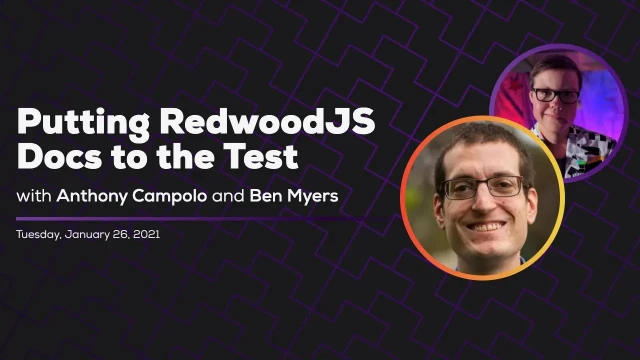
Putting RedwoodJS Docs to the Test - Some Antics
Ben Myers and Anthony Campolo audit the RedwoodJS tutorial for accessibility issues including skip links, semantic HTML, alt text, and router persistence
Episode Description
Ben Myers launches his Some Antics stream by auditing the RedwoodJS tutorial for web accessibility issues with core team member Anthony Campolo.
Episode Summary
In the inaugural episode of Some Antics, a weekly stream focused on web accessibility, host Ben Myers is joined by Anthony Campolo, a RedwoodJS core team member with a background in music education. After discussing how bootcamps and tutorials often neglect accessibility training, they explore the concept of the "Pit of Success" — designing tools and education so developers naturally produce accessible work. The pair then walk through the RedwoodJS tutorial, generating pages and layouts while examining the resulting HTML for semantic correctness. Ben highlights several issues: the H1 tag being used for the site title rather than the page title, the absence of a skip navigation link for keyboard users, missing document title management across routes, and the unique challenges single-page application routers pose for screen reader announcements. They also inspect a finished Redwood example blog, where Ben demonstrates VoiceOver to reveal problems like ambiguous "continue reading" links and images lacking alt text. Anthony synthesizes the key takeaways — adding skip-to-content functionality, clarifying head tag documentation, and ensuring alt text is part of the content model — and shares a community forum for ongoing accessibility discussions as Redwood approaches version 1.0.
Speakers
- Ben Myers
- Anthony Campolo
Chapters
00:00:00 - Introducing Some Antics and the Case for Accessibility Education
Ben Myers kicks off the very first episode of Some Antics, a weekly stream dedicated to web accessibility, semantic HTML, and progressive enhancement. He introduces his guest Anthony Campolo, a RedwoodJS core team member who shares his experience as a bootcamp graduate whose program explicitly chose not to teach accessibility despite acknowledging its importance in interviews.
The conversation frames accessibility education as a systemic gap in developer training. Anthony argues that by omitting accessibility from curricula, bootcamps implicitly signal it isn't a priority, which shapes how new developers think about their work. They introduce the "Pit of Success" concept — the idea that frameworks and tutorials should guide developers toward best practices by default rather than relying on them to seek out knowledge independently.
00:05:31 - RedwoodJS Overview and Tutorial-Driven Development
Anthony explains RedwoodJS as a full-stack serverless framework built around React, GraphQL, and Prisma, emphasizing that it empowers individual developers to own an entire project from front end to back end. This holistic ownership, he argues, makes accessibility knowledge especially critical since there is no separate team to handle it.
The pair discusses Redwood's philosophy of Tutorial Driven Development, where the tutorial serves as the project's centerpiece and is designed to progressively reveal the framework's features. They note the inherent tension between video tutorials that quickly become outdated and written documentation that can be continuously iterated, referencing Kent C. Dodds' experience with React 17 changes invalidating his course material shortly after launch.
00:12:23 - Anthony's Background and Community Building
Anthony shares his journey from high school band teacher and performing arts camp director to self-taught developer. He describes running rock band workshops for kids at summer camp before transitioning into tech through data science and eventually JavaScript, attending Lambda School's remote bootcamp, and rising through Redwood's contributor ranks to the core team.
Ben highlights Anthony's habit of immediately sharing everything he learns, recommending his Twitter, Dev.to blog, and the FSJam (Full Stack Jamstack) podcast. Anthony candidly notes that some of his own blog posts contain accessibility issues like screenshots of code, which he is actively working to fix — modeling the kind of iterative improvement they are advocating for in the stream.
00:17:22 - Auditing the Tutorial's First Pages and Layout
The pair begins walking through the Redwood tutorial hands-on, generating a homepage, about page, and blog layout. Ben examines the generated HTML and praises the use of semantic elements like header, nav, and unordered lists, noting this is already better than many tutorials. However, he flags that the H1 tag is being used for the site name rather than the page title, which misrepresents the document outline.
They discuss how navs can be structured with or without list elements, the purpose of heading hierarchy in creating a meaningful document outline, and how the site logo or name should typically be marked up as a link with appropriate alt text rather than as the page's primary heading. A community member's question about site name markup prompts further discussion of common real-world patterns.
00:24:18 - Skip Links and Single-Page App Router Challenges
Ben introduces the concept of skip navigation links, explaining how keyboard users who tab through growing navigation menus benefit from a hidden link that jumps directly to main content. He demonstrates a working skip link on his own blog, showing how it remains visually hidden until focused. The conversation then shifts to the complexities of Redwood's router and focus management in single-page applications.
They explore how SPAs break the traditional page-load model that screen readers rely on for announcing new pages, since no hard navigation occurs. A Redwood team member in the chat explains that the current router re-renders layouts on every route change but future versions will persist shared layouts. Ben connects this to the broader challenge of managing focus and document title announcements, noting that Redwood appears to lack built-in head tag management — a gap Anthony commits to addressing in the documentation.
00:42:43 - Building a Skip Link and Exploring Redwood's Link Component
Ben attempts to implement a skip link in the Redwood layout, working through the framework's named route system and link component. They discuss how Redwood's link component prevents hard page reloads in the SPA context, similar to React Router or Gatsby's link components, with a community member confirming the router was built from scratch rather than imported.
The hands-on experimentation reveals practical friction points where accessibility patterns intersect with framework conventions. They acknowledge that while the skip link works, the deeper router-level accessibility issues around focus management and page announcements require contributions from developers with routing expertise, referencing Marcy Sutton's prior work on accessible routing in Gatsby as a model.
00:50:42 - Screen Reader Testing the Finished Example Blog
The pair jumps ahead to inspect a completed Redwood example blog deployed by a core team member. Ben launches VoiceOver, the macOS screen reader, and demonstrates the rotor feature to list all links on the page. This reveals two key problems: multiple ambiguous "continue reading" links that lack context when read outside their visual surroundings, and images with completely missing alt text.
Ben explains that ARIA labels can solve the ambiguous link problem by providing screen-reader-only descriptions, and that alt text for images should be treated as content managed through the API layer. This surfaces a uniquely full-stack accessibility challenge for Redwood, since its integrated architecture means content modeling decisions on the backend directly affect front-end accessibility.
00:56:37 - Summary of Findings and Next Steps
Anthony recaps the session's main accessibility findings: the need for skip-to-content navigation, clearer documentation on head tag management for page titles, and a strategy for ensuring alt text is part of the content pipeline. Ben frames these as representative of the broader challenge full-stack developers face when they own every layer of an application.
Anthony shares a dedicated Redwood community forum thread for ongoing accessibility discussions and mentions that the conversation has expanded to include the accessibility of Redwood's own website and organizational presence. Ben closes by previewing next week's guest, Todd Libby from the W3C, who will discuss the Web Content Accessibility Guidelines and the upcoming WCAG 3.0 public draft.
Transcript
00:00:00 - Ben Myers
All right, let's go ahead and do this. Howdy, howdy, y'all. Welcome to the inaugural stream of Some Antics. My name is Ben Myers. I am a front-end developer with a passion for web accessibility. Some Antics is a weekly stream focused on web accessibility, semantic markup, progressive enhancement, and the like. I'm really excited for this experiment, and with us for our first stream is my good friend Anthony. Anthony, hello.
00:00:35 - Anthony Campolo
Hey, Ben, how you doing?
00:00:37 - Ben Myers
Doing all right. A little over-caffeinated, but we're making do.
00:00:44 - Anthony Campolo
Pretty much appropriately caffeinated. I got the right levels going right now.
00:00:45 - Ben Myers
Okay, I need to know your secret. What is the right amount of caffeine?
00:00:51 - Anthony Campolo
So my secret is I don't drink coffee. I just take a caffeine pill in the morning, so I get the same amount every single time. Just drink nine more cups.
00:01:01 - Ben Myers
If you go into your friendly neighborhood Walmart and go into the drink mixer section, they have these energy packets — they're the fruit-flavored drink mixes that you would stir into your water, but they're caffeinated. And this is, y'all, the best life hack besides your caffeine habits.
00:01:23 - Anthony Campolo
I'm super happy to be here and to kick this off because you've really helped me out a lot in terms of learning what accessibility is and how to think about making accessible websites. And I talk a lot about how I feel like this is something that was very poorly taught to me as a bootcamp student. By that I mean it wasn't taught at all. We were specifically told at one point that they were not going to teach us accessibility in the bootcamp, but that we should probably learn it on our own because we're going to be tested on it in interview questions. So to me, that just seemed like an admission of failure on the school's part, because we talk so much about how these things are important and how developers should know these things, yet we don't enable them to actually do it. We don't give them the knowledge or the tools or any of that. So that's why when I heard Ben was interested in doing this, I was like, yeah, sign me up, let's do this.
00:02:21 - Ben Myers
Absolutely. And you work on something that's really cool, which is Redwood. Do you want to give us — my impression of Redwood, from what I've heard, if I could summarize it in three words, is it's React on Rails, right? But you're on the core team, so I was wondering if you could tell us a little more about what Redwood is before we dive into this.
00:02:43 - Anthony Campolo
Yeah, I think the React on Rails title gets you 90% of the way there, but then you're going to be very wrong about that last 10%. It is what we call a full-stack serverless framework, which just means it's full-stack in the sense that you have a front end and a back end. So it's not just a Create React App. You also have another folder with an API that has a GraphQL schema and a Prisma schema, which is an ORM. So all this backend stuff, which I don't think we're going to get super into — I think we'll be working more on the website today — but that's the main deal. And then we say it's serverless because it gets deployed onto services like Netlify or Vercel, and uses things like AWS Lambdas under the hood. So there's a lot of tech that goes into making it work. That takes a long time to explain. But the really important thing you need to know is that the whole idea is that it gives you your entire project, and that one person could create that project.
00:03:44 - Anthony Campolo
Now, what that means is that one person is responsible for everything — the entire site, front to back. So you're no longer allowed to just skimp on accessibility. You can't push that off to another department and say, "Oh, I'm not going to worry about accessibility — the front-end person can handle it," or whoever gets saddled with it at a company. You don't have that option. So I think it's really important that people building apps with Redwood know at least the basics of how to look through their app and figure out if it's accessible or not. It's really important for full-stack engineers in particular to not skip this step. That's what I would like to do here. And what I would really like to do is look through the tutorial with you. Going back to what I was saying about the mental model of accessibility — I really enjoyed getting to ask you questions about how you think about accessibility, what are the things that you look for when you look at a website, and how you test it and all those kinds of things.
00:04:48 - Anthony Campolo
And we've also talked about how tutorials don't necessarily set people up for accessible websites, and that a lot of times people will follow along with a tutorial and if it's a good tutorial, hopefully they'll get to the end and have something completed. But it may just be a very bare-minimum viable product — something that just barely functions. Ideally you could have a tutorial that gets someone to the end where not only do they have a functioning project, but it also has things like accessibility baked into it, that those things have been thought about ahead of time so that they can follow along with the tutorial, learn it, and also have all of these best practices built in.
00:05:31 - Ben Myers
Absolutely, yeah. There's kind of this metaphor that I love, which is the Pit of Success. Anthony, are you familiar with that metaphor?
00:05:41 - Anthony Campolo
Yeah, I think that might come from Rails, actually. I know that's the thing they talked a lot about in the Rails world. Yeah, the Pit of Success. The idea being that you want to give developers the best chance of succeeding by providing them with the best conventions and the best tools and the best framework — ideally, a combination of tools that allows them to build in a way that feels natural and comfortable, but that doesn't result in all these corners getting cut along the way.
00:06:09 - Ben Myers
For sure. For sure. And — okay, thank you. So Chan posted the link to the Coding Horror blog post on the Pit of Success. And additionally my good friend Isabel is mentioning tutorials with clickable divs. This is an experience I've had: when I was first learning React, I went through a pretty well-known video course that took you through everything React. I had the opportunity to revisit it a year later when I was helping some new developers learn React. And in that year I got to look and see how that video course lined up with how I'm actually doing React on a day-to-day basis. And I found with just absolute horror that the tutorial was recommending absolutely inaccessible practices. The one that comes to mind is using clickable divs to pretend to be buttons. I really do think education has this really unique role where it can set the tone for what new developers are going to prioritize. You mentioned your bootcamp experience, where your bootcamp just straight up did not teach you the thing they told you, hey, you should know this.
00:07:39 - Ben Myers
But they didn't teach you a thing. And my guess is that quite a few of your fellow bootcamp graduates probably walked away with the impression of: okay, this might be a nice-to-know, but it isn't a need-to-know. The impression that accessibility is not the priority here. Would you say that's kind of an accurate assessment?
00:08:01 - Anthony Campolo
Yeah, I would say if it was a priority, they would have taught it to us. From their point of view, if they saw it as a priority, they would have taught it to us. So by not teaching it to us, they are implicitly saying they don't see this as important as the rest of the curriculum.
00:08:15 - Ben Myers
Absolutely. All right, so I want to dive in, but first, we actually missed something — I wanted to have you tell us a bit more about yourself and your history, especially as it pertains to education.
00:08:27 - Anthony Campolo
Yeah, totally. And I've done a million podcast interviews, so if people want to learn about me, there are a lot of resources. I am someone who came from a teaching background, so education is something I feel very passionate about. And it's one of the things I've really enjoyed about this community that we've been building in the React Discord. This is how you and I have gotten to know each other — the React Discord from Michael Chan, the excellent Michael Chan. He has been putting together this fantastic community of people who want to learn together and teach each other. We've been doing lots of live events and things like that, and that's kind of what got us here. But I was a music teacher, so as you can see in this picture on screen with my giant violin — as I like to say, it is an upright bass, or a string bass, or a double bass. It has many terms. It is not a cello. And I spent a year teaching high school band, doing the whole marching band thing and all that kind of stuff.
00:09:24 - Anthony Campolo
Went to football games and led the band and did all that, and it was cool. And there are a lot of things I appreciate about the whole marching band, wind band kind of culture, but it wasn't really for me. I kind of came up more through a rock band, garage band, metalhead kind of scene. That was actually what got me into music. And I came to love classical music and jazz and all this stuff. I love all genres of music, but I never really had a passion for wind ensemble, so it was hard for me to get up every day and teach that to a group of kids who were all playing instruments I didn't even know how to play. And I then spent four years running a performing arts summer camp called U-Camps — it may not exist anymore because of the pandemic situation, so we'll see about that. But it was a general performing arts summer camp: acting, film, music, dance. I did the music portion as a workshop leader. We had a rock band workshop where we would get a group of about 20 kids, put them in four bands of about five kids or so.
00:10:30 - Anthony Campolo
There'd be a guitarist, bass player, drummer, a singer, keys, and we would give them a cover song to learn. It could be a Beatles song or a more modern song, whatever the kids are into. And then we would spend the week teaching them the song. At the end of the week we put on a big rock concert and everyone would get to play their songs — we'd do a little mini set. So I did that for about four years, but I was also doing admin work. The camp ran for a couple weeks during the summer, and then the rest of the year you'd plan the camp, take payments, book the buses. I wasn't really into admin work. I learned a lot about how to run a company and how to run events and all sorts of stuff, so I learned a ton. But I wanted something a little more creative that gelled more with what I like to do on a day-to-day basis.
00:11:23 - Anthony Campolo
And I found my way to coding first through machine learning and data science type stuff, which I was trying to learn for about a year and struggled with, and eventually pivoted to web dev and JavaScript. And then I went through the bootcamp — Lambda School, which is a remote bootcamp with an income share agreement. I learned a ton of React. It was a very React-heavy bootcamp. And after that I started getting involved in RedwoodJS, which we already talked about. I started learning RedwoodJS around May and started really taking it seriously and writing about it in June. And then they invited me onto the contributors team around September, I think, and then I was invited onto the core team in December. So right now I'm on core. Core is 12 members — there's the four-member founding team and then the 12-member core team. So that is where I'm currently at today.
00:12:23 - Ben Myers
That's super cool. Thank you so much for sharing. One of the things I've really appreciated about you, Anthony, is that whenever you learn a thing, you immediately turn around and share that thing. So y'all, please go follow Anthony on Twitter, @ajcwebdev. You're going to learn so much. You're going to learn alongside Anthony. It's great. The other thing I'm going to recommend is that you all follow him on Dev.to, because he's also pretty active at sharing.
00:12:50 - Anthony Campolo
Working to make my dev posts more accessible right now. Some of them aren't great. I've got screenshots of code in some of them. I'm working to make all of this better. Fair warning about some of my blogging.
00:13:01 - Ben Myers
Excellent. One last thing: you're a podcast host, so you run the FSJam podcast, short for Full Stack Jamstack. It's great. I listened to your recent episode with Swyx — it's phenomenal, I learned a lot from it. So y'all, please go check out Anthony on all the things. He's great at learning things and great at sharing what he learns. It's incredible. And finally, this is not going to be a tutorial about RedwoodJS or an introduction to RedwoodJS. However, you've already done an introduction to RedwoodJS on Twitch on the Learn with Jason show, so I am going to share that link as well. Please go check that out.
00:13:52 - Anthony Campolo
That's super fun. You were actually hanging out — you got a couple posts in the chat there while we were doing that.
00:13:58 - Ben Myers
Also, Learn with Jason — totally not an inspiration for Some Antics here. Please go check it out. It's incredible. Yeah, let's go ahead and dive into the Redwood docs. Specifically, we're going through the tutorial today, right?
00:14:15 - Anthony Campolo
Yeah. So first, let's quickly talk about: Redwood has this idea called Tutorial Driven Development. The idea being that the tutorial is kind of like the centerpiece of the project in a lot of ways. And they put a lot of work into making sure that the tutorial is very well written, it's very clear, and it has a good sequence of steps to progressively reveal the framework to you. And as we were saying before, a tutorial that is really well done — even if you go into it totally cold, you can get to the end and have a full deployed project. That's what I did. That's what almost everyone who goes through Redwood does. They go through the tutorial. Even people who don't like tutorials very much, I find, will still go through the Redwood tutorial because it just kind of sucks you in. It's hard, once you start, not to just keep going. But that's why I think it's really important that we audit for these types of accessibility things. So yeah, if you just click Start the Tutorial, that should get you to the very first step.
00:15:16 - Anthony Campolo
The first couple pages are just going to be text, kind of giving you the "hello, we're Redwood" introduction. You can go to our readme on GitHub if you want, or you can watch these videos. These videos are kind of deprecated — if you follow along through part three, you'll hit a breaking change with the forms. But we're going to be going through the tutorial in the docs, which is constantly being iterated and updated. So that's kind of the canonical version. If you want to follow along — I originally followed the video tutorial back when it first came out, but if you do that, you'll hit a couple roadblocks.
00:15:51 - Ben Myers
Video material — and I say this fully aware that I am actively creating video material right now — video material is hard, right? Because the moment one thing becomes out of date, you have to re-record everything. And what do you re-record? Do you just edit it to include a little pop-up that says, "Hey, this part is wrong, do this instead"? I'm reminded of Kent C. Dodds — he launched his Epic React dev site, and then just a few weeks later the React 17 announcement came out. And React 17 said, hey, you no longer have to import React from 'react'. And Kent's like, are you kidding me? I have a whole video archive that's nothing but import React from 'react'.
00:16:39 - Anthony Campolo
I've imported React from 'react' over 9,000 times in my life.
00:16:44 - Ben Myers
Yeah, and it's just hard. There's that balance of: what do you update? And I find docs are a lot more flexible in that regard. So yeah, we're going to be going through the docs, and we might not go through all of them because, as you've mentioned, there's definitely a full-stack element to this. And that means there are going to be some backend tutorials as well. And those probably aren't going to be the most relevant or helpful for us when we're talking about web accessibility best practices.
00:17:22 - Anthony Campolo
It says "Our First Page." That's going to be where we start getting actual HTML and what we want to start looking through. You can skip over the installation and file structure stuff — that's not going to be super relevant.
00:17:34 - Ben Myers
Real quick, it looks like we do have another Redwood core team member in the chat saying, "We're thinking, after version 1.0 is live, I'll re-record these tutorial videos — part one and make new ones for part two." That's right, because this is a two-part tutorial.
00:17:51 - Anthony Campolo
Yeah, that must be Rob. This is definitely where there's a lot of stuff happening right now with the tutorial, as we call it.
00:17:59 - Anthony Campolo
Oh, God, what was it? Redwood's Revenge, I think.
00:18:02 - Ben Myers
I think that's on par with the Sharknado naming scheme. Are you familiar with the Sharknado naming scheme?
00:18:08 - Anthony Campolo
I don't think I am, actually.
00:18:10 - Ben Myers
This is incredible. We need to take the segue, y'all. This is so important to me. There are six Sharknado movies. It's Sharknado, Sharknado 2: The Second One, Sharknado 3: Oh Hell No!, Sharknado: The 4th Awakens, Sharknado 5: Global Swarming, and then Sharknado 6 of course has two different names — one of which is The Last Sharknado and the other is Sharknado 6: It's About Time. Which is important because this is the Sharknado movie that introduces time travel. So it's incredible, y'all. And I'm glad to see Redwood picking up the spirit of the best sequel names.
00:18:54 - Anthony Campolo
Yeah. I think Rob is a big fan of retro films, so I think he's inspired by some of the naming schemes that were a little bit more in vogue back in the '80s.
00:19:04 - Ben Myers
Absolutely. All right, cool. So we are on the "Our First Page" page. Walk me through: as you're looking at this, what are some of the things you're worried about? What are some of the things we might not have gotten right?
00:19:24 - Anthony Campolo
Yeah. So when you generate a page, it spits out that homepage for you right there. If you keep going down a little bit, there'll be the actual code for that. Actually, let's go to the next page, I think, and then we'll see the code for that.
00:19:41 - Ben Myers
All right.
00:19:45 - Anthony Campolo
Actually, now that I'm thinking about this, it might be better for us to run the commands and actually get this stuff. It looks like it's not always going to show us exactly what HTML is being spit out. It's been a while, but no problem — I'll just read through this thing. I've started to basically internalize the tutorial to the extent where I've done it live so many times that I forget what the original looks like. But yeah, let's just generate. So yarn create, then redwood-app, then a period and give it the name of your project. And while that's going, let's go back and look at the docs. That's going to take a minute. So let's just look right here. The first thing I would want to know is: how does this HTML look? We've got an H1, we've got a nav, we've got a main. I think it's not too bad, but how semantic is this HTML — that would be my first question.
00:20:52 - Ben Myers
This is already loads better than a lot of the tutorials I've seen.
00:20:58 - Anthony Campolo
That's good to hear. Because I was hoping that we wouldn't be terrible. I knew we wouldn't be perfect, but I know this has put a little thought into it already, so that's good to hear.
00:21:06 - Ben Myers
I'm going to zoom into this because this is what we're looking at here. So I can see, for instance, that you've got a header element already. Loads better than the tutorials that are out there for a lot of web dev stuff. You've also got a nav element, which has an unordered list, which has a list item — which is pretty cool. Navs — if I'm understanding this correctly — don't have to have unordered lists, but unordered lists are a pretty helpful way to structure the content inside a nav. It works either way.
00:21:41 - Anthony Campolo
What would be another way that you would structure a nav?
00:21:44 - Ben Myers
A nav with just a bunch of link children — a bunch of anchor tags inside of it — could be another.
00:21:49 - Anthony Campolo
So just the nav, without the UL or the LI at all.
00:21:52 - Ben Myers
Yeah, I personally prefer to have a UL in there. I think the list structure in there is helpful.
00:22:02 - Anthony Campolo
I think it'd be helpful for styling it also.
00:22:03 - Ben Myers
Yeah. My guess is that it's a list because later in the tutorial there are probably going to be more routes added. That's my guess.
00:22:15 - Anthony Campolo
Yeah. Right now what we end up doing is adding a link on the H1 back to the blog instead of having a Home link in the nav. That actually might be a problem.
00:22:30 - Ben Myers
Okay. Yeah. The other thing I'm noticing is that you're kicking off with this H1 here for Redwood Blog. And my thought, looking at that, is I probably would not make this an H1. And the reason for that is that the H1 usually serves as the page title rather than the site title. So while here we've got some generic content, just a filler thing.
00:23:02 - Anthony Campolo
So it would make more sense for "Home" to be the H1, is what you're saying.
00:23:05 - Ben Myers
Yeah, like an H1 followed by a bunch of paragraph tags. And this is because the H1 through H6 heading tags are used to create what is effectively a document outline. You can almost think about it like: if you were writing an essay and your teacher asked you to turn in an outline ahead of time, that outline is going to be a bunch of nested bullet points. And those nested bullet points are effectively the document outline we're talking about here. So usually the title of your essay in this case is not necessarily "Redwood Blog" — the title of your essay is likely "Home." So I would maybe make this just a general link inside the nav, or it wouldn't even necessarily have to be in the nav. But yeah, that is something I would do. While we're talking about this nav section — you don't have a whole lot in your nav, and that's totally fine, especially starting out.
00:24:18 - Anthony Campolo
Yeah. So the idea is: we're building out a blog here. We add a contact form at one point, so that ends up being another link. That's why we build up the links as we build up the project.
00:24:29 - Ben Myers
Absolutely. One consequence of emergent design is that as your site grows, your nav is inherently going to accrue more and more links — this is just a fundamental problem. And so if we can imagine a keyboard navigator tabbing through the page, they tab through all the links in the nav, then they reach the main content down here — that's the content they're actually interested in. Let's imagine that this user then clicks a link to go to a different route on the site. If their focus starts off at the beginning, they have to go through the whole nav again. When the nav is as small as this, that's probably fine. But when navs get bigger, you would likely want to introduce what's called a skip link. The skip link: you would add an ID to your main tag here, like id="main-content" or something like that. And then you would just have an anchor tag up here — it would be the absolute first focusable element in the document, and it would say something like "Skip to content."
00:25:44 - Ben Myers
And the link would be an anchor down to the main.
00:25:50 - Anthony Campolo
Yeah, so I've never even heard that. That's the first time I've heard that term. So that's great.
00:25:57 - Ben Myers
Let me show you. I've actually implemented a skip link on my blog here. So this is benmyers.dev and I don't have all that much in my nav either, as you can see. It's basically: I've got the logo up here, I've got an About, I've got Twitter. But if I hit Tab, you can see that the first thing that shows up is a link that has been set to be visually hidden until it's focused. That's something a lot of people do when they're building a skip link. If I were to hit Enter on this, yeah, it took me to the heading — I should probably add a focus outline for that.
00:26:40 - Anthony Campolo
Do the accessibility audit for your website next.
00:26:43 - Ben Myers
Yeah, no kidding. We have a question from Chan in the chat: how do I prefer to mark up the site name? So typically the site name is going to be a link. Sorry, let me take us back to the tutorial. Typically there's going to be a link, right? Because you want to be able to click it and it takes you back home. But also in the practical real-world application of building a website, typically what you have is a logo, and that's going to be an image. So having a link with an image tag inside it, where that image tag has an alt of "home" or something like that, would be a fairly standard way to mark up the site name.
00:27:32 - Anthony Campolo
You said a link with an image tag inside, and then alt text on that image.
00:27:37 - Ben Myers
Yeah, and that alt would be something like "home." Cool.
00:27:44 - Anthony Campolo
So our project will be generated now, so we can go back to our first page and start following along with the commands. Let's get our project up — CD into your directory. 32 seconds. Man, you've got a fast computer.
00:28:00 - Ben Myers
Let's go ahead and pop this open.
00:28:03 - Anthony Campolo
I'm on a 2014 MacBook right now, but I'm about to upgrade very soon — thankfully, getting that M1.
00:28:13 - Ben Myers
All right, cool. Walk me through what you want me to do next.
00:28:19 - Anthony Campolo
Yeah, just kick off our dev server so we can see what we're doing. So yarn rw dev. Everything starts with yarn rw for yarn Redwood, so you don't have to install the CLI globally.
00:28:31 - Ben Myers
All right.
00:28:33 - Anthony Campolo
And then it's going to pop you up on localhost:8910. I think it will open a browser window for you automatically. Yeah, sometimes it does, sometimes it doesn't.
00:28:44 - Ben Myers
Yeah, it opened off screen. Here, let me just copy and paste this in. There we go. Pretty rad.
00:28:51 - Anthony Campolo
So that's just the splash page. It disappears once you start building a product, so let's not worry about that too much. Let's go back to the tutorial and follow along with the commands. If you just copy that command there, it's going to generate your homepage.
00:29:09 - Ben Myers
Should I kill the dev server first?
00:29:10 - Anthony Campolo
Or just keep the dev server on and open another terminal. Yeah, exactly.
00:29:18 - Ben Myers
All right.
00:29:19 - Anthony Campolo
Go ahead and fire that up. And then if we look back at our project — if you can have that all the way to the right and your code on the left, we can see both at the same time.
00:29:36 - Ben Myers
Yeah, let's do that.
00:29:38 - Anthony Campolo
You're not going to need — actually, you will need your terminal for a couple more commands. But if you want to pop open a terminal in your VS Code editor, or just figure out how you want your screen to look.
00:29:48 - Ben Myers
Either way, we'll do it this way. You're the streamer, so living life on the edge. If this isn't working for y'all, let me know in the chat.
00:30:02 - Anthony Campolo
I expect you can probably increase the font a little bit on both the browser and your editor as well.
00:30:10 - Ben Myers
All right, that's totally fair. Too much.
00:30:13 - Anthony Campolo
That's going to be a little too much. Yeah, that's probably okay. If we go to our web folder, we can see the actual code for this homepage. Src, Pages, Homepage — there you go. So it starts you off with H1 and a P tag, and then just a link in there. This is setting you up for what is eventually going to be that layout we were looking at. So what you do is start by generating a homepage, then an about page, and then it shows you how to link between the two of them. But then it's like, "Oh, just kidding — we can do this with the layout." So we can just skip straight to — let's first do this. Let's run the next command to generate our about page.
00:31:00 - Ben Myers
Okay.
00:31:01 - Anthony Campolo
Yeah, so go to that, all the way to the bottom.
00:31:04 - Ben Myers
All the way to the bottom. Okay.
00:31:06 - Anthony Campolo
And then — not that. Hit Next. Yeah, so this is our about page. This will generate our next page.
00:31:14 - Ben Myers
Look at that.
00:31:17 - Anthony Campolo
And then I think after that, the next one was the layout.
00:31:22 - Ben Myers
Okay. Is that on this page? It's on the page, actually.
00:31:27 - Anthony Campolo
No, let's — yeah, so before that, actually, let's go back and just go through it as it's written. So first it's going to have you copy that whole thing and put it into your homepage.
00:31:42 - Ben Myers
All right. The site should update.
00:31:47 - Anthony Campolo
And then if you click About, it'll take you to the about page, but we don't have a link back to our homepage. So go back to the tutorial and go down. Keep going.
00:32:00 - Ben Myers
Yep.
00:32:00 - Anthony Campolo
And then paste that into your about page.
00:32:03 - Ben Myers
Cool. Right here. Starting to feel like I should have allotted a little more room for the browser stuff. Okay, about.
00:32:22 - Anthony Campolo
Now if we go back to our about page — we're already on the about page. You can click "Return home" to return home.
00:32:33 - Ben Myers
There you go.
00:32:34 - Anthony Campolo
Cool. Then what they have you do is abstract out those links into the layout. That's why I'm not too concerned about how the code looks right now, because once we get to the layout, that's where the important stuff is — it's going to stick. So go back to the tutorial and scroll all the way down to the next page. Keep going — it will give you a command to generate the layout.
00:33:01 - Ben Myers
So many excellent commands. This is incredible. In case you haven't seen Redwood: the "redwood" part here, you could use "rw" as a shortcut. And then "g" is an abbreviation for "generate." So it's this whole chain — you're running yarn, which is running the redwood generate command to create a new layout. That layout is called "blog." Yep.
00:33:30 - Anthony Campolo
And before, instead of "layout," it just said "pages." So we have a lot of yarn redwood generate commands. And so yeah, that will generate the layout.
00:33:39 - Ben Myers
Are we close to the point where I can hide my terminal so we can have a little more room?
00:33:43 - Anthony Campolo
Yeah, at this point that should be good. I don't think the next step is going to be all the Prisma database stuff, so this will get us pretty far.
00:33:53 - Ben Myers
There we go. Cool.
00:33:55 - Anthony Campolo
All right, so now let's go to the layout. So above the pages — blog layout.
00:34:05 - Ben Myers
And this has been newly generated for us, and it's just a fragment that returns the children. So this is a wrapper around an individual page. The page stuff effectively slots in right here. And so we could add a whole bunch of stuff. I think the tutorial mentions the header.
00:34:26 - Anthony Campolo
Yeah. So let's go back over to the left and scroll down a little bit in the tutorial.
00:34:34 - Ben Myers
Okay, I'll look at that.
00:34:35 - Anthony Campolo
Yeah. So then this is what we were looking at before. As you see, we have the header and then the main. And so what we do is go ahead and put that in the blog layout. Make sure to get the — yeah. This is something we should talk about quickly: getting Redwood to the level of accessibility we need is going to require some things in the router that I don't quite understand yet. So if there's anyone here who knows a lot about how routers work and how accessibility works, we could use your help. It's one of those things where you and I have talked about it a little bit. Marcy Sutton has written about this in terms of routing in Gatsby, and right now, if you go to Redwood's PRs about this, it's like — here are some links to what Marcy has said, and we need to figure this out. That's where we're at right now. And the reason I want to do this is because I see it more at the meta level: how do you build accessible websites with Redwood?
00:35:41 - Anthony Campolo
But Redwood itself being accessible is also something we're still working on, and we're looking for contributions if anyone has that sort of expertise.
00:35:51 - Ben Myers
Absolutely. Quick question: I know a lot of React meta frameworks will introduce their own link component. Can you help me understand what Redwood's link is doing? Is it working similarly to React Router's link, the Gatsby link, Next's link?
00:36:15 - Anthony Campolo
Let's go to the Redwood docs and find out. There'll be a specific page for the Redwood router. If you just Google "RedwoodJS router," or it's in the docs page towards the bottom.
00:36:30 - Ben Myers
There we go. This looks like it. Redwood router. Okay.
00:36:33 - Anthony Campolo
Yeah, just go down — let's see. There we go. So "Link and Named Route Functions," I think, is what you're going to want. This is one of the things: this framework was built long before I came along, so there's a lot about how the router was created and how it's working that I'm still learning, picking up as we go. So I don't know exactly what the Link component is doing. It's always just worked for me, so I've never had to worry about it. That's part of the thing about these frameworks — when the magic works, you never really have to figure out what it does. It's only once the magic breaks that you have to figure out what it's doing.
00:37:19 - Ben Myers
If I had to take a guess, it's probably working and may even under the hood be leveraging React Router's link or something. But because this is a single page,
00:37:30 - Anthony Campolo
I can say for sure that it was a new router built from scratch. It's not importing any other router — I can say that for sure.
00:37:36 - Ben Myers
Super cool. Single-page applications — if you use just a pure anchor tag without overriding its default behavior, you're going to get a hard page load, which is difficult in a single-page application. The thing that makes SPAs super cool is the bundle is already there, so you shouldn't have to do a hard page load or go fetch the new page — you've already got that on the browser. So I guess to prevent the hard refresh, the hard new page load. It looks like we've got some code in the chat for the link component, which is super cool. Maybe I can deviate a little off script and — I believe you're on mute, my friend.
00:38:38 - Anthony Campolo
Sorry, I wasn't saying anything.
00:38:40 - Ben Myers
You're good. If I were interested in creating a skip link, let me try to do what I can and then you can let me know if maybe I'm using links wrong here. But what I would first do, actually,
00:38:55 - Anthony Campolo
let's first get the blog layout into our page before we start doing any of that, just so we can also see what we're doing. Let's go back to the tutorial.
00:39:05 - Ben Myers
Yeah, right here.
00:39:08 - Anthony Campolo
That's all good. And then — yeah, so right there, that's going to be your homepage. What you do is: the layout is a component, you bring in the component, and you wrap the content. As you see here, we're taking that blog layout and wrapping the home content. You're not going to need to import Link and Routes anymore because they are in our layout now.
00:39:31 - Ben Myers
Dig it. There are few things more satisfying than removing an import. And I guess you've already got an H1, don't you? Yeah. So I'll just do home like the tutorial says.
00:39:50 - Anthony Campolo
And then scroll down just a little bit and it'll be the same thing for your about page.
00:39:56 - Ben Myers
All right. Actually, copy-paste this.
00:40:00 - Anthony Campolo
Sorry. So let's just skip that because it's good to have you change that. Keep going.
00:40:03 - Ben Myers
Okay.
00:40:06 - Anthony Campolo
Keep going, keep going. Yep, keep going. A little bit more, a little bit more. Yeah, that's it. Yeah.
00:40:15 - Ben Myers
Cool, cool, cool. I dig it.
00:40:17 - Anthony Campolo
Yeah. So what they do is walk you through why you're able to take the links out — because they're in the layout. Like I said, the tutorial does a really good job walking you through it so you actually understand what's happening. So you can skip a couple steps if you know where you're already going.
00:40:32 - Ben Myers
That's fair.
00:40:35 - Anthony Campolo
Okay, so that should be good. Let's go back and look at the site. We should be able to navigate between.
00:40:43 - Ben Myers
Hi.
00:40:44 - Anthony Campolo
Make sure you've saved everything.
00:40:46 - Ben Myers
Yeah, I don't think we pulled in — there was a bit in the header, I think, that we were supposed to add at the very top of this page. I think there was a link to add somewhere, actually.
00:40:59 - Anthony Campolo
I know what you're talking about. Yeah. So scroll down a little bit more. Right there. Yeah.
00:41:05 - Ben Myers
Look at that.
00:41:06 - Anthony Campolo
Yeah. So that's the final blog layout.
00:41:15 - Ben Myers
Oh, that's big.
00:41:18 - Anthony Campolo
Yeah. So now as I was saying, the H1 — yeah, we made that the link. And you're saying that's actually a good thing — you want to have that one link at the top that takes you back to home, it sounds like.
00:41:29 - Ben Myers
Yeah. And I would say that's a pretty common pattern. I wouldn't necessarily wrap it in an H1, because the name of this page is not likely to be Redwood Blog — the name of the page is likely something else. Cool.
00:41:42 - Anthony Campolo
Yeah. So at this point let's just start changing stuff. Let's take the code we have and see what you would do to it, and then we'll see where the code lands at the end.
00:41:51 - Ben Myers
For sure. Yeah. So I'm going to remove this H1 here. And the auto format on save is pretty great. So I would go ahead and add a skip link to this. The way that I would do that — it may actually correct the formatting here — I would add an ID here, I'm just going to call this "main." Oh yeah, it did correct. Cool. And then link — exciting. So I would put something descriptive in here like "skip to content." And this would go to — can I put... my guess is I could put a.
00:42:43 - Anthony Campolo
Yeah. So the way this works: if you look at the link below, you have routes.home() inside the brackets. That's what's happening here. Every time we generate a page, it has a name — a named route. We call it a named route function. That's why it's routes.home() with the parentheses — it's a function that links you to your home.
00:43:06 - Ben Myers
All right. And can I just do a string like this?
00:43:09 - Anthony Campolo
Let's find out.
00:43:11 - Ben Myers
All right. Skip. Yeah, it does look like that's doing it. I'm not sure — maybe it's doing a hard load. If I'm wrong there, let me know in the chat, I would really appreciate that. Looks like we've got some comments: "With the way the router is currently built, the whole page has to reload because the layout is used inside the page. We can't persist the layout between pages because the hierarchy is reversed. We're working on fixing that. You'll be able to define the layout that should wrap your route. So if two routes use the same layout, the layout will persist and only the page content itself will swap out." That's super cool. That strikes me as a single-page application working in the way we would expect.
00:43:56 - Anthony Campolo
When that happens — break that down a little bit. You read that pretty fast. I don't think all the viewers necessarily got all that.
00:44:02 - Ben Myers
Yeah, absolutely. Currently we have two pages that are using the blog layout we've created here. And currently the way the Redwood router is working is it's not smart enough to know that both of these pages use the same layout. That's because the layouts are treated as children of the pages. And that means that every time you navigate between pages, even if the layout is the same, it has to render a whole new version of the layout — which, depending on your site, could be inefficient, and it might or might not be what you want. It sounds like future versions of the router will hopefully be smart enough to know you're reusing this layout, and therefore we don't have to change anything about that. We can just re-render what changed.
00:45:07 - Anthony Campolo
Yeah, this is what I was saying about how there's stuff in the internals of the router that, like I said, is still being worked on — it's a little above my head right now.
00:45:15 - Ben Myers
Sure. But yeah, that's super cool. And as I'm hearing about the layout possibly not re-rendering, my first thought is the focus management on that is going to be rough. Because when you're on a static site where every page is its own static HTML page, going from one page to another is a hard page load. A screen reader in that case will usually announce something like the document title — which actually is an interesting point. We haven't done anything with document titles in here. Maybe that's something I should follow up on next. But yeah, the screen reader announces the document title, and that's usually how the screen reader user knows they're on a new page. But in a single-page application, you're not actually ever leaving the HTML page you're on. Things are just changing around you, and that means you don't get the document title announcement, you don't get any of the new-page stuff. Even your focus might not change if the link that you clicked on doesn't re-render at all.
00:46:31 - Ben Myers
So this is why routers for single-page applications are incredibly difficult — you have to figure out the sensible defaults for announcing to assistive technology users, managing focus, and announcing to them that the page has changed.
00:46:51 - Anthony Campolo
Yeah, there's so much that goes into the router, and I feel like it's such a black box to most people.
00:46:57 - Ben Myers
Maybe I just need to get Marcy Sutton on somehow and be like: please teach me everything about routers. Because she did.
00:47:04 - Anthony Campolo
I would. That would definitely be an episode I would want to watch.
00:47:06 - Ben Myers
She did some great work with that when she was working at Gatsby. Let me get a link to that. In the meantime, does Redwood have anything for head management? Because as we navigate between pages, my title up here doesn't seem to be changing at all.
00:47:30 - Anthony Campolo
Yeah, that's a good question. I mean, I'm sure there is. We don't have a head tag like Next has — I know we don't have that — but I'm sure there's a way to do it. Hopefully Rob is still in the chat; I'm sure he'd be able to answer that. Let me just check the docs real quick.
00:47:49 - Ben Myers
All right. And I'll check it over here as well. That feels like it would be part of the router. Let's see — "Redwood head." I'm going to get so many trees. Dino. Dinosaur, Slab. Dinosaur head, Slab. Words are hard. Always down for more dinosaurs. Let's see "RedwoodJS head" in here. Well, the first non-redwoodjs.com link here is AJCWebDev, which sounds familiar.
00:48:27 - Anthony Campolo
I've quite monopolized the SEO around Redwood.
00:48:31 - Ben Myers
You have become the Redwood instructor. I guess as someone looking at this — hey, we've got different pages in a React single-page app — from an accessibility perspective, I'm curious where someone would find the head management stuff. Because maybe it's not super straightforward to get into in the beginner tutorial first steps, but it is something that maybe shouldn't be left off the table.
00:49:05 - Anthony Campolo
Yeah, totally. I agree. It should be somewhere in the docs — I just don't know where. But if not, that's something we'll definitely add. That is very, very important. These are exactly the kind of notes I was hoping to get from this. That's great.
00:49:18 - Ben Myers
Absolutely cool. Anything else you could think of? Anywhere else — because I know you've given a lot of these Redwood introductions — where do people go next? Where do they deviate from the tutorials to build their own thing?
00:49:40 - Anthony Campolo
That's a great question. It's really going to depend on what people want to build with it, because we say this a lot: we're showing you this blog to help teach people Redwood. But honestly, no one really uses Redwood to build a blog — and if you do, you probably shouldn't. It's not really what it's made for. I think most people are going to go through the tutorial, figure out how it works, and then either start from scratch again or just take the finished project and start changing stuff. So in terms of where we are right now in the tutorial, the next stuff is going to be all the database stuff, and that isn't really relevant right now. I would say what we should do is go look at the finished blog and see how that looks, because that's what the tutorial ends you up at. So if you just search "Redwood example blog."
00:50:42 - Ben Myers
How about this one?
00:50:43 - Anthony Campolo
That's the one.
00:50:44 - Ben Myers
All right. Is this hosted anywhere? Yeah. Cool.
00:50:52 - Anthony Campolo
This is what Rob built. He did the tutorial and then he made it look nice and did all that kind of stuff. So hopefully color contrast and things like that are good, but that's what we can look at more closely.
00:51:06 - Ben Myers
Now let's find out.
00:51:08 - Anthony Campolo
And then the repo is just all there if you want to start poking into the code.
00:51:11 - Ben Myers
All right. Yeah. I'm just surveying, getting a good sense of what's going on here — all the different things I'm seeing. This is really nicely done. It looks great.
00:51:30 - Anthony Campolo
Very happy to hear that.
00:51:32 - Ben Myers
Oh, you know what? The first thing I'm noticing is a "Continue reading" link. I'm going to put this to the test and pull up.
00:51:45 - Anthony Campolo
VoiceOver? VoiceOver on Chrome?
00:51:49 - Ben Myers
Chrome. "Continue reading article. You are currently on a link. To click this link, press..." Okay. So when I navigate to this...
00:51:57 - Anthony Campolo
First off, what tool is this? How do we get this?
00:52:01 - Ben Myers
This is incredible. So this is VoiceOver. VoiceOver is a screen reader — specifically, it's built into Mac. Currently, usage statistics for VoiceOver are around 10% of screen reader users. The vast majority use JAWS, which is a paid screen reader for Windows. There are also quite a few who use NVDA.
00:52:27 - Anthony Campolo
So ideally you'd want to also test with JAWS, is what you're saying.
00:52:30 - Ben Myers
Yeah. All screen readers are implemented slightly differently, so definitely make sure to test across them.
00:52:36 - Anthony Campolo
Like every version of SQL is slightly different than SQL.
00:52:39 - Ben Myers
So when you're navigating with a screen reader, there are many modes you can navigate with. The one that as developers we're going to be inclined to try first is tabbing, right? Because that's how you know — as power users of technology.
00:52:54 - Anthony Campolo
You tab through your page. Yeah.
00:52:54 - Ben Myers
Yeah, you tab through the page. But there are different ways you could navigate. I could do what's called the virtual cursor, which takes me through all the elements in the page, static or interactive, etc. And different screen readers provide different means of going between elements of the same type — for instance, going from link to link, button to button, or form field to form field. What you're going to see: I'm using VoiceOver, I'm going to do Control+Option and navigate to the Links menu. This opens the rotor, which is VoiceOver's implementation of that feature. What we're going to see is a list of all the links on the page. I'm actually going to scroll because I don't really want VoiceOver talking over me. But you're going to see we've got "Wood," "Steel," "Acrylic," "Wood," "Steel" — we've got some repeated links. The other thing we've got is these repeated "Continue reading" links. And you know, we see this pattern all the time — maybe it's "Continue reading," maybe it's "Read more."
00:54:07 - Ben Myers
Maybe it's "Show more." Wherever you've got an excerpt, you'll often have a link to read the full thing. The issue with that is it doesn't provide context as to what reading more would actually give you. So when you're in a context-free mode like VoiceOver's rotor, you're not actually clear what more you'd be reading. Some people will remedy this by adding an ARIA label — the link will say "Continue reading," but it'll have an ARIA label on top of it that says something like "Continue reading: Thor's Hammer woodworking mallet."
00:54:46 - Anthony Campolo
So quick question along those lines — do you think it would be worth it for there to be ARIA labels in the Redwood tutorial?
00:54:53 - Ben Myers
It depends. I wouldn't use it to duplicate what's already there. If you've got a link that says "home," you wouldn't add an ARIA label on top of that that says "home."
00:55:01 - Anthony Campolo
We'll save ARIA for episode two, when I come back.
00:55:04 - Ben Myers
There we go. Yeah, ARIA is fun, but there's so much you can possibly get wrong with it. I've got some blog posts about that at benmyers.dev — go check them out.
00:55:16 - Anthony Campolo
They're fantastic. I've learned a ton about ARIA from those blog posts.
00:55:21 - Ben Myers
So the thing I notice is that when you've got repeated elements like this, it's usually helpful to include assistive-technology-only versions — basically full descriptors that help the link make sense even when taken out of context. That's one thing I notice. Another thing: I'm going to go ahead and kill VoiceOver here — VoiceOver off — is that you've got some images. And if I'm looking at a tutorial with images, the first thing I'm going to think of is alt text. Yeah. So I'm going to go ahead and inspect this. We're going to see there is absolutely no alt text on this.
00:56:02 - Anthony Campolo
Rob dropped the ball.
00:56:04 - Ben Myers
Come on, Rob. Let me show you what the VoiceOver experience looks like.
00:56:08 - Anthony Campolo
They're all hammers. Would they all just say hammer?
00:56:12 - Ben Myers
Well, that's probably information that would be supplied from the API because the API is serving as your content management system. If you want to build a content management system that powers an accessible front end, then that means part of your content would probably also be the alt text. That should be a field in your API side.
00:56:30 - Anthony Campolo
Okay, interesting.
00:56:32 - Ben Myers
So here's the VoiceOver experience when I navigate to an image without alt text.
00:56:37 - Anthony Campolo
By the way, are we stopping at 11? Because if so, probably good to start wrapping up.
00:56:41 - Ben Myers
Yeah, probably start wrapping up pretty shortly because I have a hard stop on the hour.
00:56:49 - Anthony Campolo
I want to make sure I can give a summary of what I have learned and what my next steps are. The main things we've gone over: some sort of skip-to-content would be very useful; the docs need to be clearer about how to alter any of the head tags; and we need to make sure to have alt text baked in somewhere in how images are coming from the API. We need to get alt text.
00:57:18 - Ben Myers
That alt text is definitely an interesting problem for Redwood because Redwood is about this whole full-stack thing. You could easily use Redwood for a content management system because it's both back end and tied to the front end. And that means you have to deal with content management system problems, and therefore you have all of the accessibility concerns with that too.
00:57:41 - Anthony Campolo
So that goes back to what we originally said at the beginning. We have a lot more problems to worry about when we build the whole thing ourselves.
00:57:47 - Ben Myers
Absolutely. Yeah. So I know we didn't get through everything in the tutorial, y'all. I would really appreciate it if you wanted to go through the Redwood tutorial yourselves, look through, finish the whole thing, and see if there are different accessibility things that you notice. You can tweet at me @SomeAnticsDev. You can also bug Anthony about that. I'm going to volunteer him to receive all your complaints, maybe.
00:58:18 - Anthony Campolo
Let me make sure we get to that. I actually made a forum post specifically for these types of discussions on Redwood. So let me make sure you've got that link as well.
00:58:27 - Ben Myers
Yeah, go ahead and stick that in the chat, if you wouldn't mind. That would be awesome.
00:58:33 - Anthony Campolo
And David Tierson actually even opened it up to a much wider meta level: how is Redwood as an organization going to be accessible in terms of our own homepage and all that sort of stuff. So there's a lot of great discussion in there, from the super high levels to the very nitty-gritty technical. That's why I just called it "Making RedwoodJS Accessible" — it's a hub where we can have these kinds of discussions. Something I'd really like to continue working on as we get closer to V1.
00:59:01 - Ben Myers
Absolutely. Anthony, I really appreciate having you on. I would love to have you on for a part two — there's so much more we could go into, y'all. This has been great. Come join us same time next week. Next Tuesday at 12:00 PM CST, we're going to have Todd Libby on. Todd Libby is part of the World Wide Web Consortium, specifically working on the new versions of the W3C accessibility guidelines.
00:59:32 - Anthony Campolo
Yep. That's super exciting. Really excited to watch that.
00:59:35 - Ben Myers
He's a super fun guy, very funny. And we're going to be diving into the Web Content Accessibility Guidelines together and also get a first look at the new WCAG 3.0 public draft that's coming out. Y'all, I'm super excited. Thank you so much for joining us today. I'll catch y'all next week. It's been real. Y'all have a good one.