Testing a StepZen GraphQL API with Postman
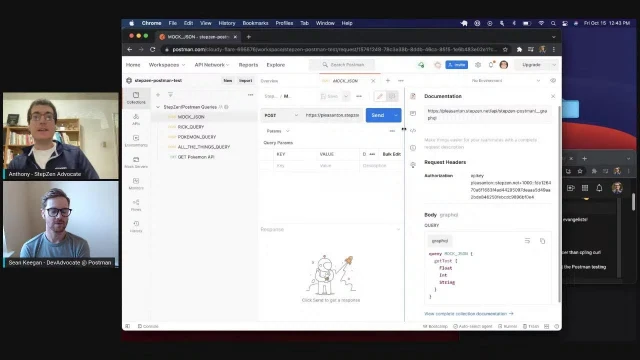
Sean Keegan from Postman joins Anthony Campolo to demonstrate how Postman's testing and collaboration tools enhance developing GraphQL APIs with StepZen
Episode Description
Anthony Campolo demos StepZen's GraphQL API stitching with Sean Keegan from Postman, testing endpoints and exploring collaboration features.
Episode Summary
In this StepZen livestream, host Anthony Campolo is joined by Sean Keegan, a developer advocate at Postman, to demonstrate how StepZen and Postman work together in an API development workflow. After swapping stories about their shared backgrounds as former teachers turned developers, they walk through building a StepZen project that stitches together three data sources — a mock JSON endpoint, the Rick and Morty GraphQL API, and the PokéAPI REST endpoint — into a single unified GraphQL API. Anthony shows how each can be queried individually or combined into one request, highlighting the payload size differences between REST and GraphQL responses. They then move into Postman, setting up a shared team workspace where they create collections, configure GraphQL requests, and test the deployed StepZen endpoint. Sean demonstrates Postman's collaboration features, including inline commenting with markdown support and the process of converting a private team workspace into a public one so others can fork and reuse the collection. Along the way, they compare curl commands to Postman's visual interface, explore schema-driven autocomplete, and discuss the value of environments for managing API keys — with a live reminder about the importance of not leaking credentials on stream.
Chapters
00:00:00 - Introductions and Background
The stream opens with some lighthearted technical difficulties as Anthony accidentally plays background music before introducing the show and his guest, Sean Keegan from Postman. Both share their career journeys from teaching — Anthony and Sean were both educators before transitioning into tech through coding bootcamps and eventually landing in developer relations.
Sean describes how his love of teaching and learning translated naturally into developer advocacy, and he explains how he first encountered Postman during his bootcamp while exploring APIs. They briefly discuss the size of Postman's DevRel team and the ever-shifting landscape of titles in the developer relations space, from Developer Advocate to Developer Evangelist to Developer Experience Engineer.
00:04:58 - What Is Postman and Setting Up StepZen
Sean provides an overview of Postman, explaining its evolution from a simple API client into a full API collaboration platform that supports the entire API lifecycle — building, mocking, testing, monitoring, and sharing APIs publicly. Anthony then begins setting up the StepZen demo project, creating an index file that stitches together three data sources: mock JSON, the Rick and Morty GraphQL API, and the PokéAPI REST endpoint.
They deploy the project using the StepZen CLI and run a basic mock JSON query to verify it works, returning simple float, integer, and string values. Sean and Anthony also discuss how StepZen handles authentication automatically through the CLI, making the initial setup straightforward even for beginners who are still learning GraphQL concepts.
00:10:21 - Testing with Curl and Postman Setup
Anthony demonstrates how to send the same GraphQL query using a curl command, walking through the structure of the request including the POST method, headers, content type, and query body. He then transitions to Postman's web interface, where he creates a new collection and configures an HTTP request specifically for GraphQL, highlighting Postman's built-in GraphQL support as a dedicated body type.
Sean chimes in about the advantages of using an API client like Postman over raw curl commands — particularly around readability and managing complex requests with multiple parameters and authorization headers. They discuss the tradeoffs, noting that curl is useful for sharing self-contained commands but becomes unwieldy as complexity grows.
00:17:37 - Querying Rick and Morty and PokéAPI Through StepZen
After configuring the Postman request with the StepZen endpoint and API key, Anthony runs the mock query successfully and then moves on to querying the Rick and Morty GraphQL API directly, introducing query variables to fetch specific characters by ID. They retrieve Rick Sanchez's data and even discover that Postman renders the character image URL directly in the response.
Anthony then shows how StepZen uses custom directives to connect to the PokéAPI REST endpoint, effectively transforming it into a queryable GraphQL source. They compare response payload sizes between the full REST response and the targeted GraphQL query, illustrating one of GraphQL's key advantages — requesting only the specific fields you need rather than receiving an entire data dump.
00:25:25 - The All Things Query and Schema Autocomplete
The demo reaches its climax as Anthony runs what he calls the "All Things Query," a single GraphQL request that pulls data from all three stitched sources — Rick and Morty characters, PokéAPI Pokémon, and the mock test data — in one unified response. Sean highlights how remarkable it is that three different APIs using different protocols were combined into a single request through StepZen.
Anthony then demonstrates how to set up a GraphQL schema definition in Postman to enable autocomplete functionality when writing queries. By defining the types and queries in Postman's API section, the editor can suggest available fields and queries as you type, similar to what tools like Insomnia offer. This makes exploring and building queries against the StepZen endpoint significantly more convenient.
00:35:07 - Collaboration Features and Public Workspaces
Sean takes over screen sharing to demonstrate Postman's collaboration capabilities within the shared team workspace. He shows how team members can leave inline comments with markdown support directly on request bodies, and how notifications alert collaborators when new comments arrive. Anthony receives the notification in real time and replies, illustrating a lightweight feedback loop.
They then discuss Postman's workspace visibility settings — personal, team, private, and public — and attempt to make the workspace public so viewers could fork the collection. However, they run into the practical challenge of needing to strip API keys from saved requests first, leading to a candid moment about credential management and the importance of using Postman environments to store sensitive variables in one reusable location rather than hardcoding them into individual requests.
00:44:06 - Wrap-Up and Resources
Anthony and Sean close out the stream by reflecting on what they covered and sharing resources for viewers who want to learn more. Sean highlights Postman's weekly Twitch stream and their biweekly Space Camp webinar series, which at the time was running a documentation-focused miniseries. He also shares his Twitter handle and personal interests.
Anthony points viewers to stepzen.com and the StepZen samples GitHub repository, mentioning ongoing Hacktoberfest contributions and projects like a Nuxt 3 migration and a SpaceX GraphQL API. He thanks Claire Frey from the Redwood team for connecting him with Sean, and both express interest in collaborating again in the future.
Transcript
00:00:00 - Anthony Campolo
[unclear]. Hello? Hello. I've got that. There we go. Do you hear that music in the background? It was still going.
00:00:35 - Sean Keegan
Oh, I didn't hear it. I heard it to start and I kind of got into it. It was like — it was sad. There's only 30 seconds.
00:00:41 - Anthony Campolo
It's because my YouTube is playing right now. Hold on one second. All right, I fixed it. That's so funny. Live streaming, folks. Hello, this is the StepZen Stream and I am your host, Anthony Campolo. Today we have Sean Keegan from Postman with us. Thanks for being here, Sean.
00:01:05 - Sean Keegan
Yeah, thanks so much, Anthony. I'm super excited. I love hopping on other folks' streams and seeing what kind of cool stuff you're building and doing. Thanks for having me.
00:01:16 - Anthony Campolo
Awesome. I would love to get just a little bit of your background, how you got into this stuff. I think you and I are both teachers in our previous lives.
00:01:26 - Sean Keegan
Yeah. So I used to be a math teacher. And I'll apologize in advance — I'm in New York City, so there's going to be all sorts of horns and
00:01:33 - Anthony Campolo
I live in [unclear], so it happens all the time.
00:01:37 - Sean Keegan
But yeah, so I used to be a math teacher and that was kind of my first career. I loved it. I love getting nerdy about stuff and teaching other people and getting them excited about nerdy things. And math seemed to fit the bill pretty well. But yeah, eventually I just kind of realized I wanted to do something a bit different. So I took a coding bootcamp and kind of fell in love with the idea of learning new things all the time and teaching others how to do it, and took that combination of skill and passion and ended up in the developer relations world.
00:02:10 - Anthony Campolo
Yeah. That's so funny. You actually mirrored that story almost perfectly for me — word for word. Yeah, pretty much it.
00:02:16 - Sean Keegan
Yeah. That's great.
00:02:18 - Anthony Campolo
Awesome. Yeah, that's really cool. And how did you find your way to Postman?
00:02:22 - Sean Keegan
So how did I find my way to Postman? I used it a little bit when I was in the bootcamp just to practice exploring APIs, testing API endpoints. So I was vaguely familiar with it. And then I got laid off right when the pandemic started, so I was just kind of looking around for different developer advocate jobs. I honestly don't remember how I learned about the Postman developer advocate role opening, but I'm super glad I did because I've been here just about a year now and it's been awesome. But yeah, it's a great question. I should try to figure out how I ended up here.
00:02:58 - Anthony Campolo
Well, I get it because a similar thing happens when you're in these bootcamps — most of the time people use Postman when they get into what it means to test an API. I tried it a little bit and then got more into Insomnia. So I've actually learned a bunch about Postman just by researching. This stream has been really great, and it's like — it's a massive company. You guys just did a huge funding round, so congrats on that. Very cool. Nice to see the whole API ecosystem kind of growing, continuing to be a big thing. And how big is the DevRel team?
00:03:34 - Sean Keegan
So our DevRel team — we just hired our seventh person directly on our team. We've got six, seven folks. I think there's three developer advocates, our head of the team, and a technical community manager. And I don't remember exactly what our newest hire's title is, but he's kind of like a program manager for the team, I believe. So yeah, if you're watching, I will look up your title as soon as this is over.
00:04:04 - Anthony Campolo
But these titles are so amorphous. Like, we've talked about this with other people — you have Developer Advocates and then you have this new term, Developer Experience Engineer, which, as far as I can tell, is the same role, just a different title. I find that usually it's like more technical, or more content, or more community, but you can't get away from any of them. You have to have a little bit of your foot in all of them at the same time. It's just kind of — you emphasize one more than the other, or you have a niche in one more than the other.
00:04:33 - Sean Keegan
Yeah, totally. And there's Developer Evangelist, Technical Evangelist.
00:04:38 - Anthony Campolo
Developer Evangelist is also just Developer Advocate rebranded again. I think it's a term that goes back to Apple in the 80s or 90s. But it's a long, long history of the term. I'd actually like to get into — what is Postman? For someone who may have never used it, how would you describe it?
00:04:58 - Sean Keegan
Sure. So Postman is an API collaboration platform. I'll back up and talk about how Postman started. It really started as an API client — to test API endpoints, make some API calls, see the response, and just make that process a little bit easier for people. It has since evolved into a much more robust product, and it really helps with all parts of the API lifecycle. Whether you're developing an API or testing an API, it allows you to do all of those things and collaborate throughout the whole process. If I'm at Company X and I have an API, I can build it, mock test it, and build monitors all within Postman to check the health of it, and I can have that publicly available so folks like yourself or anybody else can come and check out the API and test it using Postman. So it really allows you to do all things API — all parts of the API lifecycle.
00:06:06 - Anthony Campolo
Awesome. And that's great for us here at StepZen, because we are a company for building APIs. It's a very good tool to have in your tool belt because if you're going to be spending your whole day building APIs, you want to make sure the tooling you use to verify that it works — and to figure out what it's even doing in the first place — is solid. And I find there are so many other things kind of like this. I constantly hear about new API client tools, and it seems like Postman just has the largest set of features because you have all this collaboration stuff and just a huge wide variety of things.
00:06:44 - Sean Keegan
Yeah, for sure. There are tons of tools for any job and I wouldn't speak poorly of any of them — they all serve a purpose. I think where Postman really shines is that ability to collaborate. We have public workspaces, which we'll get into a bit later in this stream, which really is about collaboration and allowing folks to take information that you put out there and have it consumed by the public pretty easily.
00:07:13 - Anthony Campolo
But can I just copy and paste a curl command? Isn't that just as good?
00:07:18 - Sean Keegan
You could, but good luck when things go awry and you have a million parameters and authorization headers.
00:07:26 - Anthony Campolo
Yeah. All right, cool. Let's get into the project here. I'm going to start off by creating a StepZen project, and it's going to have a couple of endpoints and schemas. For anyone who's watching who maybe doesn't know anything about StepZen — this is a GraphQL tool that allows you to stitch together many different types of backend data sources, whether that's REST APIs, GraphQL APIs, or even databases. In this example, we're going to have a REST API, a GraphQL API, and then some mock test data as well. I've got a couple of commands here to set up the project. We have an index.graphql which is going to stitch all of our other files together. We got a test file, the Rick and Morty GraphQL API, and then PokéAPI REST — hopefully two fairly well-known APIs. Do you have any favorite APIs that you like to test with?
00:08:38 - Sean Keegan
I've got a bit of a soft spot for the Star Wars API, just because it was one of the first ones I explored when I was getting started in the bootcamp. SWAPI, I think, as it's lovingly called.
00:08:51 - Anthony Campolo
That's great. That's actually the example in the canonical GraphQL docs — they walk you through how GraphQL works by creating basically a Star Wars API with GraphQL.
00:09:02 - Sean Keegan
Yeah,
00:09:04 - Anthony Campolo
they're all just characters and shows, and you can relate what episodes or movies they're in and characteristics about them. So you get a huge data graph really quickly. The only other things we've done here is we've created a .gitignore, which we don't really have to worry about for this project, and then this file, which is going to set our API endpoint once we actually deploy. This is going to be our first schema — it's just a test query. There are no directives or anything, and StepZen knows to return mock JSON when you send it a query like this. So we have a Test type that's going to have a string, int, and float, and then we have a query called getTest that returns this type. Then stepzen start is how we actually deploy the API — it takes our project, bundles it, deploys it, and gives us a GraphQL editor to query it with. And then with Postman we can test it in a slightly different way with way, way more stuff.
00:10:21 - Anthony Campolo
So right now we're just running this mock JSON query, which is going to do a getTest query and return a float, int, and string. And we see the float with decimals, the int as a whole number, and then the string. So I remember we talked a little bit about this before you came on — you know what GraphQL is and you've worked with it a little bit, but you wouldn't consider yourself a GraphQL expert, which is totally fine because that's what we're here for. But I'd be curious — is this all pretty comprehensible to you in terms of what's happening here?
00:10:51 - Sean Keegan
Yeah, I'm glad you said it because I was about to give a quick update for those watching. Not a huge GraphQL savant yet — it is something I'm actively learning and enjoying. But so far I think all this makes complete sense to me. Yeah, I'm excited to make it a little bit more complex.
00:11:15 - Anthony Campolo
And the thing this is doing for you that's pretty nice is that it's handling the authentication — the StepZen CLI is able to configure your API keys automatically. The first thing I want to do, and this is why I was making that joke about the curl command — we're going to look at a way to send this exact same query through a curl command. We have the request, which is going to be a POST to this endpoint, which is here. Then we're going to set the header, which I'll do off screen. Then you tell it the content type because it's basically just throwing JSON back and forth. Then this is the actual query itself — we tell it first that it's a query, and then we can put the actual query in here. This is the type of stuff that was really nice not to worry about, like figuring out where do you put the quotes and all that. So I'm going to hop off screen for a second.
00:12:16 - Sean Keegan
So this is where you'll do the headers.
00:12:20 - Anthony Campolo
Yeah. So StepZen gives you an API key, and then it's like Authorization — you prefix it with apikey, one word, all lowercase, and then your actual key right after it.
00:12:36 - Sean Keegan
Gotcha.
00:12:38 - Anthony Campolo
This is something you get once you sign up for StepZen. It's hosting this API for you — you sign up, get an account name, so we're going to have our own domain too, which is really cool. And then you get the API key.
00:12:55 - Sean Keegan
That is nice. And Anthony, while you're doing this, I saw a few folks in the chat — we have a former teacher in the chat. So there are quite a few of us in this stream.
00:13:09 - Anthony Campolo
Yeah, I find that the quote-unquote traditional background of computer science majors is becoming less and less the norm — more so humanities majors who went to bootcamps.
00:13:21 - Sean Keegan
Yeah, yeah, totally.
00:13:23 - Anthony Campolo
Okay, that's all good. Let me share my screen again. Okay, what happened here is I'm hiding the actual curl request up top, but once we ran it, it came back with this data object, which is the exact same output we saw over here. We can test it just with regular old curl. But this is where Postman comes into play. There are many different ways to use it — you can do it in the browser or through a desktop app. So how do you prefer to use it?
00:14:11 - Sean Keegan
I've gotten really comfortable and familiar with using just Postman for the web. The main reason being it's just significantly easier, and it's very easy to share things. Every collection, every request, every workspace has its own specific URL. So if you want to say, "Hey Sean, check out this exact request," you can send me a link to it, I can go directly to it, and it'll open up that request in my browser. It's just super easy.
00:14:42 - Anthony Campolo
Nice. We're doing a shared workspace. You want to talk a little bit about what that is?
00:14:49 - Sean Keegan
Sure, yeah. A workspace is the general container for where you house your collections, APIs, environments — all things related to whatever you want. For this one, Anthony created a team workspace, and this is — [unclear] — this is our team. So Anthony and I, you can see we're part of this team, and we've got three workspaces, and we're going into this team workspace here. This is where the collaboration piece comes into play.
00:15:27 - Anthony Campolo
Yeah, so we've got the one I already kind of made, but we're going to walk through all these individually. I want to start from actually making just a collection. And I find you usually start with a collection, then add requests. Or do people start another way and then go to the collection after?
00:15:48 - Sean Keegan
Yeah, I think this is a pretty common workflow — starting with creating a collection and then building in your individual requests as part of it.
00:16:04 - Anthony Campolo
Then we're going to create an HTTP request. This is where we want to actually tell it that we're going to be doing GraphQL. You start by doing a POST because all GraphQL queries are POSTs. Then in the body you're able to tell it specifically that we want to do GraphQL. The Postman team has built GraphQL capabilities specifically as its own thing separate from everything else, because it's its own language with its own spec. But it's pretty basic in terms of — you have queries and you have these GraphQL query variables, which you also had in our StepZen API here. We have query variables down here, which is the same deal. We'll get into query variables in a second. But I am then going to set the headers — I'm going to hop off screen one more time to do my API key.
00:17:11 - Sean Keegan
Yeah, I agree this is certainly an easier way to consume and test an API than copying and pasting curl commands. And there's nothing wrong with curl — it's certainly a valid way to test APIs and send requests and get responses. I think it just becomes a little bit easier using an API client like Postman to see it.
00:17:37 - Anthony Campolo
What you also like about curl is that it contains the whole thing in one thing that someone else can run from their terminal. That's one nice aspect of it. But it's just like — you have to really understand what curl is, all the headers, and actually format it correctly so it doesn't look ridiculous.
00:17:58 - Sean Keegan
Yeah, right. Just like a 600-character-long string of something and you have no idea what you're looking
00:18:05 - Anthony Campolo
at, because it actually does make sense once you kind of look at the headers or the flags and how you set the stuff — you can make it have specific lines for each thing it's doing. But I just find most people don't actually do that.
00:18:17 - Sean Keegan
Yeah, just like, oh, copy and paste, it works. I'm not going to bother formatting this thing.
00:18:21 - Anthony Campolo
Okay. So I'm going to get back on here. One more thing actually. Yes. Not going to do that. Nope. All right.
00:18:36 - Sean Keegan
I can very much appreciate the carefulness you're exhibiting here. I have leaked way too many things on stream, so I love the diligence of making sure we don't leak anything.
00:18:51 - Anthony Campolo
Yeah, my first stream was a total disaster in that regard. But it's a good lesson, that's for sure. I set the header here and now we're going to actually run the query. We also have to give it our endpoint. This is something that confuses people a lot — it confused me when I first was using StepZen. We're running on localhost:5000 here, but that's the GraphQL editor we're using to send queries. Our actual endpoint is already deployed and on the internet — anyone can hit it. This is your account name. My account is pleasanton because that's where I grew up, in Pleasanton, California. And then the name we gave it was api/stepzenpostman, which is in the stepzen-config.json we grabbed.
00:19:47 - Sean Keegan
This is a live server now — we can ping this, which I imagine is what we'll show next. That's about to happen.
00:19:54 - Anthony Campolo
Boom, there's the stuff. This is the whole shebang. This is cool because we're getting things now. We can see more data like this. I find the visibility it gives you into how fast your API is responding and stuff like that is great. What's really cool about GraphQL editors like this is that you can write queries by clicking stuff, which is pretty cool. But in terms of getting harder metrics and stuff like that, it's a little bit opaque and you're better off just doing curls and getting data that way. And this is what's going to be cool — being able to compare the bytes that come back for different responses when we do a REST one. That'll be interesting.
00:20:52 - Sean Keegan
Yeah. Anthony, I feel like it might lose some of the allure to you because you've done it so much for so long now. But I just think the speed and convenience with which you just deployed an API that we're able to query is — I feel like it's pretty understated that we just created this in a few clicks in StepZen and now we're doing it. So far, this is awesome.
00:21:16 - Anthony Campolo
Yeah, it's really cool. And it took me a while to really wrap my mind around what StepZen was and what it was capable of, but once you get the workflow and how a project is structured, it's really nice. The amount of code we're going to have to write to do this is just so, so small. And it's fairly comprehensible, I think, for even beginner programmers — you can look at the type, you can look at what it has on it, and then you can look at the query. Understanding what the query is doing is the challenging part. But once you've written enough of them, it just eventually clicks into place and you're like, okay, I get it.
00:21:50 - Sean Keegan
Yeah, okay.
00:21:55 - Anthony Campolo
Did I not save this yet? So there we go. All right. So this one was the mock JSON. Now I actually have it saved, ready to go. And then what I'll usually do — this is how I have all the keys and everything set up — I'll just duplicate it for the next one and clear out the body. And then now we're going to have the Rick and Morty API. So first before we do that — what I want to do is just hit the Rick and Morty API by itself. Most GraphQL APIs you see will have /graphql at the end. It doesn't necessarily have to — it's just a common convention. And we're going to send a similar query, except this time it's going to have a query variable. What that means is that we're asking for a specific character — we're asking for the character with the ID of 1, which is going to be the first character in Rick and Morty, which of course is Rick Sanchez.
00:23:16 - Sean Keegan
Makes sense. Makes sense.
00:23:19 - Anthony Campolo
We get back the id, the name, and then this image URL here.
00:23:26 - Sean Keegan
One fun thing I noticed — you clicked it and it opened up a new request. If you were to actually go ahead and send that request, we should get in the response body the same picture. It's fun.
00:23:40 - Anthony Campolo
That's very cool. Wow. Nice. That's funny. One thing that I'm still getting used to is that Postman has its own tabs within it. I'm in a browser with tabs, and I'm in another thing with tabs. I'm just like, oh no.
00:23:57 - Sean Keegan
You hit Command+W sometimes to try to close a Postman tab and then you close the whole browser.
00:24:01 - Anthony Campolo
That's exactly what just happened.
00:24:03 - Sean Keegan
Yeah, I know it too well.
00:24:07 - Anthony Campolo
Anyway, let's do that now. Now that I showed the endpoint, what I'm going to show here is this is how we get into our StepZen project — we're defining our Character type again. So id, name, and image — that's the data we got back with our query. We have these custom StepZen directives that let you feed in different endpoints. This one's GraphQL. The next one is going to be REST. With GraphQL, you just have the endpoint and you send in the queries. Since this is a public, unprotected API, you don't have to worry about any key management. But that's all we got to do there. And then we can run this query again over in our StepZen editor here. Now we're getting it back. The only thing we want to change now is that we don't want to hard-code the ID here — we want to send it in as a query variable. The way we do that is we just slightly change the query we're going to send. It's now going to have this $id variable and then that gets passed through here.
00:25:25 - Anthony Campolo
And then we send this query variable like so with id: 1, and that's going to return the exact same thing.
00:25:33 - Sean Keegan
Sweet.
00:25:34 - Anthony Campolo
Let's get this set up now over here, do that, and then we're going to do this over here. And then that's already good to go. And then if we wanted to get a different character, we can get Morty.
00:26:01 - Sean Keegan
Here we're seeing the benefit of variables. Instead of having it hard-coded, we can change it. The request stays the same — we're just changing the id.
00:26:13 - Anthony Campolo
Now here's where things start to get interesting. We can test a regular old REST endpoint, which I think is probably how most people use Postman. For the most part, you just do a GET on the thing and then you get the thing. That's pretty nice. But if we look at the difference here, we're getting 2.63 kilobytes back versus the GraphQL ones, which were much smaller — like 352 bytes. That's because you're asking specifically for the subset of the data you want instead of just getting all of it back in one go. One thing I need to remember to do is save it after I do it. Cool. Any questions on that so far?
00:27:15 - Sean Keegan
No. I mean, my first instinct here is — well, hold on, Anthony, you're working with a GraphQL API and a REST API. Are we going to be able to combine them?
00:27:27 - Anthony Campolo
So this is where StepZen becomes really useful. And this is something you're not going to get out of the box with GraphQL — if you're just picking open source libraries and frameworks, these are directives that were written specifically by StepZen. These are StepZen-specific. Everything else is just how GraphQL looks. But the difference here is now we have this endpoint which is going to have that REST endpoint, but we can tell it that we don't want to get everything — we just want a specific field. And so if we look at the response here, really what we want is this results field. So we're going to tell StepZen to only return the results by setting this resultRoot and then we feed the endpoint. You can also do keys and query variables and stuff like that. But this is going to have us all good to go here. All right, and there's our Pokémon. So now we're just getting the Pokémon name, and that's the only thing we're getting back versus here where we're getting the whole thing back at once.
00:28:39 - Sean Keegan
So is it fair to say, in a way, that we're treating this REST API and almost transforming it to act like a GraphQL API — specifying what we want?
00:28:55 - Anthony Campolo
Yep. The way I like to say it is "GraphQL all the things" — you can take anything you want and feed it into a GraphQL interface that you can query with GraphQL queries, and then also combine it all into one endpoint as well. Because this is the thing — you have lots of different things and solutions aimed at this, like Apollo Federation, one graph, and there are lots of different takes on how to do it. There are other ways to do this, but for the most part it's usually a higher-order concern from when you're just learning GraphQL by itself. Usually you're just learning all this stuff, and then the question of how do you actually stitch all the non-GraphQL stuff together becomes a whole more interesting question. GraphQL Mesh is the closest open-source equivalent, but then you have to run that yourself and figure out how to deploy that endpoint and have a server doing all this stuff.
00:29:50 - Sean Keegan
Sure.
00:29:53 - Anthony Campolo
Let's see. Great. Then we can do the same query now through our Postman interface. One more thing I want to show is the benefit of having all these together — we can do a query with all the things. I call this the All Things Query.
00:30:26 - Sean Keegan
I feel like this is an appropriate name given what we're about to do.
00:30:31 - Anthony Campolo
Then all those different queries we did — we've now abstracted them out. We had Pokémon name, we had character with ID 1, and then we had getTest with our test stuff.
00:30:44 - Sean Keegan
You're going to click send here. And again, correct me if I'm wrong, but we essentially took what were three different disparate APIs using different protocols and we made one single request, harnessing the power of StepZen, and we got a response back that includes information from all of these APIs.
00:31:04 - Anthony Campolo
Yep. We have the Rick and Morty character, the test data, and then our Pokémon down here. That's like a StepZen 101 in terms of how you pull in the simplest possible version of each of those and put them together. But if you think about it — if you have a Shopify store, that's going to be a REST API. But there are all these GraphQL CMSs now, like GraphCMS and Sanity and things like that. They have GraphQL interfaces. So if you can leverage both of these worlds at the same time and work with them in a unified, coherent way, that's where all this velocity comes in — where it's like, oh, you just did it and there it is.
00:31:45 - Sean Keegan
Yeah, yeah. This is super cool. I remember when you and I first started chatting and I was trying to wrap my head around what exactly StepZen did and what the benefit and value was. But yeah, this is so cool to me. And you kind of hinted at like a business case. I'm just thinking of a fun way to think about it — rather than having to loop through all these requests and make 10 different requests, the ability to just do it all in one is pretty sweet.
00:32:19 - Anthony Campolo
Yeah, it's really fun to work with. And the main thing is going to be just how long it takes you to get spun up with the GraphQL terminology and the concepts. I was lucky in that I had been doing Redwood — a GraphQL framework — for going on close to a year when I started working at StepZen. So I was able to just focus on the StepZen-specific stuff, because I already had GraphQL down. Having to learn both GraphQL and what StepZen is doing at the same time gets more confusing. Separating those two out from each other is useful. We try to do that in our docs — we have a GraphQL section that says "this is what GraphQL is," and then we have the rest of the docs which is all of our stuff.
00:32:59 - Sean Keegan
Yeah, makes sense.
00:33:02 - Anthony Campolo
Now there's one more cool thing that if you use Insomnia, you are going to be like, "I definitely want this." You can create a schema that will give you autocomplete. Let me make a new one. We're going to make an API, call it API, give it a version, and then the schema type — you select GraphQL and it's GraphQL schema format. And we have our schema here and it's mostly going to be the same thing we had in our StepZen files. And there we go. Then you go to the definition — we have our Pokemon type, Character type, Test type, and then our three queries. This is without any of the StepZen directives or anything — this is just the GraphQL part. So I talk about taking StepZen out — you basically take out the directives and you get this. So we save that and then we can go back to these ones over here, refresh, set our schema. And what's cool now is if we do this we can hit Ctrl+Space and see what we can do.
00:34:28 - Anthony Campolo
We can set a Pokemon query, getTest query, or character query. And then once we do that we can see — all right, I can do a — sometimes it suggests getTest, so yeah, there we go. You can also get autocomplete, like so. All right, so that's the main how-to-work-with-the-API stuff. And then you wanted to show some stuff around collaboration — like leaving notes on this because we're both in the shared workspace together.
00:35:07 - Sean Keegan
Yeah, I think the stuff you've shown is a really cool, high-level overview of some of what Postman can do. You create this API — this StepZen API — and we're able to hit it and get some valuable information back from it. The collaboration part is pretty cool. I'm happy to share my screen for a second here and go through the process of saying, "Anthony, this is really cool. What if we did X, Y or Z?" and show how that can happen. I am pulling up my screen. Are you seeing the StepZen Question Test?
00:35:46 - Anthony Campolo
Yeah, you're all good. We should use the other one. Cool.
00:35:55 - Sean Keegan
So let's say we're in this Get Pokémon API and this is —
00:36:03 - Anthony Campolo
Could you bump up your font just a little bit?
00:36:05 - Sean Keegan
Yeah, of course. Is that okay?
00:36:08 - Anthony Campolo
Yeah. Cool.
00:36:10 - Sean Keegan
Let's say that in our All Things Query — or here, I'll do it in the Pokémon query — where we look at the body tab and we've taken out the name or we've taken out what was the URL.
00:36:24 - Anthony Campolo
I think that was for Rick and Morty, or maybe Pokémon too. Both of them had much, much larger schemas that we're not accessing.
00:36:33 - Sean Keegan
So either way, whatever it was — if I wanted to say, "You know what, I actually think it's valuable to have this information in here," I can — right now this pencil means I'm in editing mode. I can change this to say name or whatever I wanted to change. But if I want to leave a comment, I come up here and switch to comment mode. I actually have the ability to leave a comment in quite a few different places. I can leave it directly inline here, which is what I'll try to do, but the UI gets a little clunky.
00:37:04 - Anthony Campolo
Is the comment just plain text? Can you do bold and italics, or is it just plain text?
00:37:11 - Sean Keegan
Yeah, it's markdown-supported. So if I want to tag a teammate, I could say "it is really important to have the Pokémon's id." I can add this. Now see, we have the markdown. If I wanted to include other stuff in here, I certainly could. What's nice is — I'm showing my screen, but you should get notified on your screen and have different stuff come up. It's really nice for this sort of collaboration. Some stuff is a little bit funky, but yeah, I just think it's a fun way to work together and do things within Postman. So I'm going to stop sharing. And Anthony, if you want to show yours and what it looks like now that I've sent that — I think it's just a valuable way to work together on APIs and not have to be such an isolated solo journey.
00:38:15 - Anthony Campolo
Yeah, definitely. Let me just make sure I got it. Yeah. Cool. All right. So I will now share my screen. I think you're still sharing even though I'm not showing it, just so —
00:38:32 - Sean Keegan
Okay. Okay.
00:38:39 - Anthony Campolo
Cool. So you see mine?
00:38:41 - Sean Keegan
Yep.
00:38:42 - Anthony Campolo
So here we have — we see something's different. Like, oh, there's a message. I have a notification that I must check.
00:38:48 - Sean Keegan
Exactly, exactly.
00:38:50 - Anthony Campolo
And there's the message. And that's me over there. And then — and then I can say, "I agree." Cool. Now we've got a whole conversation going on my screen.
00:39:15 - Sean Keegan
I just got a notification when you commented. This is a very trivial example of how we communicate in here. But keeping everything contained to the workspace can be quite valuable. Rather than having a Slack message and an in-person conversation and GitHub comments — whatever — it just becomes a little bit easier to keep all things together, which I think is valuable.
00:39:43 - Anthony Campolo
Sweet. Awesome. Is there anything else you want to show in terms of the collaboration aspect?
00:39:52 - Sean Keegan
Well, I think one thing — for folks following along if they wanted to make requests to this API, we could certainly make this available. So if we were to maybe remove some of the current authorization — one of the really nice things that Postman has is right now we're in a team workspace, which means it's private to yourself and me. But if we said, "You know what, this stuff's actually pretty useful and cool, and I think folks outside of our organization might want to be able to use this API" — we can go ahead and do that pretty easily. This is where you might want to strip out some of those tokens and headers, Anthony. But so while Anthony's doing that, I'll elaborate a bit more. Once the workspace goes from team to public, everything that's in there other people can — what we call — fork it, which just means pull in a local copy so that they can go through and make the requests themselves.
00:41:02 - Anthony Campolo
Yeah. So what I'm doing is going through these queries and just deleting the key because I'm brute-forcing it right now. But really what you'd want to do is keep the authorization header in there and have some variable for where the API key would go. You said there's environments?
00:41:23 - Sean Keegan
Yeah. Have you messed around with environments at all?
00:41:26 - Anthony Campolo
I have not, no.
00:41:29 - Sean Keegan
Okay. Environments are basically groups of variables that can be reused throughout different requests. Instead of entering your API key in 10 different spots, if it's the same thing, we can update our API key in one spot. We just change the variable in the environment and then everything else — all the places we used it — gets repopulated.
00:42:01 - Anthony Campolo
Nice. Before that, how do we make this public?
00:42:06 - Sean Keegan
Cool. If you look at the top left where it says "StepZen Postman Test" — the name of the workspace itself — yeah, click that and this will pull up the workspace overview. And then on that right pane where it says "sharing," this is where we can control who gets to see it and how public things are.
00:42:33 - Anthony Campolo
Yeah.
00:42:33 - Sean Keegan
You want to delete that one.
00:42:35 - Anthony Campolo
Yeah. All right, cool. So it's — you do personal, team, private, or public. Yeah.
00:42:45 - Sean Keegan
And so, yeah, once you click that — I don't know if you saw, but real quick, this modal popped up on the bottom that says "everyone can see it."
00:42:54 - Anthony Campolo
That's funny.
00:42:54 - Sean Keegan
And so, yeah, if I were somebody not part of this team — really, anybody watching can find it now if they were to search in the search bar at the top.
00:43:08 - Anthony Campolo
Sorry, I'm just trying — I wanted to look at a couple other things first.
00:43:11 - Sean Keegan
Yeah, yeah, no worries.
00:43:13 - Anthony Campolo
Okay, so the key is still in there? No. Oh, interesting. Okay — I probably didn't save when I changed them all.
00:43:25 - Sean Keegan
Okay. You could also, Anthony, make it not public for now. I think just the process of showing what it looked like is cool. And then maybe after the stream we can go through and remove some of the sensitive info, and I'll probably end up rolling
00:43:41 - Anthony Campolo
this key. Yeah, that's what we'll have to do.
00:43:44 - Sean Keegan
Yeah, sorry. I tried.
00:43:46 - Anthony Campolo
All good. Part of the process.
00:43:48 - Sean Keegan
Yeah, we got so close too.
00:43:51 - Anthony Campolo
I mean, when you're like a newbie learning this stuff, it's hard to know how consequential this stuff is until you actually mess it up. So hope you all enjoy the learning opportunity.
00:44:04 - Sean Keegan
Yeah, yeah, exactly.
00:44:06 - Anthony Campolo
I'm going to go back here and change this back to team. All right, cool. I think that pretty much covers most of the stuff we wanted to cover. Is there anything else you kind of want to close out with — things people should know, where they should go, good resources, all that kind of stuff?
00:44:27 - Sean Keegan
Yeah. Every week we have a stream of our own where we talk about different things — Postman, very similar to what we did today. We'll have folks come on. That's every Thursday at 11am Eastern. We also have a new series of webinars called Space Camp, and that's every two weeks. Those are structured towards specific types of users. Right now we're in the middle of our documentation miniseries, and so next Wednesday at 8am Pacific. Awesome. Yeah, thank you for adding that to the chat.
00:45:07 - Anthony Campolo
What was the first one you said before Space Camp?
00:45:10 - Sean Keegan
Just our weekly stream.
00:45:12 - Anthony Campolo
It —
00:45:12 - Sean Keegan
It'd be harder to find like an exact link.
00:45:15 - Anthony Campolo
Your Twitch channel.
00:45:17 - Sean Keegan
Yeah, yeah, our Twitch channel's a great place.
00:45:19 - Anthony Campolo
@getpostman.
00:45:20 - Sean Keegan
You kind of see. Yep, exactly.
00:45:23 - Anthony Campolo
You can't get any post.
00:45:27 - Sean Keegan
Well, with [unclear], you can have everything in there.
00:45:33 - Anthony Campolo
Then yeah, continue.
00:45:35 - Sean Keegan
Yeah, if you're looking to check out some Postman streams where we do similar stuff and have guests and talk about fun integrations and cool things — come on by.
00:45:47 - Anthony Campolo
And then you have a Twitter as well, don't you?
00:45:50 - Sean Keegan
For myself or for Postman?
00:45:52 - Anthony Campolo
For yourself.
00:45:53 - Sean Keegan
Yeah, I do. My name for everything is going to be SeanRyanKeegan. So you can find me on Twitter, GitHub —
00:46:03 - Anthony Campolo
Ultimate Frisbee, video games, and house plants. So funny.
00:46:08 - Sean Keegan
Yeah, those are my passions.
00:46:11 - Anthony Campolo
Very cool. Awesome. Well, thanks so much, Sean. This was a ton of fun — very, very educational for me. I definitely have a much better sense of why I would actually use Postman over any of these other tools. I'm super excited about the functionality it has around organizing and saving queries, specifically because when you're testing these endpoints you have all these GraphQL queries, and right now it's just like there are markdown files and we explain them all and it's just a list. This is a much better way of organizing them and having them as a resource alongside some of our sample projects — it's going to be really, really sweet. Oh, and Claire's in the chat too. I need to shout out Claire — she's the one who set this up. Claire Frey, from the Redwood team. She put us in touch. So thank you, Claire.
00:46:56 - Sean Keegan
Hi, Claire. Cool.
00:47:00 - Anthony Campolo
Then for anyone who wants to check out StepZen, we've got stepzen.com and then we have stepzen-samples on GitHub. We've got some Hacktoberfest stuff going on right now. We're in the process of migrating a Nuxt app to Nuxt 3, which is super fun. And then we also have a SpaceX GraphQL API project. Check us out there. And then my Twitter is @AJcwebdev. All right, cool. Thanks so much, Sean. Hopefully we'll get a chance to do something like this again sometime.
00:47:37 - Sean Keegan
For sure. Yeah. Thanks for having me. This was a blast.
00:47:40 - Anthony Campolo
Bye, everyone.
00:47:41 - Sean Keegan
Bye. All right.