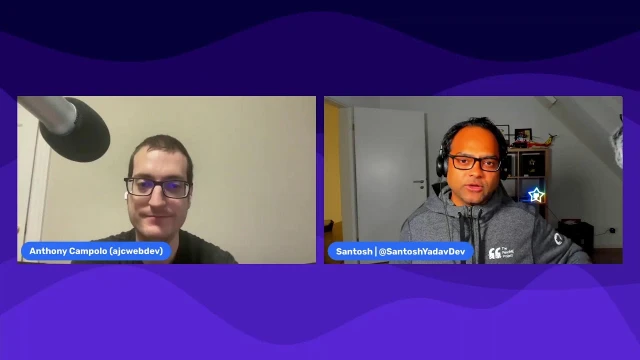
RedwoodJS with Anthony - Tech Talks with Santosh
Anthony Campolo joins Tech Talks with Santosh to demo creating and deploying a RedwoodJS application, showcasing its full-stack capabilities
Episode Description
Anthony Campolo demos RedwoodJS, a full-stack React framework with built-in Prisma, GraphQL, and auth, showing how it differs from Next.js.
Episode Summary
In this live stream, Anthony Campolo walks through what makes RedwoodJS a true full-stack framework compared to tools like Next.js or Gatsby. He explains that Redwood ships with Prisma as its ORM, a GraphQL API layer, and authentication abstractions out of the box — things developers typically assemble themselves in other React frameworks. The conversation moves into a hands-on demo where Anthony generates pages, sets up routing, defines a Prisma model for blog posts, connects a Railway-hosted Postgres database, and scaffolds full CRUD functionality with a single CLI command. He then explains Redwood's unique "cell" pattern, which makes data fetching declarative by handling loading, error, and empty states automatically. The demo concludes with deploying the app to Vercel using Redwood's built-in setup commands. The discussion then broadens to cover real-world use cases like donation platforms and screen recording tools, the framework's roadmap including Vite integration and eventual SSR support, TypeScript adoption, and the challenge of growing awareness for Redwood in a crowded ecosystem. The stream wraps up with a sidebar on the webpack-to-Vite migration trend and a nod to Brandon Roberts' Analog framework for Angular.
Speakers
- Santosh Yadav
- Anthony Campolo
Chapters
00:00:00 - Introduction and What Makes Redwood Different
The stream opens with a brief technical interruption before Santosh reframes the conversation around what distinguishes RedwoodJS from other React-based frameworks like Next.js and Gatsby. Anthony explains that while those frameworks are often called "full stack," they lack built-in database and authentication layers, which are hallmarks of traditional full-stack frameworks like Django and Rails.
Anthony details how Redwood ships with Prisma as its ORM and a dedicated auth abstraction from the moment you generate a project, unlike Next.js where you bring those in separately. He also draws a comparison to the Create T3 App, which bundles similar tools on top of Next, and argues Redwood offers a more cohesive 50/50 front-end-to-back-end experience rather than a front-end framework with some serverless functions bolted on.
00:04:15 - Generating Pages and Routing
Anthony begins the hands-on demo by showing the project structure, highlighting the web and API folders. He walks through generating a home page and an about page using Redwood's CLI, explaining how the custom router works with named route functions rather than pure folder-based routing. Santosh initially compares it to Astro's folder-based routing before the distinction is clarified.
The demo covers how routes are defined in a flat routing file and how named routes allow developers to change URLs without breaking internal links. Anthony briefly touches on layouts as a way to share navigation across pages, then sets the stage for the backend portion of the demo by transitioning to the Prisma schema and the API folder.
00:11:22 - Prisma Schema, Database Setup, and Scaffolding
Anthony introduces the Prisma schema, walking through the post model with its ID, title, body, and timestamp fields. He connects the project to a Railway-hosted Postgres database, runs the migration command, and then demonstrates the scaffold generator — a single CLI command that produces an entire CRUD admin interface for managing blog posts.
Santosh draws a parallel to .NET scaffolding, and Anthony confirms that Redwood's approach mirrors the conventions of traditional full-stack frameworks. The scaffold creates not just the UI but also the underlying GraphQL schema definition and service layer, saving developers from writing repetitive boilerplate. Anthony emphasizes that most of the generated code was produced automatically by the CLI.
00:16:29 - Cells, GraphQL, and Declarative Data Fetching
Anthony explains Redwood's cell pattern, a unique abstraction that makes data fetching declarative. A cell contains a GraphQL query along with exported components for loading, error, empty, and success states. This eliminates the need for manual conditional rendering logic that's common in typical React data-fetching workflows.
He walks through querying the GraphQL endpoint directly, showing how the posts query returns data that gets automatically mapped to the cell's success component. Under the hood, Babel extracts the different states, functioning like a higher-order component. Santosh asks about the mapping mechanism, and Anthony demonstrates the GraphQL playground running on a separate port to show how queries return structured data objects.
00:22:52 - Backend Code Walkthrough and Convention Benefits
The demo shifts to examining the generated backend code, starting with the GraphQL handler in the functions folder, which can be deployed as a serverless function. Anthony explains the cold-start tradeoff with Lambda functions and notes that Redwood now also supports bare-metal server deployment for production use cases that need consistent performance.
He walks through the SDL (Schema Definition Language) file that maps to the Prisma model, showing how queries and mutations are automatically generated. The services file demonstrates how Prisma client methods handle database operations. Anthony highlights that this entire backend layer — typically written from scratch when using Prisma and GraphQL independently — is generated by Redwood's CLI, saving significant development time and reducing the risk of errors.
00:28:56 - Deployment to Vercel and Provider Options
Anthony demonstrates Redwood's deployment workflow, using a setup command to configure the project for Vercel. He walks through pushing the code to GitHub, connecting the repository in Vercel's dashboard, and setting the database environment variable. The framework preset auto-fills build and install commands, making the deployment process straightforward.
The conversation broadens to cover other supported deployment targets including Netlify, Render, Railway, and bare metal. Santosh asks about Azure and Google Cloud support, and Anthony points to community-contributed solutions and an open PR for GCP. He references Tom Preston-Werner's "Universal Deployment Machine" concept — the idea that developers should write their project once and deploy it anywhere with minimal configuration.
00:36:21 - Live Demo, Auth, and Real-World Use Cases
With the app live on Vercel, Anthony shows the deployed API endpoint returning data and explains why authentication is critical before any real deployment. He outlines Redwood's auth setup command, which supports multiple third-party providers as well as a native DB Auth option, though he recommends third-party services to avoid the risks of rolling your own auth.
Santosh asks about Redwood's target use cases, and Anthony shares examples from the awesome-redwood repository, including Everfund (a donations platform), TeamStream (a gaming events tracker), and Tape.sh (a screen recording tool). He positions Redwood as ideal for applications that need data persistence, user management, and real-time functionality — essentially dashboard-style apps and internal tools.
00:42:16 - SSR, Vite Integration, and the Redwood Roadmap
Santosh asks whether Redwood supports SSR or SSG. Anthony explains that the framework currently supports pre-rendering at build time but not runtime SSR in the Next.js sense, due to its GraphQL-based architecture. He notes that SSR support is coming and is tied to the ongoing Vite integration, which will replace the current webpack setup.
Looking ahead, Anthony describes the framework as nearly feature-complete, with priorities focused on stability rather than chasing new features. He mentions React Server Components as a future possibility and highlights recent improvements to the auth system's pluggability. The broader challenge, he says, is awareness — many developers want exactly what Redwood offers but don't know it exists, partly because GraphQL's perceived complexity scares people away from trying it.
00:47:44 - TypeScript, CSS, and the Webpack-to-Vite Shift
Santosh asks about TypeScript support, and Anthony shares its origin story — originally JavaScript-only due to the Ruby background of its creators, TypeScript was added through community effort and is now a first-class option at project generation. The CSS story is similarly flexible, with built-in Tailwind and Chakra integrations alongside vanilla CSS support.
The conversation shifts to a broader industry discussion about the move from webpack to Vite. Anthony praises Vite's speed and simplicity in an ESM-only world, while Santosh notes the fragmented landscape of webpack successors like Turbopack and RSPack. They briefly discuss Angular's move to esbuild and Brandon Roberts' Analog framework before wrapping up with an invitation for future collaboration and pointers to the RedwoodJS community on Discord, Twitter, and the forums.
Transcript
00:00:00 - Santosh Yadav
We are back. Looks like we had to do a new stream setup.
00:00:06 - Anthony Campolo
Let's see.
00:00:13 - Santosh Yadav
So I just switched to this restream and I think it's causing issues. It's giving us some issues.
00:00:20 - Anthony Campolo
Let's see.
00:00:23 - Santosh Yadav
Okay, somehow the previous stream just disconnected. Not good, not good. So I have already started the stream. Anthony is still connected, so we can continue. I'll merge both videos together, and then I'll republish it later on. So yeah, we were talking about the whole idea behind Redwood being a full-stack framework for startups. I'm really interested in seeing how these things work. I mean, what's different? Because we already have some frameworks, right? If you see, there are frameworks like Next.js, which is also based on React, and there is Gatsby, which is again based on React. So what is Redwood doing differently? Can you walk us through the demo and code?
00:01:20 - Anthony Campolo
Yeah, you want me to go into the demo just real quick before I say a little bit about what makes it different from Next and all that. This is confusing because you'll hear people refer to frameworks like Next and also Nuxt and Svelte as full-stack frameworks because they have a backend server component to them. And traditionally, the way the term full stack has been used has been to describe frameworks like Django and Rails and Laravel. And with those, what makes it full stack to me is that it has an entire end-to-end front end to back end baked into the project itself, including the database. So when you look at things like Next, there's no real database abstraction that comes with it. What a lot of people do is bring in Prisma and use Prisma as their ORM. And so with Redwood, Redwood's using Prisma as its ORM, like people who build their own things with Next, but it's actually built into the framework in the sense that as soon as you generate your first project, it already has the Prisma dependency. You already have a Prisma schema, you already have commands set up to migrate your database, and that whole thing is set up for you automatically.
00:02:46 - Anthony Campolo
The other big thing is authentication. With any application that has users, you need some way for them to log in and then protect their data. With Redwood, you have a specific authentication abstraction. You have a useAuth hook. Now we have things like NextAuth which provide similar things. But again, when you start with Next, you build your thing and then include NextAuth separately and configure it yourself. What's interesting is since Redwood came out, there's been a new framework created called Create T3 App, which is really interesting and worth looking into if you haven't already. That basically takes Next and then adds in Prisma and NextAuth and stuff like that. So it gives you an out-of-the-box full-stack Next experience. That's pretty similar to what you get from Redwood. But before Create T3 App, Redwood was really the only React framework that gave you all of that stuff altogether. That's why it makes more sense to call it a full-stack framework versus something like Next, which is a front-end framework with some serverless functions. That's not really the same as a full-stack framework.
00:03:56 - Anthony Campolo
So I think that's why a lot of people get kind of confused about what is the difference between Redwood and these other things. And that's the main thing I think of, like Next is like 50% front end, like 25% back end, whereas like Redwood is like 50% front end, 50% back end, and it's like all there.
00:04:15 - Santosh Yadav
Sounds good. Yeah, so that actually clears up the confusion: what RedwoodJS is, and where Next and Gatsby stand. So thank you. Now we can actually go through the code if you want to. Let me add you, and you might have to increase the font size a little bit.
00:04:47 - Anthony Campolo
And then I've got a gist here that's just going to be a little demo that I'll walk through. It's essentially what you would see if you just followed along with the docs. I already generated the project over here because it could take a little bit of a long time to do. The command here is yarn create redwood-app, and then you give your project a name.
00:05:10 - Santosh Yadav
Redwood has its own CLI as well.
00:05:13 - Anthony Campolo
Exactly. Let me pop this out. Okay, and once you start off, you can start your development server and it'll give you a beginning splash page. You're going to prefix all your commands with yarn rw and then the command. So yarn rw dev is the dev command. And here we see our page. This is kind of the Redwood splash page right here. It's just telling you, hey, you're seeing this because you don't have any pages yet. So we haven't created any pages in our project. Then this links you to things like the tutorial, docs, community, contributor, stuff like that. Let's open up our project over here. There are two main things you need to know: you have a web folder and an API folder. Let's just look at the web folder for now, and then we can explore the API folder next. The web folder is fairly similar to Create React App, where you have a React app like this, and you've got some error boundaries and a context provider. Do you use GraphQL at all?
00:06:50 - Santosh Yadav
I have read about it. Never got the chance to use it.
00:06:54 - Anthony Campolo
Okay, cool. GraphQL is pretty important to Redwood. If you don't know it, you can pick it up as you go along. That's what Apollo is for. That's how you make your GraphQL queries. But let's not worry about that right now. This is going to be our first generate command. This is one of the other good things about Redwood, and why we say it's good for startups, because it comes with a lot of scaffolding tools in the CLI. So we do yarn rw and then run a generate command, and there are lots of different things you can generate. We're generating a page specifically. Our page is going to be called home, and it's going to be set to just the forward slash route, which is what we're on right now. If we do that, we're going to see a page appear right here. Then we also see this appear here. This is what's set to our forward slash. If we deploy this to a site, if I had ajcwebdev.com, this would be the homepage. Then this is the component over here. If we want to edit this, let's do this.
00:08:15 - Anthony Campolo
See that? Hello world over there. Any questions so far?
00:08:20 - Santosh Yadav
No. I mean, because I can see there are frameworks like Astro, and of course Astro follows a similar concept, right? So it also has this page-based, or you can say folder-based, routing. And I think the same concept is here. The homepage is actually a route because it's just a folder inside pages, right? So it identifies all the pages, everything inside the pages folder, as a route.
00:08:43 - Anthony Campolo
Yeah. And so the router is how it's doing this. So this is our routing file, and Redwood has its own custom router, like Next or a lot of these meta frameworks. And when we ran the CLI command, this is what it did: it created a route, set the path, pointed it to the page, and then gave it a name. The name is for when we want to create links in our front end, and we'll see that in a second. Let's create an about page, and if we leave this up here, we'll see what changes. Oh, okay, so now we have this forward-slash-about route, and it's going to look very similar to our home page, like so. So if you go to forward slash about, you'll see that here. And this is what I meant about the name. So you have this name here. We call these named route functions because you can point to the different links, and then if you want to change what the page is called, you can do that and it won't mess up your links.
00:10:02 - Santosh Yadav
Okay, so it's not folder-based routing. So I was wrong.
00:10:06 - Anthony Campolo
Yeah, it kind of is and it kind of isn't, because the Redwood CLI puts your pages in a specific place and then they're referenced in your routing. So your folder structure is very kind of prescribed in Redwood. But the way that the router is working under the hood is also because it's referencing this flat routing file. So it's kind of like a mixture of both, really. So I'm just going to copy-paste this and this, and this will give us just some links so we can go home and go to about and navigate around. Now, I'm not going to show layouts; that would be the next step in the tutorial. But a layout is just something you can abstract out and then share across different pages. So you can create a navigation bar and then wrap your pages in the navigation bar, and then that will persist across them. But what's next is going to be the backend, the API folder. Now we're going to look at the Prisma schema. Have you used Prisma before?
00:11:22 - Santosh Yadav
No, I have used, I think MongoDB. That was the only NoSQL database I have used so far.
00:11:31 - Anthony Campolo
Prisma is an ORM, and you can use it with Mongo or MySQL or Postgres. I would recommend using it with a SQL database, though. What's happening here is this is your Prisma schema. This is where you first define what database you're using. As I said, you can do MySQL or Mongo or SQLite also. Then we'll end up setting it to an environment variable in our project called DATABASE_URL. Then this is going to generate the Prisma client, which is how we're going to make calls into our database from our backend. Then this is the actual model for your database. This is a post model, so it's like a blog post and has an ID, title, body, and createdAt. The ID is going to be an integer and auto-incrementing, so it's going to start ID 1, 2, 3, 4. You can set that to UUIDs or something like that. Then title and body are both strings. And then createdAt is date-time, and it sets it when you create a new post; it just gives it whatever the time right now is.
00:12:53 - Anthony Campolo
And that is our whole model. Now for our database I'm going to use Railway. If you are using Mongo and stuff like that, you can also do that here. This is one I just created as a demo. Let me delete this real quick. Have you used Supabase or any of these different database hosting providers?
00:13:25 - Santosh Yadav
Yeah, I've used Supabase. And then MongoDB itself has a website, right? Yeah. So Atlas. Yeah.
00:13:35 - Anthony Campolo
So yeah, I'm a really big fan of Railway because you can spin stuff up super-duper quickly. So you can initialize a project and then add a plugin, this plugin being Postgres. And then it'll give you a connection string that you can grab and put in your project. If you look over here, we're going to have a connection string. This will be a database that I'll tear down after this. Don't need to worry about sharing the key. But this is how you set your environment variable. You just do .env and then plop it in there. Then we are going to run this command: yarn redwood prisma migrate dev. This is going to take our Prisma schema and our database and write some SQL to basically set it up and create a posts table, and then apply it to this database. You give your migration a name. Then, if we look back here, we now have tables. We have this post table. There's no posts yet, there's just this Prisma migration so Prisma can stay synced. So now that we got that, this is where the real magic happens.
00:15:13 - Anthony Campolo
So far we've just written a little bit of front-end code, and then we created a Prisma model here. Now, to actually get all of the CRUD capabilities, create, read, update, delete, we're going to run this single command, yarn redwood. The g is for generate, and then we're going to scaffold and create a scaffold called Post. This is going to write basically an entire admin dashboard. If we now go back to our project here and go to forward slash posts, we're going to see this interface here. You can create a new post. This is a blog post. Then save, and now we've got our blog post here. We go back and look at our database here. We'll see there's our blog post.
00:16:14 - Santosh Yadav
This is nice. It reminds me of my .NET days. This is what we used to do in .NET also. We had this scaffolding technique. You can just define how this looks and then you can create your entire view based on that, right?
00:16:29 - Anthony Campolo
Yeah. With .NET, that's another one. Along with Django and Rails, that is more of a traditional full-stack framework. Exactly. If you use something like that, then you'll get exactly what's going on. Awesome. Now, the thing is, right now, nothing that we've done has really been that unique to Redwood. It's just how it's all been put together. But this next part, how we do the data fetching, is pretty unique to Redwood. We have this concept called a cell. What a cell does is make data fetching declarative. What we mean by that is you're going to have a GraphQL query to get the data. If you've never seen GraphQL before, this part might be a little bit confusing. But what you do is have a query, give your query a name, and then query for what you want from the database. So we're going to be asking for the articles and then we're going to ask for the ID, the title, the body, and createdAt.
00:17:51 - Anthony Campolo
And then what that query does is you get back this articles object containing your posts, and then you can map over it and return it. So if we do that right now, we're just going to basically see all of them stringified, and it won't look very fancy. The way you actually see the cell is then you import it. This gets exported, and then we have different states that your data can be in. It's already going to handle a loading state for you. When it's loading, it'll be in the loading state. If you get an error, then it will give you the error message. You don't have to write the error-handling logic. Then if there's no post at all, it'll tell you that it's empty. And then if there are posts, it will run this and map over the posts. So this is what we mean by data fetching declarative, because you don't have to do, "If the object is here, check if loading," and that kind of thing that you do with a lot of these data-fetching libraries in React. The way you actually use it is you just import it as a little component like this and then just do a little tag like that.
00:19:17 - Anthony Campolo
If you go back to our home page now, we'll see it's rendering this onto the homepage, and it's just giving us ID 1, the title, and the body. Let's go back and create a couple more. The third one. Now we'll see we have all three of these, and if we want to turn it into an actual component, then we can modify our success over here. So what this is going to do now is map over the articles, and then we're going to have a header with the title, a paragraph for the body, and then this div for the time. Now we have a little bit more of a blog.
00:20:18 - Santosh Yadav
So about the syntax, the data fetching syntax which we have, I can see it's a GraphQL thing, but how is it mapped to your data? What is behind the scenes here?
00:20:34 - Anthony Campolo
Yeah, so that's where the cell itself is basically handling how it gets mapped. It takes this query and sends it to your GraphQL endpoint. If we go to localhost, previously we've been on localhost 8910. Right now there are two things running. Your React front end is running on 8910, and your GraphQL server is running on 8911. If we look at this, we can see what queries we can do. The first query you can run, which doesn't require your database being set up, just to see if it works, is this Redwood query. Then you can check for the version. Right now it's telling us we're on version 4.3.1. If we want to actually do a query and you do Control+Space, you can see what's available to you. We were using the posts, and then here we can say if we want just the title, we can do that and we'll see just our titles. If we want the title and the body, then we can do that. Title, body, and date-time, like that. Whatever your query is, this is going to be your output, your data output.
00:22:03 - Anthony Campolo
And that has this basic data object. Redwood knows to take this object and map it to whatever your success is saying to do. So it takes the posts, and we're aliasing that to articles. Then from articles, you can grab out the ID, title, body, and createdAt. So it basically just does it for you. The way it does it is, it has Babel under the hood that figures out how to extract out the different states, and it's like a higher-order component. It's something that Peter, one of the other framework creators, coded many years ago and it's an internal implementation in the framework.
00:22:48 - Santosh Yadav
Nice.
00:22:52 - Anthony Campolo
Cool. So, all right, we got our pages, we got our cells, and let's look a little bit into the code that was written for us in the backend so we can understand what's happening here. If we look at this first thing, the functions folder, this is where all the magic in the backend happens. This is creating a GraphQL handler that can be deployed to a serverless function. With Redwood, you don't have to run it serverless if you don't want to. This can be a challenge if you have to worry about cold start times. Because when you put your whole GraphQL server in a serverless function, like an AWS Lambda, then it ends up having like half a second to a second of boot-up time when it's hit for the first time, and then after that it's kind of faster, but they click off after like 15 minutes. So that can be a big issue. Now when Redwood was originally built, the idea was kind of that it would build for the future, in the sense that they would build it for a serverless architecture with the idea that in a couple years serverless would just get better.
00:24:08 - Anthony Campolo
And it never really got better in terms of start times. So instead of keeping it serverless only, eventually we made it possible to switch to a server if you want to. If you look at RedwoodJS bare metal, this will tell you how to deploy it straight to an EC2, and then you have a whole long-running server and there's no cold start time. But if you're just building, or kind of trying it out, or if you have something that doesn't need to be super mission-critical, then you can run it in a Lambda handler, which is nice and simple. And this is the file that stitches it all together. Now what it's stitching together is first your GraphQL schema. This is what lets your GraphQL server know how to do all of the CRUD functionality. You have a type, and your type basically matches your Prisma model: ID, title, body, createdAt, and each has its own type. Then you create your query type. And we have two queries here: posts, which returns an array of posts, and then a post query.
00:25:24 - Anthony Campolo
If you just want a query for a specific one, if we want post ID one, that'll give you just the first blog post, or so on and so forth. Then you have mutations, and mutations take inputs. You have a create post input and update post input. And if we go back here to our post, we can see that if we want to, we can actually edit these, and then you can also delete them if you want. All of that basically came from our SDL, Schema Definition Language, and this is what the scaffold command generated. So it's able to look at your Prisma model, and from that it creates this whole schema with all of the create, read, update. So anytime you need a database model that you're reading and writing, it basically does it all like that automatically for you. And if you don't want to be able to delete it, you can just get rid of it. Or you can modify this however you want, but this is what it generates for you out of the box. Then the last part is now when Prisma generated the Prisma client.
00:26:45 - Anthony Campolo
This is where the Prisma client comes in. There's this DB file here which is bringing in the Prisma client. And this is where we're writing JavaScript functions to do our kind of SQL. So these are methods that can do findMany or findUnique. So that's getting your posts or an individual post. Then creating a post does db.post.create, update post is db.post.update, delete post, and so on and so forth. So this is something that you would be writing yourself if you were using Prisma for another framework, where you bring it in and then write your whole backend yourself. So this type of backend code is pretty standard to what you'll be doing if you're using Prisma and GraphQL. But you would always be writing all of this from scratch by yourself. Whereas Redwood is like, okay, just give us your database models and we can generate pretty much all of this for you.
00:27:50 - Santosh Yadav
I mean, of course, I have done this in Node.js. So when you create a Node.js API, you have to define all the routes and all those endpoints and then all the services. And at the end, you write all these queries. So yeah, it's saving a lot of time. It's cool.
00:28:06 - Anthony Campolo
Yeah. And it can seem like there's a lot of boilerplate and there's a lot going on, but the vast majority of this code we didn't write, it was written by the CLI, really. So I think that's where it can seem intimidating in one sense. But if you trust the conventions of the framework, it actually gives you a lot of guardrails. And having all this convention and all this folder structure and code that's created for you ensures that you are less likely to mess things up, even just from basic typos, because all this code is hard to mess up. That also ensures that if you stick with the conventions, then it will help you out with things like auth and deployment and all of that. Do you have any questions before I go on to the deployment step?
00:28:56 - Santosh Yadav
Oh, it's okay. I mean, yeah, I'm good so far.
00:28:59 - Anthony Campolo
Cool. So the next thing is Redwood has setup commands that will not just generate pieces of your project, it will actually configure your project. One that we're not going to do would be yarn redwood setup tailwind. You can have it automatically configure your Tailwind styling for you. But we're going to set up one of the deployment providers. There are a bunch of different deployment providers available right now. If we look on the website, we can see all the available deployment targets. We have seven right now. So there's bare metal deployment, there's Flightcontrol, there's Layer0, Netlify, Render, Serverless Framework, and Vercel. Also you can do it with a Docker container on Fly, but I don't see it right now. Layer0 is actually the company that I work for. It has changed its name from Layer0 to Edgio. So this CLI command still needs to be updated to make it in sync with the new Edgio CLI. We're not going to do that one, we're going to do the Vercel one.
00:30:30 - Santosh Yadav
Can you move your command
00:30:33 - Santosh Yadav
prompt a little bit up? I mean, the last command you're writing is hidden behind your name.
00:30:38 - Anthony Campolo
Cool. Sure, yeah. So this was the command we just ran, and then running that sets it up. Now here, this is the file that is the full project configuration. This is what lets your website and API side know what they're pointing at. So our website has been running on port 8910. It calls the API, and then it's going to set it to an API URL. So if we now have this, and we go, right now if we just do 8911/graphql, it takes us here. What this is going to basically do is create a serverless function that deploys this GraphQL server, and it's going to expose it at whatever the domain is, forward slash api, forward slash graphql. This is something that's specific to each provider. So if this was Netlify, it would be like functions forward slash netlify, something that's specific to Netlify. If you looked at what it originally started at, it was Redwood functions. This is just the generic Redwood convention before you give it to a deployment provider. But each deployment provider will have a specific way to set the API URL.
00:32:22 - Anthony Campolo
Then we don't have any other files. Sometimes there'll be another file, like if you do Netlify, the netlify.toml. But with Vercel there's no extra configuration. At this point, what we need to do is get this onto a GitHub repository. I'm using the GitHub CLI, which is just a fancy way to create a repo and push it up really quickly. If we look over here, now we see our project up here. All you have to do to get it set up on Vercel is connect your git repository. We create a new project, we're going to import Redwood Blog, and there's a framework preset for it. So that's all good. And then that fills in the build command and the install command. Now for the environment variable, you'll need to grab your database environment variable over here and then copy that in. So there's the name and there's the value, and then this will deploy. This will take a couple of minutes. If you have more questions from here, now would be a good time to do that.
00:33:59 - Santosh Yadav
These environment providers are fixed, or we can actually add more? Let's say if I want to deploy it on Google Cloud or Azure.
00:34:09 - Anthony Campolo
It's been a work in progress. When the framework first came out, the only one that was available was Netlify, and we've been basically adding them on ever since. Now the Azure one, actually we had someone who figured out how to do that. So if you check, sometimes they'll be in the community. People will have figured out how to deploy things and they're not yet in the docs, but you can kind of find ways to do it here. Because there's this company called Zeal that has written an Azure Redwood blog. Here we go. This is deploying RedwoodJS to Azure Static Web App, and then here to Azure Web App Service.
00:35:08 - Santosh Yadav
Okay.
00:35:11 - Anthony Campolo
I can include these. Cool. And so yeah, we actually had a Google Cloud Run implementation that we were working on for a while. This is something that never got finished, I don't think. But yeah, here it is. So we still have this open PR from 2020 adding GCP support. So if anyone wants to help push that over the finish line, you're welcome to do so. But yeah, for deployment, there's this term that Tom used to use, the Universal Deployment Machine, which I really liked. And that's the idea: you can write your project however you want and then it can be deployed to the internet basically for you automatically.
00:36:21 - Santosh Yadav
That's good.
00:36:23 - Anthony Campolo
Let's see if this name is taken already.
00:36:25 - Santosh Yadav
Yeah.
00:36:26 - Anthony Campolo
Okay, so if we now look at our live project, here it is. So we have the domain here, let me share that. And if we want to look at the backend, let's see. Yeah, that's right. So you can't access the GraphiQL Explorer from the project, but you can still send curl commands to it. Let's just do this. Here we can see this is hitting the API for /graphql, and it's sending this articles query, and then you get back this data object with the posts.
00:37:28 - Santosh Yadav
But the API won't be accessible right from the web because of course, for the security reasons.
00:37:34 - Anthony Campolo
Yeah, so the API has to be queried from the Redwood app. You can't go to the GraphiQL Explorer like we were in dev. Right now there's no authentication on it. And there's no way to stop someone from just going and deleting a post right now. This is why if you were actually deploying this, we would have done the authentication step. In the tutorial, before you deploy, there's the authentication section. For demos, I usually just want to show how to deploy it. But it's very important that you set up your protected routes to make sure that people can't go into the CRUD part of the app and mess with your thing. For that you'll have a similar thing: a setup command, and you can set up your auth. There are many auth providers, almost too many at this point. We have like seven different things you can use. So if you want to use a third-party provider, you can do that. You can also build it yourself with this thing called DB Auth.
00:38:47 - Anthony Campolo
That's kind of Redwood's native auth layer. But for the most part we recommend using a third-party auth service because you're less likely to shoot yourself in the foot if you don't roll your own auth. All right, so yeah, that's the whole demo.
00:39:13 - Santosh Yadav
So what is the actual use case? Who is using this? Because if you see Next.js, or if you see Gatsby, the target audience for them is like e-commerce, right? So mostly e-commerce companies use Next.js. I've also seen it used for landing pages. They're pretty popular for landing pages as well. What about Redwood?
00:39:42 - Anthony Campolo
Yeah. So there are a lot of different projects using it right now. I'm actually going to go to them. We have an awesome Redwood repository with a bunch of apps that people are using. One that I would call out is Everfund, which is a donations platform. Let me go back to sharing my screen. Everfund is actually my buddy Chris, who I host the podcast with. This is his company. And so this is a donations platform and it's a way to integrate payments into your website. They have developer docs and then they have a whole UI. I haven't been in here in a while, but usually it's for creating dashboards, essentially, or more real-time kind of apps. This is another one, TeamStream. This is for gaming events, so you can watch and track different gaming tournaments and things like that. Some other applications would be Tape.sh. This is a screen recording tool. It's kind of like Loom.
00:41:18 - Anthony Campolo
Just a quick way to screen-capture simple things.
00:41:24 - Santosh Yadav
Nice.
00:41:26 - Anthony Campolo
Let's see, where are some other ones? Commonality, I'm not sure if that one's still being used. Let's see, Pull Flow. This is an app for tracking or integrating GitHub and Slack together. Then this is for finding a job in tech, like posting roles and then finding roles. So yeah, I would say whatever kind of application you want to build that requires persisting data, may require users, and needs more real-time functionality, any of that kind of stuff is in Redwood's wheelhouse.
00:42:16 - Santosh Yadav
Oh, that's cool. Yeah, that's nice. I think I had one question I just forgot about. It's okay, no problem. The question was: does Redwood support SSR or SSG by any chance? It's a full-stack framework, so I can understand it being server-side rendered.
00:42:35 - Anthony Campolo
So this is a good question. With GraphQL, the server basically just responds with the data and then you take the data and client-render it. You can do it client-side rendered, and that's how it's set up out of the box. If you want to generate a bunch of HTML beforehand and then serve that, then you can pre-render it. So that's kind of similar to SSR, but it's build time, not runtime. So when people talk about SSR today in the Next.js sense, technically Redwood does not do that right now because the way it's architected doesn't require it that often. Now there are situations where people will probably want to do it, and people have been asking for it forever. So Redwood will eventually support SSR. Part of getting us to support SSR, what goes along with that, is supporting Vite. So right now we have not been using Vite. We've been on webpack because this thing was built before Vite existed, and we've been working on integrating Vite.
00:43:44 - Anthony Campolo
And so once we have Vite, then we start using Vite SSR.
00:43:47 - Santosh Yadav
Oh, cool, that's nice. And yeah, I think that covers pretty much everything. So I don't have any questions, but is there anything else you want to share? What is the future plan of Redwood, for example?
00:44:06 - Anthony Campolo
Yeah. So going forward, finishing out the Vite integration and then getting SSR working is going to be really big. And aside from that, we really want to make a stable, useful tool for developers. The thing is pretty feature-complete at this point, especially once we get SSR. So I think making it a stable tool that's not going to break and require upgrading and people having to rethink their whole mental model, that's the goal right now. One day we might include things like React Server Components, but doing so would be transparent to the developer because there are all these Redwood abstractions that hide the implementation details. But the other big thing we just did was make the auth system more pluggable. So if you want to plug in your own third-party auth that's not one that we're already providing, you can do that. There are new auth providers coming out all the time. So that is now pretty easy to do because auth was abstracted out into its own module. But yeah, for me, I just wish more people knew about Redwood and even knew it existed because I frequently hear people say they want something like it, and then I'm like, oh, have you heard Redwood?
00:45:33 - Anthony Campolo
They're like, oh no, I'll go check it out. So creating more awareness of the framework is what I would like to see. I pushed really hard on getting Redwood out into the world back in 2020 and 2021. And then I kind of ended up getting a job, and I still do Redwood stuff, but it's not my full-time thing. So there's not really someone pushing Redwood 24/7 like with some other frameworks. That's why it's hard to stay top of mind in the conversation. But yeah, it's got a great community and a bunch of people working on it. If you're someone who's building a company and you're looking for access to VCs, then it's good for that as well. So there are a lot of benefits to getting into the community and using it. I think the hardest sell for most people seems to be GraphQL because people have an idea of GraphQL as being really complicated and hard to work with, and the thing they have a hard time realizing is that those problems are specifically what Redwood was designed to solve.
00:46:35 - Anthony Campolo
So they have this idea in their mind of what it is like to work with GraphQL. So they think Redwood is going to be like that, but it's actually the opposite because what working with GraphQL is like sucks, and Redwood realized that and built something that makes it easier. But you can't really get that across unless you can get them to use it, or show it
00:46:53 - Santosh Yadav
to them, you know, so where people can actually connect with the community. Redwood community, yeah.
00:46:59 - Anthony Campolo
So if you just go to redwoodjs.com, you can find a link to our Discord, and if you scroll all the way to the bottom you'll find Discord, Discourse, which is our forum, Twitter, YouTube, and GitHub. So we recommend you either hop on the forums if you have a technical question, or if you just want to chat with the community, you can join the Discord. And yeah, it's a very welcoming place. We're friendly to beginners and experts. If you've never used React or GraphQL before, that's totally fine. If you're someone who's already a total pro, that's cool as well. If you want to contribute, we have good first issues and we're always looking for people to help contribute.
00:47:44 - Santosh Yadav
That's great. So I think this is going to be my last question. Does it have TypeScript support?
00:47:51 - Anthony Campolo
It does, yes. The TypeScript support was hard fought and won. Originally written as just a JavaScript-only framework because if you think about it, a lot of the developers who created it were Ruby on Rails devs and there's no types in Ruby. Like one of the developers, Rob, has a great hatred for TypeScript, but the community helped out a lot with getting it to be fully typed. And now when you generate your project, it'll ask you at the beginning, do you want JavaScript or TypeScript? And then you just select TypeScript, and you'll be TypeScript end to end.
00:48:23 - Santosh Yadav
Oh, that's pretty good. I mean, of course I like to write TypeScript more because I started as an Angular developer, and they were like the first framework to introduce TypeScript. So of course I don't like to use anything else, like JavaScript. So yeah, that's cool. I'll explore it. I'll play around with RedwoodJS and see what I can build. And about CSS frameworks, right, so you're saying there is an integration for Tailwind as well?
00:48:52 - Anthony Campolo
Yeah. So it's got integration for Tailwind, it's got integration with Chakra. There's one other one as well, I think, and you just write vanilla CSS if you want. So, yeah, the styling is pretty agnostic. Like the Tailwind command, it just like kind of configures Tailwind for you. But there's nothing about the framework that's specific to any kind of CSS framework.
00:49:14 - Santosh Yadav
That's cool. That's great. That's great. Yeah. I mean, so, yeah, all the best. I mean, I can see the Vite integration would be like really a great push for the framework as well, because many people are actually moving away from webpack. What's your thought? I mean, just out of the conversation, apart from the Redwood, but what's your thought on webpack? What's happening?
00:49:36 - Anthony Campolo
I mean, I love Vite. I think Vite is great. I think webpack was a super powerful tool that became the standard and could do a lot of stuff, but eventually we wanted something a little faster because it really slows down your dev iterations when you're waiting for webpack to build your whole product over and over. Your webpack config files can also end up super-massive and confusing. Whereas with Vite, and this is probably because we don't have to worry about as much CommonJS and Node syntax, if you're working in an ESM-only world with Vite, your whole life gets radically simplified and it's both faster and easier to reason about. And then you also have the ability to plug in different frameworks. If you want to switch from React to Vue, you can do that really easily with Vite. You're not going to be able to do that with Redwood, but that's one of the reasons why I really like the general direction the community has gone, rallying around Vite and making it incredibly simple to use any framework with it.
00:50:45 - Santosh Yadav
Yeah, and the sad part, which I can see, is even the people who built webpack are almost abandoning it and then claiming there is a new version available. They're saying Turbopack, RSPack, whatever you call it. So everyone is claiming that this is the next version of webpack, but not from the official team, right? They are still pushing bug fixes and still doing improvements. So I'm not sure.
00:51:15 - Anthony Campolo
I mean, yeah, I think this is the way of the world with open-source stuff. In the web and JavaScript, there's always this cycle of new things coming out that are influenced by the old things and make some slight tweaks to be kind of better. And then eventually you hit a tipping point where the new thing is so much better than the old thing that everyone tries to switch over. I think it's just the way of the world.
00:51:38 - Santosh Yadav
True. I mean, did you get the chance to use Grunt and Gulp?
00:51:43 - Anthony Campolo
No. Yeah, so when I started web dev, it was already all webpack. You know, webpack and Rollup, those were kind of the main ones. But yeah, I've never used Grunt or Gulp, and at this point I probably never will. Never used jQuery either.
00:51:59 - Santosh Yadav
Ah. So jQuery is where I started, that was my first time writing JavaScript. Grunt and Gulp I used for a very short time, but of course that was the tool needed at that time. Then webpack came just after Grunt and Gulp, saw the complications they had, and tried to simplify it. Yeah, I think it has reached a point where no one can rewrite it fully and make it fast. So I think choosing a new tool is the way to go. Angular is going to use esbuild, and of course Angular being Angular, they provide migration so they never leave anyone behind. If you are already using webpack, you can just switch, or in future if you upgrade you can just say, okay, I don't want to use webpack now, I'll be using esbuild.
00:52:59 - Anthony Campolo
Have you heard of Analog, Brandon Roberts' framework?
00:53:02 - Santosh Yadav
Yeah, of course. Yeah, I'm a big fan of his.
00:53:06 - Anthony Campolo
Awesome. Yeah, I figured if you're an Angular guy, you would know him. Yeah, I have my own stream and I had him on a couple of weeks ago to go through Analog, and that was the first time I'd ever written any Angular code. So that's pretty cool to have now a Vite Angular kind of framework.
00:53:21 - Santosh Yadav
Yeah, I mean, I have a very old history with Brandon because it was NgRx, his project, which he maintains, and that was the first project where I contributed. So yeah, my first PR for open source was for his project. And then when I started contributing to Angular, I found him again because he was doing Angular documentation at that time. So he was part of the Angular team taking care of documentation. So again, I'm like, wow, this guy's everywhere.
00:53:53 - Anthony Campolo
Yeah, once you get into open source, you start to see the same people popping up over and over again.
00:53:59 - Santosh Yadav
So yeah, I have to explore AnalogJS a little bit because I'm working on a new project. It's called angular-snippets.dev, so the plan is, once the project grows, I'll try to introduce AnalogJS because otherwise people will say, hey, it's an Angular website and you're not using Angular. So I'm using Astro right now. But Astro has integration with AnalogJS as well. So that would be the way going onward. But yeah, I have to invite him for future streams as well. Let's see.
00:54:34 - Anthony Campolo
Very cool. Yeah, definitely cool.
00:54:37 - Santosh Yadav
So thanks again, Anthony. It was fun talking to you. So probably we can collaborate again in future, and then we can do a few more things. I can see you've been working at the company as a DevRel. Probably we can invite you on our podcast, which we do every week. We are not doing it for the next two weeks, but that's like a 30-minute format that we do. Again, it's a live stream, 30-minute feature. It's not live coding. We just ask questions based on what you have been doing there, what the product is all about. So probably I'll send you an invite for that as well.
00:55:12 - Anthony Campolo
Yeah, no, it sounds great. I would love to.
00:55:14 - Santosh Yadav
Yeah. Cool. So thank you so much, everyone, for joining, and in case you have any question for Redwood, of course you can join the Discord server. You can find people on Twitter; there is a Twitter handle as well. You can follow people around RedwoodJS and learn more about it. So thank you again. Bye-bye.
Discover Related Content
- RedwoodJS 4 (Video)
- Getting Started with Redwood for Beginners (Video)
- Next-js Dev Learns RedwoodJS (Video)
- A First Look at RedwoodJS with Anthony Campolo and Ryan Carniato (Video)
- RedwoodJS with Peter Pistorius (Podcast)