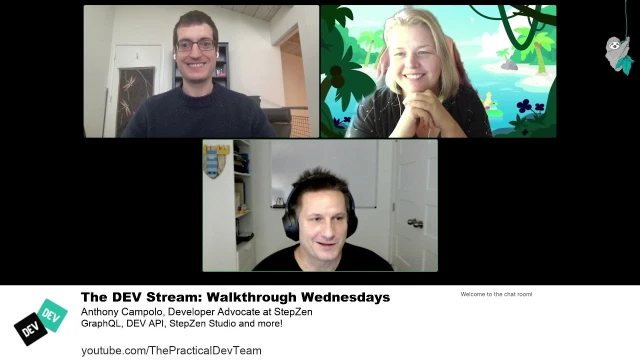
Walkthrough Wednesday with Anthony Campolo
Anthony Campolo demos how to build a blog using SvelteKit, Netlify, DEV.to's API, and StepZen's GraphQL Studio
Episode Description
Anthony Campolo demonstrates how to use StepZen's GraphQL Studio to quickly build a blog site powered by the DEV API and deployed with SvelteKit.
Episode Summary
In this livestream, developer advocate Anthony Campolo walks Nick Taylor and Christina Gorton through StepZen, a tool that creates GraphQL APIs on top of existing data sources. The conversation begins with a primer on GraphQL, explaining how it serves as a query language for APIs much like SQL serves databases, and why its developer-friendly query structure appeals to front-end developers while remaining a full-stack technology. Anthony then demonstrates StepZen's GraphQL Studio, showing how pre-built schemas and API integrations allow developers to connect to the DEV API with minimal setup — just plugging in an API key and immediately writing queries to fetch user profiles, articles, and podcast episodes. The demo progresses into building a SvelteKit front end that consumes the StepZen endpoint through serverless functions, keeping API keys secure on the server side. Within roughly an hour, the team goes from zero to a fully deployed Netlify site displaying blog articles and podcasts pulled from DEV, highlighting the speed that modern tooling enables. The stream also touches on GraphQL security, the distinction between front-of-the-backend and back-of-the-backend concepts, and how StepZen's free studio tier lowers the barrier for developers looking to unify multiple data sources under a single GraphQL gateway.
Speakers
- Nick Taylor
- Christina Gorton
- Anthony Campolo
Chapters
00:00:32 - Introductions and What Is StepZen
Nick and Christina welcome Anthony Campolo, a developer advocate at StepZen, who describes the tool as a way to create GraphQL APIs on top of any data source. He explains the plan for the stream: using the DEV API to build a content-driven project where REST endpoints are seamlessly wrapped in GraphQL queries through StepZen's studio.
Anthony sets the stage by noting his background as a fan of the DEV community and open source, and mentions that the DEV API will serve as the primary data source for the demo. Nick shares that he needs to rebuild his own blog's DEV integration due to recent deprecations, making the stream especially timely and practical for his own workflow.
00:03:05 - Understanding GraphQL Fundamentals
Anthony explains GraphQL as a query language for APIs, drawing a parallel with SQL for databases but emphasizing that GraphQL handles a much broader range of data sources and structures. He describes how working with multiple REST APIs can become complicated due to differing conventions, and how GraphQL standardizes data access by letting developers specify exactly which fields they want from an object.
Christina and Nick relate their own limited but positive experiences with GraphQL, and the conversation turns to whether GraphQL is purely a front-end technology. Anthony clarifies that while it was designed to empower front-end developers, it is a full-stack technology — he uses the concept of "front of the back end" and "back of the back end" to explain where StepZen fits as a backend gateway that makes data accessible to front-end code.
00:09:49 - GraphQL Security and Authentication
Nick raises an important concern about whether GraphQL endpoints are wide open by default, and Anthony explains the layered security model. StepZen itself provides API keys to lock down the gateway, and the underlying data sources like the DEV API have their own authentication as well, creating at least two levels of security out of the box.
The discussion touches on more advanced security mechanisms like role-based access control through GraphQL directives, though Anthony notes those topics are beyond the stream's scope. This segment reassures viewers that while GraphQL can expose a rich set of data, proper authentication and authorization mechanisms exist to control access just as they do with REST APIs.
00:11:05 - Exploring StepZen Studio and the DEV API
Anthony shares his screen and walks through the StepZen GraphQL Studio interface, showing the catalog of pre-built API integrations including Airtable, GitHub, Spotify, Twitter, and notably a developer publishing pack that combines DEV, GitHub, and Twitter. He demonstrates how to configure the DEV API by entering an API key, then immediately begins writing queries using the studio's autocomplete and schema introspection features.
The team watches as Anthony queries his own DEV profile, pulling back user information, articles with titles and descriptions, cover images, tags, and even podcast episodes. Nick highlights how quickly everything comes together compared to manually building a GraphQL server, and the conversation briefly detours into the DEV API's capabilities for publishing and querying content programmatically.
00:19:19 - Exporting Schemas and Local Development Setup
Anthony demonstrates how to export a StepZen project from the studio, showing that it generates a zip file containing an index GraphQL file that combines all schema definitions. He walks through the project structure, explaining how he broke the single schema file into separate concerns — user information, articles, followers, comments, organizations, and podcasts — each living in its own file within a schema folder.
The conversation digs into GraphQL schema syntax, with Nick asking about the exclamation mark notation for non-nullable fields. Anthony shows the StepZen config file that sets the endpoint URL and schema root, explaining how the local dev server watches for changes and automatically redeploys the API. He also demonstrates that the StepZen endpoint lives in the cloud rather than on localhost, which can initially confuse newcomers.
00:25:47 - Building the SvelteKit Front End
Anthony introduces SvelteKit as the front-end framework for the demo, describing it as a Svelte meta framework similar to what Next.js does for React, with built-in server-side rendering and Vite as the bundler. He scaffolds a basic SvelteKit project and begins wiring up routes that fetch data from the StepZen GraphQL endpoint through serverless functions, keeping API keys safely on the server side.
The team discusses how SvelteKit's file-based routing works, with svelte files for pages and JSON JS files for data-fetching endpoints living side by side in the routes folder. Anthony builds out pages for user profiles, articles, and podcasts, showing how each route makes a standard fetch call with a GraphQL query in the body — no special GraphQL client library required.
00:38:32 - GraphQL Queries, Variables, and Security Patterns
A deeper technical discussion unfolds as Nick asks about query naming conventions, parameter passing, and potential injection attacks in GraphQL. Anthony explains that named queries become important when passing variables rather than hard-coding values, and that GraphQL's publicly exposed nature forces developers to think about security from the very beginning.
Anthony also explains how the SvelteKit serverless functions keep the GraphQL queries hidden from client-side network inspection, unlike client-side fetching where queries would be visible in browser dev tools. The conversation reinforces that the architecture — StepZen gateway with its own keys, plus the DEV API's own authentication — provides meaningful security without requiring complex setup.
00:43:46 - Combining Queries and Polishing the Front End
Anthony enhances the homepage by combining multiple queries into a single endpoint call, fetching the user profile alongside the five most recent articles and podcast episodes. This demonstrates how GraphQL's ability to request multiple data types in one query simplifies front-end development and reduces network requests.
The team also explores lightweight CSS solutions like Water CSS and MVP CSS that style semantic HTML without requiring custom classes, with Anthony crediting Ben Myers for introducing him to these tools. Nick jokes that if your site looks bad with these libraries, it probably means you have too many non-semantic div elements — a lighthearted nod to writing clean, accessible markup.
00:52:02 - Deploying to Netlify and Wrap-Up
Anthony walks through deploying the SvelteKit project to Netlify, showing the adapter system that supports multiple platforms including Vercel, Cloudflare Workers, and Begin. The deployment process is remarkably fast — roughly ten seconds for the build — and the team celebrates having a live site on the internet within the span of a single stream.
The conversation wraps up with Anthony sharing where people can find him online and encouraging viewers to explore StepZen's free studio tier. He shares his personal journey from music teacher to developer advocate, crediting open source contributions in the RedwoodJS community as the path that launched his tech career. Nick and Christina praise both the tool and Anthony's teaching ability, closing out a stream that took a project from concept to deployed site in about an hour.
Transcript
00:00:32 - Nick Taylor
Hey folks, happy new year. Welcome to 2022, third year of the pandemic. My name is Nick Taylor. I'm a lead software engineer at Forem. Forem is the software that powers DEV.
00:00:45 - Christina Gorton
I'm Christina Gorton. I'm the developer advocate at Forem, and today we have another developer advocate with us, but from StepZen — we have Anthony Campolo. Anthony, tell us about yourself a little before we talk about StepZen.
00:00:59 - Anthony Campolo
Hello, everyone. Super happy to be here. I've watched this stream a bunch actually. I'm really a big fan of DEV in general as a company, and a big advocate of open source technology. And Lucia has been on this stream — also one of my co-workers. So it's really great to be here. I am a developer advocate at StepZen. I'm going to be showing you what StepZen is. It's a tool for creating GraphQL APIs on any data source. In this example we're going to be using the DEV API to build out a whole kind of content mesh thing where you can pull in anything you want with GraphQL queries, because the DEV API is a REST API. We have something called the StepZen Studio, which will make it really easy to hook into that and start writing queries quickly. So this can be really fun, and I'm looking forward to it.
00:01:54 - Nick Taylor
That's cool.
00:01:56 - Nick Taylor
Yeah, I'm super excited to work with all this stuff. We were talking just before the stream about how I was using DEV as my blog data source, and due to some recent deprecations I need to implement it again. So this is probably a good way for me to get something up for my blog. Super excited to have you here. We'll be talking some GraphQL too. I know I can't speak for Christina, but I don't have tons of GraphQL experience — it's been more hello-world stuff, and when I had a Gatsby blog it was mainly queries in there. So I'm excited to dig into all this and also dig into the DEV API. Christina or I will drop a link to the DEV API so folks can take a peek at that while we get started. Where do you want to start exactly? Do you want to maybe talk a bit about GraphQL first — why would somebody want GraphQL to begin with?
00:03:05 - Anthony Campolo
I think that's a good start, definitely. GraphQL is something that's fairly well known as this new hyped technology, so I think most devs these days will have heard of GraphQL. But in terms of using it, it kind of varies depending on your experience with different frameworks and tools and what sort of APIs you're working with. I got into GraphQL originally through RedwoodJS, which is a full-stack React framework that integrates GraphQL as the way the front end and the back end talk to each other. The high-level description of GraphQL is that it's a query language for APIs. SQL is a query language for relational databases, but an API is much more general than that — it could be any sort of data source in any structure accessed in any way. When you're working with a wide range of different REST APIs and trying to integrate them into one project, it can get really complicated because you have a lot of different conventions based on whose API you're working with. GraphQL standardizes that.
00:04:27 - Anthony Campolo
It has a specific query language and conventions around how to work with it. The reason they created it was to basically match the mental model of front-end developers. This is why it's really cool to work with — the queries are as simple as they could possibly be. You basically say, this is the object I want and these are the specific fields I want on that object, and it just gives you that data. We'll be working with lots of queries today, so we'll get into more of what that means. But that's my high-level description of what it is and why it was created.
00:05:07 - Christina Gorton
I really like that because, like Nick said, I haven't worked with it a ton, but when I have I haven't been as intimidated by it as when I was first learning REST APIs — because just like you said, it does cater to the way front-end developers think and makes those queries really easy. So that's really cool that that was their intention.
00:05:37 - Nick Taylor
I do have a question about it though, because we're talking front-end-centric here at the moment. But it's not just a front-end thing. Obviously it does make things simpler for someone working in the front end because they can just hit this endpoint and make some aggregated query. But this is something that's production-ready — there are back-end APIs all over the place. It's not just for front ends.
00:06:06 - Nick Taylor
Right?
00:06:07 - Anthony Campolo
Yeah. So this is a really important distinction to make. It is meant to enable front-end developers to do more without necessarily having to constantly bring in back-end developers to create more bespoke endpoints for them. But it is not a front-end technology — it is a full-stack technology. This is why I was saying RedwoodJS is what got me involved in it, because RedwoodJS is built around having both a front end and a back end. You have a web folder which is basically a React app, and then the back end is a GraphQL API. The GraphQL API connects to an ORM, which then connects to a Postgres database. But you create both of those simultaneously — you create a schema on the back end and queries on the front end. What's great about the StepZen Studio I'm going to show today is that the schemas are already made for you and the endpoints are already connected.
00:07:07 - Anthony Campolo
They're already set up so you can just start writing queries, because people already figured out how to integrate those different REST APIs and write the schemas for you. But the back end is still there, and if you want to tweak it or change your schema, you can. If you want to add more endpoints — like if you have photos in Cloudinary and you want to bring those in too, or maybe you have a second blog over on WordPress because it's been a while and you don't want to get rid of it — you can pull in two blogs and combine them into one thing with StepZen. This is kind of like when people talk about the "front of the front end" and the "back of the front end" — the front of the front is your HTML and CSS, and the back of the front end is your JavaScript data-fetching stuff.
00:08:00 - Anthony Campolo
There's a similar distinction now with the back end. You have the front of the back end and the back of the back end. The back of the back end is where the data actually lives — that's the database, the data living in DEV. The front of the back end is StepZen. It's this gateway into all of the back-end stuff. So StepZen is a back-end technology — a back-end technology that's meant to enable front-end developers.
00:08:23 - Nick Taylor
Yeah, I just dropped a great blog post from Brad Frost who talks about this — being the front end of the front end or the back end of the front end and so on. Just put that in for folks who are interested. Even though I don't have a ton of experience with GraphQL, I see there being other great uses of it. For example, when you're using a Gatsby blog, you're reading in Markdown files as data sources and just being able to query them — I think that's pretty powerful. So yes, you can have these dynamic pieces of information coming in from Cloudinary or other APIs, but you can also include static data that's completely transparent to the person consuming the GraphQL endpoint. And one thing I've heard people say is, "Well, it just sounds like it's open season — I can just open GraphQL and say give me whatever I want without any restrictions." But from what I've read, just like other mechanisms in REST, just because GraphQL can provide all of this doesn't mean you'll necessarily get access to it, because you can still limit who sees what.
00:09:49 - Nick Taylor
Like I'm assuming through the schemas or some kind of authentication mechanism.
00:09:53 - Anthony Campolo
Yeah, you can't throw away auth wholesale. When you naively build a GraphQL API and just throw it up online, it will be kind of open by default. But there are many authentication mechanisms built in. StepZen itself provides a layer of security — to access your GraphQL API that you create on StepZen, you have API keys. Once we build out the front end in this example project, we'll show how to do that. So you'll have your own locked-down API that you build with StepZen, and those connect to APIs that have their own keys. So you have keys to access the back ends through your gateway, and then keys to access your gateway — there are already two levels of security built in. You can also do more fine-grained role-based access control with directives and things like that, which is way beyond the scope of what we'll be talking about today. That's a whole other world of GraphQL.
00:10:57 - Nick Taylor
Yeah, cool.
00:10:59 - Nick Taylor
All right, so I say why don't we just jump in and start building something?
00:11:05 - Anthony Campolo
Yeah, sounds good. I'll go ahead and share my screen.
00:11:13 - Christina Gorton
If anyone has questions in the chat as we go along, feel free to put them in. We'll answer them as we can.
00:11:23 - Anthony Campolo
I'm not seeing the chat right now, but definitely happy to.
00:11:28 - Christina Gorton
So you don't have to.
00:11:30 - Nick Taylor
Yeah.
00:11:31 - Anthony Campolo
All right, so this is the StepZen GraphQL Studio at graphql.stepzen.com — a bunch of pre-made schemas and connections to APIs. If you see this list, we have things like Airtable, Contentful as CMSes, all sorts of different APIs like the Google Natural Language API and the GitHub API. There are things like JSON Placeholder if you want some quick mock data, SendGrid, Slack, Spotify, Twitter. And then there are pre-made combinations of different ones already put together for you — the developer publishing pack already gives you DEV, GitHub, and Twitter all integrated.
00:12:22 - Christina Gorton
Oh, that's cool.
00:12:23 - Anthony Campolo
Or like Google Maps and Yelp integrated together. The one I'll start with will be DEV. When you add a schema, it's going to ask you for your keys — this is what I was talking about in terms of putting the keys in.
00:12:41 - Nick Taylor
Yeah, and for people that are curious if you are using the DEV API — okay, yeah, you're showing us. Perfect.
00:12:47 - Anthony Campolo
Yeah, exactly. So if you go to your DEV account and go to Settings → Account, then you can find your keys. I have one that I've been using and I created a new one for this stream specifically. And I'm going to hop off screen.
00:13:10 - Nick Taylor
But before we continue, I just have to give a shout-out to one of those APIs that were integrated. I saw there, it said Frankfurter API. I'm assuming that's the hot dog API.
00:13:20 - Anthony Campolo
Yeah, it must be.
00:13:23 - Nick Taylor
Sorry, that just made me giggle.
00:13:26 - Anthony Campolo
Nice.
00:13:31 - Nick Taylor
So Anthony is actually doing what I didn't do when we had Andrew Brown on talking about Terraform. I exposed my API keys twice during that stream — which I've done so many times.
00:13:43 - Anthony Campolo
I got you there. On this one — I was on a stream, I needed to send API keys to the host, and I copy-pasted them. I had them on my clipboard and I didn't realize it because I thought I still had a link on my clipboard. I tried to post in a chat and I posted my API keys into the chat.
00:14:02 - Nick Taylor
Nice.
00:14:03 - Nick Taylor
Yeah, I guess in my case it would have been a little harder — they would have had to memorize what was on the screen. But yeah, good times.
00:14:13 - Anthony Campolo
Back on screen. Okay, so once you grab your DEV key, close that and put it in here. You just click the Configure button, it asks for your DEV key, you put it in and hit Save. Now we're already configured and ready to go. We're going to do a test query here. The way you can figure out how to write a query is to look at the docs over here. But there's actually an even simpler way to get started — hold Control and hit Space and you'll see all the different things available to you. The first one I want to start with will be just getting myself, so I want to get my information from my DEV account. I'm going to do getUser — I have a couple queries already written.
00:15:21 - Nick Taylor
You probably know these queries better than me. I've barely used the DEV API myself.
00:15:27 - Anthony Campolo
Yeah, these are going to be the GraphQL queries I've already connected to. For GraphQL queries you have basically arguments you can put in. So we're doing a getUser query and feeding it how we're going to get the user — you can do it by user ID or by your username itself. We're going to search by my username, and let me grab these ones first. This is going to give back the name, a summary, the GitHub username, location, and profile image. Later on I'm going to take this schema and slightly change it — I took the prefix off.
00:16:19 - Nick Taylor
Okay.
00:16:21 - Nick Taylor
And just to be clear — dev2_getUser, that's one of the built-in queries of the schema that ships in StepZen, right?
00:16:32 - Anthony Campolo
So if we click here, you'll actually see your schema. When I was doing Control+Space to autocomplete, it introspects your schema. This is one of the things that makes GraphQL really nice — the developer tooling that goes along with it. We have all of our types here already, so for someone who's really into typing, autocomplete, introspection, and error handling — you get all of that with GraphQL. This is a whole schema, pretty built out already. We're not going to use the entire schema, but it's here if you want it, and you can find the queries in there. So getUser — this is that actual query we ran. You see you have to give the ID and the URL, and then there's this REST directive. This is where the StepZen magic is happening — this is the key thing. This one line here is doing so much heavy lifting for you. It's really hard to emphasize how much is being done for you right here.
00:17:37 - Anthony Campolo
This is allowing you to not have to write an entire Apollo server resolver setup to do this translation for you, because we're taking this endpoint here — which we can check out. I already had the DEV API open over here actually. So do you want to talk just a little about the DEV API for anyone who isn't familiar with it?
00:18:05 - Nick Taylor
Yeah. So folks familiar with DEV — we also have an API, and this allows you to do many things. You can query your own data or other people's data through a REST API. You can do really cool stuff, like you can actually publish an article through the API. Somebody on the Azure team created — I can't remember the name of the site — a browser extension that allows you to schedule posts, because that's something we don't have in DEV or in Forem instances. So yeah, you can basically build so many cool things on top of this. And I know there are definitely other companies that use this too. Daily Dev does, and Hash Node must because they allow you to import DEV articles. And even though it's deprecated now, there was the Stackbit integration which was using it. There's just a ton of people using it, and it's definitely what I have to do for my blog now because there's no way I'm switching up my blog — I just gotta get that working again.
00:19:19 - Nick Taylor
Nice.
00:19:21 - Anthony Campolo
Yeah. So this is what makes the Studio really nice — we're already set up to write queries really quickly because we're able to input our key and start writing queries based on the schema we have. And then you can actually export it if you want. We have an endpoint here already, and we can do the same query and get back the data. If you want to integrate this into a project, we can do that, and we can also publish it as well. If you want to download it into a zip file and open it up, you'll have this whole StepZen project already made for you. Before the Studio existed — and it's only been around for a couple months — the way you would use StepZen is you would have a single index.graphql file that hooks into other schemas. This is the DEV schema, so it took that exact schema we already had and exported it for us.
00:20:40 - Anthony Campolo
And then we also have a couple of those sample queries already written for us. You may recognize this — that's Lucia.
00:20:50 - Nick Taylor
Yeah, Lucia just popped in the chat actually. She's talking old-school XML with Matt from Open Sauce.
00:20:59 - Christina Gorton
Oh, cool.
00:20:59 - Anthony Campolo
Oh, what's up, Matt? All right, so questions so far on all that?
00:21:08 - Nick Taylor
I like just how quickly you were able to do this. I feel like in the past this would have been not necessarily a difficult task if you were familiar with GraphQL, but it would probably take a lot longer. I guess I have some questions about the StepZen Studio itself. Where you're creating the queries right now — is that built on top of GraphiQL? I don't know if I'm saying that right. I always call it GraphQL, but...
00:21:42 - Anthony Campolo
Well, GraphiQL is usually how people say it. So this is the thing you would usually think of — you can see it right up in the top left. This is the open-source GraphiQL thing. The StepZen Studio is an entirely new product created from the ground up by the StepZen team. There are similar things built for other GraphQL services like Hasura and Apollo — they have their own dashboards and ways of querying. But this is the only one that integrates all these APIs for you. That's really the key special sauce built in here — all of these API integrations and pre-made schemas and the configuration to figure out how to authenticate into them. That's not something you're going to get anywhere else.
00:22:31 - Nick Taylor
Yeah, I know we're not going to do it now because we're working with the DEV API today, but I see on the bottom there "connect your own data source." So I imagine you can bring in whatever you want — you can create your own templates as well, not just the out-of-the-box ones.
00:22:50 - Anthony Campolo
Oh yeah, because it still gives you all the other things that StepZen can do. When we're integrating these APIs, all we're doing is taking an API that we already know devs use and enjoy, and building a StepZen schema for it. If you wanted to go through the process of hooking up something like the DEV API if it hadn't already been made for you, you can do that. This is what all the example projects I've been building over this last year are — basically integrating all this stuff. I've done Fauna, Storyblok, Prismic, Supabase, a ton of them. I've even done ones where I'll create a Redwood project that has a GraphQL API, deploy that API to a Netlify function, and then take that Netlify function endpoint and put it into a StepZen schema.
00:23:40 - Nick Taylor
Okay. So it's really like Lego — mismash, do whatever you want. Which is pretty cool.
00:23:48 - Anthony Campolo
Yeah, exactly. So a couple other queries I want to show. This one will be to get articles. This is going to give me back all my DEV articles, and you can specify how many per page you want. If I want just three per page, I can get my last three articles — there's a crypto one, there's Astro, and "How to connect a Next.js front end to your Redwood API." And we get things like the title, the description. You can get the date in different formats.
00:24:34 - Anthony Campolo
Let's see — is publishedAt... So you can get the actual datetime here, or you can get something easier to read that you'd want to put on your blog. And then we get the cover image right here, and then you get the tags — you get the tags in an array — and you get the slug. So if you want to link out to the actual article from your blog, you can take the URL and have links. And then if you want to get everything, all of my
00:25:13 - Anthony Campolo
posts, you can do that.
00:25:18 - Nick Taylor
And again, just this super-fast getting all this up and running, which is pretty cool.
00:25:24 - Anthony Campolo
And then because I am a big podcaster, you can even get my podcasts through the DEV API, which is going to be —
00:25:37 - Anthony Campolo
Got 60 FS JAM episodes.
00:25:40 - Nick Taylor
Okay, nice. See, lots of JAM.
00:25:45 - Anthony Campolo
Always jamming.
00:25:47 - Anthony Campolo
All right, cool. Do either of you know anything about SvelteKit?
00:25:53 - Nick Taylor
I haven't used SvelteKit. Swyx was on the stream last year and we were talking about his book, but he was also talking about Svelte — it was just pure Svelte at that point, not SvelteKit. Is this kind of equivalent to Next.js — like it's a meta framework?
00:26:12 - Anthony Campolo
Yeah, so it's very similar to Next.js. It's a Svelte meta framework — what Next does for React, adding server-side rendering, static generation, and all that kind of stuff, SvelteKit does for Svelte. And it uses Vite as well, which is this new bundler — kind of a webpack replacement. It's a really cool tool and a great way to connect to StepZen because it gives you serverless functions out of the box really easily. So we're going to create a StepZen SvelteKit project and use the DEV queries we've been writing to do that. The thing I like about the Studio is it makes it really easy for someone to get going quickly — they can write their queries, figure out what data they want back, and then work backwards from the queries. They can take the queries and say, okay, I only need these parts of the schema, so I can bring in just the parts I need.
00:27:23 - Anthony Campolo
And at the end you'll have a project with just the schema you want and just the queries you want, and then you can bring that into your front end very, very easily.
00:27:33 - Nick Taylor
That's cool.
00:27:35 - Anthony Campolo
Let me just make sure this is set up and going. I think I didn't wait.
00:27:45 - Nick Taylor
Yeah, I still haven't messed around with Svelte. But from what I've seen — I've seen a couple videos about it, and when Shawn was talking about it, it's kind of neat how they go with the approach of compiling away versus React or other frameworks where it's just re-evaluating things through renders. It's just kind of interesting.
00:28:11 - Anthony Campolo
All right, so now we're set up and going with our Svelte project here. I just did the really bare-bones boilerplate one instead of the whole demo app. We have an src folder with a routes folder, and the route is index.svelte. If we wanted to create another
00:28:29 - Anthony Campolo
route, we would say new-route.svelte, and then
00:28:38 - Anthony Campolo
we would go to /new-route and we've got our new route already. So it's set up for single-page app, multi-page app, whatever you want to do. It also gives you a really easy way to hook into your endpoints. But before we get to that, I've got a couple other things I need to connect. We're going to have a config.yaml file — this is the first part of connecting to your back end through StepZen — and then we're going to connect to StepZen after this. But first we're going to put our DEV API key here.
00:29:18 - Anthony Campolo
So I'm going to hop off again.
00:29:20 - Nick Taylor
Yeah, don't show us that.
00:29:21 - Anthony Campolo
The same key I inputted in the beginning into the StepZen Studio.
00:29:51 - Nick Taylor
Big screen for a sec.
00:29:53 - Anthony Campolo
All right, we're back.
00:29:56 - Nick Taylor
All right, let's do this. Cool.
00:30:00 - Anthony Campolo
Okay, so over here in our actual StepZen project, this is the index.graphql that is going to combine all of our schema files together. What I did is I took the single file with the entire DEV schema and broke it up into separate concerns. They should be fairly intuitive — they're based on the naming of the DEV API. You can get user information, articles, followers, comments, organizations and organization information, and podcasts. Each of these lives inside our schema folder. So this is going to create a type for the DEV user — we have things like GitHub username, joined at, location, those are type string, and then ID is type int. And then we have the getUser query which takes in the ID and the URL. Sorry about the noise outside, I think it
00:31:05 - Anthony Campolo
might be a trash container.
00:31:06 - Nick Taylor
Oh, no worries. Construction, pandemic — anything goes in 2022, so don't sweat it. I was going to ask you about the schema there, because I've done a ton of TypeScript and I can't remember if the exclamation mark means optional in GraphQL or does it mean it's mandatory?
00:31:27 - Anthony Campolo
It means non-nullable. If you don't get back one of these fields, it throws an error.
00:31:38 - Anthony Campolo
I think I'm actually going to take those off.
00:31:40 - Nick Taylor
Actually, I got to correct myself — it's a question mark in TypeScript for optional.
00:31:47 - Anthony Campolo
Yeah, so to actually get this deployed —
00:31:53 - Anthony Campolo
Actually, one more thing to show. We have our stepzen.config here, which sets the URL for the endpoint and tells it where to find the schema. If you don't have your index.graphql in the root, you tell it where it is — so it's in the stepzen folder. What I've done is integrated the StepZen stuff and the SvelteKit stuff so they both live in the same repo. It's kind of like a monorepo setup. You can run your Svelte project in one terminal on localhost 3000, and then your StepZen one kicks off on 5001. It used to be 5000, but Monterey comes with a built-in thing running on 5000.
00:32:38 - Nick Taylor
Okay.
00:32:40 - Anthony Campolo
And then here, now we have the Explorer and we can get the
00:32:46 - Anthony Campolo
user ajcwebdev and get information back. Let me check that out — I think it's because I'm not giving the id argument.
00:33:03 - Nick Taylor
I think there are two arguments — you have to pass the username as well.
00:33:07 - Anthony Campolo
Yeah, there we go.
00:33:09 - Anthony Campolo
So now this is querying the StepZen API that we just spun up. We were able to take the same schema and the same queries, and the only thing I changed was removing the prefix. Prefixes are there so that if you wanted to get users from two different back ends, you don't have name collisions across APIs. But if you're just doing a project where you're only using the DEV API, then you don't really need the prefixes. I took it off — it's just additional noise that's not really necessary.
00:33:52 - Nick Taylor
Gotcha.
00:33:54 - Nick Taylor
And can you do aliases or no?
00:33:59 - Anthony Campolo
Yeah, you can. You do a colon and create the alias — something like that. I forget the specific syntax because I don't do it very often. But you remember when I was showing Alex Trost on a stream? He did it, and I was like, oh, I guess you can do that.
00:34:15 - Nick Taylor
Yeah, yeah, yeah.
00:34:17 - Nick Taylor
I think I saw Alex pop in the chat here.
00:34:20 - Christina Gorton
Oh, nice.
00:34:22 - Anthony Campolo
Okay, so now we're going to show how to actually connect to the API in SvelteKit. What we're going to do is create a user.json.js file instead of a Svelte file. This is going to allow us to do a fetch in our project. We're creating an async function that's going to await a fetch call, get the data, and return it. We're also going to put in our StepZen keys here.
00:35:02 - Anthony Campolo
And so I'll hop off one more time to do that. This will be the last time I have to do that.
00:35:10 - Anthony Campolo
And this will take just a quick second. So if you want to ask any questions or do anything, I'm going to —
00:35:17 - Nick Taylor
I'm going to swing Jay Tompkins' sloth across the screen while we're doing this. Sorry, I've been meaning to use that. Yeah, again, it's pretty neat how you're just able to get up and running really quickly. I know you've probably done this a few times, but —
00:35:46 - Nick Taylor
Ben Myers is saying he loved the atrocious sloth going across.
00:35:54 - Anthony Campolo
Awesome. Yeah. What's up, Ben?
00:35:56 - Nick Taylor
Thanks for hanging out.
00:35:57 - Anthony Campolo
Yeah. So like you said, I've already done this, and this is a project I already kind of built out — but even as I was building it, I was kind of amazed at how quickly I was able to get everything going. Partly it's because there are a lot of different tools and technologies you have to learn to be able to move really fast with this stuff. There is a bit of a learning curve to it, but once you get the conventions down, everything is very unified in a way that's really cool.
00:36:33 - Nick Taylor
Awesome.
00:36:34 - Anthony Campolo
Okay, let me just actually test this real quick, make sure it works. Okay, that makes sense.
00:36:50 - Nick Taylor
You don't have a sponsor, so I'll say this stream is currently sponsored by nobody and I will drink some coffee.
00:36:58 - Nick Taylor
Sponsored by nothing and nobody.
00:37:00 - Nick Taylor
Yeah.
00:37:03 - Anthony Campolo
Okay, great. That does work. Excellent.
00:37:05 - Nick Taylor
I think my brain's still on vacation mode. First day back at work.
00:37:09 - Christina Gorton
Yeah, hope everyone else had a good vacation if you took time off. And if not, you should take some time off.
00:37:18 - Nick Taylor
Most definitely take time off. All right, cool, we're back here. No private keys were shared.
00:37:25 - Anthony Campolo
All right, now what we've got going on here — if you've ever written a fetch call, this should be pretty comprehensible, and especially if you've ever written a GraphQL fetch call. One of the cool things about GraphQL is that it's not really dependent on any specific technology because it is a query language for APIs. People will frequently use Apollo to make GraphQL queries, or a library like GraphQL Request, or maybe combine React Query with one of those things. But you actually don't need any of that. You can just make a fetch call. All you have to do is tell it the content type is application/json. There may or may not be an authorization header — for some APIs like the Rick and Morty API, you wouldn't even need an auth header. And then you have the body that you JSON.stringify, with a query key and the actual query itself. The backtick is where the query starts. If we get rid of the query name there and just do that, it still works.
00:38:32 - Anthony Campolo
So you have just "query" inside those brackets, and then that gets set to the body as a JSON object where the key is "query" and the value is the query itself.
00:38:49 - Nick Taylor
In terms of the query name that you removed — is it typical in GraphQL to omit a query name like you have here?
00:39:01 - Anthony Campolo
I like to have query names for a couple of reasons. The getUser query is a general thing — I could be getting any user depending on what's being fed into this URL. But right now I want to be more specific, saying this query is going to get ajcwebdev because that's what's hard-coded in there. If a query is always going to do the same thing, I'd give it a more specific name. But also you need a name if you want to pass in query parameters. So if you were going to pass in this thing and that thing,
00:39:44 - Anthony Campolo
then you could actually pass those in instead of hard-coding them.
00:39:50 - Nick Taylor
Okay, cool. I have a question — I know I'm kind of derailing things here a bit. When you specify the query parameters, does GraphQL under the hood handle — for example, if you're doing SQL you typically use parameters to avoid SQL injection. I feel like there's probably some kind of GraphQL injection attack too. Is that mitigated by GraphQL itself?
00:40:23 - Anthony Campolo
Because a GraphQL endpoint has to be publicly exposed at some point, it basically makes you think about things like injection from the very beginning. As I was talking about all this authenticating and securing it — that's because by definition you're exposing something that people can chuck queries into. You have to think about the injection problem from day one.
00:40:46 - Nick Taylor
Okay, cool. Yeah.
00:40:49 - Anthony Campolo
And that's already kind of thought about here because we're locking it down from the DEV side by authenticating through the DEV API, and then we're also authenticating through StepZen as well. Now here we're putting in the endpoint. The endpoint we got from earlier, because when we deployed this, it sets up on a cloud URL. Something that can confuse people at the beginning — they see localhost 5000 and think, oh, my endpoint is running on localhost. But that's just a way to query your actual endpoint, which lives on this URL right here. That is what we input into our Svelte project. And then in our actual Svelte component, we use this load function — this is the SvelteKit-specific thing — which lets you fetch from this endpoint in your project. And then you get the data back and do data.getUser, the query name, and then whatever field you want from the query name.
00:42:06 - Anthony Campolo
So I'm getting name, GitHub username, location, summary, and then an image set to an image tag, and that's running over here.
00:42:17 - Nick Taylor
Okay, and just one more question. So you're fetching user.json — that means that's a serverless function in user.json.js? I imagine because you have your API keys there, they're not exposed to the client?
00:42:35 - Anthony Campolo
Yeah, exactly. That's the whole idea of why this is set up the way it is — so you can have that there and then query it. If we open our developer tools and check our network requests, we're not going to see any GraphQL query there. What would happen if you were fetching from the client is you could see the query in your network tab — you'd click it and see the query itself. But this way they're all just JavaScript files.
00:43:07 - Nick Taylor
Okay, cool.
00:43:08 - Nick Taylor
Yeah, I guess I was just asking because it looks like in SvelteKit, the routes and the functions are all just in the same place.
00:43:18 - Anthony Campolo
Yeah, you can set up other folders, I think. Actually, I'm not sure, because for me the simplicity of it is kind of what appeals to me in the beginning. I haven't tried to configure it to do all sorts of other crazy stuff yet. You basically just do the route, then do a .svelte file for the route that will actually be in your project, and start from there.
00:43:46 - Nick Taylor
Cool, cool. All right.
00:43:49 - Anthony Campolo
And so now I'm going to grab a couple more things. We're going to pull in
00:43:55 - Anthony Campolo
our articles, put those over here under articles, and then when you
00:44:03 - Anthony Campolo
save, it will redeploy the StepZen API.
00:44:18 - Nick Taylor
I guess when you're saying it's redeploying, there's a bridge between the actual API and your local environment when you're running localhost 5000?
00:44:29 - Anthony Campolo
This is what I mean about the API not running on localhost 5000. The API is up in the cloud. Then you have a dev server that's watching your project. Whenever you save something and make a change to your schema, it automatically notices the change and redeploys your API so that the endpoint has the updated schema. If I go back here and check the Explorer, we see nothing changed — except if we refresh, now we see those extra queries there.
00:45:05 - Christina Gorton
Okay.
00:45:05 - Anthony Campolo
And to get the articles, we have this query here. Now this is running through our StepZen API, which means it's already connected in our Svelte project. So we can build out another Svelte route to very quickly get that going.
00:45:28 - Anthony Campolo
So we have an articles/articles.json.
00:45:34 - Anthony Campolo
This is going to look very similar to what we were just looking at, because we have a slightly different query now — getArticles — but everything else is the same. Still a fetch call, same keys, all of that.
00:45:48 - Anthony Campolo
So this will be articles.json.js, and then this will be articles.svelte.
00:46:00 - Anthony Campolo
For anyone who hasn't seen Svelte before — it's basically a single-file component. If you've used Vue before, it's kind of like that. We have a script tag up top which is the JavaScript part, and then the HTML part down here with some Svelte-specific syntax. So we're doing an #each — this is a loop that's going to loop over the articles and pull out title, description,
00:46:33 - Anthony Campolo
and all that kind of stuff.
00:46:33 - Nick Taylor
Okay, gotcha. Nice.
00:46:40 - Anthony Campolo
So there's a main accessibility warning here. Now nothing's changing here as we're over on articles. This is now our articles page, because it's pulling in the articles query and looping over it, setting the title to an H2 inside a link. We're using the slug to link to the actual article, and then getting the publish date, tags, cover image, and description. So if we click this link, it'll
00:47:23 - Anthony Campolo
take us to the actual thing.
00:47:25 - Anthony Campolo
So right now we're already pulling in all of my blog articles, which is pretty cool.
00:47:31 - Nick Taylor
Go read Anthony's articles!
00:47:35 - Anthony Campolo
And then let's pull in a couple more of these. So I also had podcasts.
00:47:43 - Anthony Campolo
So we got podcasts. Here it is, the FS JAM podcast. And we've got a couple listeners in the chat. This will be podcasts.json.js. Yes, and then we'll do podcasts.svelte. Oh yeah —
00:48:15 - Nick Taylor
Matt Foley is asking about making one of those old-school word-cloud tag displays, like you used to see on blogs. He's looking to do that with DEV tags. I don't know if we'll have time for that or if it's in scope for today, but just throwing that out there.
00:48:38 - Anthony Campolo
What about the tags?
00:48:40 - Nick Taylor
It's like a component — I used to see it all the time on WordPress blogs. You'd have a word cloud and something with more relevance would appear larger. Matt was suggesting maybe we can pull in tags from your own blog posts and weight them by changing the font size. You don't necessarily have to do all that.
00:49:06 - Anthony Campolo
Yeah, totally. We're already pulling in the tags right here — we have that set as a specific field on our schema, and there are ways to aggregate those together. That does take more time to build, so we don't have time for it right now, but that's something you can work toward. With this API you could even start doing analytics, because you're getting things like follower counts, number of likes for posts. You have access to everything that's in the DEV API. Anything you want to pull in, any way you want to manipulate, sort, and display that data — all of that is there, ready to be done. All the data is at your fingertips. It's just about how you want to display and work with it. If you know how to use GraphQL, you already know all those things — you just have to translate that into queries on your front end.
00:50:01 - Nick Taylor
Cool. Okay.
00:50:04 - Nick Taylor
There you go, Matt. I expect that to be on my desk tomorrow morning.
00:50:11 - Anthony Campolo
Yeah, so I had jumped ahead and built out the Svelte front-end part before actually creating the schema. And now this is pulling in all of our podcasts. The DEV API only gives you the title and the link, so you guys should give
00:50:33 - Nick Taylor
some more podcast stuff.
00:50:37 - Nick Taylor
Gotcha.
00:50:40 - Nick Taylor
Okay.
00:50:41 - Anthony Campolo
And then one thing that I actually did do — the rest is going to be pretty much similar to what I've already been showing. But something else I wanted to do is make the front end a little nicer in terms of pulling in different parts.
00:50:59 - Anthony Campolo
Okay, it was here.
00:51:01 - Anthony Campolo
Yeah, so I'm going to modify the user endpoint a little bit.
00:51:07 - Nick Taylor
Okay.
00:51:08 - Anthony Campolo
Instead of just getting the user, I'm going to get the user and then also get my last five articles and my last five podcast episodes. So this would be like if you want your front page to just show the most recent things you've done.
00:51:22 - Anthony Campolo
That's the idea there. And then pull this whole thing in. And
00:51:36 - Anthony Campolo
so now we still grab that user info, but then we're also grabbing the articles and displaying them and
00:51:43 - Anthony Campolo
then podcasts and displaying them. And then we go back to our homepage.
00:51:51 - Anthony Campolo
And you see most recent articles and most recent podcasts.
00:51:52 - Nick Taylor
Okay, cool. Yeah, cool.
00:52:02 - Nick Taylor
I'm not sure if we have it in the DEV API, but there's this concept of being able to pin posts if you go to your profile on DEV. I imagine it might be a property on the article — not sure how it's surfaced in the API, if it is.
00:52:18 - Anthony Campolo
I'm not sure. Yeah, yeah, I'm not sure. I'd have to check it out.
00:52:24 - Anthony Campolo
The last thing I want to show is just how easy it is to deploy this now. We've got these adapters with SvelteKit and they let you hook into different deployment platforms — Netlify, Vercel, Cloudflare Workers, Begin, and there are probably some others I'm forgetting. So there are a lot of ways to hook in.
00:52:58 - Anthony Campolo
Here's the actual adapters page, and then there's also
00:53:01 - Anthony Campolo
a node server as well — that's another one.
00:53:08 - Anthony Campolo
And then you've got to get it on a git repo.
00:53:14 - Anthony Campolo
So we're going to git init, and
00:53:17 - Anthony Campolo
if you notice here in our .gitignore we have our .env, and then what we don't have — and what
00:53:26 - Anthony Campolo
we really want — is our config.yaml as well.
00:53:33 - Anthony Campolo
So don't git commit your config.yaml. Always make sure that's in your .gitignore. And then —
00:53:49 - Nick Taylor
I love repo.new.
00:53:59 - Anthony Campolo
And then as soon as you get it on a repo, you just need to —
00:54:05 - Anthony Campolo
Oh yeah, I think I skipped a step. There's also a netlify.toml that will tell
00:54:16 - Anthony Campolo
it the build commands. So yeah, this is just so you don't have to input them into the Netlify dashboard.
00:54:25 - Anthony Campolo
It will actually auto-detect these build commands.
00:54:25 - Nick Taylor
Okay, gotcha.
00:54:41 - Anthony Campolo
And then you just need to connect your
00:54:44 - Anthony Campolo
Netlify account to your GitHub repo.
00:54:57 - Anthony Campolo
And then it puts in the build commands for you. And then I'm also going to need to
00:55:03 - Anthony Campolo
give it my StepZen keys.
00:55:08 - Nick Taylor
Oh, you mean upload them to Netlify?
00:55:12 - Anthony Campolo
Yeah, so this will be those environment variables I had set — the endpoint and the
00:55:23 - Anthony Campolo
StepZen API key — that's what's happening in the fetch request.
00:55:23 - Nick Taylor
Cool, cool.
00:55:36 - Nick Taylor
Yeah, I know you said you need to learn a bunch of things to do all this pretty quickly, but I'm still pretty impressed at how fast we're building out something.
00:55:47 - Anthony Campolo
Yes. If you're already familiar with a lot of the JAMstack stuff, that's really great — especially for the deployment part, because deploying this stuff used to be a lot more challenging, but there are such great conventions now.
00:56:06 - Anthony Campolo
So it pretty much all gets handled for you.
00:56:06 - Nick Taylor
Cool.
00:56:13 - Nick Taylor
We've got a live site.
00:56:14 - Anthony Campolo
And so this deploys really, really quickly
00:56:17 - Anthony Campolo
because it builds pretty dang quickly. So if we look at the build
00:56:23 - Anthony Campolo
time — 3 seconds for the build, 1 second for the function bundling, 6 seconds to deploy —
00:56:29 - Anthony Campolo
about 10 seconds total. So that's really nice. And there's our project.
00:56:36 - Nick Taylor
Now we're live on the internet. Articles —
00:56:40 - Nick Taylor
Very cool. We've got podcasts. Yeah, awesome.
00:56:46 - Anthony Campolo
And then obviously you can start styling it however you want. I've recently discovered this thing called Water
00:56:52 - Anthony Campolo
CSS that I really like, where it'll
00:56:56 - Anthony Campolo
give you some CSS presets.
00:57:03 - Nick Taylor
Okay. So not so much a CSS reset, just some out-of-the-box styles.
00:57:10 - Anthony Campolo
Yeah, so you don't have to write CSS classes or anything. It reads your markdown and automatically gives you some nice styles. There are a lot of these — like MVP.css. That's the first one Ben Myers turned me on to, and he recently switched to Pico CSS. These ones are cool because the idea is that they push you to write semantic HTML by making semantic HTML look nice — they use that convention as the foundation.
00:57:48 - Nick Taylor
So that's pretty cool.
00:57:50 - Nick Taylor
So if your site looks crappy, it's because you've got some div soup going on.
00:57:54 - Nick Taylor
All right.
00:57:58 - Anthony Campolo
So now there's some styling.
00:58:00 - Nick Taylor
Okay.
00:58:00 - Anthony Campolo
A little bit nicer.
00:58:01 - Nick Taylor
Yeah.
00:58:02 - Nick Taylor
Nice. Yeah, that's pretty cool.
00:58:04 - Anthony Campolo
Yeah. So that is pretty much the whole demo.
00:58:10 - Christina Gorton
That was awesome.
00:58:11 - Nick Taylor
Super cool.
00:58:14 - Nick Taylor
Yeah.
00:58:17 - Christina Gorton
Kids have decided to be really loud today, but I was listening and learning. I thought that was really awesome.
00:58:24 - Nick Taylor
Yeah, no, this is super cool. I'm definitely going to have to check this out because I want to resuscitate my DEV integration — right now I'm copy-pasting my Markdown from DEV to a local Markdown file, which is 100% not efficient and means I have to update it in two places. So yeah, I'm definitely going to check this out. In terms of StepZen Studio — obviously it's a paid product, but I imagine there's some kind of developer tier?
00:59:04 - Anthony Campolo
StepZen Studio is not a paid product — it's totally free. You go to that endpoint and start using it and do exactly what I just did. You don't even need a StepZen account. The part I showed you with SvelteKit requires a StepZen account, which is also free, and that's what lets you deploy the endpoint. But you can create an endpoint from the StepZen Studio itself without even needing to create an account.
00:59:28 - Nick Taylor
Oh, okay. Cool, cool.
00:59:31 - Nick Taylor
I'm definitely going to check this out and I'll probably ping you in Open Sauce or somewhere in one of the many Discords.
00:59:40 - Anthony Campolo
Yeah, because I'm obviously a developer advocate for StepZen — the whole point is to show people this thing, get people using it, get them to give me some feedback. It's been a struggle to make the pitch because it's such a high-level thing. It's kind of like, you can pull in anything and do anything with anything. It's great, right?
00:59:59 - Nick Taylor
Pull in your grandmother's API. Pull in your grandpa's API.
01:00:03 - Anthony Campolo
Yeah, but then once you actually get what it's for and start looking at problems through a StepZen lens, you really start seeing what it's useful for. Getting projects spun up with a way for people to access data quickly is such a useful, badly needed thing across all sorts of ecosystems. So yeah, if you have a problem that requires pulling in data from somewhere and it's complicated and you need a nicer way to do it — this is the thing to use.
01:00:36 - Nick Taylor
Yeah, cool. Cool.
01:00:39 - Nick Taylor
Yeah, no, it's definitely cool. And the UI looks pretty slick too.
01:00:46 - Nick Taylor
I like the little color-coding sidebar. Yeah, awesome. Well, if folks want to reach out to you, where's the best place to find you on the internet?
01:01:00 - Anthony Campolo
Yeah, so I'm AJCWebDev on Twitter, GitHub, and DEV — all of those places have the same handle. Feel free to message me on Twitter, that would probably be the easiest way to get in touch quickly. And then stepzen.com is where you can learn all about StepZen — happy to chat about it or any other projects that people are interested in. I have wide-ranging interests across many different parts of the web development ecosystem, both front end and back end. Always happy to chat and give people advice, whether they're evaluating different pieces of tech or frameworks, or if anyone wants to get involved in open source. I didn't really tell my story very much, but I first started in the open source movement with Redwood, and by doing that that's what got me noticed by Anant, which led to me getting the StepZen job in the first place. In terms of breaking into tech — I used to be a music teacher before I was a developer.
01:02:00 - Anthony Campolo
I've only been a developer for a couple years. And I actually went to Lambda School, where Christina was teaching at the time.
01:02:08 - Nick Taylor
She's a good teacher.
01:02:11 - Christina Gorton
That's right.
01:02:11 - Nick Taylor
That's very cool. Awesome. I just want to say it's been super fun. I love how we went from zero to hero in about an hour with a full-fledged site. Obviously you'd probably still want to tweak the site, but it's really cool how we were able to grab the DEV API or whatever APIs you're going to use, integrate it pretty easily into StepZen Studio to give you a GraphQL API, and then use Svelte or whatever you use for your front end. Yeah, it's just super, super cool to see it go from 0 to 60. Awesome. Thanks so much, Anthony.
01:02:56 - Christina Gorton
I also just want to say — if anyone wants to reach out, you should. Like Anthony said, he was at Lambda not too long ago, a few years ago, and he's already in a developer advocate job. I think that's really awesome. I know how hard it is to get into developer advocacy. Talk to him about open source, talk to him about these things, hear more of his story and reach out — because I think that's really cool. And you're obviously a really good teacher as well, Anthony, as you taught us StepZen here.
01:03:29 - Anthony Campolo
Yeah, I do enjoy teaching. It's been nice.
01:03:32 - Nick Taylor
For the last part of the stream we'll be doing piano lessons with Anthony.
01:03:38 - Anthony Campolo
Hot cross buns. I can teach you hot cross buns.
01:03:40 - Nick Taylor
Yeah, yeah. Or chopsticks.
01:03:43 - Nick Taylor
Cool.
01:03:43 - Nick Taylor
Awesome. Thanks everybody. We'll see you next week.
[01:03:46] - Christina Gorton
Discover Related Content
- StepZen 101 - What is StepZen and How Does it Work - Deep dive into StepZen's core mechanics: connecting data sources, REST directives, and building a unified GraphQL gateway
- Integrate APIs with StepZen GraphQL Studio - Frontend Horse - Another StepZen GraphQL Studio demo combining multiple APIs into a single endpoint
- Managing Multiple Data Sources in GraphQL - Anthony demos how StepZen unifies multiple REST APIs behind a single GraphQL layer for frontend consumption
- A First Look at SvelteKit - Introduction to the SvelteKit meta-framework used for the frontend and Netlify deployment in this stream
- How to Query the Rick and Morty GraphQL API - Hands-on guide to writing GraphQL queries with curl, the Fetch API, graphql-request, and Apollo Client