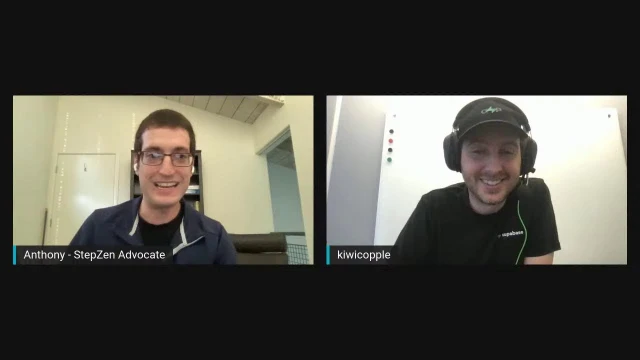
Connecting to Supabase with StepZen featuring Paul Copplestone
Anthony Campolo and Paul Copplestone, CEO of Supabase, discuss the open source Firebase alternative and demo connecting it to StepZen for GraphQL integration
Episode Description
Paul Copplestone, CEO of Supabase, demos the open source Firebase alternative and connects it to StepZen's GraphQL API gateway.
Episode Summary
Anthony Campolo hosts Paul Copplestone on the StepZen Stream to explore Supabase, the open source Firebase alternative built on Postgres. Paul explains the project's philosophy of using existing open source tools rather than building from scratch, with a decoupled yet integrated architecture centered around raw Postgres access. The conversation covers how Supabase hired the maintainer of PostgREST and began contributing directly to Postgres itself, reflecting a commitment to sustaining the open source ecosystem. The live demo walks through creating a Supabase project, setting up tables through the dashboard, and then connecting the PostgREST API to StepZen to generate a GraphQL layer over the data, including both queries and mutations. Paul discusses design choices like default table columns, UUID strategies for future sharding, and the tradeoff between spin-up speed and scalability in their AWS-hosted infrastructure. They also touch on Supabase's early-stage function hooks feature, which lets developers trigger HTTP requests on database events, and the project's growing community on Discord. The session offers a practical look at how developers can combine Supabase's managed Postgres with GraphQL tooling to build flexible backend architectures.
Chapters
00:00:00 - Introducing Supabase and Its Open Source Philosophy
Anthony Campolo welcomes Paul Copplestone to discuss Supabase, an open source alternative to Firebase. Paul explains that rather than building proprietary tools from scratch, Supabase wraps existing open source projects—most notably raw Postgres—and layers on auth, storage, and functions while prioritizing developer experience comparable to Firebase.
The conversation touches on how Anthony first discovered Supabase through the Redwood community as an easy way to spin up a Postgres database. Paul elaborates on the product philosophy of keeping everything decoupled yet integrated, giving developers both convenience and full database-level access with escape hatches to plug in additional tools as needed.
00:03:12 - PostgREST, Open Source Funding, and Postgres Contributions
The discussion shifts to PostgREST, the Haskell-based tool that introspects a Postgres database and generates a REST API. Paul shares how he connected with the maintainers through his previous company's blog post and eventually hired Steve Chavez full-time to maintain the project after Supabase entered Y Combinator in 2020.
Anthony and Paul discuss the broader challenge of sustaining open source projects and how Supabase approaches it by funding maintainers. Paul reveals they've also hired someone to contribute directly to Postgres itself, and explains how the Postgres project's governance intentionally prevents any single company from dominating its core team, embodying the original promise of open source.
00:08:19 - Setting Up StepZen and Creating a Supabase Project
Anthony begins the live demo by creating a new StepZen project with configuration files for the endpoint, API keys, and schema aggregation. He then moves to the Supabase dashboard to spin up a new project, choosing a US West AWS region. Paul explains the infrastructure behind project creation, noting that each new project spins up not just a database but also an auth server, REST API, API gateway, and storage server.
They discuss Supabase's hosting on AWS with plans for multi-cloud support, and the tradeoff between spin-up speed and scalability. Paul acknowledges the couple-minute wait isn't ideal for onboarding but notes the architecture prioritizes database stability and was still faster than alternatives like RDS at the time.
00:14:43 - Building Tables, Authentication, and REST Queries
Anthony configures the project's API keys and endpoint URL, then demonstrates creating an authors table using Supabase's table editor. Paul shares practical database design advice, recommending single primary IDs on every table and using UUIDs from the start if sharding might be needed later, while noting that Postgres treats text and varchar identically for storage purposes.
The demo continues with inserting data through the dashboard and verifying it via curl requests against the PostgREST endpoint. They confirm the Swagger-based introspection works and that the database is ready for integration, setting the stage for connecting it to StepZen's GraphQL layer.
00:19:41 - Connecting Supabase to StepZen with GraphQL
Anthony creates GraphQL types and queries using StepZen's REST directive to wrap the Supabase PostgREST endpoints. He deploys the StepZen endpoint and runs a sample query that successfully returns author data. The workflow demonstrates how config YAML files handle authentication while keeping API keys out of version control.
The demo expands to include a books table and a GraphQL mutation for writing data back to Supabase via POST requests. Paul and Anthony discuss how updates would work with PATCH and PUT methods, and Paul introduces the concept of upserts—operations that insert or update depending on whether an ID is provided—along with returning headers for immediate data feedback.
00:26:05 - API Aggregation, Mutations, and Developer Workflows
Paul shares his enthusiasm for the API aggregator concept, where developers can interact with multiple backend services through a single GraphQL interface. Anthony walks through the books schema in detail, explaining how mutations handle write operations while queries handle reads, and how Supabase auto-generates fields like IDs and timestamps.
The mutation demo shows data being written through StepZen's GraphQL endpoint into Supabase, then verified with a follow-up query returning both curl-created and mutation-created records. Anthony reflects on how Supabase effectively gives developers a ready-made backend with REST endpoints, making it accessible for those who aren't deeply experienced with database administration.
00:31:28 - Function Hooks, Community Growth, and Closing Thoughts
Paul introduces Supabase's early-stage function hooks feature, which lets developers trigger HTTP requests whenever inserts, updates, or deletes occur on a table. They walk through the dashboard interface for creating a hook, noting it could even target a StepZen endpoint. Paul acknowledges the feature is limited but actively receiving user feedback.
The conversation wraps up with discussion of Supabase's growing community, including their Discord that evolved from a community-started server, their recent Series A fundraise, and Paul's plans to livestream the rearchitecting of Supabase's dashboard to keep the platform and self-hosted versions in sync. Both hosts share links to their respective communities and resources before signing off.
Transcript
00:00:01 - Anthony Campolo
Hello everyone. Welcome to the StepZen Stream. My name is Anthony Campolo and today we have Paul Copplestone with us. Hey, Paul.
00:00:09 - Paul Copplestone
Hey Anthony. Thanks for having me on.
00:00:11 - Anthony Campolo
Yeah, it's great to have you. You are the CEO of Supabase, which is a database hosting company that is an open source competitor to Firebase. I'd be curious to get your kind of high-level description of what Supabase is and a little bit of the history and how it was created.
00:00:30 - Paul Copplestone
Yeah, sure. So as you mentioned, we're an open source Firebase alternative, which I guess makes us a competitor. We are essentially building the features of Firebase, but we use open source tools and we try to use existing open source tools rather than build from scratch. As an example, as we'll see today, we use Postgres as the database—just a raw Postgres database. We don't do any abstractions or anything like that. Then we focused on a few key features of Firebase: the auth, of course the database, the storage layer for storing large files, and a few others like functions and a few others in the works right now. So yeah, it's largely just an open source platform for using open source tools. But really our focus is on the developer experience. We think Firebase has an amazing developer experience and we really wanted to bring that sort of experience to open source tooling.
00:01:30 - Anthony Campolo
Yeah, I really love that mission because I am also a big proponent of open source. I'm someone who came up in the open source world through Redwood. That's actually how I first heard about Supabase—someone on the Redwood forums posted about Supabase and they're like, hey, this is a really easy way to get your Postgres database set up. For us, we were already using Postgres a lot in our tutorials and our example projects, and still using Heroku at the time. And Heroku is an amazing way to get a database spun up really quickly, but it doesn't really give you as much low-level access to it that you might want to really start building stuff on top of it. That's what I found with Supabase—you give you this really nice, easy deployment and hosting experience, and then you also give you underlying access to the database itself and you can basically do whatever you want with it.
00:02:18 - Paul Copplestone
Yeah, our design philosophy—our product philosophy—is very open source. The idea is that everything's decoupled and everything's integrated. You can use the database and we give you raw database access; you can use the auth, which integrates very nicely with the database and row-level security and everything; you could use just the storage. So every system is distinct, but they all center around the database itself. And then we give this Postgres-level access. So you can use nothing but the database and plug in tools—as I'm sure we'll see today. You can plug them directly into the database, you can plug them into our auto-generated API, which we provide through PostgREST. So it's really just about giving developers options if they want them—escape hatches—but we provide everything that we can if you want to just use our suite of tools directly.
00:03:12 - Anthony Campolo
Yeah, PostgREST with a T is especially going to be an interesting one because that's what we'll be doing and showing here. Because with StepZen we have GraphQL directives that let us hook into different endpoints, whether that's a database or a REST endpoint or other GraphQL endpoints. You can essentially do any of them. So you can make DB queries directly into Supabase—and we actually have a doc showing kind of how to do this—but we do something slightly different today, which is use PostgREST. And so PostgREST: you're employing the maintainer of that now, right?
00:03:48 - Paul Copplestone
Yeah, correct. Actually, he was probably one of our first very early employees. It was started by—I actually only know his GitHub name, bcrypts—a long time ago, I think 2015. It's written in Haskell. It's pretty cool. It sort of introspects your Postgres database and produces a very, very flexible REST API, not unlike GraphQL actually. And then from there it got momentum. It's very open source. I think bcrypts—well, he's dropped off now. And then there's another maintainer, Steve Chavez, who has been maintaining it for I think a couple of years now, and we employ him full time to work on PostgREST. And of course Supabase. But yeah, most of his focus is on maintaining PostgREST.
00:04:45 - Anthony Campolo
Yeah, it's really cool that someone was able to, one, take it over and then, two, get funded to actually work on it. Because there are so many great open source projects that can just kind of stagnate or go to the wayside because only one person was doing it, and then when that person leaves no one else wants to do it. But there are so many people who want to work on open source and so much value that these projects can provide that it's really good to see when they're able to work that out so you can actually get that momentum going again. And did you reach out to them, or did they reach out to you? Like, how did that first happen?
00:05:18 - Paul Copplestone
Yeah, I think—actually we got into Y Combinator in summer 2020, and at that point I believe I emailed. So actually I originally was in contact with them because I used it in my previous company. This is sort of the origin of Supabase. I built much of the stack—or I was using much of the stack—in my previous company and sort of ideating how we'd build Supabase. And in that one, he had picked up a blog post of mine where I explained exactly the structure. If you go and look at it, it looks very similar to Supabase's architecture. And he had put it on the PostgREST docs, so we were already in contact via email. Then after we got into YC, I think I reached out to him and said, hey, what are you doing? Are you working full time? We'd love to support you.
00:06:13 - Anthony Campolo
Awesome.
00:06:14 - Anthony Campolo
Yeah, that's super cool. Are there any other open source projects that you think you might be funding somewhere in the future, now that you have a stable source of funding?
00:06:23 - Paul Copplestone
Yeah, we've just hired someone to work on Postgres itself, to contribute directly. [unclear] And of course that's sort of how it's run. I don't know if many people know how it's run, but it's a great project. It's sort of not owned by any company. There's a committee—like a community of developers who do it—and they don't even allow one company to own all the core team; it has to be spread across several companies. So yeah, Postgres. And then we also use Netlify's GoTrue server for—
00:07:07 - Anthony Campolo
All right—
00:07:07 - Paul Copplestone
—our authentication. Well, we employ people internally to work full time on that. There are a few tools and probably we're looking at a couple more that we can hopefully bring into the fold, so to speak.
00:07:20 - Anthony Campolo
Nice. Yeah, it's really cool you're contributing to Postgres itself. Postgres has to be one of the most successful open source projects of all time. It's done very, very well and seems to be only getting more and more popular, with more people using it.
00:07:34 - Paul Copplestone
Yeah, it's one of those amazing things where it's arguably one of the best. I mean, if you dig into it in terms of what it can do compared to some other databases, it's just one of the best databases. The fact that it's also open source and sort of belongs to no one is just amazing. And really, that's the promise of open source—the original promise. I really think that's amazing. It would be great if the whole world operated like that, because then we would have some very cool tooling.
00:08:07 - Anthony Campolo
Indeed. Now we're getting into philosophy here. I don't really know much about the start of Postgres, actually.
00:08:13 - Anthony Campolo
I'll look into that. That sounds interesting.
00:08:16 - Paul Copplestone
Sure, yeah, it's pretty fascinating.
00:08:19 - Anthony Campolo
All right, so let's go ahead and start getting some stuff going. I'm going to share my screen here. I've got a repo over here if anyone is interested—that is kind of what we're going to be going through and what we'll be doing here. What's going to happen is I'm going to start by creating a StepZen project and then we'll create the Supabase project and then we'll start actually connecting the two together. First things first: I've just got a blank project here. I'm going to create some files. These are what you need to just set up your StepZen project in general, and it's going to configure things like our endpoint and our keys and things like that. This StepZen config is just going to set us to API. "stepzen.supabase" will be our endpoint name. And then what's cool about StepZen is that it lets you take multiple different files and different schemas and then aggregate them all together into just one big schema that you'll be using. So that's what this is—we have two files that we'll be combining: author and book.
00:09:41 - Anthony Campolo
So it's a very simple little example here. And then the config YAML is how we're going to actually authenticate, which we'll get into a little more once we actually get our Supabase keys. So let's actually get into the Supabase dashboard now. The Supabase dashboard is something that you've put a lot of work into—I know you even work on it personally, like on streams and whatnot. So how did the Supabase dashboard first come to be, and what were your goals with it in terms of what you wanted to be able to do?
00:10:19 - Paul Copplestone
Yeah. Originally we had this interface—of course Firebase is just very easy to use. We knew that we had to have a dashboard for Postgres. There are plenty of tools to interact with Postgres but you have to install them yourself and you have to go through a process. Really our first thing was we wanted to put Postgres in the hands of developers as fast as possible. And so we created the dashboard. Our metric was sort of "time to query"—where you could spin up a Postgres database and then immediately query your database. That was the goal.
00:10:59 - Anthony Campolo
Nice. Yeah, and it definitely does it pretty quickly.
00:11:05 - Anthony Campolo
Let me actually take this. I don't need to do it off screen actually because you hide it. Yep. New strong password. Actually just do this.
00:11:19 - Anthony Campolo
So I'm going to end up tearing this down so it doesn't really matter too much, but just give you a little example project. So this is going to actually kick off our example. And where is it hosted—like when you're actually spinning up a project?
00:11:37 - Paul Copplestone
Yeah. So you chose the region there—US West—that is actually a, we put in brackets, the AWS region. So all of our infrastructure at the moment is set up in AWS. The goal is probably to just make it multi-cloud so you can deploy anywhere. If you go to our repo, you can self-host it. It's a Docker Compose file, so on the back end it can be deployed to anywhere—any cloud basically. And in the background now this is spinning up the database, but then it's also spinning up an auth server, it's spinning up the RESTful API, an API gateway, a storage server. Yeah, it's spinning up basically five different tools for everyone.
00:12:21 - Anthony Campolo
Yeah, and it's going to be very hard to figure out how to do something like this multi-cloud. So that sounds like that would be a really interesting technical challenge to figure out.
00:12:32 - Paul Copplestone
Yeah, it should be okay. I mean, at the moment we can actually make the spin-up a lot faster if we're using Kubernetes—we're not using it—something like that. But for now it's not in the architecture. Eventually we'll probably move to something like—we'll make a goal to make the project spin up immediately, in which case we'll containerize everything and make sure it's very fast.
00:13:00 - Anthony Campolo
Yeah, I've tried a couple different services that do this and it does take a little bit longer on yours than some others, but it sounds like that's because you're doing a whole bunch of stuff—you're not just getting a Postgres database, there's a lot of stuff that gets spun up along with it. So you can chill out for a minute or two. It's really not that big a deal, I think, but it is nice to have some stuff spin up in like five seconds for demos and things like that.
00:13:28 - Paul Copplestone
Yeah, it's not great for onboarding people, of course, but on the flip side it's very hard to crash your database. So we went for scalability over immediate spin-up. At the time as well, there weren't many people offering Postgres with immediate spin-up. So we're still faster than, say, RDS or things like that. It's fine.
00:13:52 - Anthony Campolo
Cool.
00:13:53 - Anthony Campolo
You give a bunch of different ways to access your database. You have things like JWTs, a connection string URL you can use, and you also give keys that you could use. We're going to be using the project API key here, and this is how we're going to authenticate our REST calls. This is where some of the StepZen-isms come into play, where we create this config YAML that has our API key that's set to this config and then that's going to be put into our queries. Then we also have this endpoint here. So everyone gets their own custom endpoint that they can access. This is where the PostgREST comes into play.
00:14:43 - Anthony Campolo
And I'm just going to replace all these because I've got a couple examples—
00:14:51 - Paul Copplestone
Here, just so I know—and maybe people watching, because I'm coming in fresh—this is a brand new project which will get deployed to a cloud.
00:15:04 - Anthony Campolo
What's going to happen is that we're going to deploy an API gateway that is going to let us access this endpoint through a GraphQL interface.
00:15:14 - Paul Copplestone
Yeah, that's cool.
00:15:16 - Anthony Campolo
Yeah, it's pretty sweet.
00:15:20 - Anthony Campolo
Once you get your things set up, then we want to create a table.
00:15:27 - Anthony Campolo
Let me also grab this key here.
00:15:33 - Anthony Campolo
Okay, so to create a table, you have a nice table editor here and it lets you really easily just create a table. So we're going to start with just an authors table, and you have a couple of pre-made columns for things like ID and then created_at and updated_at. These get auto-generated if you don't give any input, which is really nice. So how do you think about defaults and how you set up defaults for a table?
00:16:06 - Paul Copplestone
Yeah, like this one for example—you mean how should the user think about it, or how do we think about it?
00:16:13 - Anthony Campolo
What do you recommend? Do you recommend that people just stick with the defaults, or are there other things that you would recommend someone do? Obviously it would depend on what kind of project you're building, but that's just something I'm always curious about—how you set up a default database table.
00:16:28 - Paul Copplestone
Yeah, as you can see, we suggest doing an ID—it's always good. I put a single primary ID on everything. So you can do composite primary keys and things like this, especially on many-to-many tables, but I still prefer to put a single ID wherever possible. I actually try to change it to a UUID from the start if I think the database might in the future get sharded across multiple servers. The default for Postgres is like an identity field or a serial, which is a number. But if you have multiple databases connected together, the numbers increment and can conflict. I think these are the two most useful ones. The other thing—I saw that you put text as the column type. That's good, because by default it doesn't matter; if you come from some other databases, they might suggest using varchar or a certain size. With Postgres it doesn't actually matter whether it's text. You don't really have to choose too much—you might want to put a constraint on how long it can be, but in terms of storage size, you don't need to define how long the text is.
00:17:43 - Paul Copplestone
So.
00:17:44 - Anthony Campolo
Yeah, cool. Okay.
00:17:45 - Anthony Campolo
And so I think if I did everything right, this curl request here is going to just show us that we have an endpoint kind of set up. This obviously isn't very readable here, but what's going on is it's showing us the Swagger implementation. So Swagger is OpenAPI, and this is how we introspect our schema. We're just going to the forward slash path and doing a GET and then it runs introspection and it tells you what you're dealing with and what parameters—
00:18:17 - Anthony Campolo
—you have and stuff like that.
00:18:21 - Anthony Campolo
So that'll let you know that your database is set up and good to go. And now we want to actually add some stuff to this database, so we want to create a row—
00:18:35 - Anthony Campolo
—and I'm just going to say "person"—
00:18:40 - Anthony Campolo
—one. And now that we've got that, we can do a GET request directly into this database. So what's nice about having PostgREST just built in is that you're already ready to go for using curl or if you want to use Insomnia or something like that. Do you have a favorite API tool that you use?
00:19:02 - Paul Copplestone
Yeah, I usually use Postman, but I did see that there's one built into—like an extension for VS Code—that I wanted to check out. I forget the name of it, but it sort of looks like Postman. So at some point I'm going to check that one out.
00:19:21 - Anthony Campolo
If we see here we got this JSON array with just a single object in it, we know that our database is good to go. Our endpoint is all set up, we know how to authenticate with it. What we can do now is actually get our StepZen project going. The first thing we'll do is create an author type. You create a type for whatever—your tables, essentially. So we have an author table with these four columns. We turn them into GraphQL fields: we have an ID, a string for the name, and then DateTime for created_at. And then the query is where the interesting stuff is really happening, because we have the @rest directive and we're feeding it that endpoint, which is what we were looking at before.
00:20:16 - Anthony Campolo
I need to get that correct endpoint here.
00:20:21 - Anthony Campolo
And then we do the Supabase config, which is what connects your API key from the config YAML. So this lets you then deploy this—you could set this up on a GitHub repo and you just want to make sure you gitignore your config YAML, which we've got here, so that you don't accidentally push your keys up to the git repo. It's a really nice workflow and a good way to basically GraphQL-ize your REST endpoint. Then once you've got all that set up, we're going to run stepzen start and this will actually deploy our endpoint. Then once we have the endpoint deployed, we can run a sample query. I'm going to run this author query here and then we get back the thing we just created.
00:21:21 - Paul Copplestone
Wow, cool.
00:21:23 - Anthony Campolo
Let's see.
00:21:24 - Anthony Campolo
Sean's asking how one might implement the node interface both on the Postgres side and the StepZen side.
00:21:31 - Anthony Campolo
So what do you mean by the node interface? Is that like Postgres.js and things like that, right? That's a question for you, Paul. Do you know about the different client libraries for Postgres? I think there's like postgres.js or like—
00:21:52 - Paul Copplestone
Yeah, yeah. So these are the ones that we provide. You can communicate with your RESTful API on Node itself. If he's talking about Node.js, then yeah, you can install this on the server or you can install it on the client. If you install it on the server, we provide also a service key which will bypass row-level security. If you install it on the client, then you should always just provide the anon key.
00:22:19 - Anthony Campolo
Gotcha. Cool.
00:22:22 - Anthony Campolo
Now that we've got the queries set up, we can also post to the database as well. So we have—
00:22:33 - Anthony Campolo
Let's see. Let me go over here.
00:22:39 - Paul Copplestone
—about the GraphQL node interface, which actually—
00:22:43 - Anthony Campolo
Oh, for StepZen. Yeah—
00:22:47 - Anthony Campolo
—see, so that's good. That's good. Okay, cool.
00:22:55 - Anthony Campolo
All right. So I'm also going to create a books endpoint.
00:23:03 - Anthony Campolo
Let's see, where did the Supabase one—there we go.
00:23:14 - Anthony Campolo
Now each time you create a table, it just gives you an endpoint automatically. So you can just create more endpoints, and this one's going to be the same as the other. And if we had more time, we would do like a key to reference the authors to the books or something like that. But for right now we're just going to show how to actually get connected to the endpoints and read and write to them. So now we can actually post to this endpoint, and you still do the same similar thing with the header and the URL. And then you also have to specify that you're sending content type JSON, and then you have this little data thing that just sends the data in the body.
00:24:02 - Anthony Campolo
And so let's try this here.
00:24:06 - Anthony Campolo
Then if nothing happens, that's good because it doesn't return anything on the POST. To actually see that it's working, you can then do another GET on it—
00:24:20 - Anthony Campolo
—here, and then you'll see the thing you just created, which is "curl book test."
00:24:30 - Anthony Campolo
That's all good, Sean. I always enjoy people derailing streams—that's where the most interesting questions come into play usually. Okay, sweet. Any questions from you, Paul, about what just happened? Or was that all fairly intuitive?
00:24:46 - Paul Copplestone
Yeah, well, intuitive for me. I'm not a heavy GraphQL user, so some of it's a bit new for me, but otherwise I think it's quite cool. It's all connecting up.
00:24:58 - Anthony Campolo
Yeah. The way I think about it is StepZen is a universal query machine—you can just figure out how to query anything and then it makes the opinionated decision that you will query through GraphQL. So I'm someone who came up through Redwood, which is a very GraphQL-heavy project, so I'm a big fan of GraphQL. And I remember when I had you on my podcast back in like January, that was one of the things I asked you about. I was like, what's the GraphQL story with Supabase? And you're like, ah, there really isn't a GraphQL story. And that's usually the right answer, because if you have a GraphQL story, usually it's not the GraphQL story half the GraphQL people actually want. But if you set things up in a way where you can create your own GraphQL story, that's a good way to go. So this is one way that you could GraphQL-ize this if you wanted to. You could use PostGraphile, which is basically Postgres but it spins up a GraphQL endpoint—that's what I did with Railway when I had them on the stream. So it's a question of like, when do you want to translate something from a database to GraphQL, or from a REST endpoint to GraphQL, or from database to GraphQL to then another GraphQL?
00:26:05 - Anthony Campolo
There are so many ways to do it.
00:26:08 - Paul Copplestone
Yeah, very interesting. And it seems—yeah, I really like the idea of some sort of API aggregator where everything gets thrown into a single interface for developers especially. Like, you might work with the Stripe endpoints and things like that, in which case the developer experience around having a single repository for interacting with all your tools would be really nice.
00:26:41 - Anthony Campolo
Now we're creating a similar schema to what we did before with the author. We have this book type now with an ID and name, created_at and updated_at. And then we have a query, which is essentially identical to the other query, and then the mutation. A mutation is just GraphQL-speak for anything that's not reading. So if you're writing, updating, or deleting, those are all mutations. And if you're just reading, then you're querying. The way we're doing the mutation is somewhat similar in that we still have an endpoint and we still have the configuration for our API keys, but now we're specifically specifying that we're doing a POST method. And then we include this post body, and we're able to use the get to pull the name argument with GraphQL. When you send queries or mutations, you can send arguments as well—the argument is going to be a name. We're just going to send a name, and then things like the ID and the created_at and updated_at are going to be generated automatically by Supabase, which is really cool that it works out like that.
00:27:57 - Anthony Campolo
Okay, so now that we've got all that set up, that should be good. Let's go back to this here.
00:28:10 - Anthony Campolo
And so we're going to do a mutation—this is a mutation that we defined. And then this is where the actual argument comes in.
00:28:22 - Anthony Campolo
The name will be "StepZen book test."
00:28:25 - Anthony Campolo
And then because it doesn't return anything back, it just gives you kind of a null object back. But if you actually do the query here, then you can get back all the data. So we see we have both the test that we did with curl and then the mutation that we just ran with StepZen. That's pretty much how you would get reads, writes—everything—into the StepZen project.
00:28:54 - Anthony Campolo
Very cool. Updates would be the next thing to figure out.
00:29:02 - Paul Copplestone
Updates, I assume, would be the same—you just attach a PATCH instead of a POST.
00:29:13 - Anthony Campolo
Yeah, yeah. Or a PUT, right? Because a PUT—
00:29:17 - Paul Copplestone
Yeah.
00:29:18 - Anthony Campolo
—if you're updating the whole thing, it's a PUT. Or if you're updating just a single part of it, then it's a PATCH.
00:29:24 - Anthony Campolo
I think that's the difference between the two.
00:29:26 - Paul Copplestone
Yeah. The other thing that we have is upserts, if you apply some headers. So it can—as long as you provide the IDs—yeah.
00:29:39 - Anthony Campolo
So what is an upsert? I'm not super familiar with that term.
00:29:45 - Paul Copplestone
So an upsert is either an insert or an update. So if you provide, for example, the ID, it'll update the row. If you don't provide an ID, then it'll insert a row. So you've got this single interface for doing new data or updated data. Quite convenient. Then you've got some returning headers so you can immediately return the data and it'll return the ID of the newly created data.
00:30:20 - Anthony Campolo
Nice.
00:30:21 - Anthony Campolo
Yeah. So what kind of stuff do you expose—all of Postgres, just kind of by default?
00:30:30 - Paul Copplestone
Yeah, we try to. Postgres was very mature before we came along. They had already created a lot of this stuff—these libraries that we wrote to wrap it. We're just trying to expose everything that Postgres can do. There are a few configuration options that we don't expose yet, but we will eventually.
00:30:52 - Anthony Campolo
Nice.
00:30:53 - Anthony Campolo
Yeah, it's a really cool project, and it's a great way for people who may not be super savvy with databases to get spun up and start interacting with it immediately. Because it's almost like you have just a dedicated backend developer who made an endpoint just for you, just for your database. It's really, really cool. And I'll be curious—I know that you just shipped Functions not too long ago, or the first part of Functions. Can you talk a little bit about what exactly is going on with that and where you're at with it?
00:31:28 - Paul Copplestone
Yeah. So Functions is proving to be one of those—at our scale now, when people apply things, we have to really consider scale. So Functions is proving to be one of those that—not just from a design point of view, we want to make it very nice, but also from a scalability point of view. In my opinion, Functions—you know, there are already great options available like AWS Lambda, or if you use Vercel or Netlify, they both provide functions. And so to start with, we've provided these function hooks. As you can see, they're in very early-stage alpha. The hooks essentially can attach to a table, so anytime there's an event on your table—an insert, an update, or a delete—you can send that event to anywhere. At the moment it's an HTTP endpoint, but eventually it'll be our own functions or a Lambda or Cloud Run. So yeah, immediately right now you could attach it to, say, even probably a StepZen endpoint. So you could say, anytime there's a change in this table, send an event to StepZen on this endpoint. We can show the interface if you want, inside the dashboard.
00:32:51 - Anthony Campolo
Let me get back to the dashboard here.
00:32:57 - Anthony Campolo
Where am I going?
00:32:58 - Anthony Campolo
Let me just go back into the project I just created.
00:33:01 - Paul Copplestone
Then if you go all the way down to the database level—we're hidden in a way a bit because we—and then scroll down. Not production-ready. Now you've got Functions, which is actually Postgres functions.
00:33:15 - Anthony Campolo
So it's more like a stored procedure, right?
00:33:18 - Paul Copplestone
Exactly. But if you go to function hooks, then this is the one. So you can just enable hooks now. All right. So you can create a function hook, and here you just type a name—for example. I think it might be better to underscore that. Yeah. Then you could say, on any authors insert or update, or both. Then you scroll down and you just say that it's going to send an HTTP request to—and then you specify how and where you're going to send it to.
00:33:57 - Anthony Campolo
Interesting.
00:33:58 - Paul Copplestone
And that's it. And it sends a payload—the full row of data—to that endpoint. So you can then use that data to do whatever you want.
00:34:11 - Anthony Campolo
This is not actually going to do anything, but I want to see what happens when you click Confirm.
00:34:20 - Paul Copplestone
It might need HTTP.
00:34:22 - Anthony Campolo
Yeah.
00:34:23 - Paul Copplestone
Or HTTPS.
00:34:25 - Anthony Campolo
If you're secure, that is.
00:34:27 - Paul Copplestone
Yeah.
00:34:29 - Anthony Campolo
Cool.
00:34:30 - Paul Copplestone
And that's it. Yeah, it's very limited functionality right now, but there are people using it, which is great. And we love getting feedback—in the widget up the top, right, we get plenty of feedback, which is always great.
00:34:44 - Anthony Campolo
Yeah, Supabase has been taking off like a rocket. It seems like you guys just had a very successful Series A, so congrats on that. You also launched your Discord not too long ago. And it's funny because I was actually tweeting at you saying you guys really need a Discord, while you were already in the process of creating your Discord. Yeah, I know.
00:35:04 - Paul Copplestone
Yeah, yeah. It's funny, actually, there was already a community one started. So at that point we had to decide, well, do we just let the community completely do it? All we did was convert the community one. The moderator of that is a moderator on ours. And actually our Discord is largely community driven, and the community has been growing. Yeah, really, it's a friendly Discord. There's plenty of activity there, so it's been really nice.
00:35:32 - Anthony Campolo
Yeah, that's cool. I'm such a huge fan of Discord. I spend probably more time than I should on Discord, but it's just a really great platform for getting people in a similar space to collaborate or communicate, because you can do chat, you can do actual voice calls, you can just hop on a screen share. You can do essentially anything.
00:35:55 - Paul Copplestone
Do you do hangouts? Like, do you jump around different servers and do hangouts or anything?
00:36:01 - Anthony Campolo
Yeah, I kind of hang out in a couple. So, like, StepZen has one, Redwood has one. I'm in a couple for, like, Open Sauced, which is Brian Douglas's Discord. I'm in the React Podcast Discord, which is like Michael Chan and a whole group of people that hang out there. So each of them kind of has their own flavor—some are based around projects and some are based around companies and some are just like a kind of decentralized group of people who like to hang out. Seeing the flexibility of how it works across all those, it's really exciting. And I'm a very big proponent of communities moving from Slack to Discord. I think there are a lot of great things about Slack in terms of collaboration in a workplace—and across workplaces actually, with Slack Connect. But if you want to get a community online that's easier for people to get to and interface with, I find Discord is just so much better for that.
00:36:56 - Paul Copplestone
Yeah, yeah, it's great because people can just drop in immediately. But yeah, you don't get—well, they get access to all the channels. What we were doing, as you probably know, is Slack Connect—we had one channel for a few of the community members. But it was very hard to split the conversations, especially with the maintainers of different libraries. So now all our maintainers are on Discord as well. We've got community libraries that they develop. So yeah, it's just been a good move.
00:37:29 - Anthony Campolo
Nice. I'm just dropping a couple links here in the chat. The first Discord is for Supabase and then the second one is for StepZen. So if anyone wants to hop into either of those. And then of course supabase.com for all things Supabase, and stepzen.com for all things StepZen.
00:37:48 - Anthony Campolo
And then I would be remiss not to also drop this here—our podcast interview that we did, which I very much enjoyed. I recorded it at like midnight because you're in Singapore. Luckily I'm a night owl, so it was actually like, oh, this is going to—
00:38:05 - Anthony Campolo
—[unclear]. Want to talk about that? So it's very fun.
00:38:09 - Paul Copplestone
Nice, nice. Yeah, that was a great podcast, actually. We're building sort of an about site, so I'll throw all these podcasts and interviews that we've done on the about site. So yeah, it would be cool.
00:38:21 - Anthony Campolo
Yeah, I've got one in the can with Ant that's going to be coming out fairly soon as well. That'll be cool.
00:38:26 - Anthony Campolo
Yeah.
00:38:26 - Paul Copplestone
Okay, yep, great. And for those listening in, Ant is my co-founder, so that's great.
00:38:33 - Anthony Campolo
Awesome. Well, is there anything else that you'd like to say before we close out here?
00:38:37 - Paul Copplestone
No, just if anyone wants to get involved—either contributing or just get involved building—then feel free to jump into our Twitter @supabase, or follow our YouTube, or get on our discord.supabase.com.
00:38:53 - Anthony Campolo
Awesome. I'll drop the Twitter link as well. And you have YouTube also—I think this is—
00:39:04 - Anthony Campolo
Yep. Yeah, I really enjoy the build-in-public stuff you do.
00:39:09 - Paul Copplestone
Oh yeah, thanks. I haven't had much time because of the fundraise recently—these past couple of weeks—but we're actually reworking everything. So I'm trying to build the studio, the dashboard, in public. But actually we're rethinking how we can do it so that our products don't diverge—we don't want our platform product to diverge from our open source self-hosted product. So we're trying to think of ways that we can do this better. Hopefully on one of these livestreams I'll go through the architecture and how we're going to try to do that, so that we can have our platform and our self-hosted version working in tandem.
00:39:52 - Anthony Campolo
Very interesting.
00:39:53 - Anthony Campolo
Definitely want to check that out if I'm awake when you're doing them.
00:39:56 - Anthony Campolo
Yeah.
00:39:57 - Anthony Campolo
All right, great. Well thank you so much, Paul. Really appreciate you being here. Thank you everyone who hung out in the chat. We do these usually every Friday at noon—today was a bit of a one-off—but if you want to check us out, that would be the place to do it. And yeah, definitely recommend people check out Supabase.
00:40:15 - Paul Copplestone
Thanks for having me, Anthony.