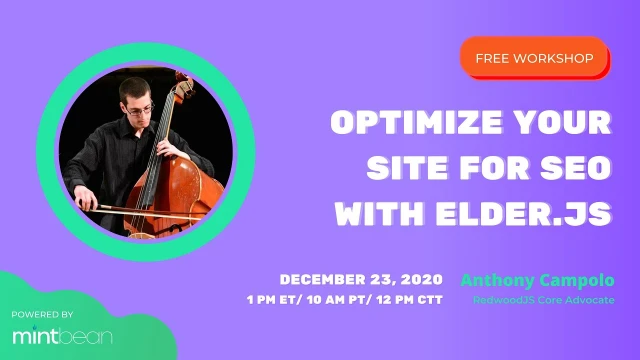
Optimize Site SEO with Elder-js - Mintbean
Anthony Campolo demonstrates Elder.js, a fast static site generator built on Svelte, by creating and deploying a site with custom routing in under 30 minutes
Episode Description
Anthony Campolo demonstrates Elder JS, a Svelte-based static site generator built for SEO, walking through setup, routing, and Netlify deployment.
Episode Summary
Anthony Campolo presents Elder JS, an opinionated static site generator built with Svelte and designed specifically for search engine optimization. He begins by explaining why site speed matters for SEO and how static site generators work by compiling developer-friendly code into browser-readable HTML, CSS, and JavaScript. He highlights Elder JS's standout feature: the ability to build thousands of pages remarkably fast, citing benchmarks of 18,000 pages in under 90 seconds on bare metal. After covering the conceptual foundation, Anthony shifts into a live demo where he scaffolds a new Elder JS project from the command line, explores its built-in tutorial template, and walks through the explicit routing system that pairs a route.js file with a corresponding Svelte component. He then creates a brand-new route from scratch, explaining how slugs, permalinks, and data functions work together to produce a page. The session wraps with a full deployment to Netlify, where he pushes the project to GitHub, connects it to Netlify, and gets the site live in under a minute — reinforcing Elder JS's speed advantage. A brief Q&A touches on the Svelte ecosystem and opportunities for open source contribution.
Speakers
- Anthony Campolo
Chapters
00:00:00 - Introduction and What Is Elder JS
Anthony Campolo opens by greeting the Mint Bean community and sharing his background as a Lambda School student and former classroom teacher. He encourages the audience to ask questions throughout and sets a casual, interactive tone for the session.
He then introduces the talk's subject — optimizing websites for SEO using Elder JS. He defines SEO as the practice of making sites discoverable by search engines and explains that Elder JS is an opinionated static site generator purpose-built for strong SEO performance, setting the stage for a deeper look at why speed and architecture matter.
00:03:29 - Static Site Generators and Why Svelte Is Fast
Anthony explains what a static site generator actually does: it takes code written in a developer-friendly framework and compiles it into plain HTML, CSS, and JavaScript that browsers and Google's crawlers can understand. He notes that while thousands of static site generators exist, most struggle with large sites containing thousands of pages.
He introduces Svelte as the underlying framework powering Elder JS, praising its concise syntax and efficient internals. He shares benchmark data showing Elder JS can build 18,000 pages in under 90 seconds on bare metal, far outpacing tools like Gatsby. He also briefly mentions Elder JS's additional features like hooks, short codes, and plugins before narrowing the talk's focus to routing and deployment.
00:08:08 - Understanding Explicit Routing in Elder JS
Anthony walks through Elder JS's explicit routing paradigm, contrasting it with parameterized routing found in frameworks like Express. He explains the three core functions — all, permalink, and data — that define a route, showing how the slug determines the URL path and the data function provides the page's content.
He then breaks down the corresponding Svelte template, highlighting the single-file component structure that separates script, style, and markup. He explains how the svelte:head tag sets the browser tab title and how data properties flow from the route file into the rendered component, giving the audience a clear mental model before moving into the hands-on demo.
00:11:18 - Live Demo: Scaffolding and Exploring the Template
Anthony begins the live coding portion by scaffolding a new Elder JS project using npx and degit, noting how the project initializes in just seconds compared to minutes for other frameworks. He walks through the dual-terminal setup required for the dev server and Rollup watcher, then opens the project in the browser.
He highlights one of Elder JS's standout developer experience features: the starter template doubles as a built-in tutorial, with pre-made routes demonstrating blogs, hooks, and simple pages. He orients the audience within the project's file structure, pointing out the source folder's components, layouts, and routes directories, and examines the homepage route to show how route.js and its Svelte counterpart work together in practice.
00:19:02 - Building a New Route from Scratch
Anthony creates a new route by adding a folder called "new" inside the routes directory, then writes a route.js file defining the all, permalink, and data functions with a slug of "new" and simple content including a title and an H2 hello world message. He pairs it with a new Svelte component containing the standard script, style, and markup sections.
After saving the files, he notes a current developer experience quirk: new files require a server restart to be detected, unlike changes to existing files. Once the server restarts, he navigates to the /new route in the browser and confirms the page renders correctly, demonstrating how straightforward it is to add pages to an Elder JS project.
00:23:10 - Deploying to Netlify and Wrap-Up
Anthony shifts to deployment, pushing the project to a new GitHub repository using standard git commands — stumbling briefly on a branch rename, which he laughs off as typical git friction. He then connects the repo to Netlify, which automatically detects the build configuration from the project's netlify.toml file.
He explains that while the actual site build takes only about 1.26 seconds for 20 pages, Netlify's total deploy time includes spinning up a fresh container environment. The full deployment finishes in under a minute, and he sets a custom subdomain before showing the live site. The session closes with a Q&A where Anthony discusses the growing Svelte ecosystem, mentions SvelteKit and other emerging frameworks, and encourages attendees to get involved in open source contributions.
Transcript
00:00:08 - Anthony Campolo
Hello, hello. Thank you so much for having me. This is my third Mintbean talk that I've given. I'm a really big fan of Mintbean — what they got going on, what they do. I think they're just a really great company. And I'm someone who is on this same journey with all of you. I'm still in a boot camp. I'm getting towards the end of my time at Lambda School, and I'm out there trying to figure out how to get a job and do all that. I've tried to really get involved in open source and contribute to that, and I'm really excited because this is going to be the first talk that I'll be doing on Svelte. So I'm going to go ahead and get
00:00:49 - Anthony Campolo
my screen share set up. Just give me one moment here.
00:00:56 - Anthony Campolo
Feel free to unmute and ask me questions. I used to be a classroom teacher in a previous life, so I'm really used to being interrupted and asked questions, because this can be some pretty technical stuff. It's good to get feedback — am I making sense? Do you have any questions? Please feel free to interrupt me at any time.
00:01:18 - Anthony Campolo
I won't mind. Let's get this going.
00:01:22 - Moderator
All right.
00:01:22 - Anthony Campolo
My screen share is all good. Optimize your site for SEO with Elder.js. If you don't know what SEO is: SEO is search engine optimization, and it is how Google finds your stuff so that when someone searches for a thing, they will find your thing. That is essentially what SEO is. And let's first talk about what Elder is. Elder is an opinionated static site generator built for SEO.
00:01:53 - Anthony Campolo
Just give me one second to fix my Zoom here.
00:02:00 - Anthony Campolo
Let me do that.
00:02:01 - Anthony Campolo
And this.
00:02:03 - Anthony Campolo
There we go. An opinionated static site generator built for SEO. Now, going fully into why static site generators and why Svelte specifically are good for SEO is a little bit outside the scope of this talk. The most important thing you need to know is that a fast website is going to be better for SEO. The faster your website responds to Google's web crawler, the better score it's going to get. At least that's one of the main metrics they look for. SEO is very complicated — it has a wide range of metrics that go into your SEO score. But speed is one that we know is very important and that we can optimize for with static site generators and with Svelte in particular. Now, if you do know what a static site generator is, you're probably thinking, don't we have thousands of these things? And yes, we do. But Nick Reese over here has created a really awesome static site generator, and it was built for this website called elderguide.com. It's a website for getting information about elderly care facilities. For him it's about transparency of information. He wants to have a website that's going to be very easy for people to get the information they need to make a decision about a care home for their relatives.
00:03:29 - Anthony Campolo
And this is a very important decision that most people will have to make at some point in their lives. He found that there was a problem with static site generators because, yes, we have thousands of these things, but static site generators aren't made for large sites. Let's go a little bit into what a static site generator is, since I've already used the term a million times and haven't really defined it yet. A website is really just HTML, CSS, and JavaScript. You may write something like React, or you may even be writing Ruby — you may be writing something that won't necessarily be understood by the browser. If you were to take one of your React projects and just copy and paste that code into your browser's console, your browser won't know what to do with it. It'll error. It'll say, why are all these brackets in your JavaScript? This doesn't make any sense. That's because most of what we write today is something that is compiled or transpiled into something that the browser can actually understand. What we're doing here with Elder is we're using Svelte.
00:04:46 - Anthony Campolo
Svelte is a framework built on top of JavaScript. It's really nice to write in, really concise, and it fits your mental model of how to code really well. Whereas writing HTML is a pain — if you've ever tried to make a website writing entirely in HTML and inline CSS, it's a huge pain. We created these tools called static site generators that let us write in languages that are really nice and easy to write in, but then transform that code into something that the browser can understand and, more importantly, that Google's web crawlers can understand. That's the idea of a static site generator. Svelte in particular is really good because of how it's architected in terms of its internals, which we can't really go too far into. When we do our demo, I'm going to show you a couple of times just how fast it is by measuring time. If you're interested in the theory of why it's working, you can go deeper into that. Rich Harris has a lot of really fantastic talks. He's the creator of Svelte.
00:05:55 - Anthony Campolo
But I can just show you the money in that sense. If you want to know more, feel free to contact me after. This is all really interesting stuff. There's really low-level stuff we can't really get into. But this is the really important part: you can build a website very fast. If you've ever used Gatsby and tried to use it to build a website that is thousands and thousands of pages, it could take you a really long time. I was talking about how we have these websites that we write in one language and transform them into another — the time to transform your whole website may take a long time. Now here we see that what Nick has done is he's created a couple of benchmarks. One of these is just with a budget four-core virtual machine. So this would be like if you were just renting a box from Amazon or someone like that — you could build 18,000 pages in eight minutes. And if you have your own optimized server set up for this on bare metal, you can do it in less than a minute and a half.
00:07:04 - Anthony Campolo
And building 18,000 pages in under a minute and a half — that is insane. Building that same amount of pages with Gatsby, you have to go through a lot of work and optimizations to get even close to that. On the right we get these very detailed logs. On the right, that's milliseconds — so these are all being counted in milliseconds or even fractions of a millisecond. It helps you see exactly which parts of your project are slower than others. We see at the very bottom that HTML is what's taking the longest, because that's the final thing we're actually shipping to the browser. There are a ton of other features for Elder.js as well that we're not going to get into. I just want to give you an idea of what it is, and then I'll do a little live demo showing how to get set up, build a couple pages and routes, and get it deployed. We're not going to talk about short codes or plugins or hydration or any of that stuff, but just know that this is a very powerful static site generator.
00:08:08 - Anthony Campolo
This gives you a lot of things that you wouldn't necessarily get out of the box for those other thousands of static site generators — hooks being one of the coolest. This is how you pass data around in your project. We don't really have a ton of time to go into that, but what I'm going to demonstrate is routing. Specifically, this is what's called explicit routing instead of parameterized routing, which you would see in something like Express. It's a very specific paradigm, but once you wrap your mind around it, it's actually pretty simple. We have these three functions. Over here on the left, we have the all, the permalink, and the data. This is how we're creating the actual route of our website. So you see where it says all, async, slug, simple — what that is doing is: whatever your website is, if my website was ajcwebdev.com, I would go to ajcwebdev.com/simple. That would be the slug that would take me to the route. And then once I go to that route, the data is what's going to be spit out.
00:09:20 - Anthony Campolo
It has a title that's going to be put on the page and then it has some content, which is just a little hello world inside an H2 tag. On the right is a Svelte template. If you've never used Svelte before, this may look a little foreign. If you've ever used Vue before, this may look very familiar, because what it's doing is separating our script, our style, and our markup. This is one of the things that's really nice about Svelte and Vue — compared to something like React, it's much more in what's called the single file component paradigm. What that means is your whole component is within this file and all three pieces that make up that component are there: your script, which is your JavaScript; your style, which is your CSS; and your template, or markup, which is your HTML. And that's on the bottom where it says svelte:head. You have the head tag — this is popular in things like Next and other frameworks — and that's setting the title. So when you have your browser open at the top on the tab, there'll be a title for the page.
00:10:30 - Anthony Campolo
That's what that is. So it'll set that title to "Elder.js Route and Overview," which is coming from the left. And where it says data.title it's going to give the same title. So the title on your browser's tab will also be displayed on the page in an H2. And then it displays the content — the H2 hello world on the left. If this is a little confusing, don't worry, we're going to actually demonstrate this and I'm going to build out a route. I just wanted to give you an idea of what it looks like, and that is all of the slides. So we're going to get into some coding. What I usually do for these talks is generate the project ahead of time, but I don't need to do that this time, because what I'm going to do is I'm
00:11:18 - Anthony Campolo
going to my main projects folder
00:11:21 - Anthony Campolo
where I do all my talks, and I'm going to create this project here. npx is just a simple command line utility that lets you run commands. degit is a little Git tool that's going to take this template, Elder.js, and create a new project with this title, mintbean-elderjs. So we're going to copy and paste this and see that it's going to create our project in two seconds. Now, like I said, I usually would do this beforehand because for something like Redwood or Nuxt, this will take one to two minutes. So we already see that this is clearly much faster than what we're used to with these sorts of tools. I've also got this post, "A First Look at Elder.js," if you want to learn more. This is at my dev.to account. I do a lot of blogging and I'm a really big fan of knowledge sharing. I've got a part two that I just put out recently, so this is turning into a longer, more in-depth series. Now we're going to cd into our project and install our dependencies.
00:12:36 - Anthony Campolo
We don't have a ton of dependencies here. We're using Rollup as our bundler — if you've ever used Webpack or things like that, it's similar — and we're going to talk about that once we get our project up and running. Once we install our dependencies, we're going to open our editor. They have a bit of a unique setup. Some of you may have done something similar if you've used Less or Sass and had a compiler running in a different terminal. Basically you need to have two terminals running: one for your web server and one for Rollup to watch your project. This is just so when you make changes, it automatically updates. Here we're going to open our editor and then
00:13:32 - Anthony Campolo
let's get our servers going.
00:13:34 - Anthony Campolo
So I'm going to run the server over here. We're doing npm run dev:server. This is going to start our development server and our project will be listening on port 3000. Don't worry too much about these errors here. Then we're going to run npm run
00:13:59 - Anthony Campolo
dev:rollup over here in this project. Go to our terminal and get that running. Once we do this, we should be all set to actually get our project
00:14:17 - Anthony Campolo
up and running.
00:14:18 - Anthony Campolo
Let's pull this over here and we're going to go to localhost 3000.
00:14:27 - Anthony Campolo
One of the things I really like about Elder is that it starts you off with a really nice beginning project, and sometimes
00:14:44 - Anthony Campolo
the servers are a little finicky. Let me do that — we should be good to go.
00:14:59 - Anthony Campolo
Here is our beginning Elder.js template. I really like this beginning template. It's unlike any other boilerplate starter project I've seen before, because it gives you a tutorial embedded inside the project. See how it says "about this template" — it has created a bunch of these routes that are demonstrating different ways to use Elder. This is so cool. I wish every project did this. We have a really simple bare-bones route, and we also have a blog with a bunch of blog posts. It shows you how your blog is going to be set up and how those pages are going to be rendered onto your homepage with little summaries. There's lots of stuff in here, and this is why I'm just going to show you the very basics of how to get up and running. If you want to learn more, you can just explore this template — this is what I've been doing for my series. It's really, really cool. Now that we've got this set up, the first thing I always like to do is find the homepage and get ourselves oriented within our project.
00:16:09 - Anthony Campolo
We have a lot of files here. We have a ton of configuration already set up out of the box. You don't need to worry about all that — that's the whole point of these types of frameworks, figuring out all the configuration for you so you don't have to. Your source folder is where you're going to be doing all of your coding. We have components, layouts, and routes. Inside our routes, we have a blog route, a homepage route, a hooks route, and a simple route. Our homepage route over here is what we're looking at. Each of these is set up the same way — they each have a route.js file and then a corresponding Svelte file. This is the explicit routing I was showing you before: you have those two files, your route.js and your actual Svelte component.
00:16:55 - Anthony Campolo
If we look here in home, I'm going to delete these comments so we can see this more clearly.
00:17:07 - Anthony Campolo
So these are those same three functions we saw before: all, permalink, and data. Our slug is just a slash because this is our homepage — we're going to our localhost. Whatever your website is, if it was ajcwebdev.com, that's what would take you to the homepage. That's what we specified with that slash. And then the data is giving us these hook interfaces, which is to do a lot more of the functionality that comes along with hooks. If we then look at our Home.svelte, this is our Svelte component. We have our script at the top. This is giving us all the components we need. So the blog teaser is these blog posts. And then the clock component — this clock down here — as you can see, is actually tracking the time. And then we have this hook detail component, which gives you really nice documentation for each of the hooks: what they are, what they take, how they work. This is all the stuff we're not really going to have time to talk about, but as I was saying, Elder.js is a very powerful static site generator with a lot of features.
00:18:21 - Anthony Campolo
We have our script, we have our
00:18:23 - Anthony Campolo
style, and then when we get down here, that's our head right there. "ElderJS template." If we wanted to change this to "Mint Bean" with three caps and save, we're going to see the changes reflected on the right. Bam. We want to do the same
00:18:44 - Anthony Campolo
up here and say "Mintbean" and "woot."
00:18:50 - Anthony Campolo
Save that, and we'll see the changes reflected
00:18:54 - Anthony Campolo
over on the right in a quick second.
00:18:59 - Anthony Campolo
And there you go.
00:19:00 - Anthony Campolo
"Mintbean" and "woot."
00:19:02 - Anthony Campolo
That's pretty cool. Let's create a new route called "new."
00:19:14 - Anthony Campolo
Inside this route we need a route.js file. I'm going to do a route.js
00:19:25 - Anthony Campolo
file, and then we're going to create a Svelte component — new.svelte. module.exports — and inside here we're going to declare all. All of these are async functions, which is just syntactic sugar for promises.
00:19:45 - Anthony Campolo
We want our slug to say "new." We want to create our permalink and send the request through. This is just a little regular expression for the request.
00:20:05 - Anthony Campolo
I believe you can actually leave this out if you want your
00:20:10 - Anthony Campolo
permalink to just be the same as your slug,
00:20:13 - Anthony Campolo
but I'm just going to
00:20:14 - Anthony Campolo
write it in there. And then we have our data, which is also going to take our request object. And then this is going to be
00:20:23 - Anthony Campolo
the actual data that is going to be returned.
00:20:26 - Anthony Campolo
It's going to have a title that says "mintbean," and then it's going to have some content. Inside that content will be an H2 that says "hello world" and a paragraph tag that says "woot." Okay, I think that should be fine.
00:21:02 - Anthony Campolo
I'm in the wrong file. Okay, this should be in the route.js. There we go.
00:21:08 - Anthony Campolo
Okay, and then we need a comma there. I think that is it.
00:21:16 - Anthony Campolo
We're then going to create our Svelte template. By default, these are all going to have this data object and these helper objects. When you're building your site, you're going to get kind of yelled at because not all of these end up actually being defined. This is just given to you by default because it's how Elder passes data around. But if you're getting an error saying your helper variable is not defined, don't worry about it too much. Then we're just going to write a little CSS right there.
00:21:56 - Anthony Campolo
Then we're going to create our Svelte
00:21:59 - Anthony Campolo
head, which is going to take the
00:22:01 - Anthony Campolo
data.title, which said "mintbean" as we saw before, and then we're going to
00:22:10 - Anthony Campolo
have a little link that takes us back to our homepage.
00:22:15 - Anthony Campolo
We're then going to have the title on the page, and then this is
00:22:20 - Anthony Campolo
the actual content, which will have the
00:22:23 - Anthony Campolo
H2 and "woot." And if we save all that, we should be good to go. Look down here — waiting for changes. Let's let that pick up the changes.
00:22:36 - Anthony Campolo
Once that's good to go, we're going to — oh wait, we have to do one other thing. This is a fairly new project, so these are the types of developer experience things that I imagine will be ironed out at some point. We have to restart our server because we created a new folder and some new files here. If you're just changing files that are already there, it'll see the changes and automatically update. If you're creating new files, it's going to get a little confused and you have to restart the server so it
00:23:07 - Anthony Campolo
becomes aware of all those new files.
00:23:10 - Anthony Campolo
Now if we go to /new, which is what we created for our slug, we're going to see this content. There you go — there is our new page. So that's how we create new routes and new pages. That's pretty much all I'm going to show for that. But one last thing I want to do — this is set up for deployment really simply. We see all of this: this is going to be our build command, which builds our website (which, as we said, happens very quickly) and publishes it all to our public folder. This is where it's generating the static site — the static site generator generates your site and throws it all into that public folder. Then that public folder is what Netlify puts on the internet for the whole world to see. Go to netlify.com if you don't have a Netlify account — highly recommend you get one. Everything I'm showing you is totally free. We're going to connect our site to GitHub, which is really nice because it gives us all of our projects right here. We just have to search for our project.
00:24:26 - Anthony Campolo
And I did not even put this on my GitHub repo yet. Oh dear. So what we have to do is initialize a git
00:24:34 - Anthony Campolo
repo and put it online.
00:24:36 - Anthony Campolo
So we're going to initialize an empty git repository. We're going to add all that to
00:24:43 - Anthony Campolo
the staging area and then create our first commit. We're going to change our branch to main.
00:24:51 - Anthony Campolo
We're going to create a new repository. This is my process for these talks, by the way — I do a project called "test" and write out a whole script of what I'm going to do, so I don't do anything
00:25:10 - Anthony Campolo
dumb during the talk. Then we go — mintbean-elderjs — this
00:25:16 - Anthony Campolo
is just going to create a blank git repository, and then we're going to take our whole project and push it up to that repository. We need to set the remote to this link, which is our git repository
00:25:30 - Anthony Campolo
that was just created. And then once we do that, once
00:25:39 - Anthony Campolo
we do that, then we are going
00:25:41 - Anthony Campolo
to actually push it. git push -u origin main. Okay, let's do this. Hold on — something didn't work here. I messed up the git branch to main. There we go. Okay, now git push -u origin main.
00:26:18 - Anthony Campolo
There we go. Git is the most common tool we use — everyone has to learn to do all this. And it's always, always, always where my
00:26:29 - Anthony Campolo
margin of error comes in for these talks.
00:26:32 - Anthony Campolo
Now we've got our git project, which means we can go back to Netlify and it should be able to see our project. Now
00:26:43 - Anthony Campolo
this will be mintbean-elder
00:26:48 - Anthony Campolo
and now we can select our website because we have the netlify.toml. It automatically includes our build commands and publish directory. Now you may be thinking: you've been talking this whole time about how fast this thing builds, so this should just be built and put online in seconds, right? Well, not exactly. What's happening here is it's not just a computer running a build command. A better way to think about this: imagine you had to run that build command on your computer, but you had to start from your computer being turned off. Your computer is turned off, you have to turn it on, boot the whole computer up, open your terminal, then execute the command. That wouldn't happen in seconds, right? It would take as long as your computer takes to start. That's what Netlify is doing here — starting up a computer just for you and then running the actual build command. So here are the errors I was telling you about: not defining all of your helper functions.
00:27:48 - Anthony Campolo
You don't really need to worry about that. If you look right here: built 20 pages in 1.26 seconds. This is your site actually building. This is the part that is variable and that takes a really long time for other static site generators. The rest of this startup cost — getting your computer set to do the build — that's going to happen no matter what. But this is what is going to be drastically faster than almost any other static site generator. So the whole thing deployed in under a minute, which is pretty nice. If we go to our preview deploy, we're going to see our website. What I want to do first, though, is give us a nice little domain name,
00:28:31 - Anthony Campolo
so we can actually set our custom domain here.
00:28:37 - Anthony Campolo
You're going to have .netlify.app at the end no matter what, but you can set the subdomain to whatever you want. So if we do that now, we have this nice URL: mintbean-elderjs.netlify.app.
00:28:49 - Anthony Campolo
Here's our website that we edited. And here is our new route that we created.
00:28:55 - Anthony Campolo
And that is the whole presentation.
00:29:01 - Anthony Campolo
Let me get my Zoom back up. Cool.
00:29:07 - Moderator
Awesome. That was super, super fast. Damn, there's a lot of learnings packed into 36 minutes. Anthony, quick question — would you be able to provide us the links for GitHub in the current event channel?
00:29:24 - Anthony Campolo
Absolutely.
00:29:26 - Anthony Campolo
I'm usually organized with all my links and whatnot, but we're getting close to the holidays, so I was kind of winging this one. I can definitely send you the links to both. I'll send you the test repository that had the script, and then the one you just watched me create. That should have all of
00:29:48 - Anthony Campolo
the information you need. So there's that.
00:29:53 - Moderator
That's perfect. That was super helpful. I really like how you broke that down into the concept and then the walkthrough. That's how I learn best.
00:30:13 - Anthony Campolo
Cool.
00:30:13 - Anthony Campolo
Yeah, I like that format — you want to give people some context. So when they're actually seeing you build the project, it's not totally random, but you also don't want to overwhelm them with a million slides of code beforehand. It's definitely a balance.
00:30:30 - Moderator
Yeah, you did that balance really well. If you have any questions, just open up your mic and ask directly, or drop them in chat. We'll be here for a couple more minutes if anyone has any questions.
00:30:51 - Anthony Campolo
I'm curious if anyone here has ever used Svelte before, or if this was totally new to you — or if you were like, "I've been on the Svelte train for years." I'm curious because it's a framework that's up and coming. It's nowhere near the size of something like React or Vue, but it has a really great team behind it and it was created by Rich Harris, who's a graphics editor at the New York Times. He created it partly for things like animations and a lot of stuff I didn't show in this talk. But it's a really great framework and a really great place to get involved and contribute. If you're looking to get involved in open source, it's at the point where it's established — people know what it is, they know it's serious — but it's still growing. And if you want to have an impact and contribute to an open source project, look at projects like Elder. There's another one called SvelteKit, which is coming up now — that's going to be a pretty big deal.
00:31:49 - Anthony Campolo
There's Jungle.js, there's plenty. There are a lot of frameworks coming out in the Svelte space. It's a really cool community to be involved in. There's a lot of great work going on. You'll learn a lot.
00:32:02 - Moderator
Yeah, we actually did a hackathon in Svelte — I think it's been a few months. It's funny that you did a static generator. I probably should have had you in last week because our hackathon was building a static generator.
00:32:17 - Anthony Campolo
Yeah, I saw the links for that.
00:32:18 - Moderator
Yeah, so very relevant. We just literally finished it yesterday, or this morning actually.
00:32:29 - Anthony Campolo
Cool.
00:32:30 - Moderator
All right, thank you so much for joining us. I know it's the holiday season and the turnout's low — that's kind of why we're not focused on hackathons this week. I just wanted to take a minute and thank everyone for joining us two days before Christmas.
00:32:52 - Anthony Campolo
I'll drop my Twitter right there. If anyone wants to send me a message or has any questions about any of this stuff — or wants to work with RedwoodJS, I'm on the team for that — I'm available. I love talking about this stuff.
00:33:04 - Moderator
Absolutely. Thank you again, Anthony. Truly appreciate your time.
00:33:08 - Anthony Campolo
Thank you, everyone.
00:33:08 - Anthony Campolo
Have a good one.
00:33:09 - Moderator
Yeah, you too. Bye.