Fullstack GraphQL with RedwoodJS and AppSync
Anthony Campolo demos building GraphQL applications with RedwoodJS for full-stack development and AWS AppSync for cloud APIs
Episode Description
Anthony Campolo demonstrates how RedwoodJS and AWS AppSync simplify building GraphQL applications, then showcases a community project integrating both tools.
Episode Summary
Anthony Campolo presents RedwoodJS and AWS AppSync to a GraphQL meetup audience, walking through live demos of both technologies to illustrate how they lower the barrier to working with GraphQL. He begins by scaffolding a RedwoodJS application from scratch, showing how its CLI generators, Prisma-based data modeling, and built-in cell conventions let developers build a full-stack blog with GraphQL queries and mutations without any manual server setup. He then shifts to AWS AppSync, creating a managed GraphQL API backed by DynamoDB directly from the AWS console, demonstrating how schema definitions automatically map to database tables and resolvers. With both tools demonstrated independently, he highlights a community member's blog post by Daniel Doubrovkine that combines the two — using a RedwoodJS front end to query an AppSync-hosted GraphQL endpoint for restaurant data by zip code, connected through the graphql-request library and environment variables for the API key. The Q&A session covers AppSync's ability to integrate with other AWS services and its subscription support, as well as Redwood's flexibility in swapping Apollo for alternative GraphQL clients like URQL or React Query, touching on trade-offs around bundle size and caching strategies.
Speakers
- Anthony Campolo
Chapters
00:00:00 - Introduction to RedwoodJS and Its Architecture
Anthony Campolo opens the talk by framing RedwoodJS as a full-stack framework built around a monorepo structure, with a React-based front end and a GraphQL-powered back end paired with a database layer. He explains that GraphQL serves as the communication bridge between front end and back end, eliminating the need for manually creating REST endpoints.
He emphasizes that one of GraphQL's biggest challenges — the startup cost of building a GraphQL API from scratch — is exactly what frameworks like RedwoodJS aim to solve. By baking GraphQL in from the start, Redwood lets developers hit the ground running. He begins scaffolding a new project using the Yarn CLI to demonstrate this hands-on approach.
00:05:32 - Generating Pages, Layouts, and the Front-End Experience
With the boilerplate project running, Anthony uses Redwood's CLI generators to create a home page, an about page, and a shared blog layout. He shows how these generators produce ready-made components that can be quickly customized, and demonstrates wrapping pages in a layout to enable consistent navigation between routes.
This portion of the demo mirrors what front-end frameworks like Gatsby or Next.js offer in terms of page routing and layout composition. Anthony highlights how Redwood's opinionated CLI commands streamline the process, letting developers focus on building features rather than wiring up boilerplate configuration for page structures and navigation.
00:08:54 - Data Modeling with Prisma and Scaffolding a Blog
Anthony introduces Prisma as Redwood's database layer, explaining that it functions as an ORM that maps object models to SQL without requiring developers to write raw SQL. He defines a Post model with fields for ID, title, body, and creation date, then runs a migration to generate the underlying database tables.
Using Redwood's scaffold command — reminiscent of the classic Ruby on Rails demo — he generates an entire CRUD interface for blog posts in a single step. The scaffold produces pages for creating, reading, updating, and deleting posts, complete with a working UI. He then introduces Redwood's cell concept, a declarative data-fetching pattern that automatically handles loading, empty, and success states for GraphQL queries.
00:13:08 - Querying Data with GraphQL in RedwoodJS
Anthony demonstrates how cells use GraphQL queries to fetch data from the back end, adjusting the query to request different fields like title, body, and creation date. He imports the blog post cell into the homepage, showing how the displayed data updates in real time as the query changes, illustrating the flexibility of GraphQL's field selection.
He wraps up the Redwood demo by styling the blog output with a simple component, then reflects on the key takeaway: GraphQL is fully integrated into Redwood with zero manual configuration. Developers write GraphQL queries on the front end and get data from the back end without ever setting up a GraphQL server or client themselves.
00:15:43 - Building a GraphQL API with AWS AppSync
Shifting to AWS AppSync, Anthony creates a managed GraphQL API from scratch in the AWS console. He defines a schema with queries and mutations for a Post type, then uses AppSync's tooling to automatically generate a DynamoDB table mapped to that schema, along with additional CRUD operations and subscription support.
He demonstrates creating and querying a post through AppSync's built-in query editor, highlighting the developer experience benefits like auto-generated documentation and error correction. AppSync handles the resolver mapping between the GraphQL schema and DynamoDB, so developers only need to define their schema and the service takes care of the rest.
00:20:37 - Integrating RedwoodJS with AppSync and Q&A
Anthony showcases a community project by Daniel Doubrovkine that connects a RedwoodJS front end to an AWS AppSync GraphQL API. The integration uses the graphql-request library to hit an AppSync endpoint, passing an API key through environment variables, and queries restaurant data by zip code — demonstrating how the two technologies can work together in practice.
The session closes with audience questions covering AppSync's ability to integrate with various AWS services like RDS and S3, its real-time subscription capabilities, and Redwood's flexibility in swapping Apollo for alternative GraphQL clients such as URQL or React Query. Anthony discusses trade-offs around bundle size and caching strategies, and encourages attendees to join the RedwoodJS open-source community regardless of experience level.
Transcript
00:00:00 - Anthony Campolo
All right. Hello. Hello. My name is Anthony Campolo. I'm here to talk to you about RedwoodJS and AWS AppSync. These are both really cool projects built around GraphQL. Since this is a GraphQL meetup, I'm kind of assuming that we have some basic GraphQL knowledge here, but I'm not going to assume any knowledge of Redwood or AWS. What I want to do is build out a simple little Hello World application first with Redwood and then with AppSync to kind of show you what each of them are. And then we're going to look at a community member's project that actually integrated the two of them together. So hopefully you should get an idea of what each of them are, what they're for, and then if you actually did want to integrate them together, how you would go about doing that. So I'm going to go ahead and share my screen. This is the RedwoodJS homepage. We say that RedwoodJS is bringing full stack to the Jamstack. And what we mean by that is it's a single project that is contained in a monorepo. So this is a lot of stuff right here in this picture.
00:01:09 - Anthony Campolo
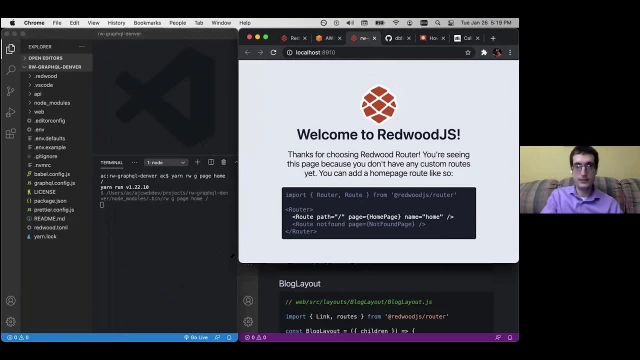
But the only thing you really need to worry about is what's happening here. On the left you have your front end, which is a bit like a Create React App, or like a Gatsby or a Next project. It has components, it has forms, it has your styling, it's your whole front end. But then your back end is where you have your GraphQL schema and you have your database as well. We'll get into that a little bit once we build out the project, but that's just a little idea of what the architecture is. What I really like about Redwood, though, is that you can just start building out an application. To me, that's kind of the best way to start wrapping your mind around it. So what I'm going to do is just fire up a brand new Redwood application. So what we're doing right now is we're using Yarn and we are creating a project called GraphQL Denver. So it's yarn create, then redwood-app. That's to create your Redwood app. This generates a boilerplate RedwoodJS project. RedwoodJS is a combination of a lot of different technologies. If you've ever used something like Ruby on Rails, the idea is kind of similar.
00:02:28 - Anthony Campolo
That's a bunch of different libraries kind of glommed together into one big integrated thing that makes it easier to work with all of them. And React is your front end and GraphQL is how your front end speaks to your back end. So this is why I'm really excited to talk about Redwood at a GraphQL talk, because I think that RedwoodJS is a really great example of how to take advantage of the potential of GraphQL. Because when we think about GraphQL, one of the things that makes it really nice is that it allows your front-end devs to have a very easy way to speak to the back end to get the data they need. Instead of having to do this whole dance around creating REST endpoints and constantly creating new endpoints to get the exact data that your front end needs, you can instead just have a consistent way for the front end and the back end to speak to each other. And the problem, though, is that actually creating that GraphQL API is a huge struggle and it takes a ton of time and a ton of startup effort. So frameworks like Redwood and services like AWS AppSync are really nice for giving you that ability to essentially have all that stuff baked in so you can just hit the ground running and have a whole project with GraphQL that's going to work very well and be integrated very simply.
00:03:59 - Anthony Campolo
So while that's kind of building out, the other thing that we're going to be talking about is AWS AppSync. And AWS AppSync is a managed service for GraphQL APIs. If you've ever used something like API Gateway, it's a way to kind of stitch together a lot of your services so that they can talk to each other. It's the same kind of idea with all these things. The thing that makes GraphQL nice is that it's a middle layer between your front end and your back end. So you'll frequently hear people ask: is GraphQL for front-end devs or for back-end devs? And the answer is yes, it's for both. That's really kind of the idea here with GraphQL. So now that we've got our project generated here, we have some information on how to join the community, how to get some help and all that. And what we're going to do then is we're going to cd into our project and then we're going to open our project and we're also going to start our development server. So all the commands are going to start with yarn rw for Yarn Redwood, and then dev is for your development server. Your development server will kick off on localhost:8910.
00:05:32 - Anthony Campolo
And that's what we'll be able to see — our kind of boilerplate Redwood application. And it's going to just say, hello, this is Redwood, and it gives you a little bit of information about how to create routes and we don't need to worry too much about how to do all that. So we'll leave that running over there on localhost:8910, and then let me just get all this set up. Get that there and we'll get this over here.
00:06:06 - Audience questioner / moderator
Cool.
00:06:07 - Anthony Campolo
All right. And now what we're going to do is we're going to generate some pages. Redwood comes with a lot of really nice CLI commands out of the box. It uses Yargs and it's a great way to generate any sort of part of your Redwood project. So right now we're going to do yarn redwood generate. We're going to generate a page and it is going to be called home. So it's going to be our home page. And then the path is going to be forward slash. And then over here, this is going to update once it generates the page and it's just going to give us a basic little boilerplate saying homepage, all that. So that's pretty cool. And then we're going to do the same thing, but we're going to generate an about page. So now we're going to go to forward slash about, and we see the same thing about. And if you see here, we search about, you see where the word about was inserted versus home, where we had home inserted. And then the next thing we're going to do is we're going to generate a layout. And what the layout is going to do is wrap our pages.
00:07:29 - Anthony Campolo
So if we look at our project here, this is our homepage that we're looking at over here. So if we want to change that to GraphQL Denver and save, then we'll see the change reflected over there on the right. Make sure we get that capital L there. And so that's our homepage. And then our about page is the same sort of deal, but in our layouts, this is how we're going to actually be able to wrap both of our pages. We're going to take this blog layout here, and once we create this layout, we're going to bring it into our homepage by importing the blog layout and then wrapping our content with that blog layout. We go to the homepage over here. And now if we go to about, it'll take us to our about page. And we're not going to see the same layout because we haven't imported that layout into our about page. So we'll do the same thing here on our about page. And then now we can switch between our homepage and our about page. So that's pretty cool. That's kind of what you would get from something like Gatsby or Next — a front-end framework that handles your pages and maps your components to your pages.
00:08:54 - Anthony Campolo
It gives you layouts and all that stuff. So that's great. But there's a lot more going on here with Redwood, which is what we're getting to now with Prisma. Now Prisma is what's called a next-generation ORM. What this means is they don't want to call themselves an ORM, because ORM is a dirty word, but it's basically an ORM. An ORM is something that maps your objects to your relations — relations being SQL. So all this is is letting you not have to write SQL. So we're creating a post model and it's going to have an ID, a title, a body, and a createdAt. Once you've done that, we can create a migration. The migration is what's going to generate our SQL and then we're going to be able to apply those SQL commands to our database. Once we do that, then we can actually scaffold out our entire blog interface. Now, if you ever watched the Ruby on Rails demo from back in the day, this is a kind of similar thing in the sense that you can basically run one command that's going to do everything for you. Now, once we generate our scaffold, we'll be able to go to forward slash posts.
00:10:18 - Anthony Campolo
And then this is what's going to have our whole kind of blog interface that's going to let us create posts or update posts or delete posts. And it's also going to have a nice little UI to let you do all those different things you want to do with your blog posts. So first it says loading and it's checking to see if there's any blog posts in the database. And once it sees that there's no posts there, then you can say, all right, I want to create a post. We want to call it GraphQL Denver. Once we do that, then you get your post. Then if you want to edit the post, you can edit it. Once we've done that, this is where we start getting into the GraphQL stuff. We've got our blog post in our database, but what we want to do is we want our front end to be able to query our back end and get that data. The way we're going to do that is with something called a cell. And a cell is a really nice convention that Redwood has created to make your data fetching declarative. This means that you don't have to worry about whether the data is loading or empty or success.
00:11:43 - Anthony Campolo
It's going to handle all that for you and do all that mapping for you. Now, if we go to our blog posts cell, this is our BlogPosts cell here. And right now it's giving us an error because we have a schema over here, which is our GraphQL schema definition language. So if you know GraphQL, this should look very familiar. We're defining our GraphQL schema. Our schema has a post which has an ID, a title, a body, and a createdAt. It has a query which gets you the posts. Those posts give you an array of these post objects. Or you can search for a specific post by providing the ID of that post. And then you can also create a post, update a post, or delete a post. So if we look back at our cell here, it's telling us, "Cannot query field 'blogPosts' on type 'Query'. Did you mean 'posts'?" So this is also showing you here that there's a lot of really nice tooling built in here because things like Prisma are built with TypeScript. So there's all this typing behind the scenes that kind of lets you get the benefits of TypeScript without necessarily having to write TypeScript, which is really nice.
00:13:08 - Anthony Campolo
So we're going to change that to posts, that to posts, that to posts. And then once we do that, we actually want to bring in the blog posts into our homepage. So if we go back to our homepage here and we import the BlogPosts cell into our home page, now what we're going to see is we're just going to see the ID. And the reason for that is we have this query up here. So this is a GraphQL query. Right now our query is asking for the ID of the posts. But if we didn't want the ID, maybe instead we want the title. And then we will get the title on the left, as you can see there. And if we want to actually get everything, then we want to do this. So now we're asking for the ID, the title, the body, and the createdAt date. So we see all that. And then the last thing we can do is we can also make our blog post look a little nicer with this here. So this is just creating a little component for us. Taking the ID, setting it to the key, taking the title, setting it to an H2, taking the body, setting it to a paragraph, and then setting the date time as well.
00:14:34 - Anthony Campolo
So now it's actually going to look a little bit more like a blog over here. Cool. So that is kind of the Redwood example. And as you can see, GraphQL is just baked in. GraphQL is what is allowing you to talk to your back end. Right now, our front end is speaking GraphQL to our back end. So you didn't have to do anything to get all this GraphQL power out of the box. And going back to the beginning of the talk, when I was saying what we really want is we want to just be able to write GraphQL queries on our front end and just do it. So this is why Redwood's really amazing. Now the next thing I want to show is AWS AppSync. This is going to be a way to actually create a GraphQL API that you can then query. So a GraphQL API is actually hosted somewhere and it's attached to a database, and we're going to create just a basic little API. There's a lot of different ways to do this. I'm going to be doing kind of the very simplest, most basic way.
00:15:43 - Anthony Campolo
So I'm just going to build out a blank API from scratch and we will call it GraphQL Denver. And we are going to first create a schema. So we were talking about the schema definition language in Redwood. This is the same thing — schema definition language. And this is going to first define our schema. Before we even create the schema, you have to declare that we're going to create a schema at all. And that schema is going to have queries and it's going to have mutations. So queries are when you are asking for data from the database, and mutations are when you want to change data in the database, whether that's creating a post or updating a post or deleting a post. Then we want to be able to do a query. And what that query will be is querying a post by the ID. So this should look pretty similar to the same schema that we were looking at with Redwood. And then we also have mutations. This only shows putPost right now because once we actually create the database, it's going to give us some more mutations.
00:16:59 - Anthony Campolo
So we'll hang tight on that for a second. And then this is our actual post type, much like how Redwood had a post type, except this one's even more basic. It doesn't have the createdAt or the body, it just has the ID and just has the title. So once you do all of that, you can save your schema and once you actually save the schema, you can create the resource. So this is the power that you're really getting from AWS AppSync here — it's going to do the mapping from your schema to a DynamoDB database. So we're going to use an existing type that we just created, which was our post type. And then we're going to create a table that is just called blogPostTable. And now here are those extra mutations. Now we're able to create a post, update a post, or delete a post. And then we also have more queries. Now we're able to get all the posts if we want instead of just getting a single post. And that also gives you subscriptions as well, which is a higher-level GraphQL concept that you can't necessarily get from using just something like Prisma.
00:18:12 - Anthony Campolo
Then there's a lot more stuff here we don't really have time to get into, but that is pretty much all you need to know for now. Once you have actually created the DynamoDB table, then we can start interacting with your database directly by going over to queries. This is one of the things that makes GraphQL so cool — you also get all this documentation kind of built in immediately. So if we wanted to create a post, then we can do a mutation. And our mutation that we want to do is we want to create the post and we want this post to have a title. So you can use this thing over on the left or you can type it out over here either way. And we want our title to be GraphQL Denver. And then you see here how it's giving you an error because we need to actually specify the ID. But what's really cool is that even if you still try and run this query, it's actually going to fix it for you. It's going to give you that ID and say, okay, we know that this really should error, but we know what you want to do, so we're going to just create the thing for you.
00:19:31 - Anthony Campolo
So there's a lot of tooling built into this. That's really, really nice. And then if we wanted to do a query to get this post, then we can do that and we can do it with this ID and this will just give us the ID back, which isn't very exciting. If we want instead to get the title back, we do that. And GraphQL Denver. So that's the demo for AWS AppSync. So my idea here is just to give you an idea of what each of these things are and help you start to wrap your mind around them. What's really cool though is that we actually have a community member who has written this blog post called "Calling a GraphQL API in RedwoodJS." This is Daniel Doubrovkine, something like that. And he basically wanted to know how do you get Redwood to talk to AWS AppSync? As far as I know, this is the only person who's ever created a project that actually combines these two things. So for someone who really likes new tech and figuring out how to smash new tech pieces together, this is a cool space to be in because it's pretty new stuff.
00:20:37 - Anthony Campolo
And he actually had asked about this on the community forum and I had done a very similar project with FaunaDB. So I kind of showed him how I set up my FaunaDB back end and then he kind of ran with that and set up his AppSync in a similar way. So the most important thing you really want to look at here is in the API. This is the schema. So he's just setting up a schema with restaurants and zip code and then a query for the restaurants based on the zip code. So that's pretty simple. And then he is using the graphql-request library. So he's creating a request and then it's an async function that is basically hitting an endpoint, and that endpoint is being provided to you by AWS AppSync. And then you also get an API key along with that. So if you are hosting this on a Netlify or Vercel, you would go into the dashboard to set the environment variables and set the API key. Then they're doing a GraphQL request and hitting it.
00:21:56 - Anthony Campolo
And then the actual request that it's doing is the services here. And then this is the actual request. You're setting a query and it's using the zip code and then getting back the restaurants with that zip code, and that's bringing in the request from that other file that we were just looking at. So this is essentially how you would take a Redwood application and set up an AWS AppSync API and get them combined to actually talk to each other. And then this is his repo if you're interested in checking this out — redwood-js-appsync-graphql-demo — and he's got this great blog post and also this community post about it as well. So yeah, that is the whole presentation.
00:22:54 - Audience questioner / moderator
Sweet. Yeah, that was super awesome. We got some time left for questions. Looks like Ken had one in the chat: can AWS AppSync be used to query services that you subscribe to in the AWS universe? Things like S3, RDS, EKS, EC2, along with the links between those objects.
00:23:20 - Anthony Campolo
Yeah, that's really the main value prop of AWS AppSync — it's something that can be stitched together with any AWS service you want. It's that middle layer. So you could do RDS, DocumentDB, or DynamoDB. I only showed DynamoDB, so I didn't even cover those other databases. So it's going to do that mapping between the different databases or the different storage services for you, and you just have to worry about creating that schema, and that's what makes it really, really useful if you're someone who's already super bought in to the whole AWS ecosystem, because you may already have all these projects. And if you're more interested in getting an overall view of what services you've subscribed to, not about querying the services they're in, yeah, you could do subscriptions on it. So I would imagine that's something you could also wire up. That's not something I have dug into too much yet, but that's definitely a feature that it supports, I believe.
00:24:23 - Audience questioner / moderator
Yeah. Again, thank you for your presentation. That was awesome. It does support async querying through subscriptions, which is really awesome, because I've done implementations where we've used GraphQL, specifically AppSync, to get live feedback from other AWS services as we're executing against them. So it's actually really awesome.
00:24:48 - Anthony Campolo
Yeah, I think a lot of this stuff is fairly similar to something you get from Firebase in that both of them were kind of created as these mobile back ends that web people are now starting to take advantage of. So that kind of real-time subscription functionality — I can imagine that was one of the original use cases. The web stuff is actually kind of us shoehorning ourselves into this mobile world, because these things are so useful. Any other questions about AppSync or Redwood? Happy to answer. Yeah, it looks like in the chat someone's saying that they want to do a demonstration of using Apollo, Postgres, and an ORM — yeah, that sounds like Redwood. Because Redwood is using Apollo as the client, you don't really notice it too much. But that's kind of what's baked in. That's what's doing the GraphQL stuff from your front end to back end. Apollo is the client, but you don't necessarily need to use Apollo.
00:25:57 - Anthony Campolo
There are some people who have started to use React Query or GraphQL Hooks — there are actually all these people who are starting to swap out Redwood's client for a different client. So that's super interesting.
00:26:12 - Audience questioner / moderator
I was going to ask about that actually — about the client portion of it, if you can hot swap Apollo with something else. So that's pretty interesting.
00:26:22 - Anthony Campolo
Yeah, that's really cutting edge. The people who've been doing that — this is just in the last couple of weeks on the newest Redwood release — so yeah, it's really cool stuff. It's something I'm really interested in. And yeah, basically the thing is the bundle size — Apollo's really heavy. And some people want different caching defaults. So that's why you have people looking at stuff like URQL. The whole caching layer is still kind of complicated no matter what you use. And some people want a more manual cache, some people want more default cache. Yeah, there are just different opinions about what people want their client to even do for them in the first place.
00:27:00 - Audience questioner / moderator
Yep, gotcha. That is cool that it uses Apollo by default and it's kind of invisible though. That is pretty nice.
00:27:10 - Anthony Campolo
Yeah. That was what I really enjoyed about learning it — learning Redwood was a really good way to learn GraphQL without having to figure out all of what it takes to set up a GraphQL server and a GraphQL client and get those to talk to each other. And that's such a huge startup cost, especially if you're learning GraphQL as you're also learning how to integrate the GraphQL tools. So that's one of the things I really like about Redwood and about AppSync as well, is that both of them give you an easy foot into this whole GraphQL world, which is so massive and complicated. But if you can get a foot in and start to wrap your mind around it, for me it was a really, really nice mental model that I really enjoy working with. And now I can't go without it. I can't work without GraphQL.
00:27:53 - Audience questioner / moderator
Yep, I hear you.
00:28:01 - Anthony Campolo
Does Redwood require a schema ahead of time or can it query a dynamically created schema at runtime? I don't believe that is something we can do right now. It's something that I think we'll probably be interested in looking at doing in the future. Right now, because the CLI allows you to kind of generate your schemas and your schema is really well integrated with Prisma, the CLI can kind of do most of what you want to do in terms of actually creating your schema. But in terms of schema stitching and that kind of thing — yeah, because when I think about querying a dynamic schema at runtime, for me it's a question of: what are you trying to do with that schema while runtime data is being generated on the fly on a constant basis?
00:28:57 - Audience questioner / moderator
Yeah. Apollo Federation has some solutions for that. If you have multiple GraphQL servers that you're trying to tie together, I think it's technically a hosted product, but they have basically a federation service that sits between all your GraphQL servers and the client, and the federated gateway layer will continually fetch, doing introspection queries against the individual servers and then collect them all together that way. So that is kind of their solution for some of that. But there is also some wonkiness that comes with that with the downstream clients, where you don't have that information up to date at build time — what you have at build time versus runtime is different, and things get kind of crazy.
00:29:58 - Anthony Campolo
Yeah, there are a lot of people looking at GraphQL Mesh and these different schema stitching options. That's a little bit over my head at this point, but feel free to hop into the forums or the Discord. I'm sure there's someone in the community who has thought of this and could give you a more sensical answer. Cool. Any other questions for me? And then just so people know, AJC Web Dev on the internet — my Twitter is open if anyone wants to send me messages, or if you're interested in getting involved in Redwood, redwoodjs.com will get you to the Discord and the forums and all that. We're very focused on making this an open-source project that has buy-in from the community. I'm someone who just saw Redwood, thought it was really cool, started contributing to it, and eventually got onto the core team. So we're very much open to getting as many people involved as possible. It doesn't matter what your level is. I came in as a bootcamp student who barely knew how to do anything and have just learned a lot by getting to be a part of the community.
00:31:08 - Anthony Campolo
So yeah, happy to help anyone get onboarded onto any of this stuff.
Discover Related Content
- Fullstack GraphQL with AppSync - Mintbean - Earlier talk covering AWS AppSync architecture and managed GraphQL APIs in depth, a direct companion to this session
- Fullstack Jamstack Development with RedwoodJS - Async - Same live-coded RedwoodJS walkthrough covering Prisma, cells, and Netlify deployment from a different meetup
- Using Storybook with RedwoodJS - Lunchdev - Companion session showing Redwood's cell convention and component-driven development workflow with Storybook
- RedwoodJS the JS App Framework - JavaScript Jam - Extended RedwoodJS discussion covering deploy options, framework comparisons, and the Prisma and Apollo layers underneath
- RedwoodJS with Peter Pistorius - RedwoodJS co-creator covers the cell abstraction, GraphQL client flexibility, and build tooling decisions behind the framework