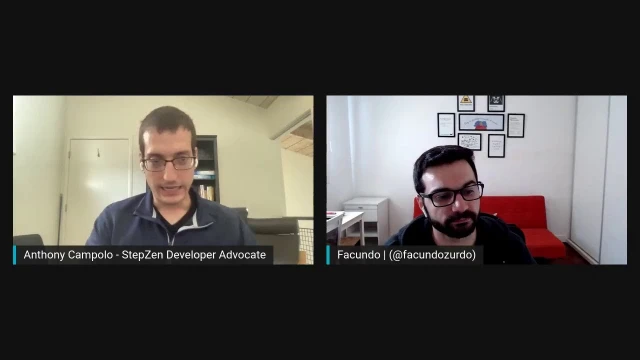
Mix Storyblok and StepZen Data with Facundo Giuliani
Anthony Campolo and Facundo Giuliani from Storyblok discuss headless CMSs, Storyblok's features, and integrating with StepZen's GraphQL API
Episode Description
Anthony Campolo and Facundo Giuliani explore Storyblok's headless CMS, demonstrating its GraphQL API, visual editor, and StepZen integration.
Episode Summary
In this livestream, Anthony Campolo welcomes Facundo Giuliani, a developer relations engineer at Storyblok, to discuss headless content management systems and demonstrate how Storyblok works in practice. The conversation begins with an explanation of what a CMS is and how headless CMSs differ from traditional platforms like WordPress by decoupling the backend content layer from the frontend, allowing developers to use any programming language or framework they choose. Facundo explains Storyblok's organizational model—spaces, stories, folders, and blocks—and highlights features like role-based access control and multilingual content support. The hands-on portion of the stream walks through creating content in Storyblok, querying it via the GraphQL API using both the built-in GraphiQL editor and Insomnia, and then connecting that endpoint to StepZen's GraphQL API gateway to show how multiple data sources can be unified under a single schema. The session closes with a demo of Storyblok's visual editor, which lets non-technical content editors preview their changes in a live frontend before publishing, eliminating the need for developer-assisted deployments. Throughout, the discussion underscores the complementary priorities of developer experience and business-user accessibility that shape Storyblok's design philosophy.
Speakers
- Anthony Campolo
- Facundo Giuliani
Chapters
00:00:00 - Introductions and the DevRel Landscape
Anthony Campolo opens the stream and introduces Facundo Giuliani, a developer relations engineer at Storyblok based in Buenos Aires. Facundo shares his background as a developer of nearly 15 years who transitioned into developer advocacy, and the two discuss how they connected through the Jamstack community and a forthcoming podcast episode.
The conversation turns to the different roles within developer relations. Facundo explains that his work leans toward community engagement and content creation—linking developers with the product and spreading awareness about headless CMS concepts—while his Developer Experience colleagues focus more on building technical integrations between Storyblok and other frameworks and services.
00:03:22 - What Is a CMS and Why Go Headless?
Anthony asks Facundo to define a content management system for anyone unfamiliar with the term. Facundo describes traditional CMSs like WordPress and Drupal as full-stack platforms that bundle a backend admin panel with a tightly coupled frontend, which forces developers into specific technologies like PHP for rendering content on the web.
He then explains how headless CMSs solve this limitation by exposing content through an API, freeing developers to consume that content from any programming language, framework, or even non-web platforms like mobile apps and smart devices. Facundo cites a Storyblok tutorial that integrates with Amazon Alexa as an example of this flexibility, reinforcing the core value proposition of decoupling content management from content presentation.
00:09:02 - Jamstack Philosophy and Storyblok's Framework Agnosticism
The discussion shifts to how headless CMSs fit into the broader Jamstack philosophy of offloading infrastructure concerns so developers can focus on building value. Facundo explains how services like Storyblok let teams skip maintaining their own content platform and instead connect directly to an API, pairing it with static site generators to pre-render pages for speed and caching benefits.
Anthony then navigates Storyblok's website and technology hub, highlighting its support for frameworks like Next, Nuxt, Gatsby, Svelte, Angular, Ruby, and Django. The two discuss the SDKs, tutorials, and boilerplates Storyblok provides to ease adoption across languages, and Anthony playfully notes that the Sapper tutorial needs updating now that SvelteKit has replaced it.
00:17:04 - Spaces, Stories, Blocks, and Content Organization
After logging into Storyblok, Facundo walks through the platform's core organizational concepts. A space corresponds to a project, stories represent individual content entries like blog posts or pages, and blocks are nestable components with customizable fields such as text, images, and assets that live inside stories.
Anthony observes that the hierarchical folder structure can present a learning curve but ultimately makes the system intuitive once the terminology clicks. Facundo agrees and adds that the folder hierarchy enables powerful features like role-based access control—restricting which editors can view or modify content in specific folders—and multilingual content management, where translations can be configured and consumed through the API at the folder level.
00:24:23 - Creating Content and Querying the GraphQL API
Anthony switches to a hands-on demonstration, creating a test entity with a post content type that includes a title, intro, and long text fields. Facundo explains that these templates are customizable starting points rather than rigid structures, and that every tab and field can be reconfigured through the component settings to suit a project's needs.
The demo then moves to Storyblok's built-in GraphiQL editor, where Anthony queries the post items to retrieve the title and intro he just created. He also shows how to make the same GraphQL request from Insomnia using the API token, illustrating the straightforward developer workflow of connecting to the endpoint, passing credentials, and receiving structured content data back.
00:33:36 - Integrating Storyblok with StepZen's GraphQL Gateway
Anthony introduces StepZen, a GraphQL API gateway, and sets up a new project to demonstrate how Storyblok's endpoint can be consumed through it. He walks through the project structure—an index file for combining schemas, a config file for storing the API token, and a schema file with custom directives that point to Storyblok's GraphQL endpoint and pass the required authentication headers.
After deploying with a single command, he queries the StepZen endpoint and retrieves the same entity data, then extends the schema to include content fields like title and intro. Facundo highlights how compelling it is that StepZen can unify multiple data sources under one GraphQL layer, and both agree that GraphQL's growing popularity makes this gateway pattern especially valuable for modern projects.
00:38:38 - The Visual Editor and Closing Thoughts
Facundo introduces Storyblok's visual editor as its standout differentiator among headless CMSs. Using a demo space, he shows how the editor displays a live preview of the actual frontend application alongside the content editing form, connected via an iframe to a deployed or even localhost instance. This lets content editors see exactly how their changes will appear without needing a deploy or developer assistance.
Anthony and Facundo wrap up by discussing how the visual editor empowers non-technical users to rearrange blocks, add components, and publish changes instantly, including triggering webhooks for automated builds. They share links to Storyblok's website, v2 beta program, technology hub, and their respective Twitter accounts, and thank the audience for watching the stream.
Transcript
00:00:02 - Anthony Campolo
All right. Hello, everyone. We are live at the StepZen Stream. Super happy to have Facundo Giuliani with us here. Oh, that is not what we want. So why don't you go ahead and introduce yourself and tell us who you are.
00:00:19 - Facundo Giuliani
Cool. Thank you for the invitation. My name is Facundo Giuliani. I'm from Argentina—I live in Buenos Aires. I'm the developer relations engineer at Storyblok; I'm part of the Developer Experience team. I worked as a developer for almost 15 years, and now I've changed my path and I'm working on developer relations and developer advocacy, taking my first steps in this new world.
00:00:58 - Anthony Campolo
Yeah, that's awesome. You and I got to know each other through the general Jamstack world. You're actually a listener of my podcast FSJam, which is really cool. We have an episode on the docket that we've already recorded that will be going out sometime in the next couple of weeks. And it's great that you're involved in this whole dev advocate, dev relations, dev experience world—something we talked about a little bit on the podcast. There's this whole big bucket that I kind of define as devrel, and I think of specific jobs within it: some are more community-focused, some are more tooling-focused, and some are a weird intersection between the two. So how do you think of your specific role within this larger bucket of devrel?
00:01:48 - Facundo Giuliani
I would say my role is more related to the community—to create and generate content and share that with the community, to attend and speak at events and conferences. At Storyblok, we don't really divide—it's the same area and the same team—but we have Developer Experience engineers and Developer Relations engineers. The Developer Experience engineers are more focused on creating integrations between Storyblok and other tools, services, and frameworks. The Developer Relations engineers are more about generating content, trying to link developers with the product and make life easier for the developers who are going to use Storyblok, and trying to spread the word about headless CMSs—what they are, what the benefit is compared to a traditional content management system. I think my role is more focused on content generation.
00:03:22 - Anthony Campolo
Awesome. That's the thing I enjoy the most in my role—I really enjoy explaining tech. Building the tech is also fun, but for me I like building self-contained examples that show how something works on a bigger level. That's the idea behind a lot of these streams: we take a very simple proof of concept and build it out to show how this stuff works. When we get into what Storyblok is and what a headless CMS is—if you're a developer you probably already know, because it's a big trend in the industry right now. But for anyone who hasn't heard the term, how would you describe it? First, what is a CMS, and then how is a headless CMS different?
00:04:08 - Facundo Giuliani
A CMS is a content management system—an application that helps not only developers but content creators to manage, create, and maintain content and make use of it. The traditional CMSs, and I'll use that term loosely, were focused on the web. Some examples are WordPress and Drupal. On one hand you have an admin panel or a backend that content creators use to generate content—articles, blog posts, different pieces of content—that will be used in the front end of a web application or website. What WordPress, for example, offers is a complete platform: you have the backend to generate content and integrations already built for the front end, which you can use to display the content in whatever HTML format or style you want.
00:05:34 - Anthony Campolo
And it's like a full-stack solution in the sense that there's a back end.
00:05:38 - Facundo Giuliani
Exactly. The concept of the content management system was born that way. The thing is, traditional CMSs like WordPress were forcing developers to use certain technologies for the front end. If you wanted to create a website or web application to consume the content you're creating in the backend, you were forced to use PHP—so that PHP is server-side—
00:06:20 - Anthony Campolo
Anything but that.
00:06:22 - Facundo Giuliani
Well, those are options that you have and we're not going to discuss that—that's not the focus.
00:06:30 - Anthony Campolo
So no PHP hate—just a little joke there. No PHP hate.
00:06:33 - Facundo Giuliani
No, no—that's a choice. My point is that you are forced to use PHP. So if you wanted to create a website or web application, the alternative for using the content generated in the backend was PHP. The concept of headless CMS appeared trying to make that idea more flexible—you are not forced to use a certain framework or programming language. The headless CMS is the backend part we mentioned before: it allows content creators to manage and create content and then exposes that content to developers, for instance through an API you can consume from your application. What this offers is not only the ability to use any programming language or technology you want to create a web project, but also the possibility to consume that content in other types of applications—like a mobile application or a smart device application.
00:08:04 - Facundo Giuliani
There's an example on the Storyblok blog where one of our team members created a tutorial about how to consume Storyblok content from Alexa. That's a possibility that opens up because you're not forced to use a certain programming language or technology for the front end of your application.
00:08:32 - Anthony Campolo
Would you say that's possible because you have APIs that you can access Storyblok through?
00:08:38 - Facundo Giuliani
I would say that's the reason. You can store, manage, and deliver content in different ways, but having an API is a way of giving developers the ability to consume the content from any technology platform they choose.
00:09:02 - Anthony Campolo
Yeah, it's definitely the A in Jamstack—JavaScript, APIs, markup. Even though the acronym is kind of being phased out, I still think it's a useful way to think about this stuff. You and I both exist in the space of the API. And it's cool because I think of things like headless CMSs as backends as a service. Not in the sense that you can just create whatever back end you want and spin up a Docker container—but it's owning the data layer itself and saying, "We're going to handle your data, we're going to make sure it's saved, backed up, durable, and highly available." Then you can grab that data and do whatever you want with it—create any sort of visuals, any sort of front end. But you're owning the backend layer.
00:09:58 - Facundo Giuliani
Yeah, exactly. And in fact, that's probably more related to the Jamstack—the concept of the Jamstack and the way of creating web applications with it. One of the main ideas of the Jamstack movement is not worrying about how to maintain an application and instead focusing on creating what generates more value for your product. If you don't need to handle or maintain a platform where your content creators can create content and deliver it, you can use a service like Storyblok. The only thing you have to do is link the Storyblok platform to your application and let the content creators use the Storyblok control panel to create the content you'll consume in your front end however you want. And because you're not tied to a certain programming language or technology, you can use other popular members of the Jamstack movement—like static site generators. You can grab content and information by calling the API of your headless CMS and generate static pages to use in your web application.
00:11:35 - Facundo Giuliani
Take a simple example: a blog site where you're creating articles and blog posts. Using a traditional CMS that forces you to use PHP, what you're doing is server-side rendering your blog post page whenever a new user visits your site. But a blog post is created using text and other static assets like images and videos—you don't really need to render the page from scratch whenever a user visits it. You can save the static version of that page in a hosting service and the user can visit this static asset, which can be cached, making it even faster. The page will always be the same for any user visiting your website.
00:12:47 - Anthony Campolo
Yep, totally. Let's get into checking out Storyblok. We're going to do two things: first start totally from scratch, build up a very simple blog post, and show how to connect to the GraphQL API. Then we're going to spin up one of your premade templates and play with the visual editor, which is a really powerful feature of Storyblok. But first let's go ahead and share my screen and take a look at the home page here. I was looking at how companies pitch themselves—you're saying you're going to organize your content for the world. That's a very lofty goal. What I appreciate and think is a very true, good way to put it is that you're for developers and business users. This is what we're going to explore with the two different approaches: building from scratch and connecting to the API is the developer way to do it.
00:13:57 - Anthony Campolo
And the visual editor is more the business user way of doing it. Does that dichotomy between the two make sense to you?
00:14:06 - Facundo Giuliani
Yes. Sorry, I was going to say that. We consider the developer experience because developers are the ones who are going to create the product—ultimately the development team makes the decision of adopting a service or not. But on the other hand, you also have to think about the people who will use the product and the application every day, and try to get the best user experience you can. That's why it's a good approach to focus both on the developer experience and on the end user.
00:14:51 - Anthony Campolo
Something else I appreciated when I first saw this: you have this spread of frameworks, and I'm an aficionado of front-end frameworks, so I recognize every single one of these. You have Gatsby, Gridsome, Laravel, Nuxt, Next, React, Svelte, and Vue. To me this is screaming framework agnostic—that's the point.
00:15:18 - Facundo Giuliani
Exactly, and not only that. If you go to storyblok.com/technologies, that's our technology hub where you can see hubs for some of the most frequently used front-end frameworks nowadays—like Next, Nuxt, and Gatsby. But you can scroll down a bit and you'll see that we've
00:15:45 - Anthony Campolo
got Angular and Ruby and Django and ASP.NET.
00:15:49 - Facundo Giuliani
Yeah, exactly. What we're trying to do—Storyblok has an API you can consume from any programming language or framework because it's an API. But we also try to create different SDKs you can use in your applications to make that work easier. So if you go to the different hubs or pages for all the languages and frameworks, we have tutorials.
00:16:19 - Anthony Campolo
Well, you've got to update this one though, because Sapper's dead. I'm sorry.
00:16:23 - Facundo Giuliani
Yeah, sorry—I'm not the Svelte expert.
00:16:26 - Anthony Campolo
Sapper has been replaced by SvelteKit, so you're going to want to update this and do a SvelteKit tutorial.
00:16:34 - Facundo Giuliani
That's a good suggestion—I'll note that for the team. But yeah, we have tutorials, npm packages, NuGet packages for ASP.NET, depending on the programming language you want to use. We're trying to make the work easier for developers. Well, that's the developer relations role, right? Trying to make developers' work easier.
00:17:04 - Anthony Campolo
Yeah. So now that we've logged in here, this is what you see when you first get in. So what is a space?
00:17:13 - Facundo Giuliani
The idea of a space is a way of organizing your content. The most frequent comparison I like to use is that a space is a project. If you have a blog, you'll create one space for your blog. If you have an application, you'll create one space for your application. If your application has more than one front end because you're using the same content in a web project and a mobile application, you can use the same space. So let's say a space is a project—that's what we'll say for now.
00:17:56 - Anthony Campolo
Cool. Then once you create your first space, you can create a folder in your space. What does a folder represent?
00:18:07 - Facundo Giuliani
The way of organizing content in Storyblok is that you can create stories, which you can link to pages or types of pages in your web application. But again, as Storyblok is front-end agnostic, you're not forced to create a page—let's use the concept of page or entity. You can create stories that represent authors and you don't have any page for an author. You can create a type of page that is a blog post and use that story type to create blog posts. On the other hand, we have the blocks, which are the components you'll use inside your stories. Blocks are nestable components you can define with different fields or components inside them. You can use custom fields, text fields, images, assets, and so on.
00:19:19 - Anthony Campolo
What I find interesting about this is that these concepts are all hierarchical—you have a big bucket, then something that exists within that bucket, and then levels throughout. It can be a little challenging when you first get into a system like this because of all the terminology: you need to know what a space is, what an entity is, and you need to map those to something that makes sense to you. As a web dev, you have pages and things like that, but it makes sense because it's hierarchical. As long as you understand the hierarchy, you can always know what you're actually creating and how it relates to everything else. It's really clean in that respect because it makes sense as its own self-contained system. Do you find that's a challenge for people trying to learn the terminology and get spun up with Storyblok?
00:20:15 - Facundo Giuliani
Yeah, probably linking the idea of components with blocks, and the idea of how to organize stories and components—you can define components as content types, which are the structure of the stories you can create, and on the other hand, the blocks, which you have to define yourself. Getting familiar with that at the beginning is kind of hard, but not super hard. I think those are concepts that once you learn how to use them, you'll be able to take advantage of them. As for the hierarchical organization of content, personally I think that's a really good feature. If you work on your computer and you're a writer, you probably tend to use a hierarchical organization with folders and documents. Using the same philosophy in the backend of your headless CMS is probably a good idea too.
00:21:26 - Anthony Campolo
Projects, Git, anything like that—it's always folders and folders and folders.
00:21:29 - Facundo Giuliani
You know, it's a way of organizing content and it's easier to maintain, easier to find certain content if you have different types of sections in your web application. You know where to find a certain story by going to the particular folder where you're storing that kind of story. And on the other hand, we probably won't have time to cover this today because it would take longer than the example we're doing, but Storyblok offers some features you can take advantage of through the folder structure. For instance, using Storyblok you can create custom roles for users and give them permission to view only, edit, or be hidden from stories inside certain folders.
00:22:25 - Anthony Campolo
Right. So you're introducing RBAC—role-based access control—baked into the CMS itself.
00:22:34 - Facundo Giuliani
Exactly. You can have roles like admin, developer, or editor—a certain type of editor probably can't see certain stories or create certain types of stories or documents. That can be done at a folder level: you can say, "All the editors don't have access to this particular folder." On the other hand, another feature that works with the folder structure is translations. You can create multilingual applications with Storyblok and handle the translations of content using Storyblok itself. You can set translations at the folder level—saying, "All the content stored in this folder is going to be translated," and you'll have the same blog post in different languages. You can handle that at a folder level.
00:23:41 - Anthony Campolo
Wow, that's really cool. I once went down a whole rabbit hole with Redwood where we were translating the tutorial. Anyone who hasn't tried to work on a multilingual site—the amount of issues that fall out of that seemingly simple requirement is massive. It's crazy how much work goes into doing something like that.
00:24:06 - Facundo Giuliani
Yeah, that's true. What's cool is that you can consume that later using the API. You can define the languages you want available in your space and consume them through the API in your application.
00:24:23 - Anthony Campolo
Yeah, totally. I'm just going back and looking at my gist real quick because what I wanted to do is create a post. When you create your first entity, you can define a specific post, right? Yeah, that's what I want to do here. Let me go ahead and go back to sharing. We have a space—let's delete that. We want to create an entity. There we go. This is a test entity. And I want to create a post, not a blank thing—a post is going to be something specific, basically like a blog post. So this is fairly intuitive. This is the title of the post, this is the intro, and this is the long text. You've got most of the things you'd expect from an editor—bold, italic (which I don't know how to spell, apparently), and underline. This is what you get from most basic blog editors, right?
00:25:47 - Facundo Giuliani
Yeah. You're not forced to use these story types—they're suggestions and templates that you can use and edit for your project. You can say, "For the post content type, I want to add these other fields that aren't provided right now," and you can start adding them to your entities. Or you can even start an entity from scratch and define it yourself with whatever fields and details you want.
00:26:23 - Anthony Campolo
Cool. After we create our entity—just looking at my notes here—we have this config, which is how we can define the name, the slug, any tags, and all the stuff that goes along with creating a blog post.
00:26:47 - Facundo Giuliani
Those different tabs—status, config, tools—are tabs you can customize for the types. You can add details to those tabs using the components configuration in the space menu. All of that is customizable. What we're doing now is offering some common options for users who want to start working right away with some predefined entities and customizations. But you can edit whatever you want.
00:27:25 - Anthony Campolo
Awesome, that's really cool. I like that configurability—going back to wanting this to be good for both developers and business users, you want to give the configurability to developers while also giving a nice, simple onboarding experience for people who just want to edit the content and don't want to deal with all that crazy
00:27:45 - Facundo Giuliani
stuff. You can define it as flexible as you want. If you want to be more direct and say, "The content editors can create this entity, this entity, and this entity"—with the role of an admin or developer in your space you can define that. And for the role of the editor, leave a couple of options so as not to overwhelm them when they're using the application.
00:28:11 - Anthony Campolo
Exactly. Then we're also going to take a look at the GraphQL interface. You have a really great way of playing around with any sort of query you want to look at. I just want to test this real quick—let me share my screen here. I'm going to share my API keys and I'll delete this afterwards. If you go to your settings, you can see your API keys. This is the key we're going to use to access our GraphQL endpoint. You have this GraphiQL editor here. The way you access it is pretty simple—you have a browser endpoint and you just feed it your token and you're basically set up with this whole GraphQL interface. You can go to the explorer, which shows you what you can query for.
00:29:43 - Anthony Campolo
So I want to query for my post items and get the content. Let's just say I want to get the title. If we do that, we're going to see this is the title of the post, which I gave a very descriptive name to. Then we can also see the intro to the post—this is the intro.
00:30:04 - Facundo Giuliani
Well, it's working.
00:30:06 - Anthony Campolo
Yep, it is working. So this is our endpoint. And if we also go to the GraphQL API docs in Storyblok, we have these docs here. If we wanted to connect to it not just from the GraphiQL editor, but with something like Insomnia—let me kick open Insomnia and clear out the last thing I did. The way we're going to access it is very similar: we have a token, and we're sending it through the headers, then we send this exact same GraphQL request. If we do this and send it, we can see our data. This is what you expect—you want to be able to have an endpoint, connect to it, give your token, and get the data back.
00:31:19 - Anthony Campolo
This is the whole headless CMS dream right here—very simple. Just connect to it and get the data back.
00:31:27 - Facundo Giuliani
Yeah. The product team is working on improving the GraphQL to be even faster when you're consuming information from the API—they're working on the GraphQL API project, trying to improve some parts. We're also going to release a new version of the application soon. You can register for the beta program, and by registering you'll get early access to the Storyblok v2 application and be able to try and test the different features of the new version before the public release. You also have a chance to win a limited edition T-shirt with the Storyblok logo.
00:32:29 - Anthony Campolo
Hey man, I can always go for new T-shirts.
00:32:32 - Facundo Giuliani
There you go.
00:32:33 - Anthony Campolo
Take a look at that.
00:32:35 - Facundo Giuliani
If you want, you can go to storyblok.com/v2 and sign up there for the beta program.
00:32:48 - Anthony Campolo
Awesome, very cool. Now what we're going to do is get ourselves connected to a StepZen endpoint. Now that we've shown how you can get your endpoint and access it with your token, this is going to be the StepZen part of this. The way you do this is you create a blank project folder—it's going to be called stepzen-storyblok. It's going to have a single folder called schema and then a number of different files that make up our StepZen project. I'm pretty sure you've never used StepZen before, is that correct, Facundo?
00:33:36 - Facundo Giuliani
I've read about it. I had access to the beta version in the past, but I didn't use StepZen for a production project.
00:33:51 - Anthony Campolo
But you did play with it, though?
00:33:53 - Facundo Giuliani
I played with it a little bit, yeah.
00:33:55 - Anthony Campolo
Cool.
00:33:56 - Facundo Giuliani
Last year, I think, probably.
00:34:00 - Anthony Campolo
Yeah, it's been around for over a year now. So this is basically a way to spin up a custom endpoint—it's a GraphQL API gateway that you can feed any other endpoints into. We're creating an endpoint here called stepzen-storyblok. We have an index.graphql, which is how you feed in multiple different schemas—the idea being that as many GraphQL schemas as you have, you can combine them all into one meta GraphQL schema. Then there's a config file where you set your keys, setting our token to our token value. And this is where the really interesting stuff is. First, we're going to define a type for our post items and just get the name of those post items. The query is where most of the magic happens—we have custom directives that let us hook into different types of endpoints: a REST endpoint, a database connection string, or a GraphQL endpoint like we're doing here.
00:35:31 - Anthony Campolo
We're feeding in this endpoint that the Storyblok docs give us, providing the headers with the token, and that token is provided through our Storyblok config in the config YAML. This is all we have to do. We basically just mirror the schema that Storyblok already provides and then run stepzen start, which kicks open an endpoint we can query. And we have this interface here—it's very similar to the same editor we had over there, although we're working on a new one right now. We just want to get back the name of what we did. And there is our entity—this is a test entity. But that's not everything. We actually want to get the content as well. So that's where we'd define a content type with things like the title and the intro, which we'd also provide in the post item. We're just going to save and this will redeploy for us.
00:36:58 - Anthony Campolo
Then if we run this whole query, we can get back not only the name but the intro and the title as well—this is the intro, this is the title of the post. This shows how we can get hooked up to the API very simply with StepZen.
00:37:19 - Facundo Giuliani
That's super cool.
00:37:22 - Anthony Campolo
Yeah. Pretty sweet, right?
00:37:24 - Facundo Giuliani
Yes. You can then connect it to other applications, other services and consume them.
00:37:33 - Anthony Campolo
That's the whole idea—now we can also feed in any endpoints you want. It all goes into one consolidated GraphQL schema. That's why we call it a gateway. That term doesn't show up anywhere on our homepage, but when I'm describing it to other developers, it's just an API gateway.
00:37:54 - Facundo Giuliani
Exactly—that's a good concept.
00:38:00 - Anthony Campolo
Yeah, it's great. It's very synergistic with what you guys are building.
00:38:10 - Facundo Giuliani
What's cool is that GraphQL is very popular nowadays. Given this possibility of consuming different sources and using GraphQL for all of them, it's a cool feature to keep in mind when creating a project.
00:38:25 - Anthony Campolo
Yeah. And that's the whole idea of GraphQL—it's like a lingua franca that we can all agree on and use as one kind of universal language that we can all feed into.
00:38:35 - Facundo Giuliani
Yeah, I agree.
00:38:38 - Anthony Campolo
Let's take a look at the Visual Editor now. I know you're really excited about it—you think it's the main thing that makes Storyblok different from other headless CMSs. So we can create a demo space here. What is the Visual Editor and how is it different from other CMSs?
00:39:07 - Facundo Giuliani
If you remember the screen you used to fill in the information for the post item you consumed through the GraphQL API, you were filling each field using a form view—you had the title, the intro, the content itself for the blog post. That's one way of filling in information. But another way is using the Visual Editor, where on the right-hand side you have the same form view as before, but on the left-hand side you have your actual application consuming the content you're creating or editing. We have a URL there, as this is a demo space. What Storyblok does with the demo space is generate all the stories and components with dummy data. It connects to a demo application that the Storyblok team created, which consumes the content you're generating in your demo space. The idea is not necessarily to use this demo application—you can use it to try things out—but ideally you'd connect it to your real application. This works using an iframe, so you can connect it to an application deployed on a server like Vercel or Netlify.
00:40:48 - Facundo Giuliani
Or you can connect it to your local instance using localhost:3000, for instance. The idea is to give content editors the ability to see how the content they're creating and editing will look when the application deploys to production, staging, or a testing environment. So you don't have to worry about doing a deploy to see how it looks. You don't need to bother the development team to release a test version of your blog post—because you're able to create a blog post inside the Storyblok application and see how it will look, right there, connected to your front end—the application you created using whatever programming language or framework you want.
00:41:51 - Anthony Campolo
Yeah, that's awesome. And I love that you can hook it into whatever you want. Having this kind of visual editor experience is really important for anyone who's not a developer. We were talking a little bit before the show about how I'm not really a CMS person myself—I write markdown and ship it to the web. But that's not really feasible for people who aren't developers and don't know how to write Markdown. If you want a website that lots of people can work on, having a visual editor like this is really incredible. It's a huge accelerator and lets anyone get spun up on your project really easily.
00:42:36 - Facundo Giuliani
Yeah, not only that—you can customize it to whatever level you want. For instance, if you go to where it says "page" under "call to action" and "copy"—if you click on page, you're seeing the structure of the story you're using right now. What you can do is rearrange the blocks you already have on your page, delete blocks, add new blocks using presets. In this demo space we're offering some presets, but you can define your own and start adding blocks and editing content. And because this project is done super dynamically, the content editor can add whatever blocks they want and edit every detail, no matter the structure of the page—right now you're creating a complete page with the structure and components you want and you are not—
00:43:44 - Anthony Campolo
And then all we have to do is hit Publish over here, refresh, and there you go. It's there—you're already live, already editing. We have an endpoint we can give to someone. We have everything we'd possibly need to start working with someone.
00:43:58 - Facundo Giuliani
Exactly. You can configure webhooks that we offer, so whenever you click Publish you can call that webhook to a certain project or application deployed in a hosting service and run a build process. Imagine you're a content editor—you can create a blog post, review it, say "this is my blog post and this is how it's going to look," add different types of blocks displaying images, videos, different text formats, and as the content editor you can see exactly how it will look. What you have to do after that is save and publish, and the blog post is live—without any deploy or any change to the code of your application.
00:45:03 - Anthony Campolo
Yeah, that's awesome. So closing out here, I'm going to drop a couple of links in the chat—we've got storyblok.com for anyone who wants to check it out. I also dropped your Twitter. Are there any other links people should know about, or how to get in touch with you or anyone on the Storyblok team?
00:45:23 - Facundo Giuliani
My Twitter account is @facundozurdo—you can reach me there. I spend quite a lot of time on Twitter, so I'll answer your questions if you have any or want to chat about anything. I recommend storyblok.com as the main page. I recommend storyblok.com/v2 if you want to sign up for the v2 beta and the possibility of winning a limited edition T-shirt sent to your home. I recommend storyblok.com/technologies to visit the technology hub where you can see the different options—we have several tutorials, guides, boilerplates, and SDK packages you can use no matter what programming language you're using. I think there are a lot of options and a lot of content for several programming languages. And you can reach Storyblok on Twitter—the account is @storyblok. I think those are the most important links.
00:46:44 - Anthony Campolo
Awesome. I'll go ahead and drop the Storyblok Twitter as well. That should cover it all. Thank you so much—this was really fun. I'm looking forward to getting our FSJam episode out so people can listen to that. It's been really great getting to know you, and thank you so much for supporting the Full Stack Jamstack mission and doing this stream with us at StepZen. We think that all of these headless CMSs and different companies exposing GraphQL APIs or REST APIs—this is all stuff we can work together with to build really cool projects. I love figuring out how to integrate this stuff and giving more power to developers, non-developers, anyone who wants to post stuff on the Internet. The stuff you're working on is really great. Very much appreciate getting your time today.
00:47:38 - Facundo Giuliani
Thank you very much, Anthony. Thank you for the opportunity—it was really fun and I really enjoyed doing this. Again, thank you very much. Thank you to the people on the other side watching this, and I'm excited and looking forward to the FSJam podcast episode and to future contributions.
00:48:04 - Anthony Campolo
Yeah, absolutely. For anyone who wants to check out StepZen, that'll be stepzen.com—happy to talk with you, anyone who wants to learn more about how to connect all this GraphQL stuff together. I think this will wrap up our stream for today, so feel free to check out the links we provided. Anyone who wants to learn more about any of this stuff, either myself or Facundo will be happy to answer your questions.
00:48:34 - Facundo Giuliani
Bye.
Discover Related Content
- Connecting to Prismic's REST API with StepZen - Mirrors this stream's pattern using StepZen to connect another headless CMS (Prismic) via its REST API, showing how the same gateway approach works across different content platforms
- Connecting Public and Private GraphQL APIs with StepZen - Demonstrates StepZen's @graphql directive for combining multiple GraphQL endpoints, the same technique used to wire Storyblok into a unified schema
- Creating a Monolithic Mesh of GraphQL APIs - Explores the data mesh pattern of federating multiple GraphQL sources with StepZen, providing deeper context for the API gateway approach introduced here
- A First Look at KeystoneJS - Examines KeystoneJS as a developer-focused headless CMS alternative with its own built-in GraphQL API, offering a useful comparison to Storyblok's approach
- Building RedwoodJS E-commerce Apps with Shopify and StepZen - Shows StepZen connecting an external API (Shopify) into a full-stack application, demonstrating the same GraphQL gateway pattern applied to a different data source